
QuotaGuard gives your application two fixed outbound IPv4 addresses for an Elastic Cloud ingress IP filter.
Add both addresses to an organization-level network security policy and associate it with an Elastic Cloud Hosted deployment or eligible Serverless project. Elastic then sees the same approved source through application deploys, restarts, and platform changes.
Keep implementation details in the QuotaGuard Elastic Cloud technical guide.
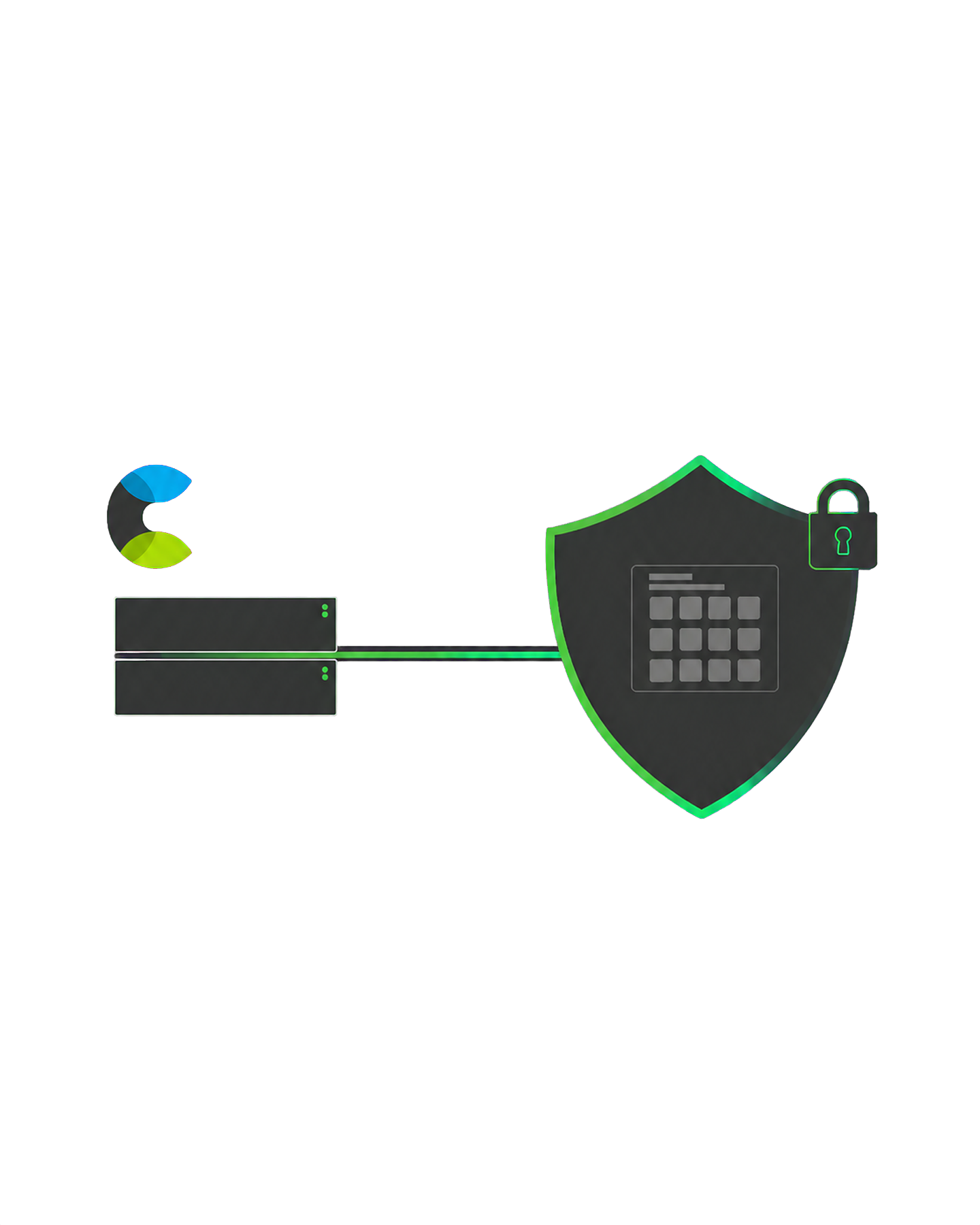
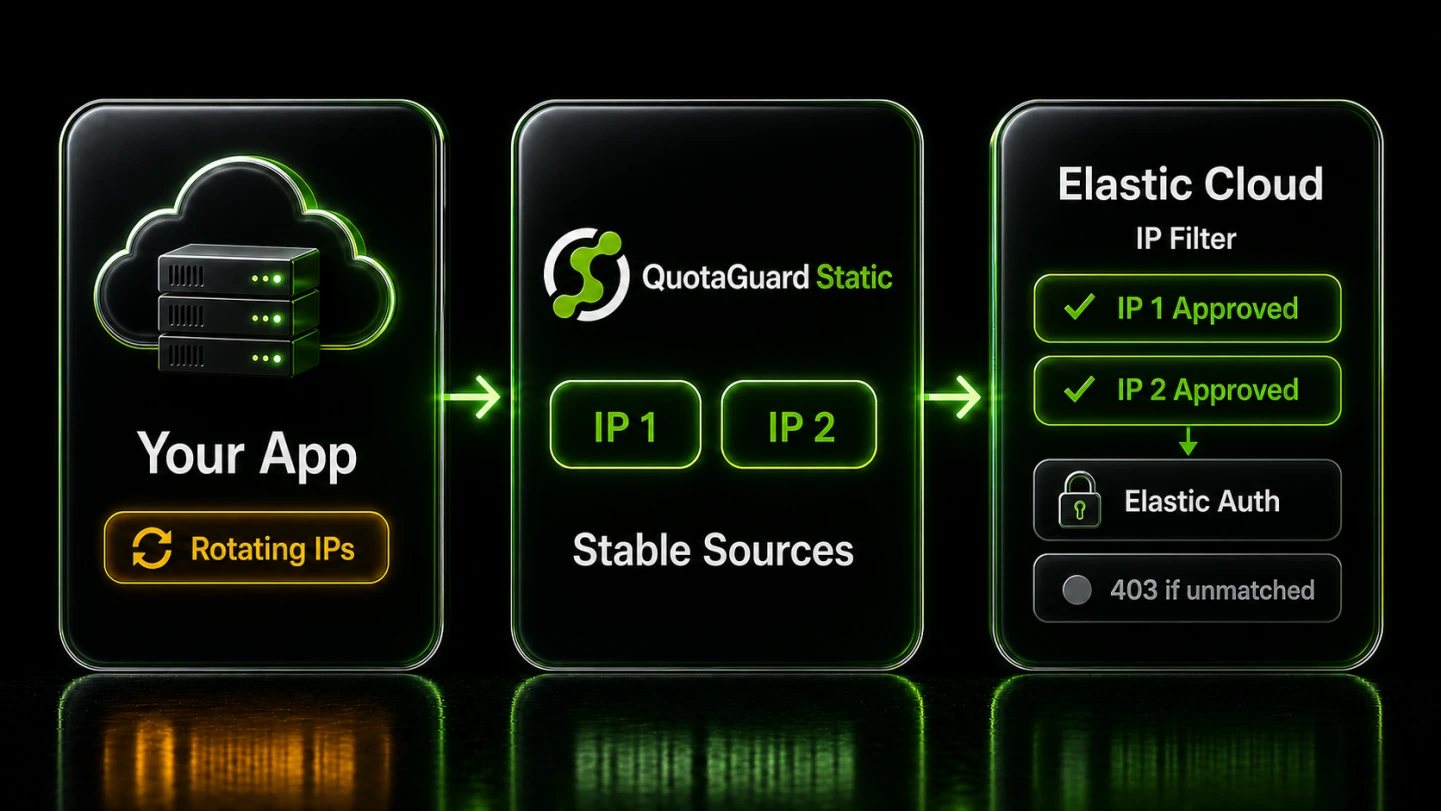
Give Elastic a stable source it can approve without moving your application into a private network. QuotaGuard places two fixed IPv4 addresses between dynamic cloud egress and the Elastic platform proxy that enforces the policy.
The control remains separate from Elasticsearch authentication. The network policy decides whether a request reaches the resource, while Elastic credentials and roles still decide what an accepted request can do.
Elastic IP filters accept individual IPv4 addresses or CIDR ranges. Domain-based sources are not allowed, so the two dashboard IPs are the values to register rather than the QuotaGuard proxy hostname.
Elastic creates network security policies at the organization level, but an unattached policy filters nothing. Associate it with the intended deployment or project before treating the allowlist as active.
Elastic enforces network security at its platform proxies. Traffic that matches no associated policy is not forwarded to the resource and receives a 403 Forbidden response, which separates a source-policy failure from an Elasticsearch credential failure.
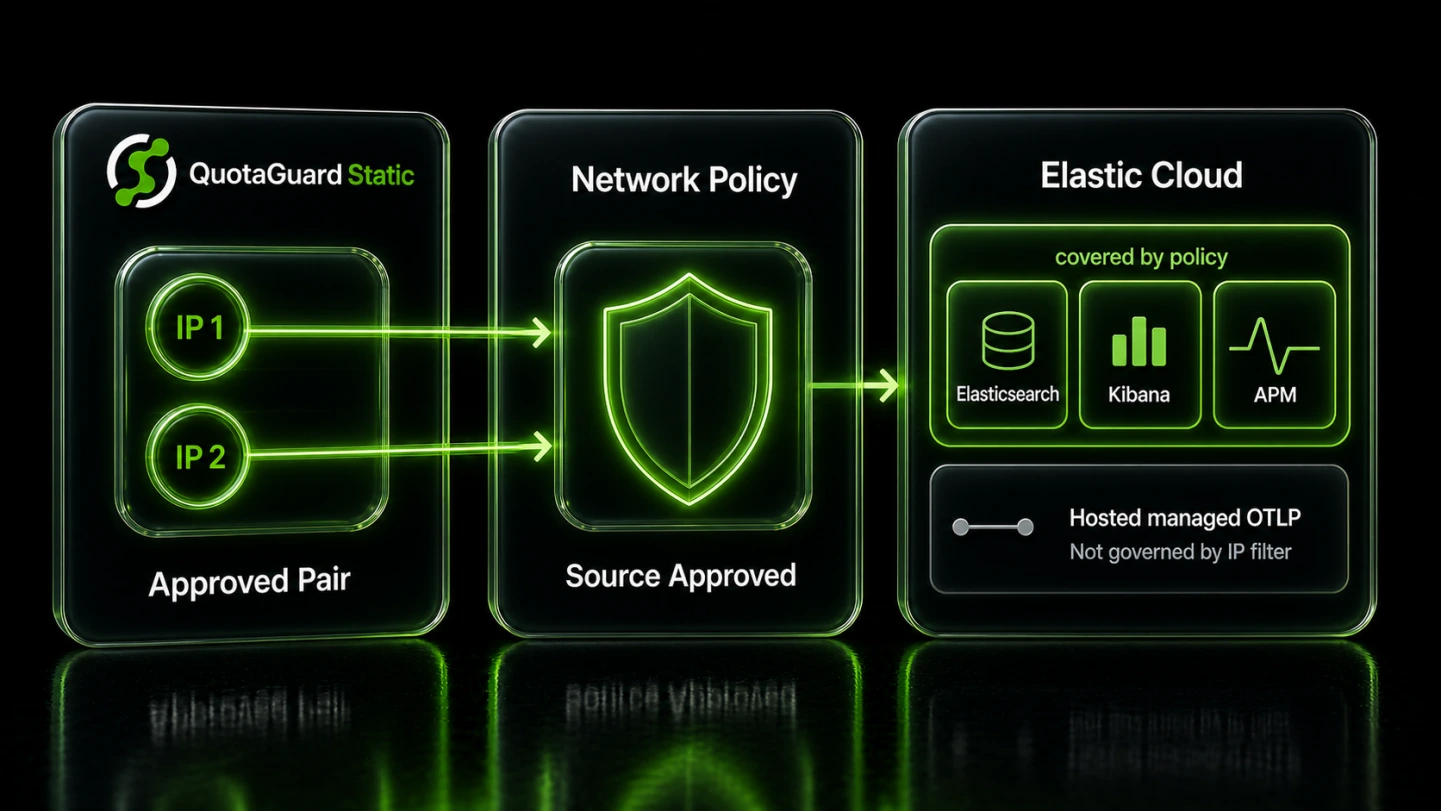
Apply one external-traffic control across the endpoints on an associated Elastic resource. Elastic documents that a network security policy covers Elasticsearch, Kibana, APM Server, and other resource endpoints, while internal service traffic remains managed by Elastic.
That broad scope makes the policy useful for search, ingestion, dashboard, and monitoring paths, but it also makes the documented exceptions important.
Elastic Cloud Hosted deployments can use ingress IP filters without a special feature-tier requirement. A QuotaGuard pair is useful when the calling application cannot present a stable source on its own.
Elastic also supports IP filters on eligible Serverless projects. Serverless availability depends on the project type and current Elastic packaging, so confirm the option in the project's Network security settings before planning the cutover.
In Elastic Cloud Hosted, IP filters do not apply to the managed OTLP endpoint. Treat that telemetry path separately rather than assuming the deployment policy restricts it; Elastic says the exception does not apply to the Serverless managed endpoint.
Decouple Elastic's source policy from the hosting platform that runs each worker, function, or service. Both QuotaGuard addresses stay at the connectivity layer, so application infrastructure can change without making every dynamic egress address part of the Elastic policy.
The operational model stays explicit: both addresses are allowed, policy scope follows Elastic's region and resource-type rules, and other trusted sources remain separately reviewable.
Each QuotaGuard subscription receives a load-balanced pair with health checks and automated failover. Register both IPv4 addresses in Elastic so traffic remains accepted when the active route changes within that pair.
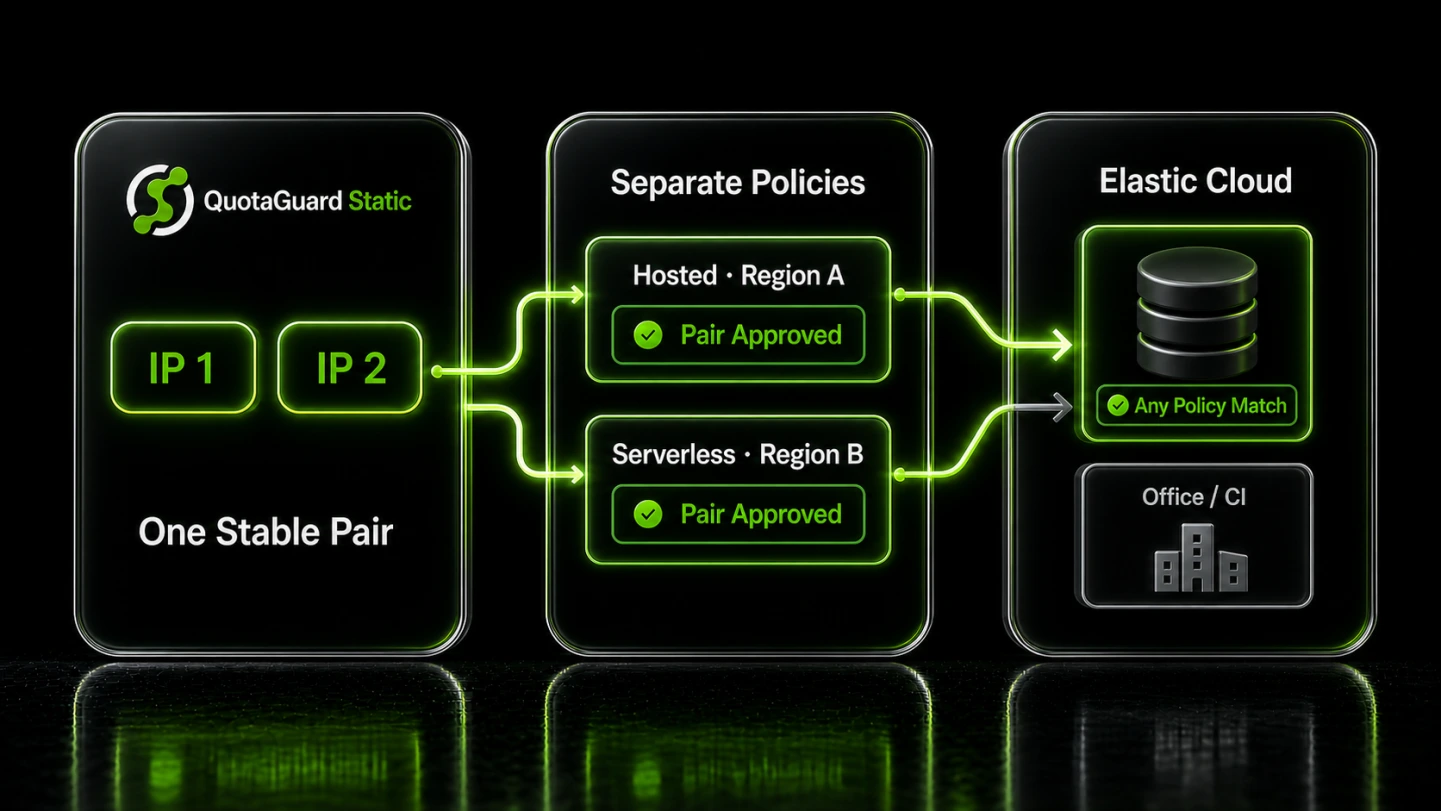
Elastic binds each network security policy to one region and one resource type. Separate policies are required when Hosted deployments and Serverless projects, or resources in different regions, need the same QuotaGuard sources.
Elastic can associate multiple policies with one resource and accepts traffic matching any of them. Keep office networks, CI runners, private connections, and the QuotaGuard pair in clearly labeled policies so each source set can be reviewed or removed without obscuring the others.
Common questions about Elastic Cloud static IPs and QuotaGuard.
Does my Elastic Cloud connection need a static IP?
You need a stable source when an Elastic Cloud Hosted deployment or eligible Serverless project is protected by an ingress IP filter and your application platform does not already provide fixed egress. Without an associated network security policy, Elastic Cloud resources are publicly reachable by default and a static source is not required for the connection itself. Once a policy is associated, unmatched external traffic is denied before it reaches the resource.
How long does the Elastic Cloud setup take?
The QuotaGuard side is a short application configuration: use the proxy connection value from the dashboard for the client that calls Elastic and register both assigned IPs in an Elastic policy. The policy must then be associated with the target deployment or project, because creating it at the organization level does not activate filtering. Follow the technical guide for the client-specific steps and verify the proxied source before tightening access.
Should I use QuotaGuard Static or Shield for Elastic Cloud?
QuotaGuard Static is sufficient for most Elastic Cloud IP-filtering use cases. Both products carry the application's HTTPS session to Elastic without decrypting its payload; Shield additionally encrypts the customer-to-proxy hop. Use Shield for workloads bound by QuotaGuard's regulated-data position for HIPAA or PCI-DSS, or when an internal control requires TLS on every network hop. Neither product by itself makes the application or Elastic workload compliant.
What source formats does Elastic Cloud accept in an IP filter?
Elastic accepts individual IPv4 addresses and IPv4 CIDR ranges as allowed sources. QuotaGuard supplies two individual IPv4 addresses per subscription, so add both addresses shown in the dashboard. Elastic does not allow domain-based sources in these policies, and the QuotaGuard proxy hostname is not the address to register.
Can one Elastic policy cover every deployment and Serverless project?
No. Elastic binds a network security policy to a particular resource type, cloud provider, and region. A policy for Hosted deployments cannot also be attached to Serverless projects, and a policy cannot cross regions. Elastic does allow multiple policies on one resource, and a request may match any associated policy.
Do Elastic API keys still matter after I add an IP filter?
Yes. The IP filter and Elastic authentication are separate controls. The filter limits which external source addresses can reach the deployment or project, while API keys, users, and roles control identity and permissions after the request is accepted. A filtering 403 means the platform proxy rejected the source; an authentication failure means the request reached the Elastic resource but the credential was not accepted.
Can I get dedicated IPs for Elastic Cloud?
Yes. Dedicated IPs and proxy resources are included on direct Enterprise plans, currently $219 per month for QuotaGuard Static and $269 per month for QuotaGuard Shield. Starter, Production, and Business use shared static IP pairs, but the two addresses assigned to a subscription remain the pair the customer places in the Elastic policy.
What if I need to change the allowed IPs later?
Elastic lets an authorized user edit a policy's allowed sources and its resource associations. Add and verify replacement sources before removing the old ones so the application keeps an accepted path throughout the change. If a policy is marked as a default, Elastic applies it to future matching resources in that region, not retroactively to existing resources.
What about traffic from Elastic Cloud back to my application?
That is the opposite direction from the application-to-Elastic path covered by this page. An Elastic ingress IP filter evaluates traffic arriving at Elastic, while traffic initiated by an Elastic workflow toward your application has its own destination and source controls. QuotaGuard supports separately configured inbound proxy endpoints when your application needs a stable public entry point, but that does not change Elastic's outbound source behavior.
For over a decade, QuotaGuard has provided reliable, high-performance static IP and proxy solutions for cloud environments like Heroku, Kubernetes, and AWS.
Get the fixed identity and security your application needs today.