
Give customer-controlled Fintoc Business Accounts API requests two stable source IPs for Fintoc's optional IP Restrictions control.
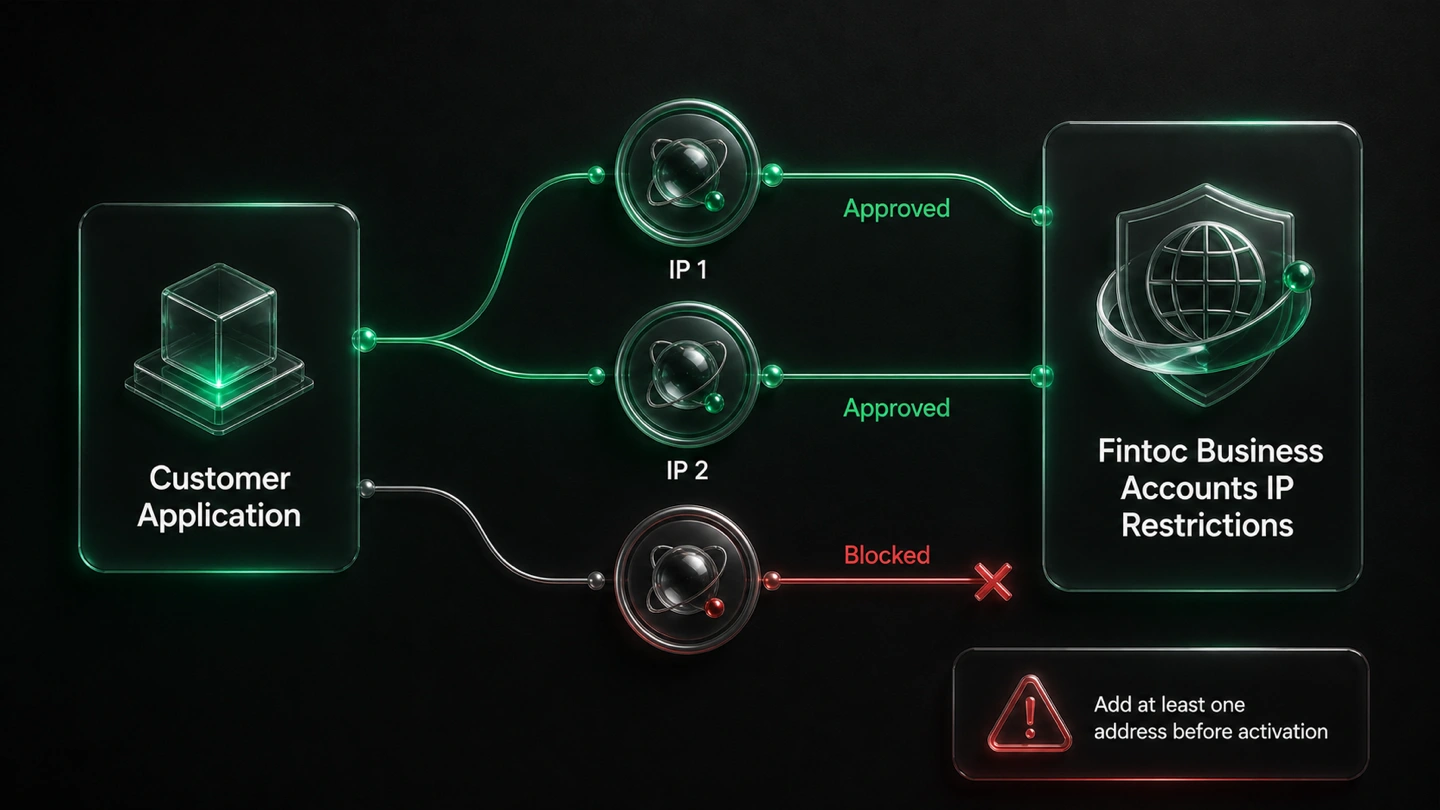
Register both QuotaGuard addresses before activation so approved requests keep working while off-list sources are blocked, even when they present a valid API key.
Start with QuotaGuard Shield when transfer requests carry sensitive banking and recipient data.

Fintoc's Business Accounts security controls let an organization restrict where its API requests can originate. Once enabled, requests from outside the approved set are blocked even if the API key is valid.
QuotaGuard supplies the stable public sources that a proxy-capable customer application can place on that list.
Each QuotaGuard subscription receives two load-balanced static IPv4 addresses. Add both displayed addresses to Fintoc so traffic can use either healthy route.
In the Fintoc Dashboard, open API Keys, turn on IP Restrictions when the option is available for the organization, and enter the approved IP addresses or CIDR blocks.
Fintoc warns that turning on IP Restrictions with no address entered rejects every request. Add the QuotaGuard pair before activation and verify access before removing an older source.
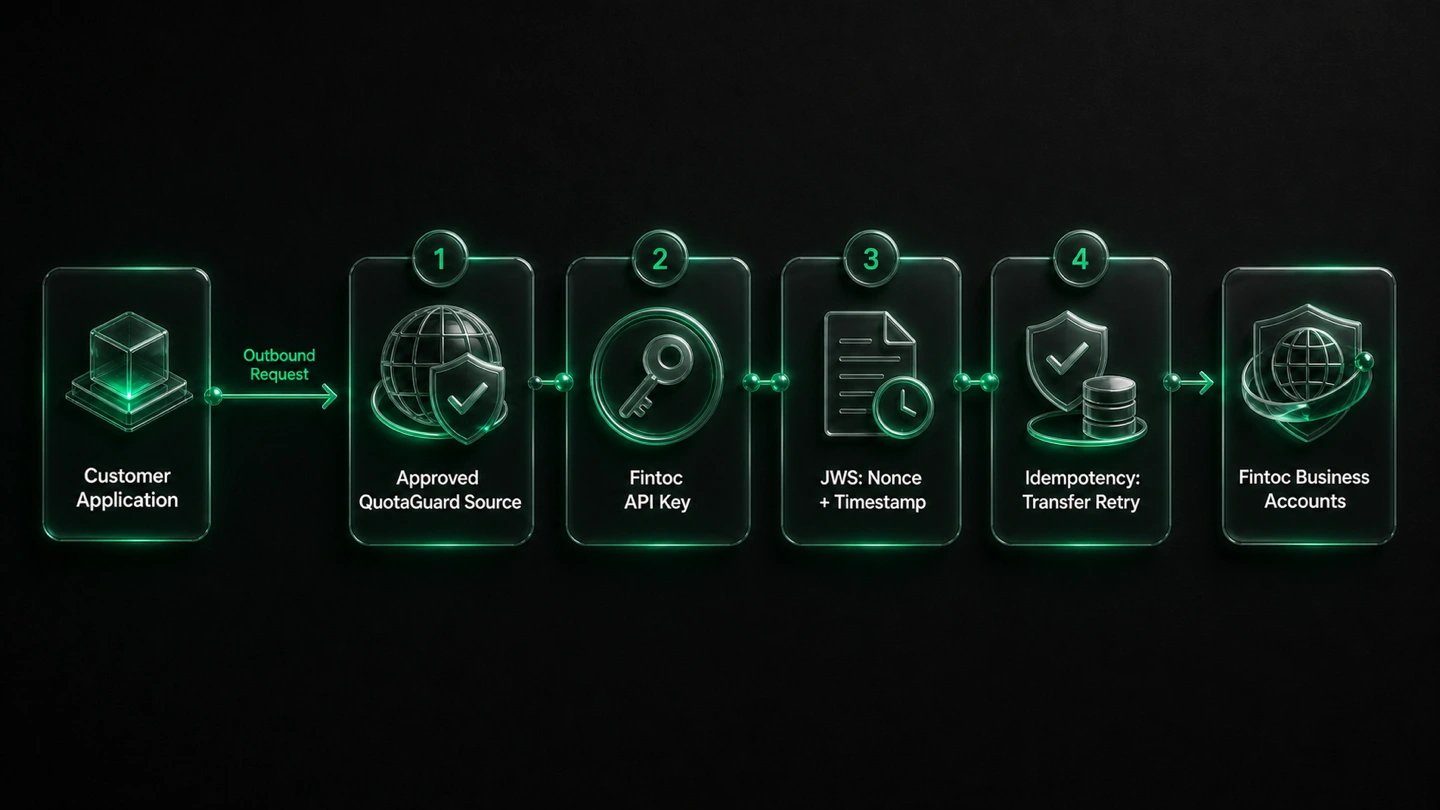
A stable network source adds one restriction. It does not replace the credentials, signatures, or retry safeguards required by Fintoc.
Every Fintoc API request still needs a valid API key. QuotaGuard changes the public source address Fintoc sees but does not authenticate the organization or grant API access.
Fintoc requires JWS for money-movement requests and documents single-use nonces and timestamps for its signatures. Keep the private signing key and signing workflow in the customer application.
Use Fintoc's idempotency control when creating payouts so a retry does not create a duplicate transfer. Static egress and idempotency solve different problems.
Fintoc transfer requests can include amounts, account numbers, tax identifiers, names, email addresses, and recipient information. Choose the QuotaGuard transport that fits the application's data and network policy.
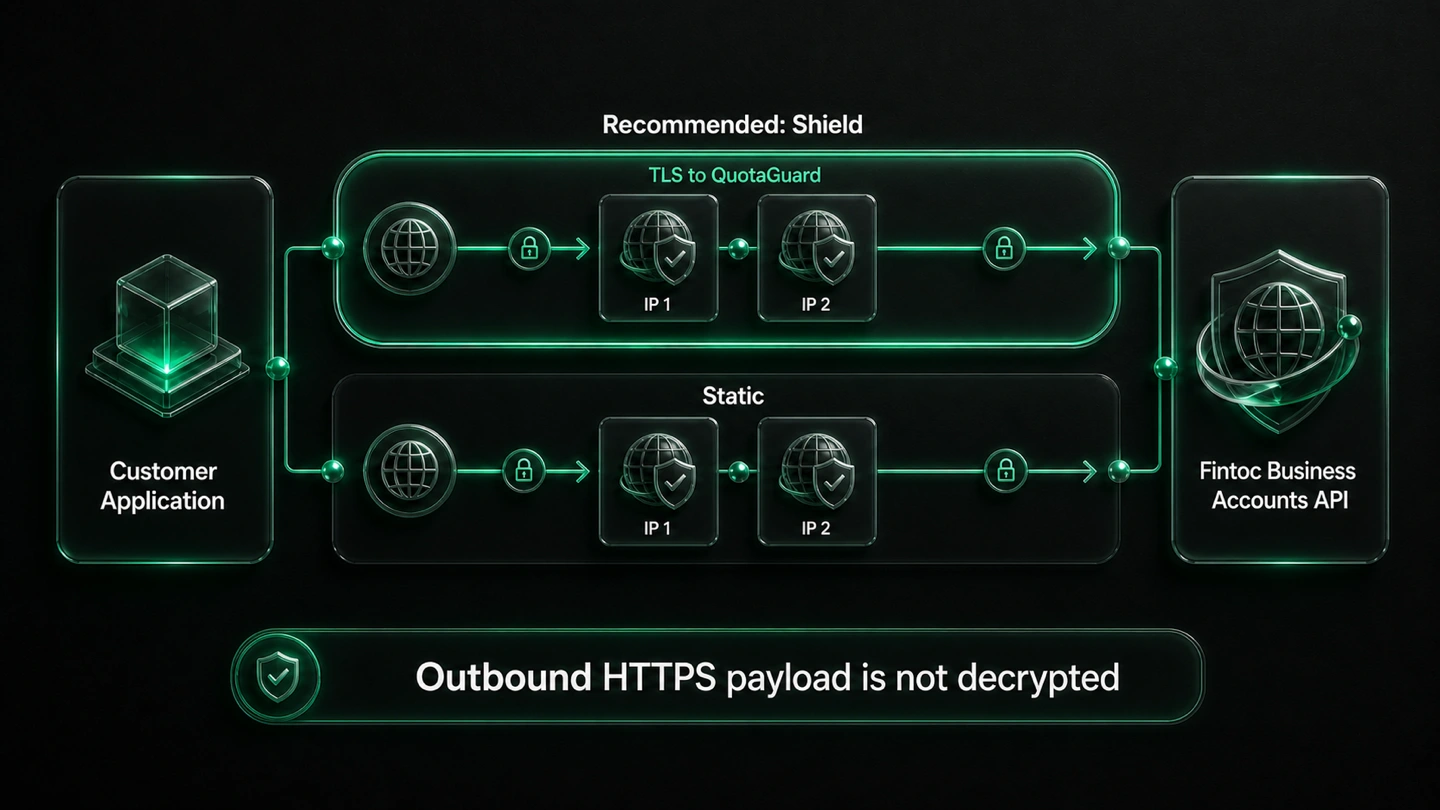
The bounded route is customer application to QuotaGuard to the Fintoc Business Accounts API.
Shield encrypts the customer-to-proxy hop while preserving the application's HTTPS session to Fintoc. QuotaGuard does not decrypt the outbound HTTPS payload.
Static also presents the subscription's stable IP pair to Fintoc and preserves the application's HTTPS session. It does not add Shield's TLS encryption around the customer-to-proxy hop.
QuotaGuard health checks and automated failover use two equal static routes. Allowlist both addresses so a route change does not move a valid request outside Fintoc's approved set.
Common questions about Fintoc Business Accounts static IPs and QuotaGuard.
Does every Fintoc Business Accounts integration need a static IP?
No. Fintoc documents IP Restrictions as optional. A static source is useful when the organization chooses to enable that control; after activation, Fintoc accepts API requests only from approved addresses and blocks other sources even when their API key is valid.
How long does the QuotaGuard side take to set up?
The QuotaGuard connection can usually be added to a proxy-capable application in minutes. Fintoc configuration and production cutover are separate steps: enter both subscription IPs before activation, route only the intended API calls, verify access, and then retire any older approved source.
Which Fintoc product and API does this integration cover?
It covers customer-controlled outbound requests to the Fintoc Business Accounts API. Fintoc documents that API for receiving, sending, and reconciling bank transfers in Chile and Mexico; this page does not claim the same restriction behavior for other Fintoc products.
Where do I configure Fintoc IP Restrictions?
Open the Fintoc Dashboard and select API Keys in the sidebar. If the organization has products with IP restrictions enabled, turn on IP Restrictions, open that setting, and add both QuotaGuard addresses before activation.
Which address formats and limits does Fintoc document?
Fintoc publicly documents individual IP addresses and CIDR blocks. Its public documentation does not state an entry-count limit, supported address families, or whether the restriction is configured separately for test and live modes, so confirm those details in the organization's Dashboard or with Fintoc.
Does an approved source IP replace Fintoc API keys or JWS?
No. Every request still needs a valid Fintoc API key, and money-movement requests still need the JWS protections Fintoc documents, including nonce and timestamp handling. QuotaGuard supplies a stable network source; it does not replace authentication, request signing, permissions, or idempotency.
Should I use QuotaGuard Static or Shield for Fintoc?
Shield is the recommended starting point for transfer workflows that carry sensitive banking and recipient data because it encrypts the customer-to-proxy hop. Static can still satisfy the source-IP control and preserves the application's HTTPS session to Fintoc; neither product makes the workflow compliant by itself.
Can I get dedicated IPs for Fintoc Business Accounts?
Yes. Dedicated IPs and proxy resources are included on direct Enterprise plans, currently $219 per month for QuotaGuard Static and $269 per month for QuotaGuard Shield. Direct Starter, Production, and Business plans use stable shared IP pairs, which can still satisfy Fintoc's source-IP control unless the customer's policy also requires exclusive proxy resources.
What if my QuotaGuard IPs need to change?
Stage the change before removing the old addresses. Add the replacement pair in Fintoc, confirm requests can use both new routes, update the application if needed, and only then remove the previous entries so failover does not cause an avoidable lockout.
Does outbound QuotaGuard routing handle Fintoc webhooks?
No. This integration covers requests traveling from the customer application through QuotaGuard to the Fintoc Business Accounts API. Fintoc webhooks travel in the opposite direction to the customer's HTTPS endpoint and require their own receiving, signature-verification, source-verification, retry, and idempotency controls.
For over a decade, QuotaGuard has provided reliable, high-performance static IP and proxy solutions for cloud environments like Heroku, Kubernetes, and AWS.
Get the fixed identity and security your application needs today.