
QuotaGuard gives your application two fixed outbound IPv4 addresses for Neon Scale IP Allow.
Route pooled or direct Postgres connections through the pair while preserving the real Neon hostname and TLS identity. Neon then sees the same approved sources even when the application's cloud egress changes.
Keep implementation details in the QuotaGuard Neon technical guide.
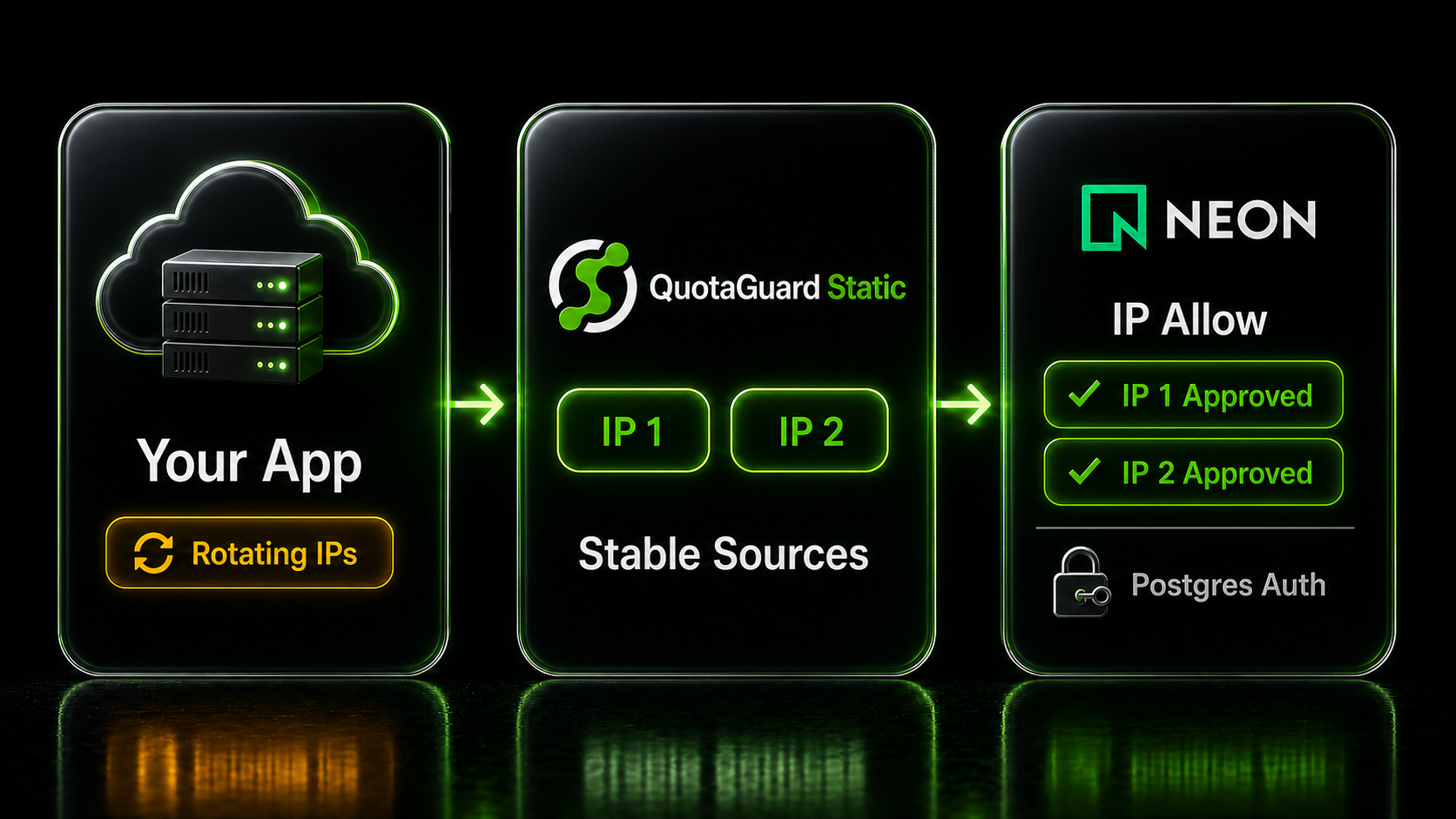
Neon IP Allow turns the caller's source address into a project access rule. QuotaGuard provides the stable source identity that serverless functions, workers, containers, and other dynamic runtimes may not provide on their own.
The feature is available on Neon Scale. Once rules replace the open default, each approved application path needs to arrive from an allowed address.
Each QuotaGuard subscription receives two load-balanced static IPv4 addresses with health checks and automated failover. Register both addresses in Neon so either route in the subscription pair remains accepted.
Neon accepts individual addresses, explicit ranges, and CIDR blocks. Add the two IPv4 values shown in the QuotaGuard dashboard, not the proxy hostname or a temporary address reported by the application platform.
IP Allow limits which network sources can reach the project. PostgreSQL roles, passwords, and connection security still control database identity and permissions after the network rule accepts the source.
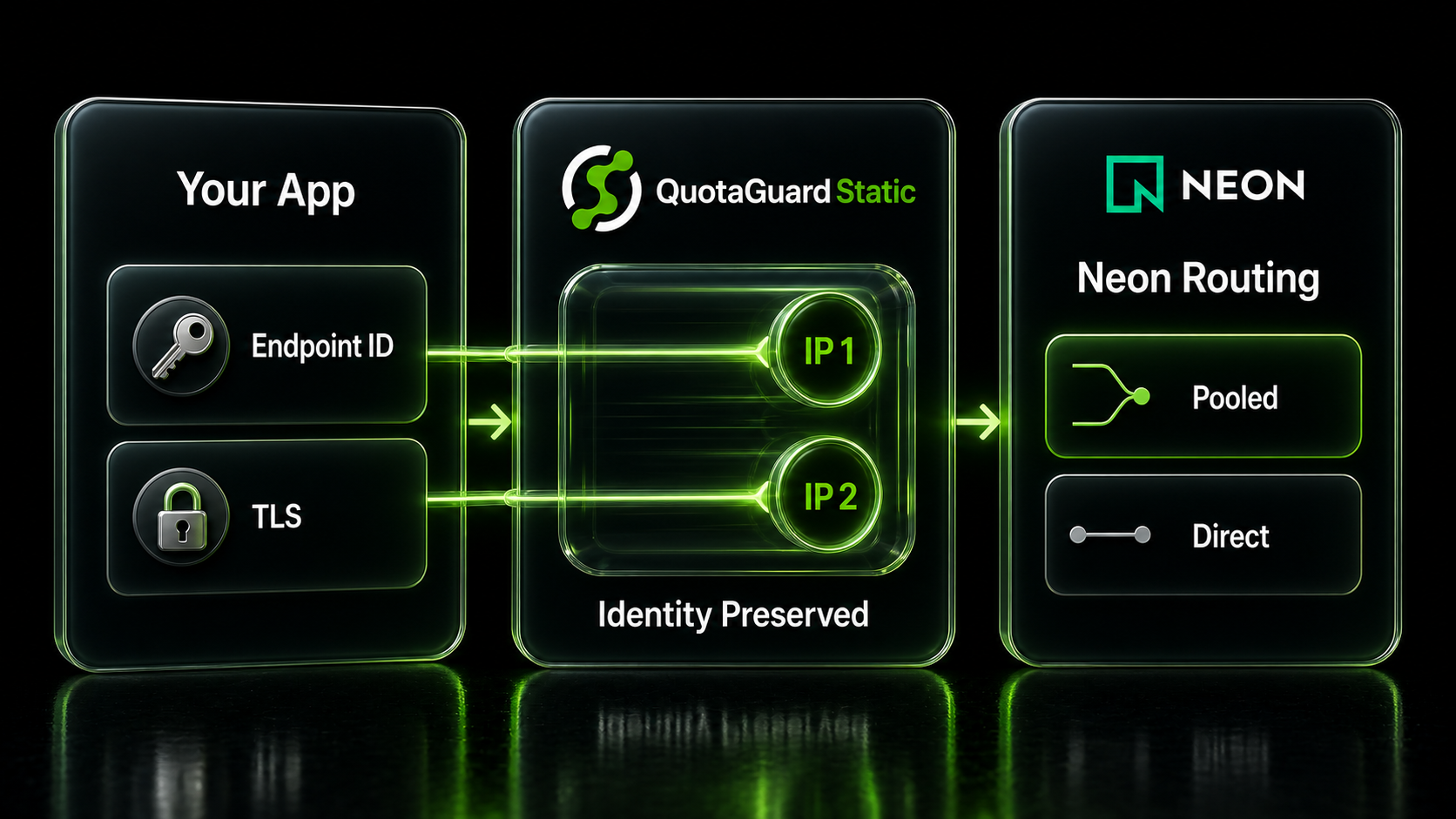
Neon uses the compute endpoint identifier in the hostname and the TLS Server Name Indication to route a PostgreSQL connection to the correct endpoint. A useful static-IP path must preserve that identity instead of hiding it behind a local database hostname.
QuotaGuard's Neon guide uses a transparent tunnel so the application keeps connecting to the original Neon host while its network path gains the subscription's two fixed sources.
The first part of the Neon hostname identifies the compute endpoint. Preserve that hostname and normal TLS verification so Neon receives the routing information and certificate name it expects.
Neon's pooled endpoints use a hostname with a -pooler suffix and PgBouncer in transaction mode. They are the usual fit for serverless and web workloads that open many short-lived connections.
Direct endpoints remain useful for migrations, logical replication, database exports, and tasks that need session-level behavior. IP Allow evaluates the source for both pooled and direct project endpoints.
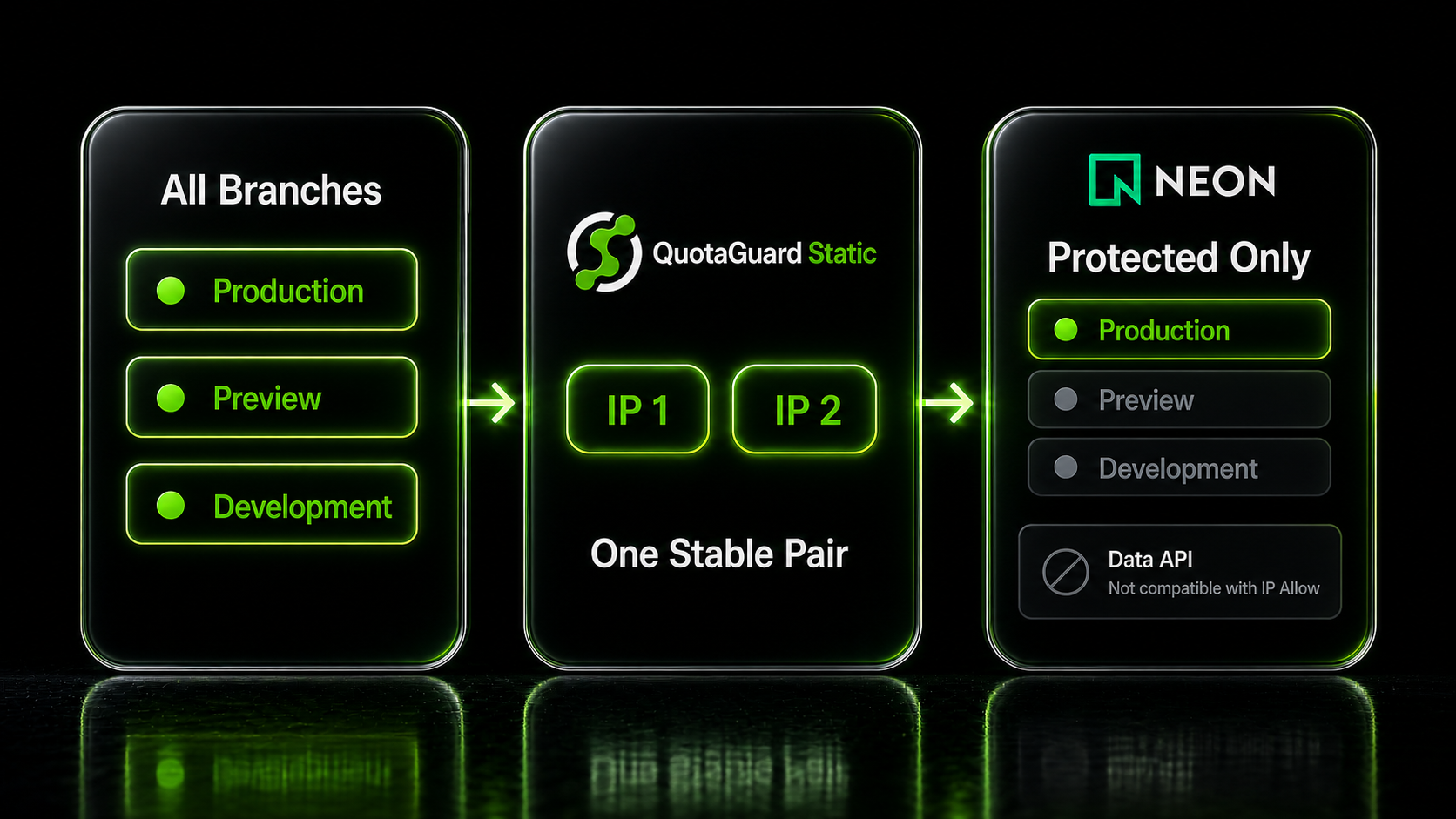
Neon applies IP Allow to every branch in a project by default, but Scale projects can restrict the rules to protected branches only. That choice determines whether preview and development branches share the production network boundary.
Keep the scope explicit so production protection, developer access, and application deployment behavior stay aligned.
Use the default project-wide scope when all branches should accept only approved sources. Application services, CI jobs, migrations, and developer tools then need an allowed network path wherever they connect.
Enable Neon's protected-branch-only option when production branches need IP restrictions but unprotected preview or development branches should remain outside that rule. The QuotaGuard pair can stay focused on the protected application path.
Neon's current documentation says the Data API cannot be enabled on a project that uses IP Allow or Private Networking. This integration covers PostgreSQL connections to Neon endpoints, not the Neon Data API.
Common questions about Neon static IPs and QuotaGuard.
Does my Neon connection need a static IP?
A static source is useful when Neon IP Allow is enabled and the application platform does not already provide fixed egress. Without IP Allow, Neon accepts connections from any network source by default and relies on database authentication and connection security. After an allowlist is configured, the application's Postgres traffic must arrive from an approved address.
Which Neon plan supports IP Allow?
Neon's current pricing and project documentation list IP Allow as a Scale-plan feature. Protected branches are available on paid plans, but the ability to apply IP rules to all branches or protected branches only still requires Scale. Confirm the feature in the project's Network security settings before planning a cutover.
How do I connect QuotaGuard to Neon?
Configure the application's PostgreSQL path using the QuotaGuard Neon technical guide, preserve the exact Neon hostname and TLS verification, and add both subscription IPs under Project Dashboard, Settings, Network security, IP Allow. Verify the proxied connection before removing any previously accepted source.
What address formats does Neon IP Allow accept?
Neon accepts individual IP addresses, explicit IP ranges, CIDR blocks, or a comma-separated mixture. Neon projects on AWS accept IPv4 and IPv6 rules, while Neon currently documents IPv4-only rules for Azure. QuotaGuard supplies two IPv4 addresses per subscription, so add both dashboard values.
Should I use a pooled or direct Neon connection?
Use a pooled endpoint for serverless, web, and high-churn workloads that create many short-lived database connections. Use a direct endpoint for migrations, database exports, logical replication, and features that need session-level behavior. Neon IP Allow evaluates the source for both connection types, and the QuotaGuard guide supports either path.
Why must the connection keep the real Neon hostname?
Neon's proxy uses the endpoint identifier in the hostname and the TLS Server Name Indication to route the connection to the correct compute endpoint. Replacing that hostname with a local tunnel name can remove the routing and certificate identity Neon expects. Keep the original hostname visible to the PostgreSQL client and let the tunnel change only the network path.
Can I apply Neon IP Allow only to protected branches?
Yes. Neon applies IP Allow to every branch by default, and Scale projects can select the option that restricts the rules to protected branches only. Unprotected branches are then not governed by the IP allowlist, so choose the scope deliberately based on how preview, development, and production branches are used.
Does this integration work with the Neon Data API?
No. Neon's current documentation says the Data API cannot be enabled on a project that has IP Allow or Private Networking enabled. This integration is for PostgreSQL connections to Neon endpoints. Use Neon's current Data API architecture if the application needs that interface instead of a Postgres connection.
Should I use QuotaGuard Static or Shield for Neon?
QuotaGuard Static is sufficient for most Neon IP Allow use cases. The PostgreSQL TLS session remains encrypted to Neon, and QuotaGuard does not decrypt the database payload. Shield additionally encrypts the customer-to-proxy hop. Use Shield for workloads bound by QuotaGuard's regulated-data position for HIPAA or PCI-DSS, or when an internal control requires TLS on every network hop. Neither product by itself makes the workload compliant.
Can I get dedicated IPs for Neon?
Yes. Dedicated IPs and proxy resources are included on direct Enterprise plans, currently $219 per month for QuotaGuard Static and $269 per month for QuotaGuard Shield. Starter, Production, and Business use shared static IP pairs, but the two addresses assigned to a subscription remain the pair the customer registers with Neon.
For over a decade, QuotaGuard has provided reliable, high-performance static IP and proxy solutions for cloud environments like Heroku, Kubernetes, and AWS.
Get the fixed identity and security your application needs today.