
Static Inbound & Outbound IPs for Vercel
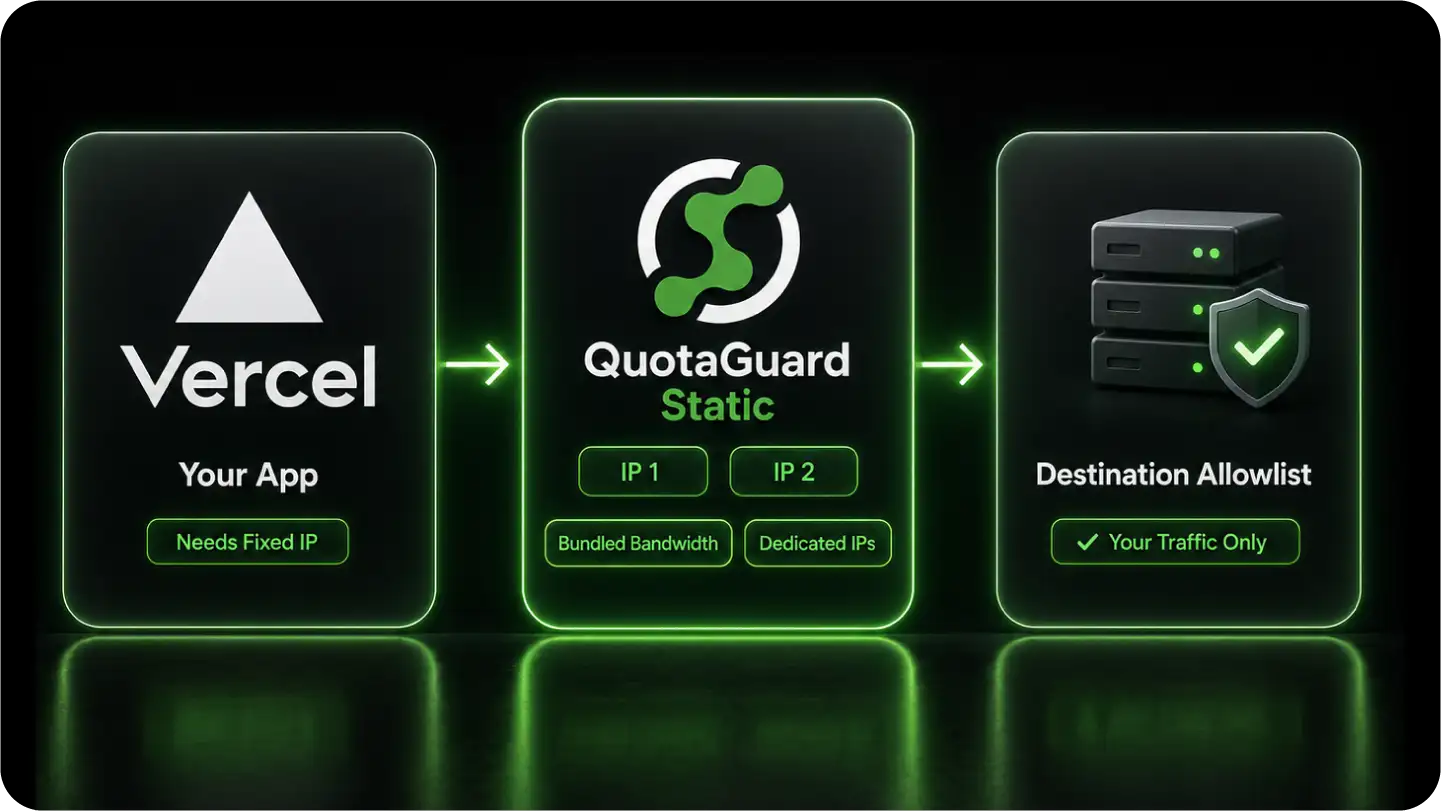
QuotaGuard gives your Vercel functions two fixed IP addresses that the databases and APIs you call will accept, on every plan tier and across every project you run.
Vercel assigns outbound IPs from shared, rotating ranges, so a destination that allowlists by IP rejects your traffic. You add the two QuotaGuard IPs to that allowlist once, and they hold through every deploy, in both directions.
Static covers most outbound calls. Shield adds SSL passthrough for data a security review will not let a proxy decrypt.
How This Compares to Vercel's Native Static IPs
One QuotaGuard plan gives every Vercel project a fixed network identity, in both directions, and the same pair works on any other platform you run. That is the gap Vercel's own Static IPs feature leaves open.
Vercel's Static IPs are a real feature, and for a single Pro project with only outbound calls they may be all you need. The limits show up once you look at plan tier, project count, direction, and what they bill for transfer..
Note: QuotaGuard is designed for connecting Vercel infrastructure to IP-restricted B2B resources like SQL databases, internal APIs, and secure gateways. This solution is not intended for web scraping consumer sites (e.g., social media or ticketing platforms) that block cloud infrastructure.
Wire It Into Next.js the Way the Runtime Actually Behaves
One environment variable routes your outbound calls through your static IPs. Getting the client right is the rest of the job, because Next.js's default fetch does not behave the way most proxy guides assume.
The variable goes in your Vercel Project Settings and reaches your functions as an encrypted value. What you do with it depends on which HTTP client your code uses and which runtime the function runs on.
One Variable in Project Settings
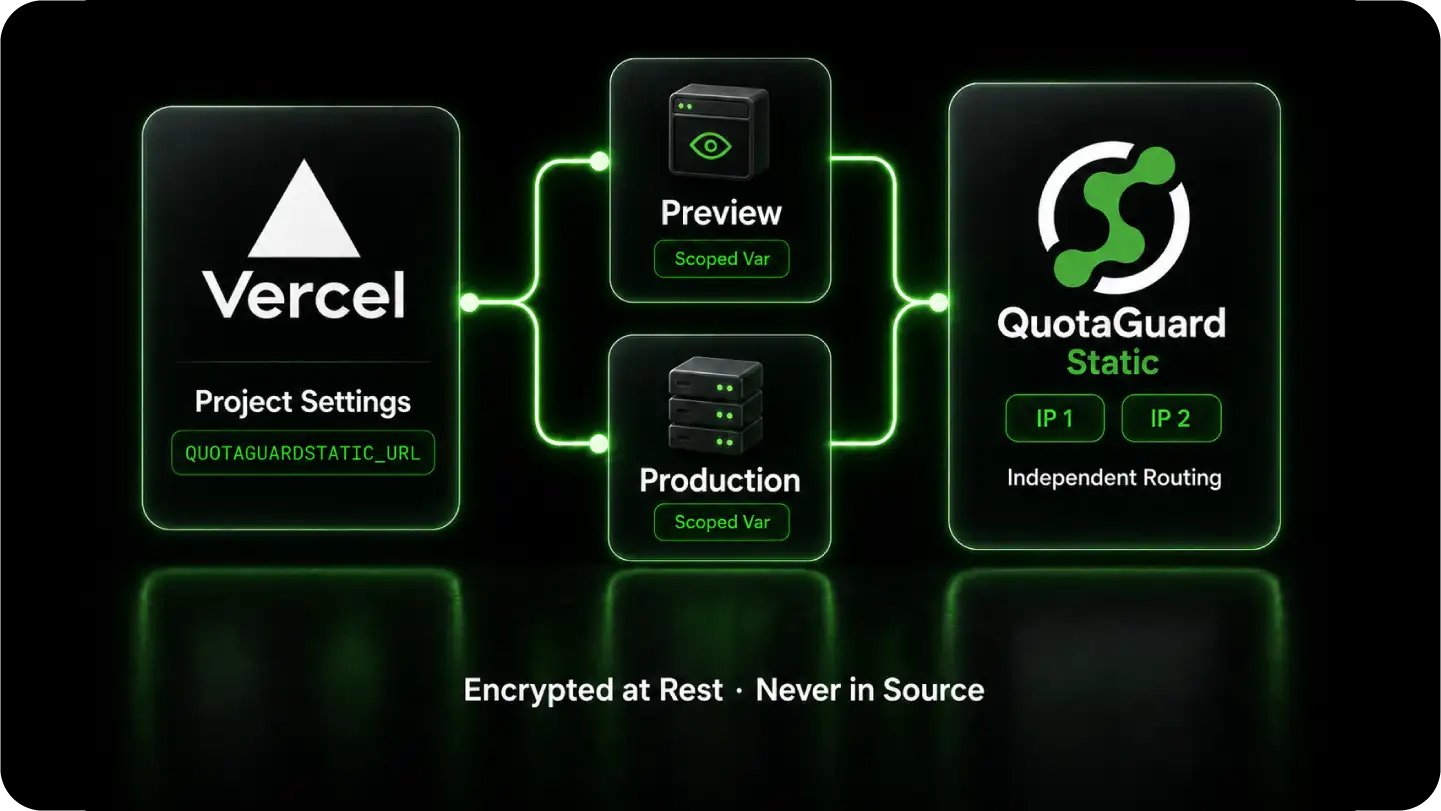
Add your QuotaGuard connection URL as the QUOTAGUARDSTATIC_URL environment variable in Vercel Project Settings, scoped per environment so Preview and Production can route differently.
It is encrypted at rest, exposed only during build and function execution, and never lives in your source.
Native fetch Needs a Dispatcher, Not Just the Variable
In the Node runtime, Next.js uses the built-in fetch, which runs on Undici and ignores the HTTPS_PROXY variable. Setting the env var alone leaves your traffic on a rotating IP.
Route it by setting an Undici ProxyAgent as the global dispatcher with setGlobalDispatcher, or by enabling NODE_USE_ENV_PROXY on Node 24 and later. The axios and node-fetch libraries instead take an https-proxy-agent. The Edge runtime is more restricted, so route proxied calls from standard Node functions.
Build Steps, Server Actions, and API Routes
The same variable routes outbound calls during the build, which is what database migrations and Static Site Generation need so a firewalled backend does not reject Vercel's build servers.
Server-side calls in your /api routes and Server Actions proxy the same way, so the requests that touch protected resources all leave from your fixed pair.
Reach Firewalled Resources, in Both Directions
Your database ports stay closed to the internet and your partners get one address to trust. That holds whether the traffic leaves your functions or arrives at them.
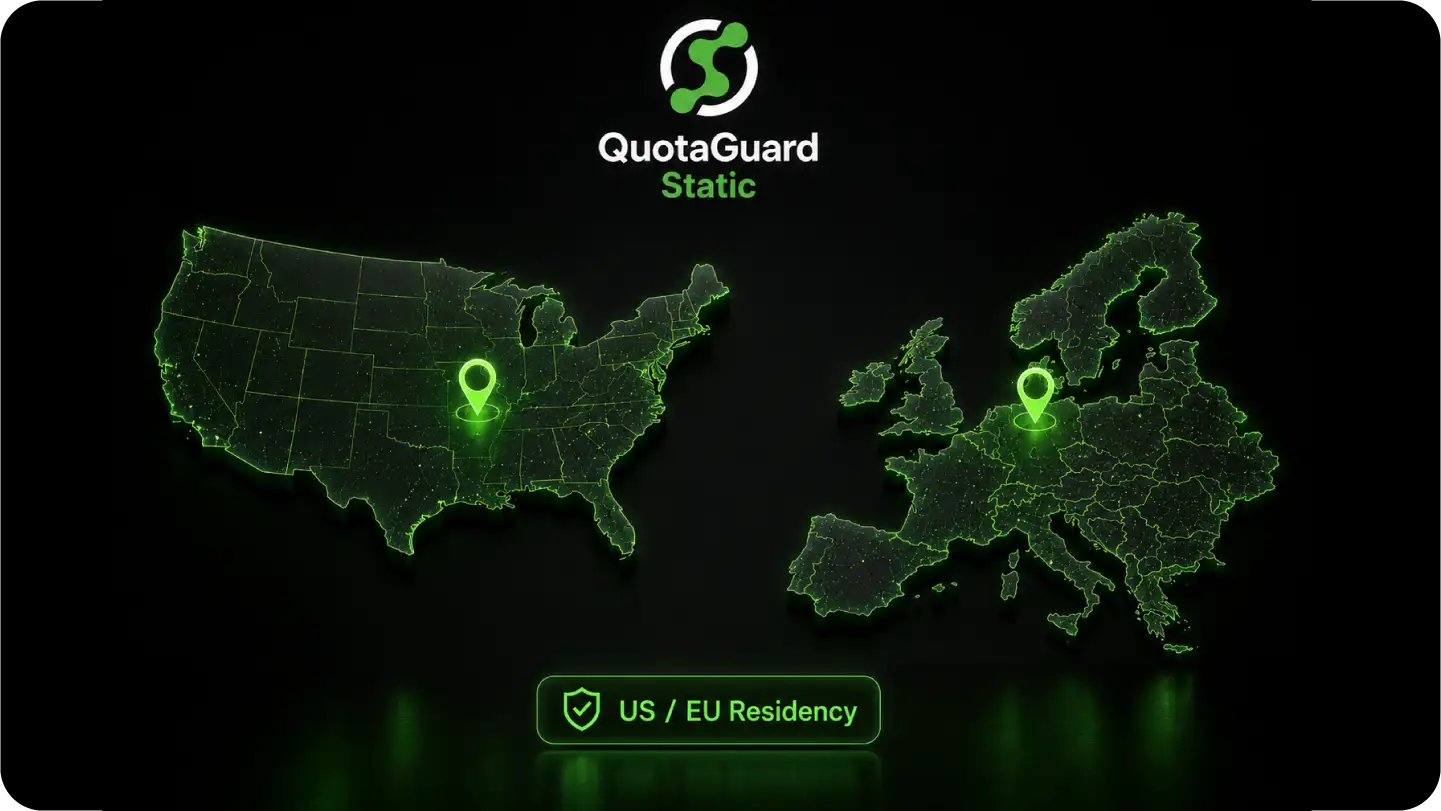
The destination only ever sees your fixed IP. What changes is the protocol, the direction, and where in the world the egress sits.
FAQs
Technical answers for routing Vercel Serverless Functions through a dedicated static IP.
Vercel's native Static IPs are a Pro-and-Enterprise feature, enabled per project, on a shared pool of outbound-only addresses, with regional data-transfer fees on the traffic.
QuotaGuard is one flat plan whose two IPs serve all your projects and any other platform you run, with bandwidth bundled and no per-GB overage.
It also adds the two things the native feature does not: a fixed inbound IP for partners and webhooks, and raw-TCP database tunneling.
For a single Pro project with only outbound calls, Vercel's feature may be enough; past that, the proxy is usually cheaper and does more.
Not from the environment variable alone.
In the Node runtime, Next.js uses the built-in fetch, which runs on Undici and ignores HTTPS_PROXY, so a request still leaves from a rotating IP until you wire the proxy in.
Set an Undici ProxyAgent as the global dispatcher with setGlobalDispatcher, or enable NODE_USE_ENV_PROXY on Node 24 and later; if you use axios or node-fetch instead, pass an https-proxy-agent.
The Edge runtime is more restricted, so route proxied calls from standard Node functions.
Whitelisting Vercel's dynamic ranges opens your firewall to every other customer's traffic on the same infrastructure, which defeats the point of an allowlist.
Your two QuotaGuard IPs belong to your subscription, so the destination can trust your traffic alone.
Because these are cloud IPs, this is for professional B2B allowlisting, not for reaching consumer sites that block cloud ASNs.
From a temporary server-side route, make a request through the proxy to https://ip.quotaguard.com.
It returns the IP the destination sees, which should match one of the two addresses in your QuotaGuard dashboard.
Call it more than once and you will see both, because the pair is load-balanced, so add both to the destination allowlist.
Yes.
With the connection URL set as a project environment variable, build-time outbound calls route through your static IP just like runtime calls.
This matters for database migrations and for Static Site Generation that pulls from a firewalled backend during the build, which would otherwise reject Vercel's build servers.
Routing through a proxy adds a small amount of latency, so raise the maxDuration in your vercel.json or route config enough to cover the full round trip of the database or API call.
A function that returns a 504 timeout under a proxy is almost always one whose duration cap was left at the default, not a proxy fault.
Static satisfies the allowlist and is enough for most Vercel apps. Use Shield when the data is regulated under HIPAA, PCI-DSS, or SOC 2, or when a security policy requires that no proxy can decrypt the traffic.
Shield uses SSL passthrough, so it routes the encrypted session without ever holding a key to read it. The allowlist sees a static IP on either product, so the choice is about the data, not connectivity.
QuotaGuard's outbound proxy covers your functions calling out, and inbound covers a partner or webhook sender reaching your app at a fixed address, which Vercel's outbound-only feature cannot do.
Dedicated IPs are included on QuotaGuard Enterprise, $219 per month for Static and $269 per month for Shield on direct billing, while Starter, Production, and Business share static IPs across customers.
Still have questions?
We don’t outsource Support to non-Engineers.
Reach out directly to the Engineers who built Shield to discuss your specific architecture, integration challenges, or compliance constraints here 👇
🚀 Ready to Get Started? Choose Your QuotaGuard Path
QuotaGuard STATIC
QuotaGuard SHIELD
Trusted by Engineering Teams Everywhere
Reliability Engineered for the Modern Cloud
For over a decade, QuotaGuard has provided reliable, high-performance static IP and proxy solutions for cloud environments like Heroku, Kubernetes, and AWS.
Get the fixed identity and security your application needs today.