
Give customer-controlled Codex commands and MCP server API calls two stable source IPs for protected APIs.
Route the requesting client through QuotaGuard and keep the destination’s IP allowlist, authentication and Codex permissions in place. Configure the execution host or tool server that actually opens the connection.
The full Codex guide provides configuration examples, safe secret handling and route checks.
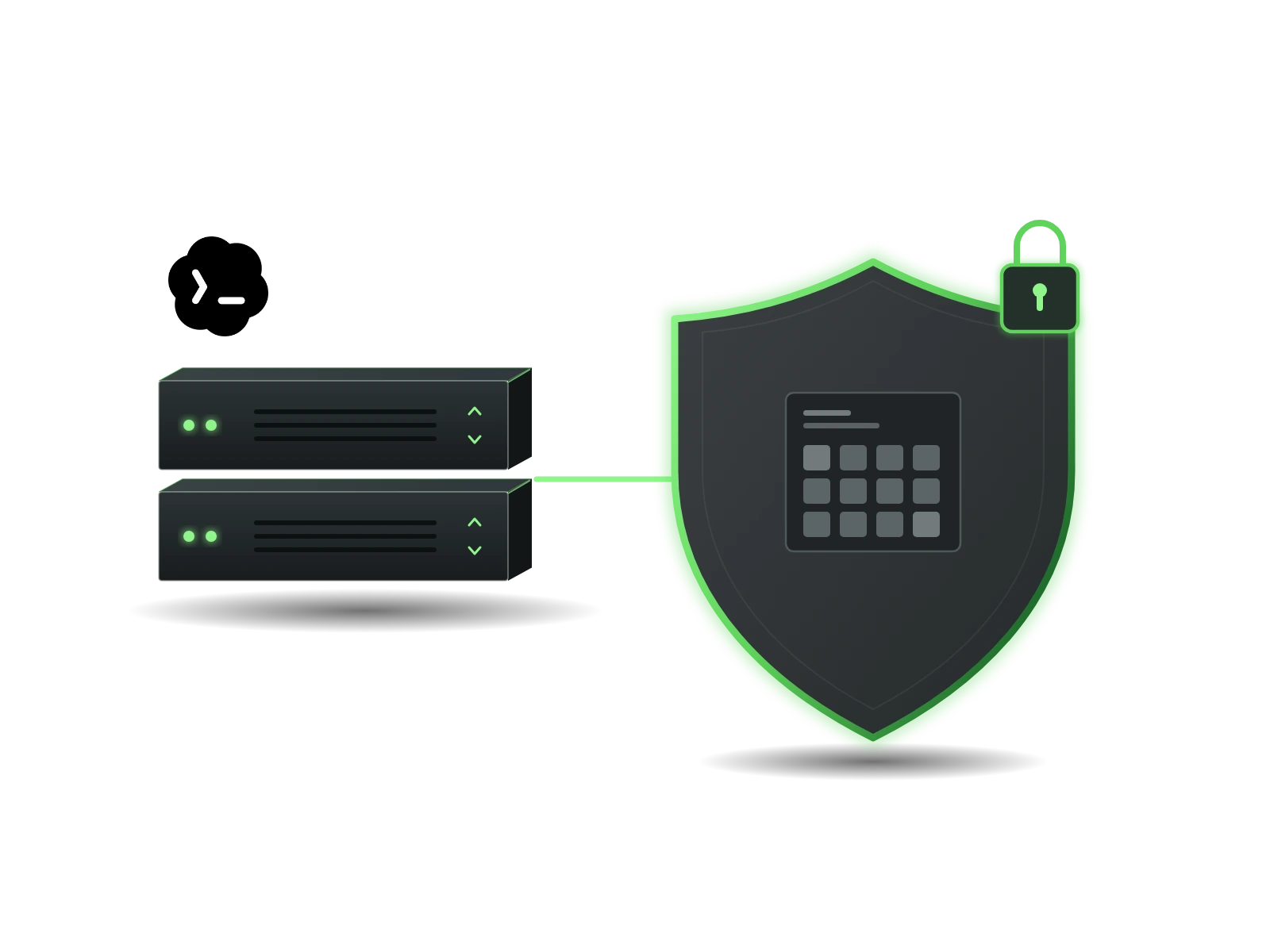
Keep a small source-IP allowlist when your engineers run approved API calls from changing execution hosts. QuotaGuard supplies the outbound proxy; the HTTP client selects the requests that use it.
This fits a public HTTPS service that accepts approved source IPs. Your destination’s tokens, scopes and roles remain part of the connection.
Configure curl, your script’s HTTP library or another proxy-aware client on the actual execution host. Environment variables help only clients that honor them. For a repository’s integration checks, route the helper that calls an IP-restricted staging API rather than assuming every development request needs the same path.
Codex command-network permission and QuotaGuard’s stable source addresses solve different problems. Retain the sandbox’s network controls and approved destinations. Where a managed command proxy is active, use its supported upstream route instead of bypassing it to make a connection work.
Allowlist both addresses assigned to the QuotaGuard subscription because either can carry traffic. Start with the public IP check from the actual client, then perform a permitted read-only request to the protected API. Destination logs or a specific IP-policy response establish what happened on that request; a green public-IP check alone is not a passing integration test.
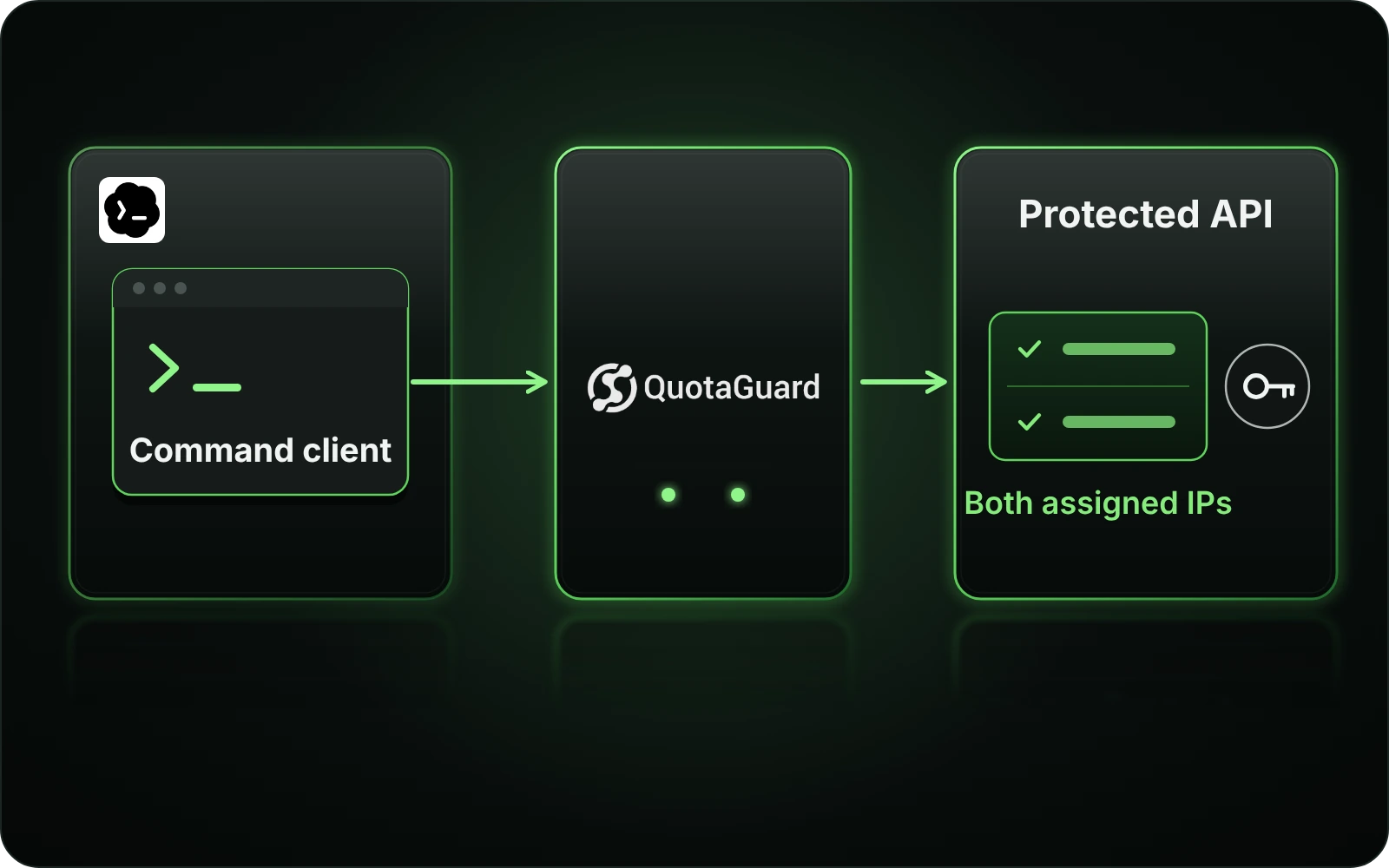
Match QuotaGuard to the process you control. Codex talking to an MCP server and that server calling a partner API are two separate connections.
A customer-operated MCP tool can retrieve an approved catalog or service-status response from an IP-restricted API while exposing only that bounded operation to Codex. Configure the tool’s API client, not an unrelated process.
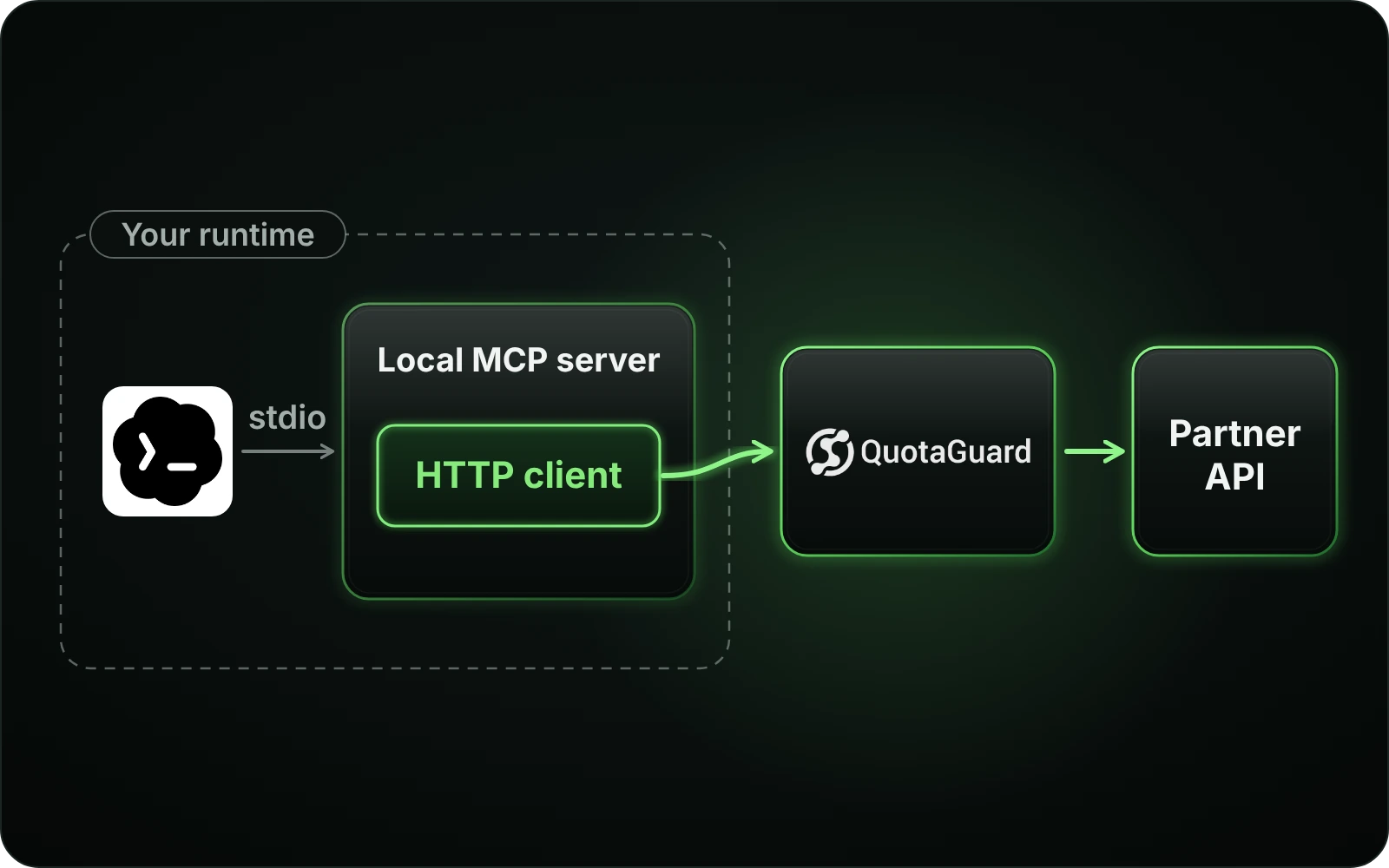
For a local stdio MCP server, use Codex’s server-specific environment configuration to supply the values the child requires. Then configure that server’s HTTP client to use the proxy. The local stdio exchange is not the outbound API connection, and passing a variable does not prove that a client honors it.
For a remote MCP server you operate, configure its server-side API egress. Proxying the connection from Codex to the MCP endpoint would not automatically change the source of the server’s next request. A hosted MCP provider needs its own supported egress setting or operator assistance.
Keep the MCP server’s authentication, tool permissions and API credentials in place. QuotaGuard authenticates the proxy connection; it does not grant access to the destination’s data. Store secrets in the appropriate runtime or server secret configuration, not in prompts, repository files or screenshots.
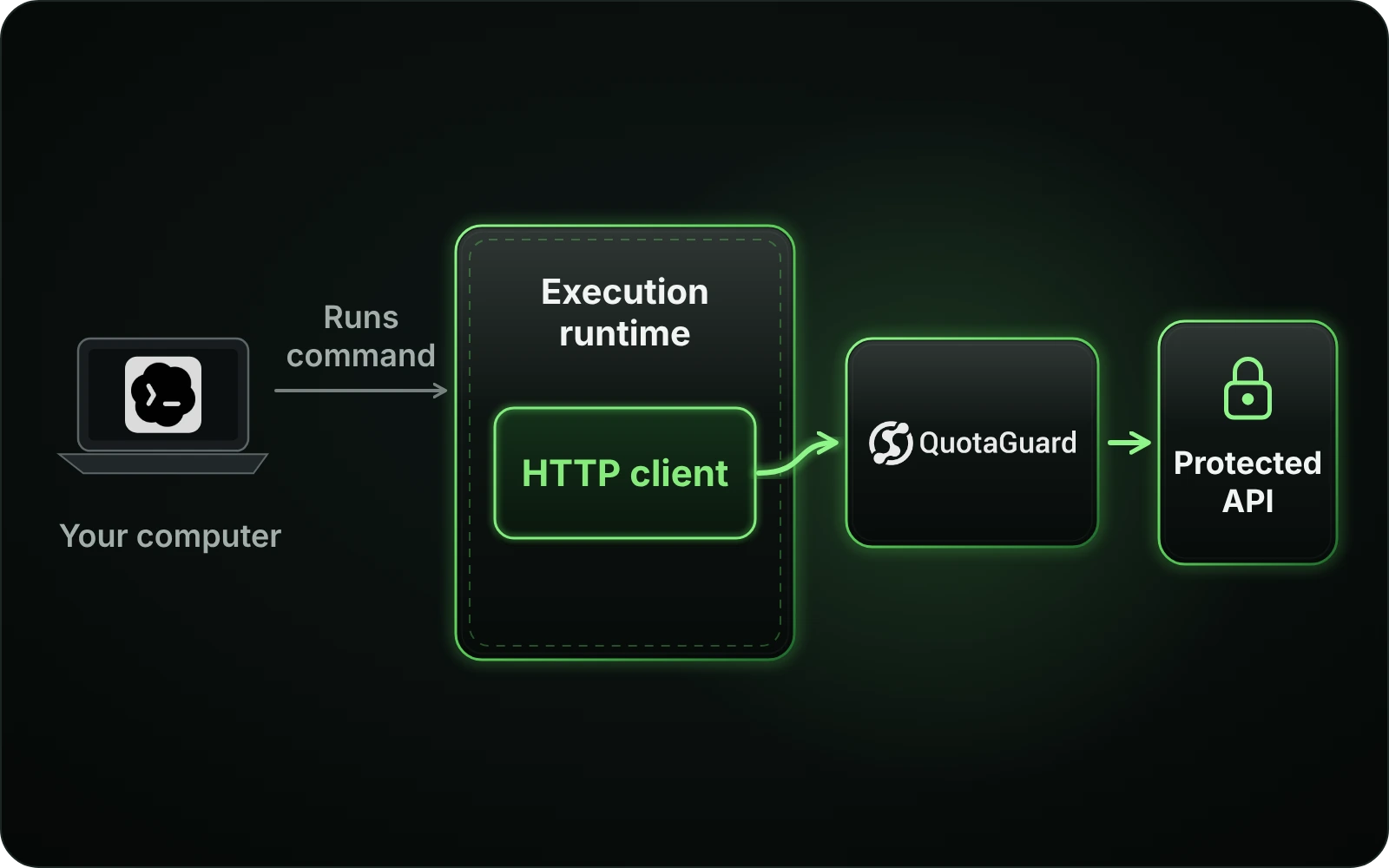
A command running in a container or remote executor makes its request from that environment, not necessarily from the computer displaying Codex. Put the supported proxy configuration where the request actually starts.
Choose the transport your client supports, then verify the real operation. The complete Codex setup guide covers configuration, secure secret handling and route diagnostics.
Local shell exports do not configure a hosted runtime. Codex cloud environments have their own network and secret controls. Check the environment’s supported route and permissions before assuming a local client configuration can be reused there.
A command proxy configuration does not establish routing for model requests, browser activity, hosted search or connectors. A model API base URL chooses a model endpoint, not a general forward proxy. Verify each protected client separately rather than describing the whole Codex session as proxied.
QuotaGuard Static supports destination HTTPS through an HTTP CONNECT proxy with a compatible client. Shield adds TLS on the client-to-proxy hop and requires an HTTPS-proxy-capable client or supported adapter. Keep TLS certificate verification enabled and check the actual client; a successful curl request does not prove another library’s route.
Common questions about Codex static IPs and QuotaGuard.
When the command or tool calls a destination that requires approved source addresses and its execution host does not already provide a suitable fixed egress address. A native fixed address or managed NAT may already meet that requirement. A private-only API needs its supported private-network path; an outbound proxy does not make it public.
No. Only clients that use that variable and run in the configured environment can be expected to use it. Commands, MCP servers, model requests, browsers and hosted services may follow separate routes. Check the actual requesting client and any bypass rules before relying on the destination allowlist.
No. Permission to make the request and selection of an outbound route are separate controls. Retain the applicable command-network policy and use the supported upstream configuration where a policy proxy is active. Do not disable the sandbox or broaden permissions just to bypass a failed network check.
Its onward HTTP client does. Codex supports server-specific environment values and selected environment-variable forwarding for stdio servers. Supply the needed configuration to that server and verify that its API client uses it. The local stdio exchange itself is not the connection the partner API checks.
Not by itself. The MCP endpoint sees the incoming connection from Codex, but its onward API request originates from its own infrastructure. Configure that server’s API client if you operate it. Otherwise, confirm that the provider offers a supported egress control rather than assuming local settings affect it.
The two commands may run in different environments, inherit different variables or use different HTTP clients. Check the command’s real execution host, proxy support, bypass rules and effective sandbox route. Then inspect the protected API response. A generic 401 or 403 may be an authentication or authorization issue, not proof of an IP block.
Only where the cloud environment supports the required client, secret configuration and outbound path. Local exports do not configure cloud infrastructure. Follow the current environment controls and verify the client in that environment rather than treating a local test as cloud-route evidence.
Use both source IPs shown in your QuotaGuard subscription dashboard, in the format the destination requires. Do not substitute addresses obtained by resolving the proxy hostname. Keep the destination’s API credentials, scopes and roles; source-IP approval is an additional network check, not a replacement for authentication.
No. Static uses an HTTP proxy connection, while Shield adds TLS to the client-to-proxy hop. The actual command or MCP API client must support that HTTPS proxy connection or use a supported adapter. Verify that client with the selected product; success from a separate curl check does not establish another client’s transport support.
For over a decade, QuotaGuard has provided reliable, high-performance static IP and proxy solutions for cloud environments like Heroku, Kubernetes, and AWS.
Get the fixed identity and security your application needs today.