
Give supported OpenClaw HTTP and WebSocket clients two stable source IPs for protected APIs.
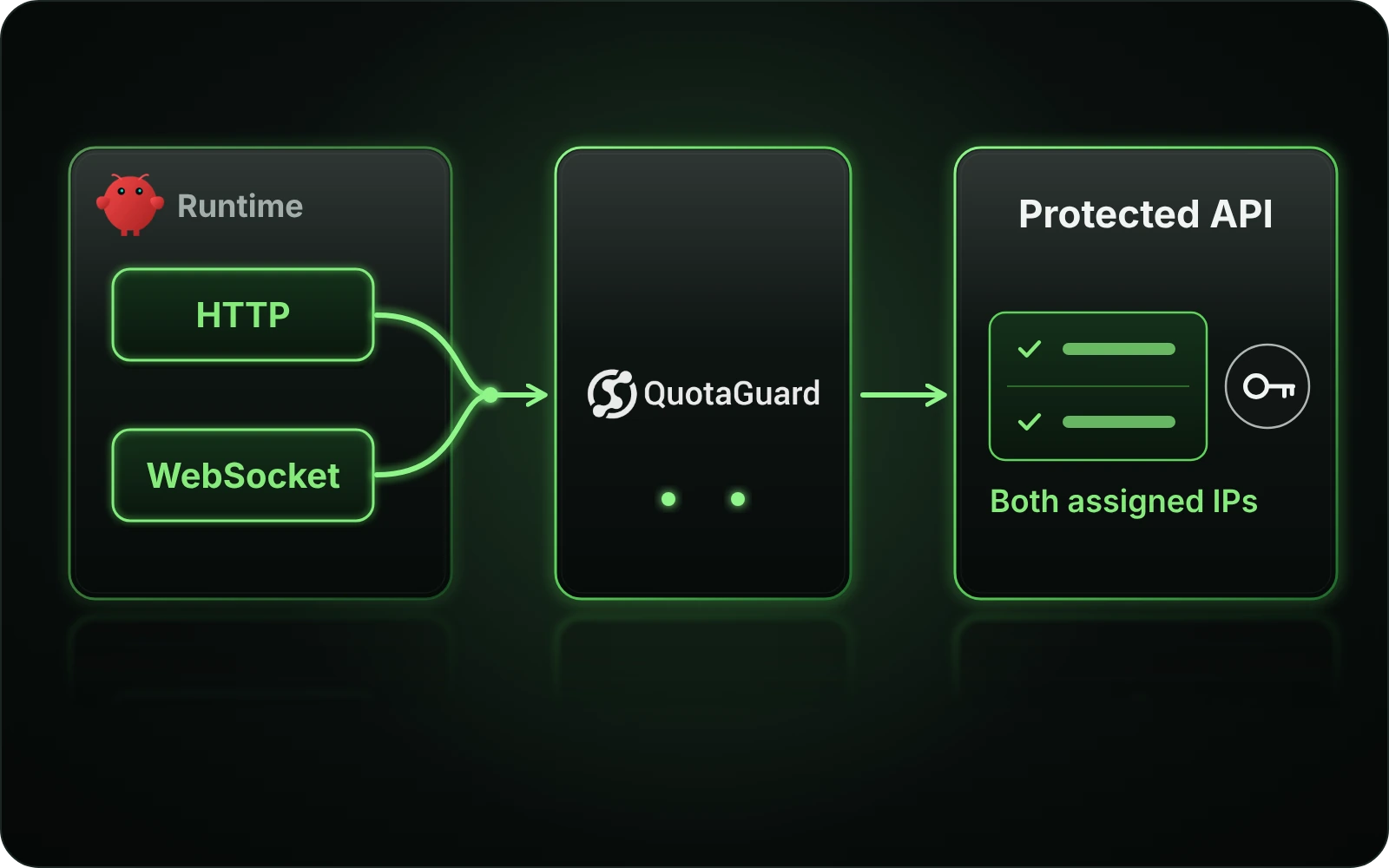
Connect the requesting runtime through QuotaGuard, allowlist both assigned addresses and keep the API’s existing authentication. Save the route with your Gateway service so it is not confined to an interactive shell.
The full OpenClaw guide covers managed routing, persistent services and client-specific checks.
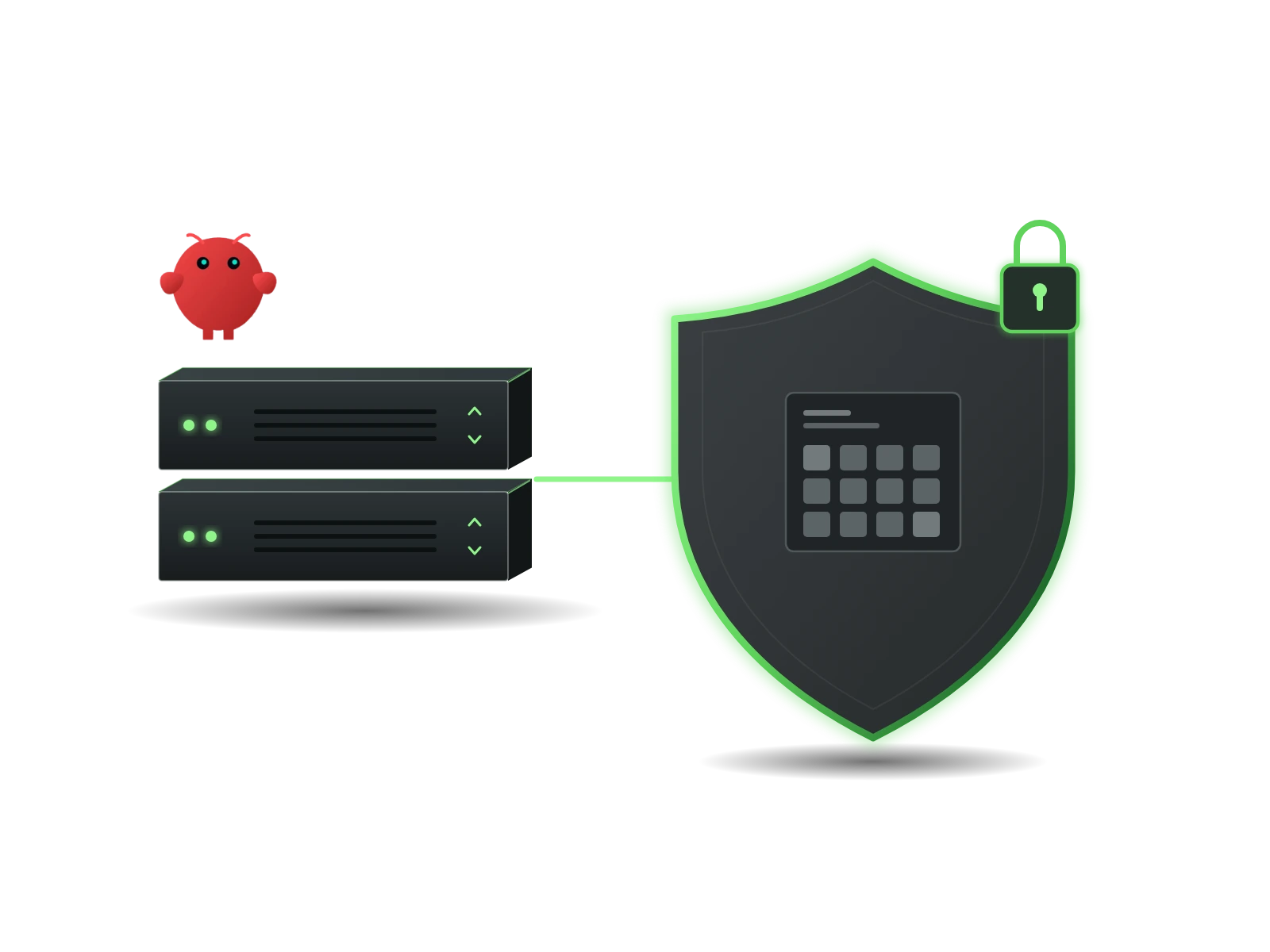
Keep a small destination allowlist when an approved agent workflow moves between hosts or containers. QuotaGuard provides the fixed egress route for supported clients, without requiring you to manage that outbound infrastructure yourself.
A source-IP rule complements the API’s credentials and permissions. It does not authorize the agent to perform new actions or replace destination access controls.
OpenClaw’s managed proxy supports normal runtime HTTP and WebSocket clients. Use that path for supported Gateway requests to approved services. Custom transports and external tools still need a route check of their own; the setting is not an operating-system-wide tunnel.
Register the two IPs assigned to your QuotaGuard subscription at the protected destination. Either can be used. For an approved service-status API, this lets the destination recognize requests through the assigned pair even when the requesting host changes.
Run an outgoing-IP check from the requesting environment, then make a permitted read-only call to the actual API. Confirm the destination’s response or logs as well as the source IP. A passing public-IP check does not prove that an API token, role or endpoint is correct.
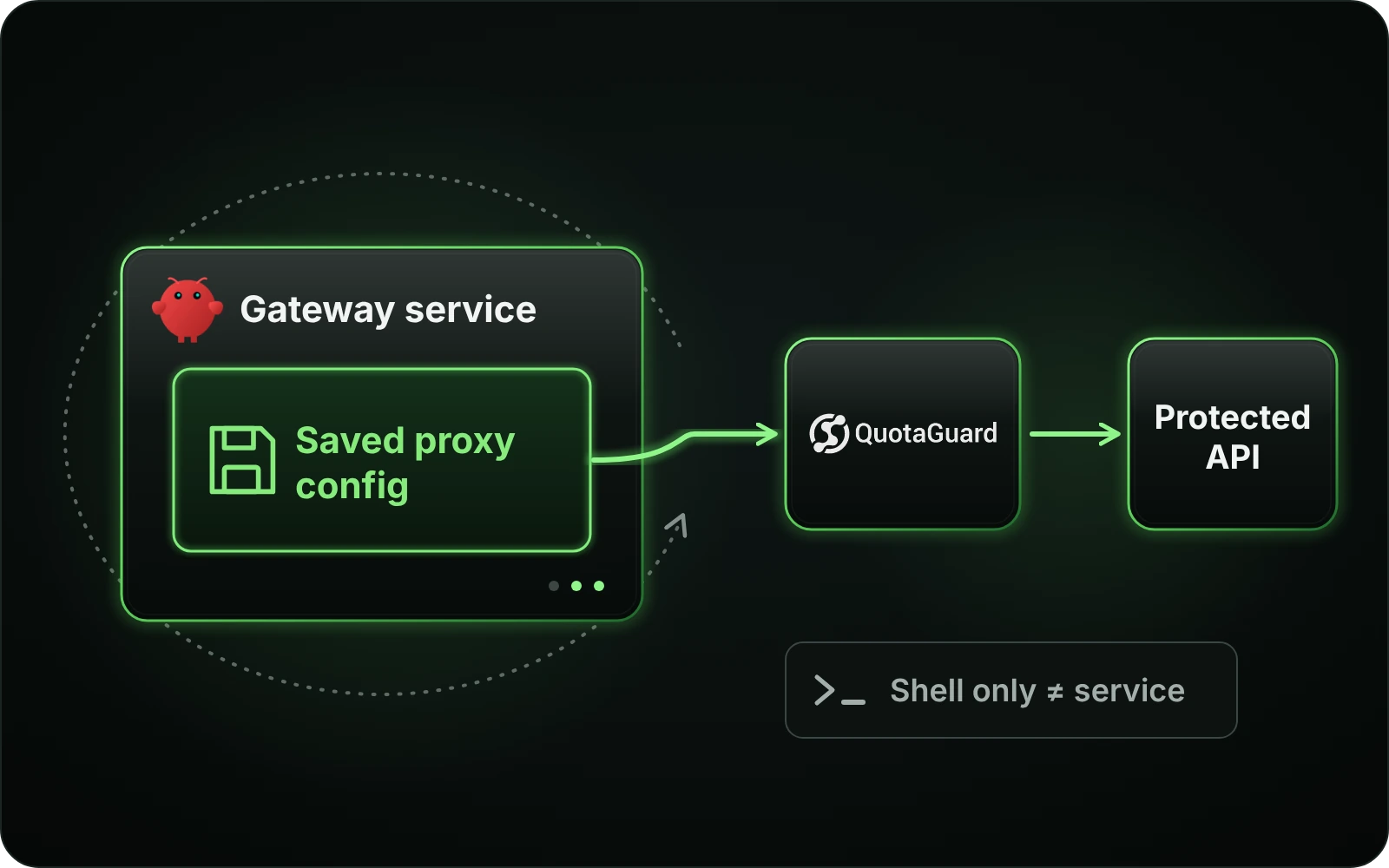
An interactive terminal and an installed Gateway service do not necessarily load the same settings. Put the proxy configuration in the service’s supported durable configuration rather than relying on the shell you used for setup.
For a recurring approved API check, deployment and restart verification matter as much as the first successful request. Retest from the service account and environment that will run the workflow.
Use OpenClaw’s documented managed-proxy configuration for an installed Gateway. If you use the OPENCLAW_PROXY_URL environment fallback, store it in the service’s durable environment and regenerate the installed service after changes. A terminal export does not update the daemon.
A stored proxy.proxyUrl takes precedence over OPENCLAW_PROXY_URL. If the Gateway follows a different route from your terminal, inspect its effective configuration before changing the API’s allowlist. Keep real connection URLs in private configuration, not prompts, screenshots or repository files.
Keep the default gateway-only loopback behavior for local Gateway and browser-control connections. A remote proxy cannot reach your machine’s localhost. Distinguish the local control connection from the external API request instead of forcing both through one path.
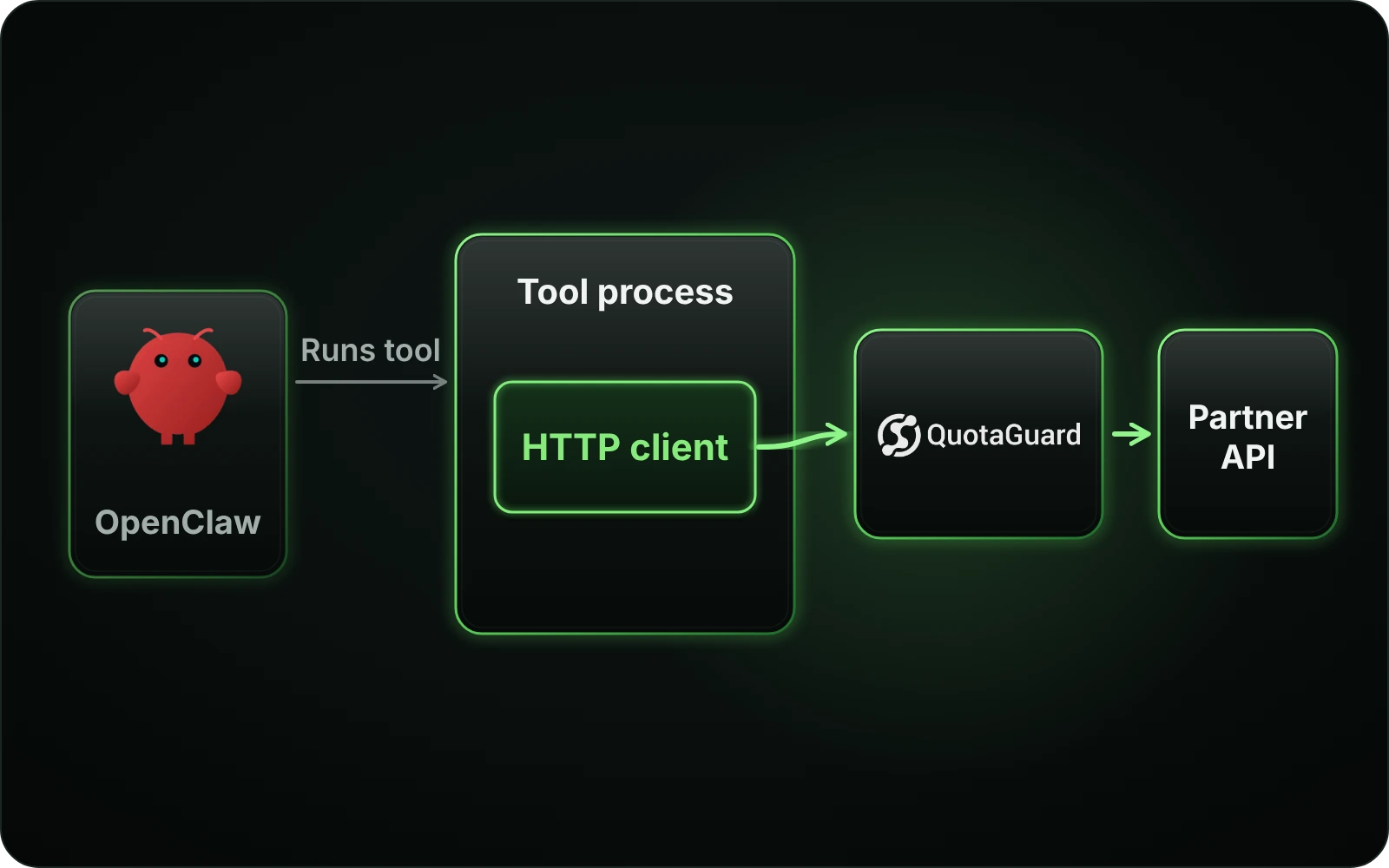
An agent can start a command, call an MCP server or control a browser without owning that component’s next network request. Identify the request owner before deciding where to put the static-IP configuration.
The complete setup guide includes separate client examples and troubleshooting for these paths. Test each protected operation rather than treating the whole agent as proxied.
A script or external process needs proxy settings supported by its own HTTP library. For a customer-operated MCP server calling a partner API, configure that server’s onward API client. The agent-to-tool connection is not automatically the API-facing connection.
Browser control traffic and browser page requests are different network legs. A hosted extraction or fetch service may contact the website from its own infrastructure. Verify the origin-facing component; changing the Gateway route alone does not establish its source IP.
WebSocket and streaming clients need reconnection and protocol-aware recovery. QuotaGuard’s HTTP CONNECT tunnels have a 600-second lifetime cap, so heartbeats do not guarantee an indefinitely open connection. Keep destination TLS verification enabled and use the transport supported by the actual client.
Common questions about OpenClaw static IPs and QuotaGuard.
No. It covers supported runtime HTTP and WebSocket clients, not every socket on the host. External processes, custom transports, browsers and tool servers may need their own supported proxy configuration. Verify the component that connects to the protected destination.
The service may load different configuration or still contain an earlier generated environment. Check its effective proxy URL and runtime permissions. When changing the OPENCLAW_PROXY_URL fallback for an installed service, persist it and regenerate that service using the documented procedure; a shell export or restart alone is not the same change.
The configured proxy.proxyUrl takes precedence. Check for a stored value when the service uses an unexpected route. Do not paste the full authenticated URL into a support message; share only sanitized configuration and error details.
Normally no. The default gateway-only loopback mode keeps local HTTP and WebSocket connections direct. Forwarding localhost to a remote proxy refers to the proxy’s own loopback, not the machine running your Gateway. Browser page traffic remains a separate route to verify.
Not necessarily. If the tool server calls a partner API, that onward request originates at the server. Configure and verify its HTTP client where you operate it. For a hosted server, ask its operator about supported egress controls rather than assuming Gateway settings apply.
Check the extractor or provider making the origin request and whether a cached result is being returned. A hosted fallback can introduce a separate origin-facing hop. Do not enable trusted-proxy or private-network exceptions merely to make a check pass; those settings have their own destination-policy requirements.
Do not design around that assumption. QuotaGuard HTTP CONNECT tunnels have a 600-second lifetime cap. Reconnect with backoff and use the destination protocol’s supported resume or deduplication behavior. A socket keepalive does not remove the tunnel lifetime limit.
No. Stable egress addresses are not a general destination-filtering policy, an OS-level sandbox or a replacement for OpenClaw’s SSRF safeguards. Retain the deployment’s approved network controls and destination authentication. Choose and validate any filtering layer separately.
OpenClaw’s managed route supports HTTPS forward-proxy URLs. Shield adds TLS on the client-to-proxy hop; destination HTTPS remains a separate TLS connection. Use the product’s correct dashboard URL and verify the real client, especially for tools that do not use the managed runtime route.
For over a decade, QuotaGuard has provided reliable, high-performance static IP and proxy solutions for cloud environments like Heroku, Kubernetes, and AWS.
Get the fixed identity and security your application needs today.