
Snowflake Static IPs
QuotaGuard gives your application two fixed outbound IPs that satisfy a Snowflake network policy's allowed IP list, so connections from serverless and cloud hosts stop getting refused. It works within Snowflake's security model, which rejects proxies that decrypt traffic.
QuotaGuard tunnels your connection without reading it, so the Snowflake certificate reaches your driver unaltered.
Static covers most warehouse connections.
Shield adds SSL passthrough for regulated data your security review will not allow a proxy to decrypt.
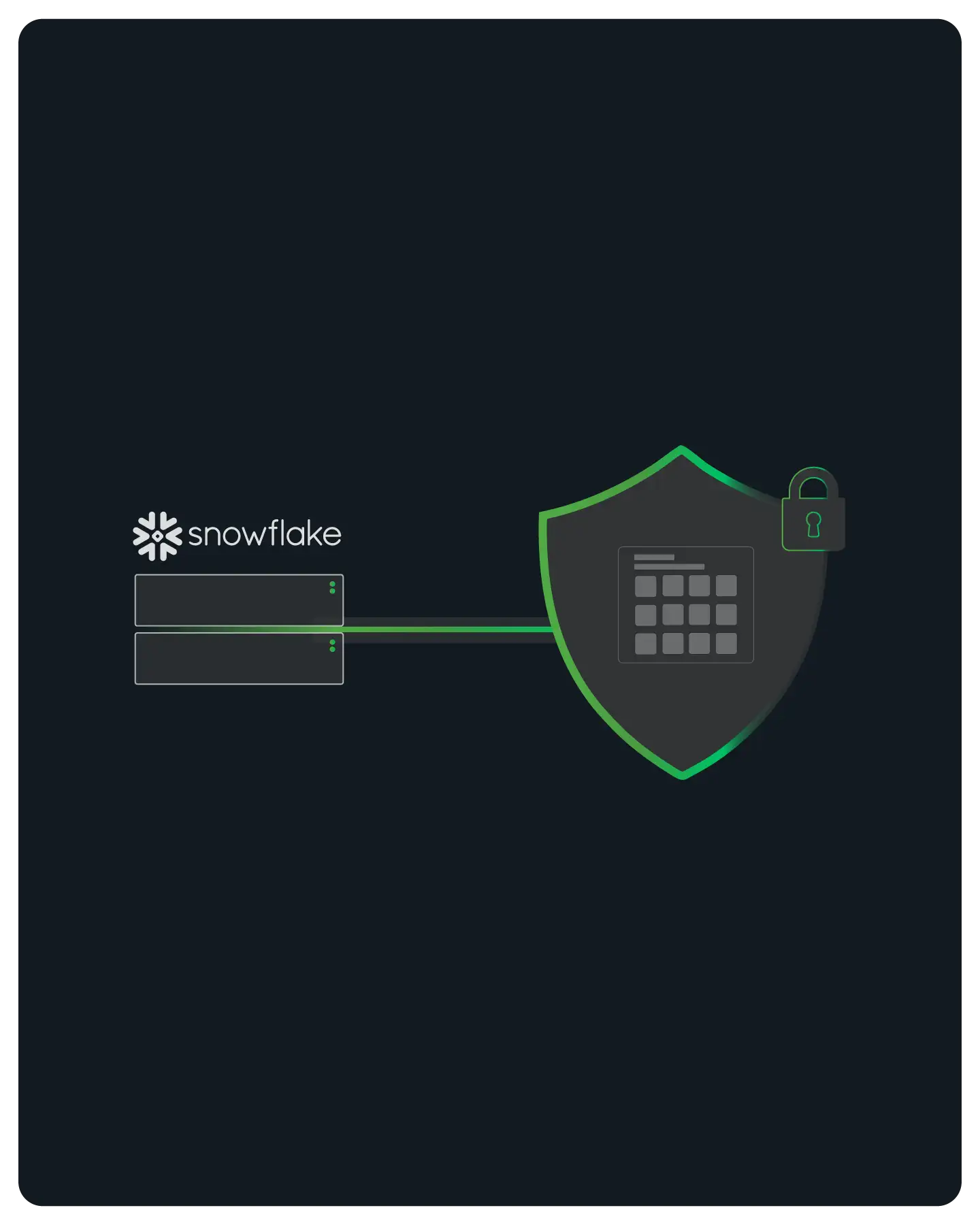
A Snowflake Network Policy Accepts Two Fixed IPs You Register Once
Snowflake controls connection-level access with network policies. When one is active, every connection's source IP is checked against an allowed list, and anything not on it is refused.
QuotaGuard gives you two static IPs to put on that list and keep there. They do not change when you deploy, restart, scale, or switch plans.
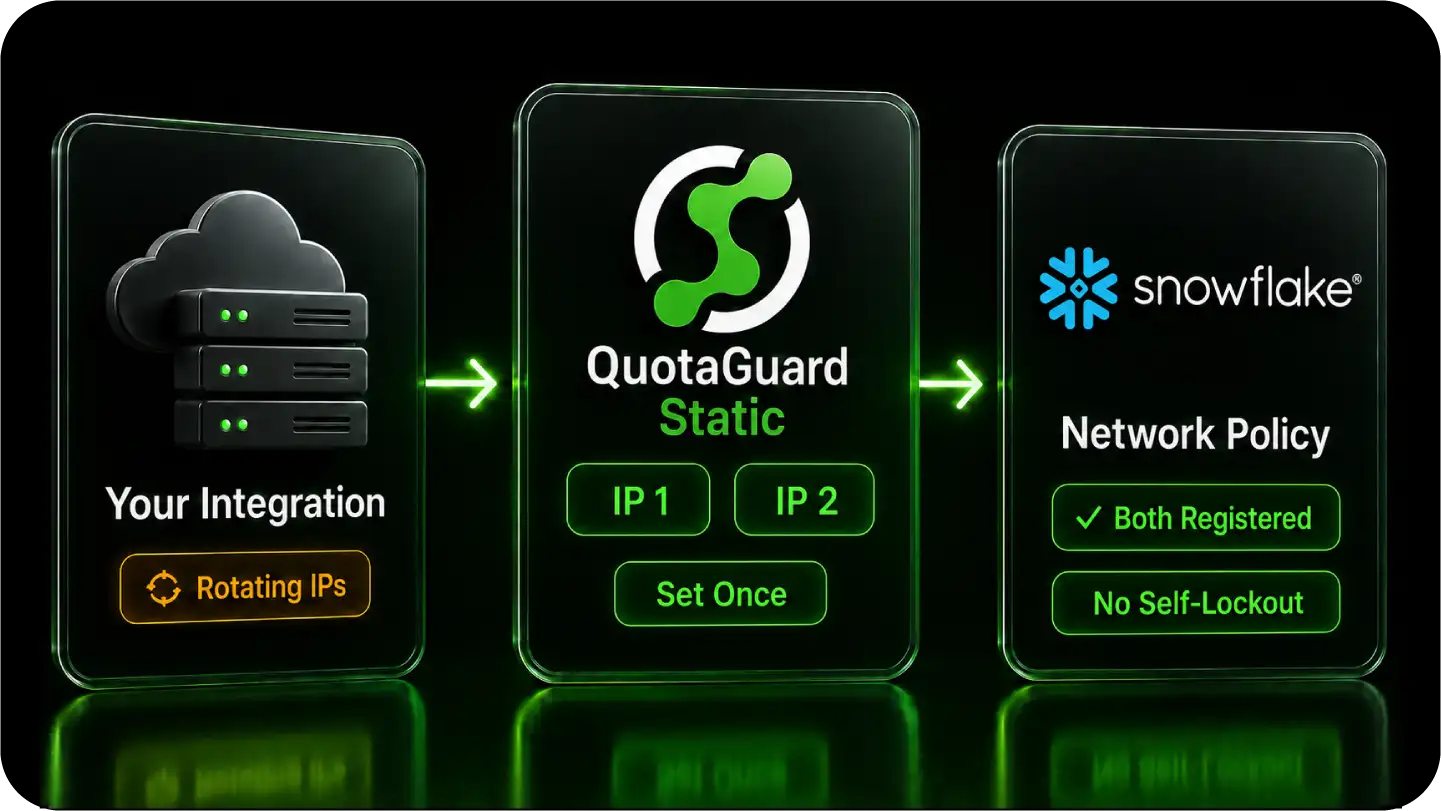
QuotaGuard Fits Snowflake's Rule Against Decrypting Proxies
Snowflake's security model rejects proxies that terminate and re-encrypt TLS, because a proxy that decrypts can alter the certificate in transit. QuotaGuard never decrypts your Snowflake traffic, which is exactly why it works where a standard man-in-the-middle proxy fails.
This is the difference that matters when an engineer evaluates a proxy for a warehouse connection. The connection has to stay sealed end to end.
Static Tunnels, It Does Not Decrypt
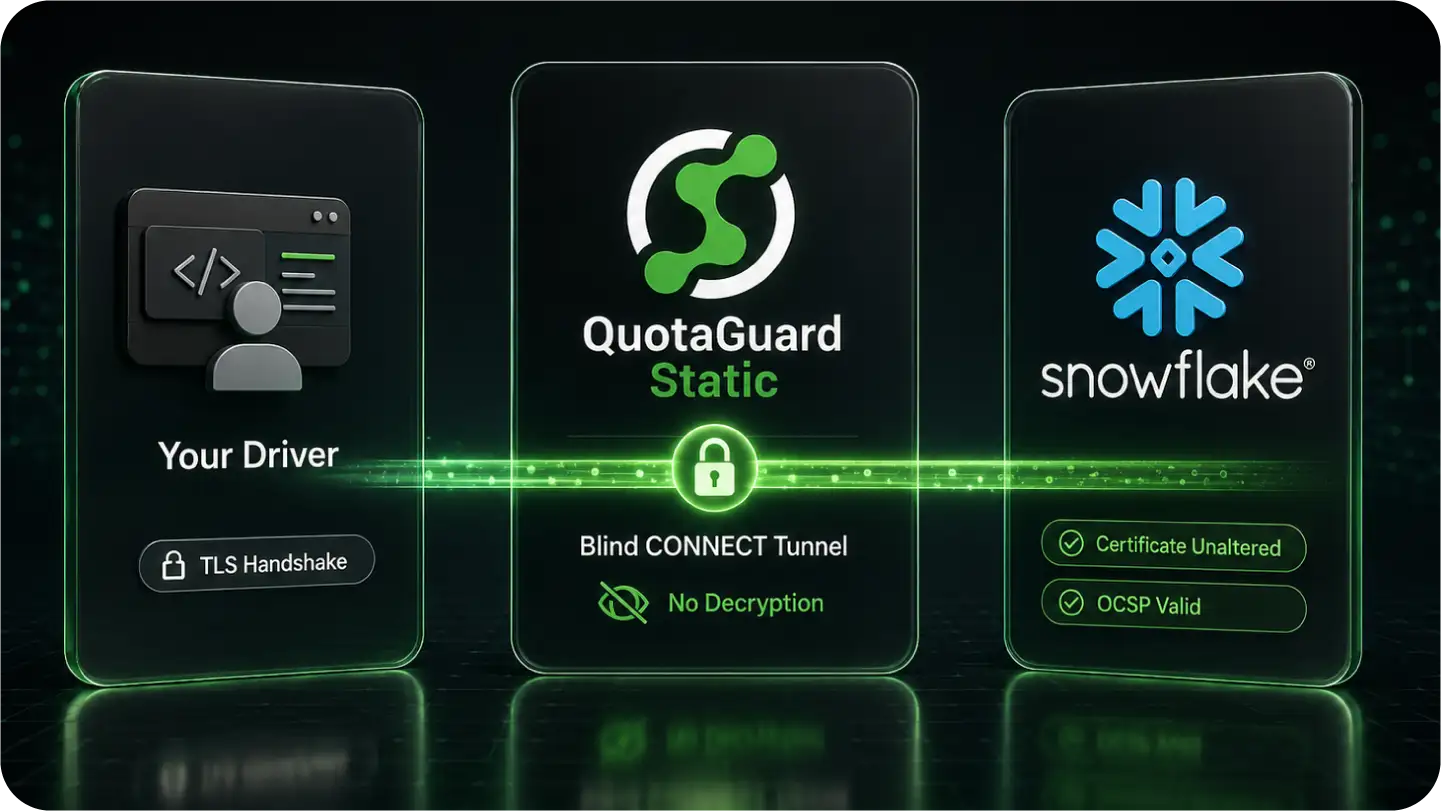
On outbound HTTPS, QuotaGuard Static opens a blind CONNECT tunnel to your Snowflake account host. Your driver completes its TLS handshake directly with Snowflake through that tunnel.
The certificate reaches your driver unaltered, and OCSP certificate validation passes normally. You do not enable any insecure or certificate-bypass mode on the driver, and you should not.
Shield Passes TLS Through Untouched
QuotaGuard Shield uses SSL passthrough and never holds a key that could decrypt the session. The proxy routes the packets and cannot read inside them.
For a warehouse holding regulated data, this is the model a security review expects to see. The network path is documented, and the third party in it provably cannot read the traffic.
The Right Product for Regulated Warehouse Data
Static is sufficient for most Snowflake connections and satisfies the network policy on its own. The choice between Static and Shield is about the data, not the connectivity.
If the data under query falls under HIPAA, PCI-DSS, or SOC 2 scope, Shield is the supported model. QuotaGuard does not position Static for regulated data.
The Same Two IPs Work From Every Snowflake Client
Snowflake connections run over HTTPS, so QuotaGuard applies the same way across drivers, orchestration tools, and BI clients. One configuration covers your whole Snowflake stack.
You set the proxy once per client and register the same two IPs on the policy, regardless of which tool is connecting.
FAQs
Common questions about Snowflake Static IPs and QuotaGuard.
Only when a network policy restricts access by IP.
If your account or your user has a network policy with an allowed IP list, every connection's source IP must be on that list, and apps on serverless and PaaS hosts fail that check because their outbound IPs rotate.
The check runs before authentication, so a rotating IP is refused even when the username, password, and key pair are all correct.
You can confirm whether a policy applies by running SHOW PARAMETERS LIKE 'NETWORK_POLICY' for your account and your user. If none is set, you do not need a static IP for the connection.
A few minutes.
Add your QuotaGuard connection URL to your app and set your Snowflake driver's proxy parameters to point at it.
The driver side is proxy parameters, not a code rewrite: the Python connector takes proxy_host and proxy_port, and the JDBC driver takes https.proxyHost and https.proxyPort.
The Snowflake side is one CREATE NETWORK POLICY, or a single edit to an allowed list you already have, run by a user with the SECURITYADMIN role. After that, every connection leaves from a fixed IP.
Static satisfies the network policy and is sufficient for most connections.
Use Shield when the data under query is regulated under HIPAA, PCI-DSS, or SOC 2, or when your security policy requires that no proxy can decrypt traffic.
The network policy itself does not care which one you use, because the IP it sees is static either way.
The choice is about the data and your audit requirements, not about getting the connection to pass.
Both work with Snowflake because neither one decrypts the session.
Yes.
The allowed list accepts individual IPv4 addresses and CIDR ranges, including a single address written as a /32, and it holds multiple entries, so you register both QuotaGuard IPs.
Newer Snowflake accounts can also build the list from network rules, which are schema-level objects of type IPV4 that you group into a policy and reuse across users.
You can set the policy at the account level or scope it to a single user, and a user-level policy takes precedence over the account-level one.
No.
Snowflake rejects proxies that decrypt and re-encrypt traffic, and QuotaGuard does not do that. Static opens a CONNECT tunnel and Shield passes TLS through, so your driver's handshake and OCSP certificate validation complete directly with Snowflake.
Because your driver terminates TLS with Snowflake and not with the proxy, the certificate it validates is Snowflake's own.
This is the reason a decrypting corporate proxy often fails against Snowflake while QuotaGuard does not, and it is why you never enable the driver's insecure mode to make this work.
The Connector for Python accepts proxy_host, proxy_port, proxy_user, and proxy_password on the connection.
The JDBC driver accepts https.proxyHost and https.proxyPort as JVM system properties or connection parameters.
The Node.js driver takes proxyHost, proxyPort, and proxyProtocol as connection options, and the Go driver reads the standard HTTPS_PROXY environment variable.
Point any of them at your region's QuotaGuard host, and set NO_PROXY for your cloud storage domain so stage and result traffic skips the proxy.
ODBC and tools built on these drivers follow the same pattern.
Yes. Dedicated IPs are available on QuotaGuard Enterprise plans, which are $219 per month for Static and $269 per month for Shield on direct billing.
On lower tiers your two IPs are still static and still pass the policy; they are just shared with other QuotaGuard customers.
A dedicated pair matters when your security review requires that no other organization's traffic can originate from an address on your allowed list.
Request it from support after signup with your username and preferred region.
Update the network policy's allowed list in Snowflake at any time.
Your QuotaGuard pair stays the same through plan changes, so most upgrades do not require touching the policy.
A region change is the main reason the IPs would change, and region is set at signup, so contact support to move regions rather than editing it yourself.
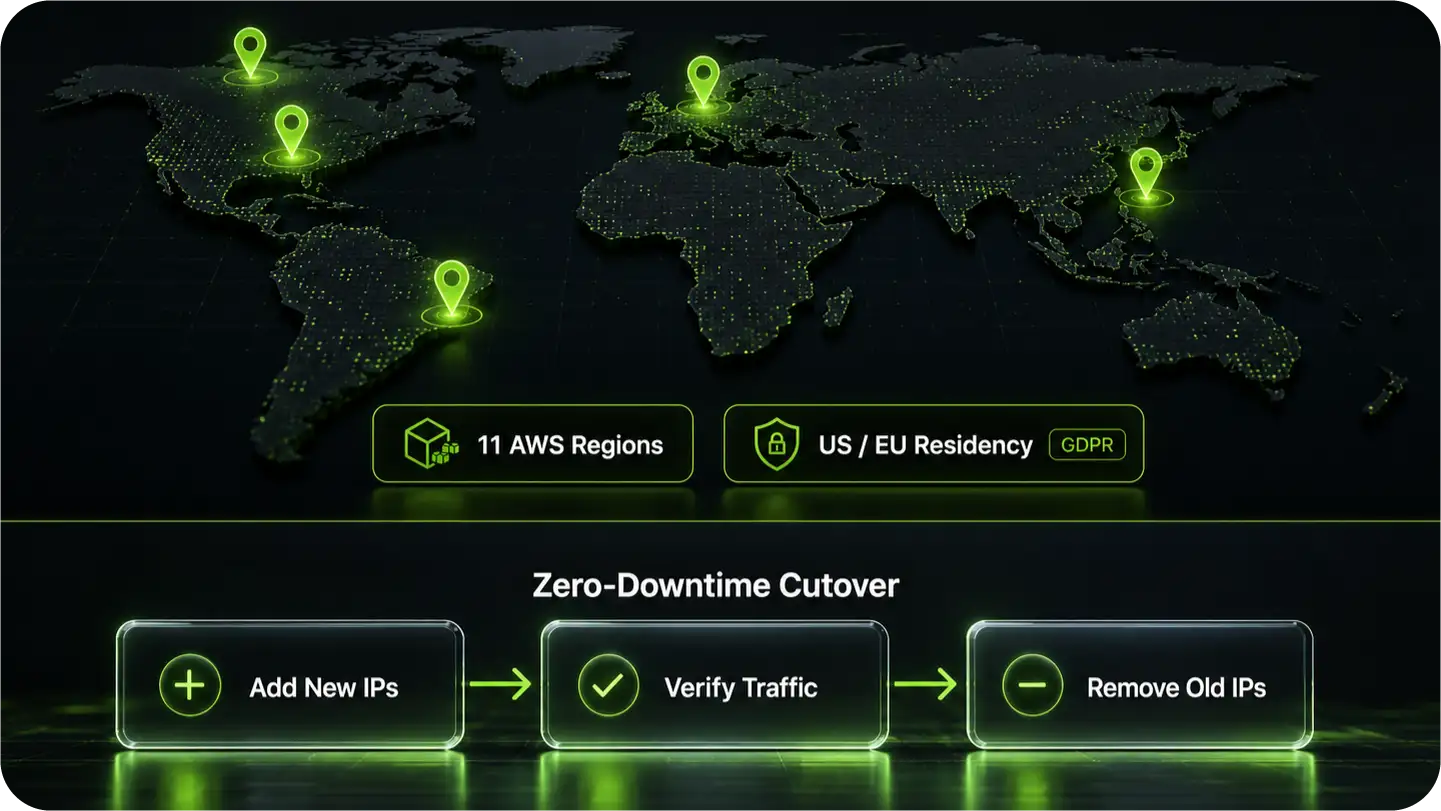
When you do change IPs, stage the cutover with both old and new addresses on the list at once, and keep your own current IP there too, so live queries never lose access and you are not locked out.
QuotaGuard's outbound proxy covers your application and tools connecting to Snowflake. Snowflake's own bulk loading pulls from cloud storage stages on S3, GCS, or Azure, which is a separate path.
This is also why you set NO_PROXY for your storage domain: routing a bulk load through the proxy would consume plan bandwidth for traffic the network policy never inspects. Keep the proxy on the service connection, where the fixed IP actually matters.
If a partner or enterprise system pushes data into your application on a fixed endpoint before it reaches Snowflake, QuotaGuard Static includes inbound proxy on direct plans from $19 per month, and Shield covers the inbound path when that data is regulated.
Still have questions?
We don’t outsource Support to non-Engineers.
Reach out directly to the Engineers who built Shield to discuss your specific architecture, integration challenges, or compliance constraints here 👇
🚀 Ready to Get Started? Choose Your QuotaGuard Path
QuotaGuard STATIC
QuotaGuard SHIELD
Trusted by Engineering Teams Everywhere
Reliability Engineered for the Modern Cloud
For over a decade, QuotaGuard has provided reliable, high-performance static IP and proxy solutions for cloud environments like Heroku, Kubernetes, and AWS.
Get the fixed identity and security your application needs today.