
QuotaGuard gives your Zoho Deluge outbound calls two fixed IP addresses, so any API that requires a static allowlisted IP accepts them. Zoho One, Zoho CRM, Zoho Creator, and Zoho Flow all call external APIs through Deluge, and many of those APIs gate access by source IP.
Deluge cannot set an HTTP proxy and cannot run a sidecar. Its requests leave from Zoho's shared cloud ranges, which rotate and are shared across tenants, so an allowlisted API sees an unrecognized address and refuses the call. QuotaGuard closes that gap with a small relay you host: Deluge calls the relay, the relay forwards the request through QuotaGuard, and the target API sees one of your two static IPs.
You register those two IPs with the target API once. They stay fixed while Zoho's addresses keep rotating.
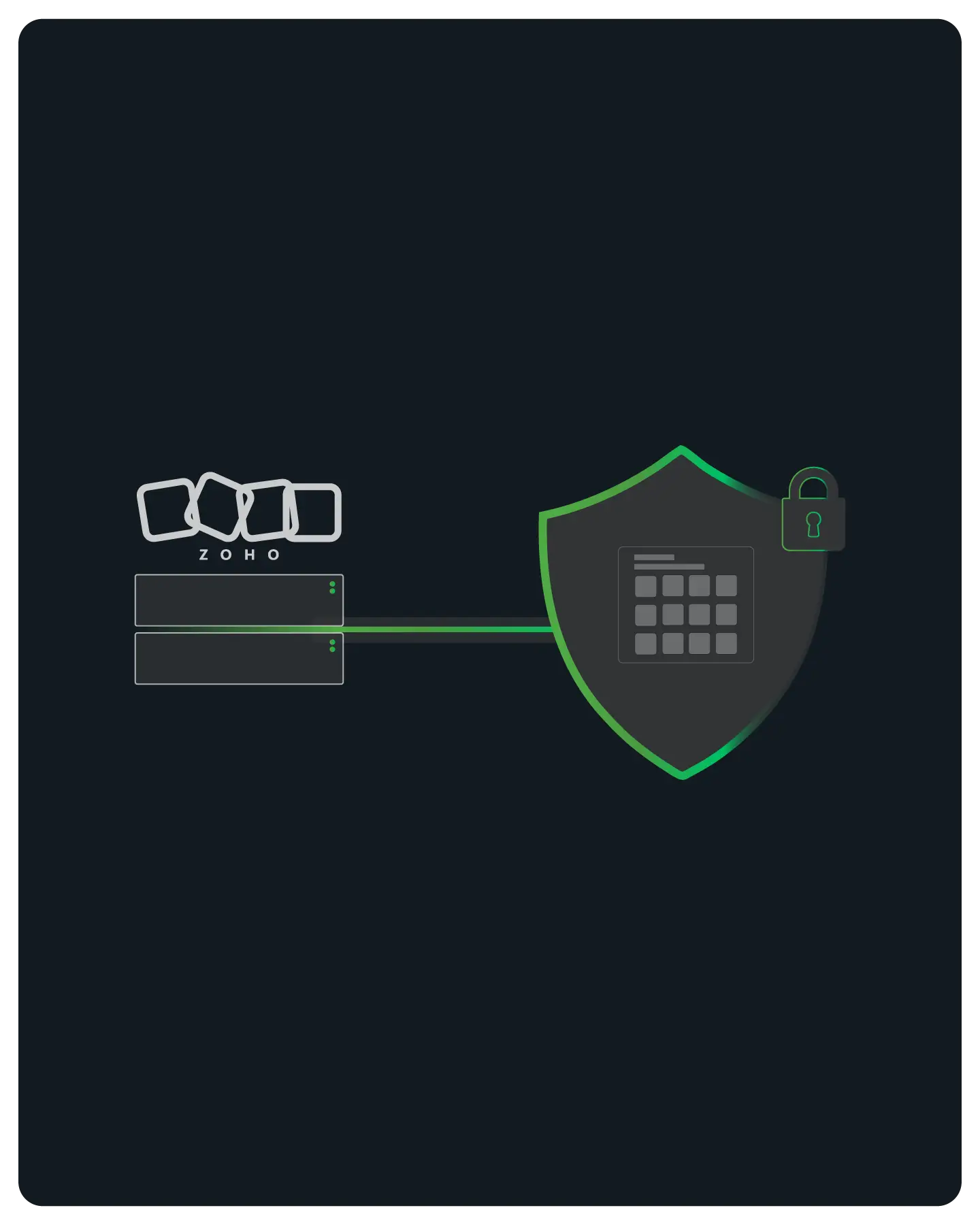
Your Zoho integration gets a fixed outbound identity by calling a relay you host, because Deluge has no proxy setting of its own. The relay is a small forwarding function you run on AWS Lambda or a Google Cloud Function. It is the piece that sets the proxy Deluge cannot.
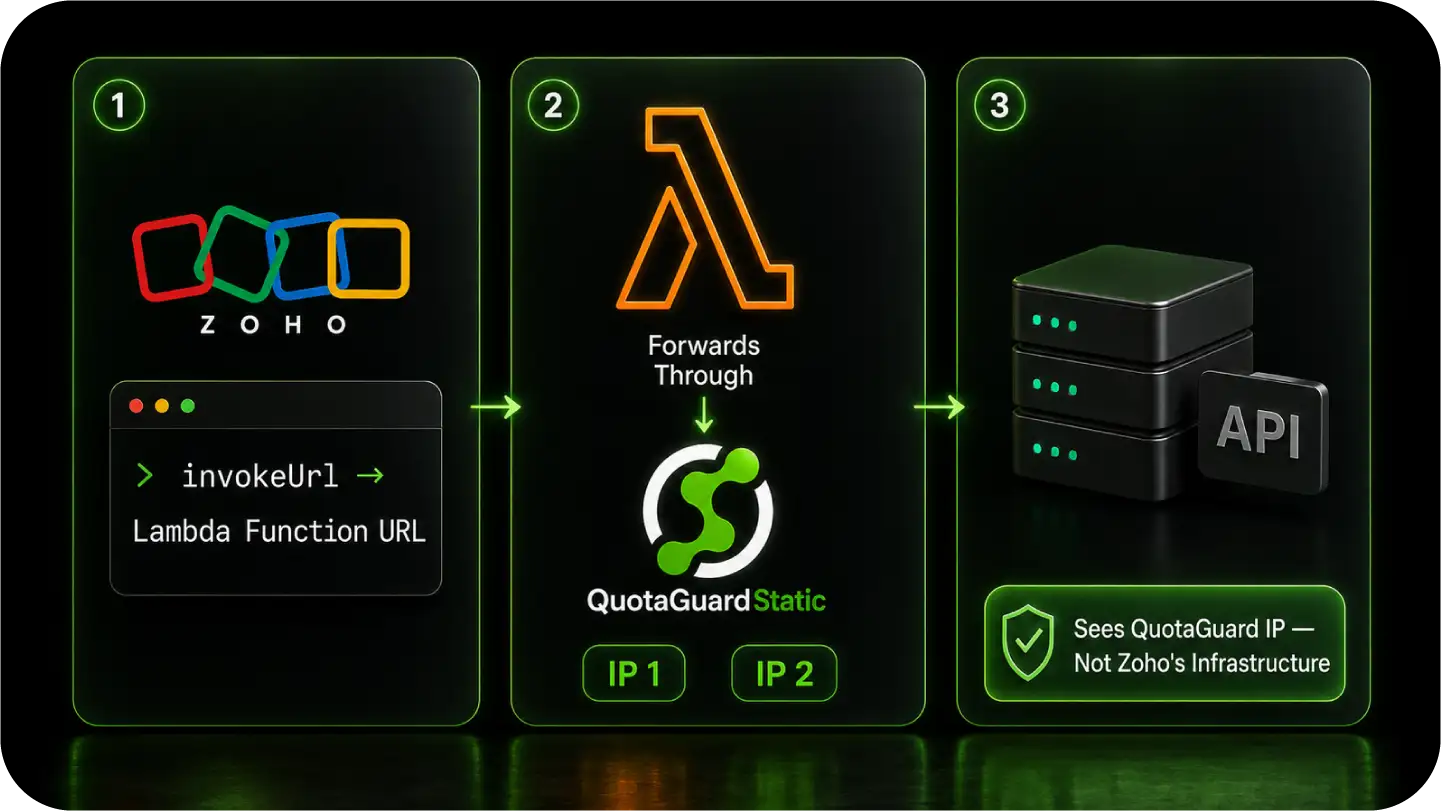
Deluge sends its request to the relay with two headers: a secret key that authorizes the call, and the full URL of the API you actually want to reach. The relay checks the key, then forwards the request through QuotaGuard to that target. The method, body, and auth headers pass through unchanged.
Deluge's invokeUrl task can call any URL, so it calls the relay's URL and passes the target API as a header. There is nothing to install inside Zoho and no proxy field to configure, because the relay does the proxying on Zoho's behalf.
The relay forwards every request through QuotaGuard, so the target API sees one of your two static IPs. Zoho's rotating egress address and the relay host's own IP are never in the path the target inspects, which means you allowlist the two QuotaGuard IPs and nothing else.
Any Deluge context that runs invokeUrl uses the same relay, including Zoho CRM functions, Zoho Creator, and Zoho Flow custom functions. The relay is platform-neutral, so the same deployment also serves Bubble, Zapier, and other platforms that cannot set a proxy.
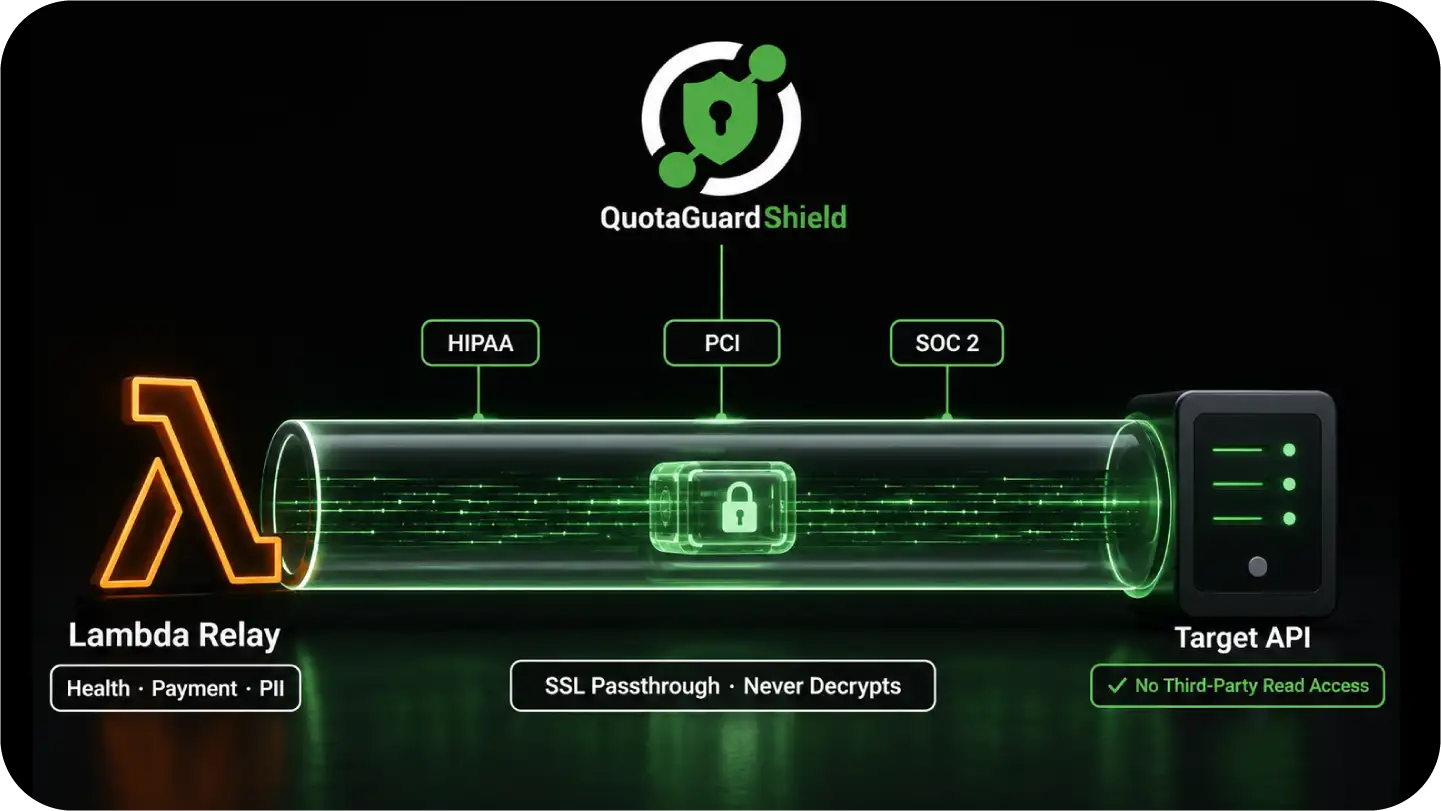
Static is the right QuotaGuard product for most Zoho integrations, and Shield covers the regulated ones. The relay's call to the target is HTTPS either way, so the choice comes down to whether the data is regulated, not whether the connection is encrypted.
QuotaGuard Static gives Deluge a fixed identity for outbound HTTPS calls, which satisfies an allowlist requirement without any change to Zoho itself. The HTTPS payload is tunneled end to end and never decrypted at the proxy, so Static is sufficient for standard business API calls.
QuotaGuard Shield uses SSL passthrough, so QuotaGuard never decrypts the data flowing between the relay and the target. Choose Shield when your Zoho integration handles regulated data, such as health, payment, or PII records, and your auditors require that no third party can read data in transit.
The relay runs as an AWS Lambda function or a Google Cloud Function, using the same secret-key and target-URL contract. QuotaGuard publishes a ready-to-run Python Lambda example, so the forwarding code is not something you write from scratch.
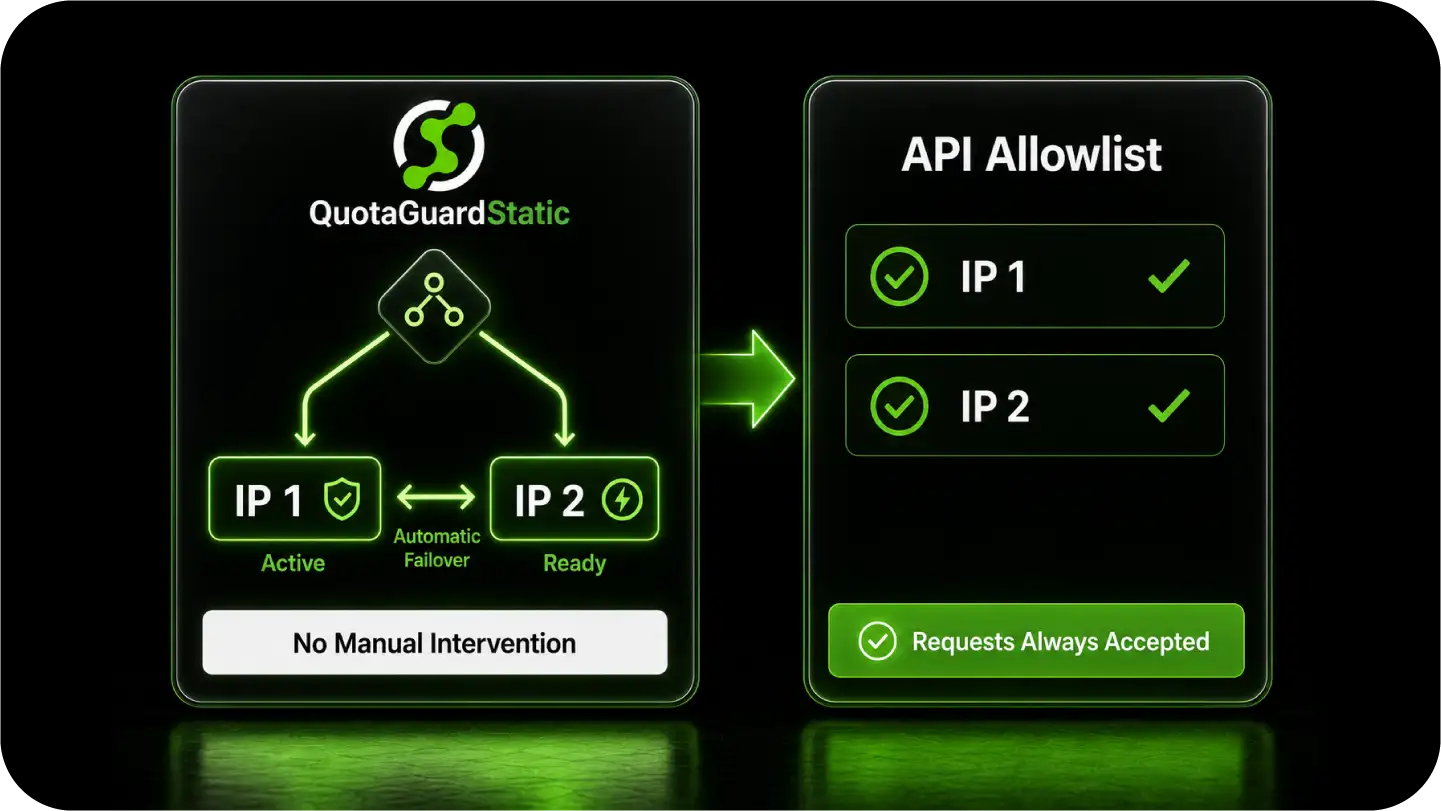
Every request from Zoho leaves through the same two static IPs, and they stay available even if one has a problem. Reliability at the connectivity layer is what keeps an allowlisted integration from breaking during a deploy or a regional event.
QuotaGuard has provided static IP infrastructure since 2013, on a high-availability architecture with health checks and automatic failover.
Each subscription includes two static IP addresses behind a load balancer. If one IP has a problem, traffic routes through the second automatically, with no manual intervention. Both IPs go on the target API's allowlist, and requests use whichever responds.
You select a QuotaGuard region at sign-up. Choose the one closest to the target API, and deploy the relay in the matching cloud region, to keep round-trip latency low. Region changes after sign-up are handled by QuotaGuard support.
Upgrade or downgrade with a button click and your two static IPs stay the same. That matters because you have already registered them on the target API's allowlist, so a plan change does not force you to update the allowlist or risk a rejected request.
Common questions about Zoho static IPs and QuotaGuard.
Does my Zoho integration need a static IP?
Only when the API Zoho calls enforces IP allowlisting. If the target API rejects requests from unregistered IPs, Deluge's rotating egress will fail, and you need a fixed IP. If the target has no IP allowlist, you don't. The quickest way to tell is to check whether the API's security settings have an IP allowlist or firewall list that you populate. If they do, Zoho's dynamic egress is the reason your calls get refused.
How does setup work if Deluge can't set a proxy?
You host a small relay function and point Deluge's invokeUrl calls at it. Deluge cannot set a proxy, so the relay sets it instead: it receives the call, forwards it through QuotaGuard, and returns the response. You deploy the relay once on AWS Lambda or a Google Cloud Function, set two environment variables (your QuotaGuard connection URL and a secret key), and register your two static IPs with the target API. QuotaGuard publishes the Lambda relay as a ready-to-use example.
Should I use QuotaGuard Static or Shield for Zoho?
Static is sufficient for most Zoho integrations. The relay's call to the target is HTTPS and stays encrypted end to end on Static already. Use Shield if your integration is subject to PCI, SOC 2, or HIPAA, or if your security policy requires that no third party can decrypt data in transit. Shield uses SSL passthrough, so QuotaGuard never sees the payload. The only configuration change is using the Shield connection URL in place of the Static one on the relay.
How many IPs do I register with the target API?
Two. Every QuotaGuard subscription includes two load-balanced static IPs, and both are active at once. Register both on the target API's allowlist. If you register only one, roughly half your requests will be refused when the load balancer uses the other IP.
Does Zoho's own IP address get allowlisted?
No. The target API only ever sees QuotaGuard's two static IPs, because the relay forwards every request through the QuotaGuard proxy. Zoho's outbound IP and the relay host's IP never reach the target's allowlist check, so the two QuotaGuard IPs are the only addresses you register.
Does the same relay work across Zoho CRM, Creator, and Flow?
Yes. Any Deluge context that runs invokeUrl can call the relay, including Zoho CRM functions, Zoho Creator apps, and Zoho Flow custom functions. One relay serves all of them, and the same relay also works for Bubble and Zapier, so you maintain a single piece of forwarding infrastructure across every no-proxy platform you run.
Can I get a dedicated IP for my Zoho integration?
Yes. Dedicated IPs are included on QuotaGuard Enterprise plans, which are $219/month for Static and $269/month for Shield on the direct plans. A dedicated IP is not shared with other QuotaGuard customers, which is the right choice when the target API's allowlist must stay isolated from any other organization's traffic. Request it from QuotaGuard support after signup with your username and preferred region.
What about inbound webhooks from a third party to my app?
QuotaGuard's relay handles outbound traffic from Zoho to a target API. Webhooks that a third party sends to your own server flow in the opposite direction and do not use the relay. Your inbound endpoint just needs to be publicly reachable. If you need a static inbound endpoint for security or compliance reasons, QuotaGuard Static includes inbound proxy capabilities on direct plans starting at $19/month.
For over a decade, QuotaGuard has provided reliable, high-performance static IP and proxy solutions for cloud environments like Heroku, Kubernetes, and AWS.
Get the fixed identity and security your application needs today.