
Give every application and agent that calls Composio the same two stable source IPs. Add both addresses to each API key's IP Allowlist and keep the key restricted as workloads deploy, restart, or move between cloud environments.
Composio applies IP allowlisting per API key. Requests from any other address are blocked even when the credential is valid, so rotating serverless, container, and VPN egress can interrupt an otherwise correct integration.
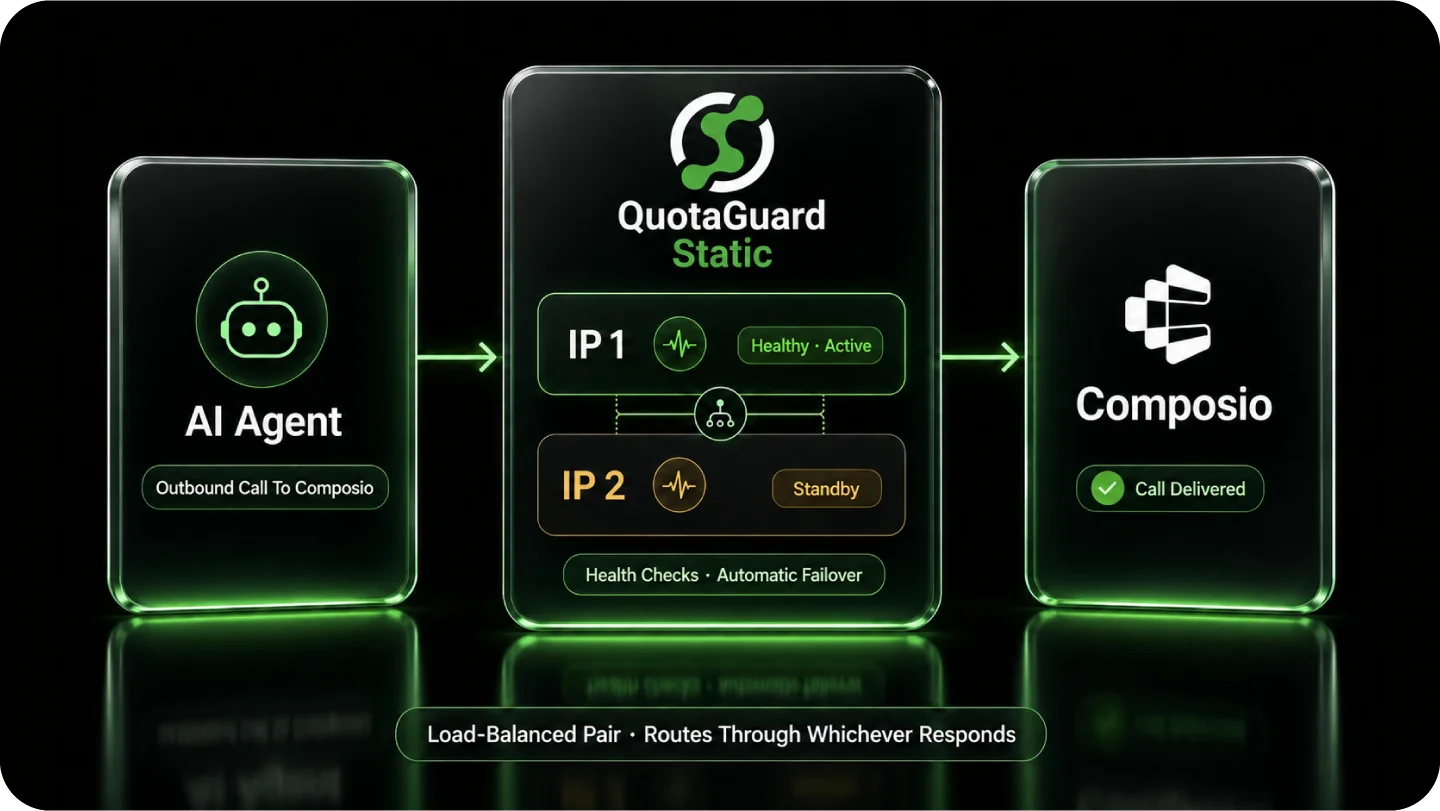
QuotaGuard sits on the outbound path between your application and the Composio API. Composio sees one of the subscription's two fixed IPs instead of the changing address assigned by the underlying cloud platform.
Keep each key tied to a stable network origin without widening access for the entire project. QuotaGuard supplies the two fixed addresses, and Composio lets you apply the IP Allowlist separately to each key.
That per-key boundary complements Composio's scoped permissions. One control limits what the key can do. The other limits where the key can be used.
In Composio, open the project and go to Settings, Project Settings, and API Keys. In the IP Allowlist column for the applicable key, select No Restriction, add both QuotaGuard IP addresses, and save. Composio's current IP allowlisting guide documents this per-key control.
The setting belongs to the individual key. Repeat it for each Composio key that the application uses rather than assuming one project-level entry protects every credential.
Composio documents IP allowlisting as a source-address restriction and says requests from other addresses are blocked even when the API key is valid. Its incident guidance identifies a 403 as the common result when a request arrives from outside the key's allowed set.
This is why an integration can work from one deployment and fail from another with the same credential. The key did not change. The application's egress address did.
Every QuotaGuard subscription receives two load-balanced static IPs. Add both addresses to the Composio key so traffic can use either side of the pair without falling outside the allowlist.
The pair belongs to the subscription, not the account. If an account has multiple QuotaGuard subscriptions, use the two addresses shown for the subscription that carries the Composio traffic.
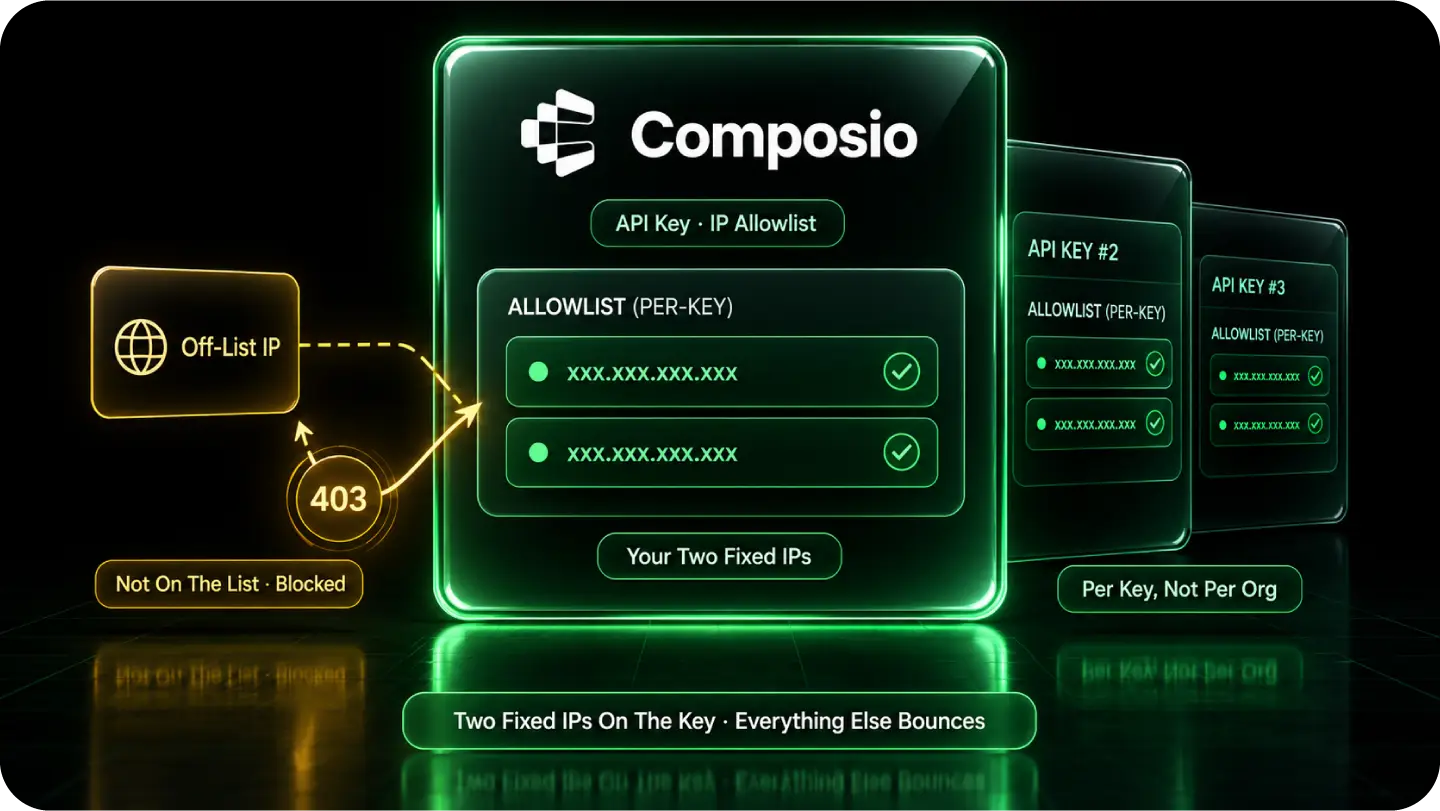
Use one stable egress pair across the environments that run the same Composio integration. The source Composio evaluates stays constant even when the underlying platform assigns a different outbound address after a deployment, restart, or region change.
For the implementation path and HTTP-client configuration, use the Composio API key static IP walkthrough.
Serverless functions, containers, CI jobs, and cloud applications can move while the QuotaGuard pair remains the source presented to Composio. Route only the outbound Composio requests that need the stable identity through the proxy.
This keeps the allowlist small and predictable. Composio evaluates the two registered QuotaGuard addresses instead of every temporary address a platform may allocate.
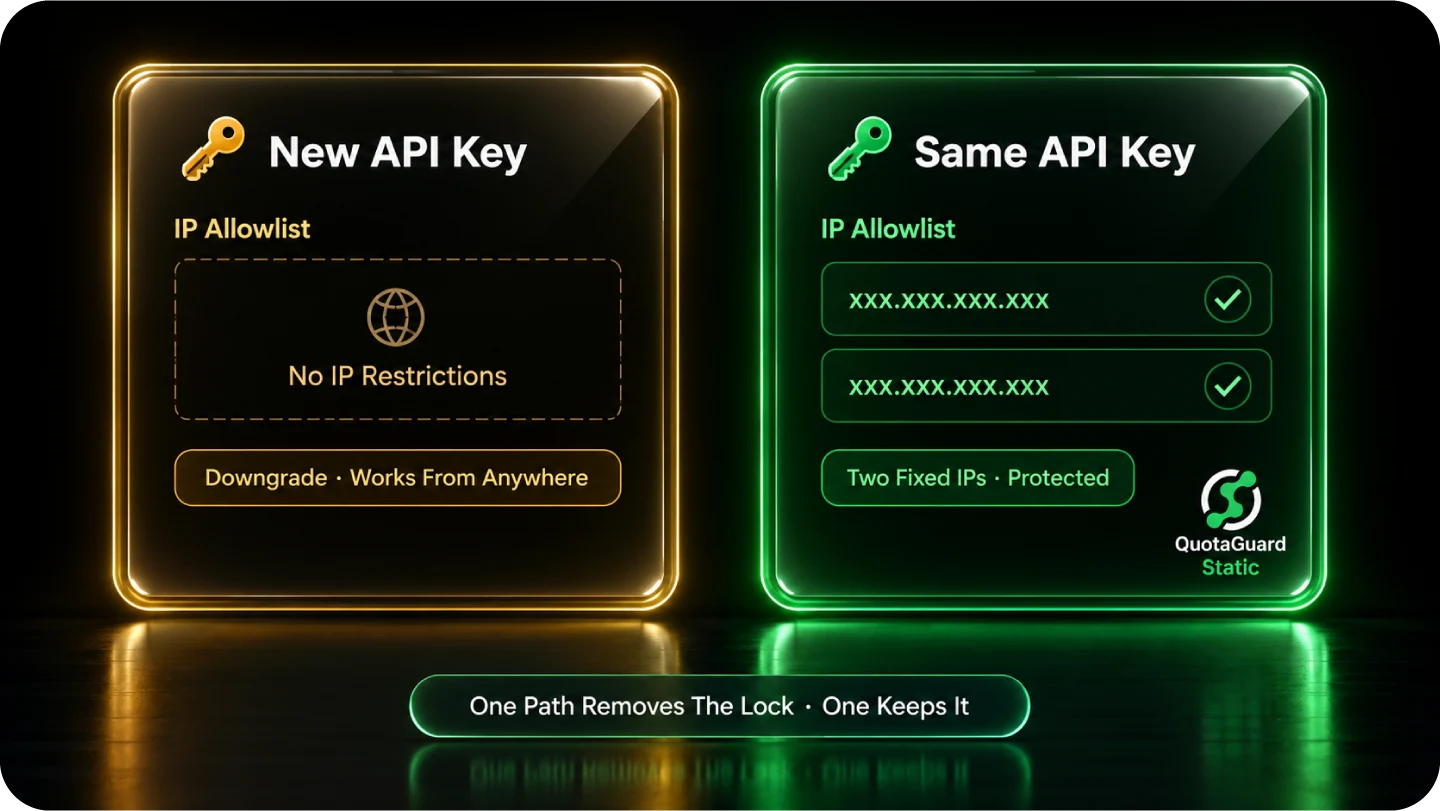
Composio's May 2026 incident guidance says an application without static IP addresses can create a new key without IP restrictions when the existing key is blocked by its allowlist. That restores access by removing the network boundary.
A stable source provides the other path. Keep the restriction enabled, register the two QuotaGuard IPs, and continue using a key that is limited by both permissions and network origin.
Composio disclosed unauthorized access to internal systems in May 2026. Its forensic investigation suggested that some API keys may have leaked, while noting that it did not know the full scope or whether specific keys were definitively compromised.
Its response included credential rotation and revocation, deletion of older keys, restriction of existing keys to recently used organization IPs, and rollout of dashboard IP allowlisting. Stable egress makes that source restriction practical to keep enabled after the immediate incident response ends.
Use QuotaGuard Static for ordinary Composio API traffic that needs a stable source address. Use QuotaGuard Shield when the architecture requires the customer-to-proxy connection to be encrypted in addition to the application's existing HTTPS connection to Composio.
Both products preserve the application's HTTPS session to the destination. QuotaGuard does not decrypt outbound HTTPS payloads on either product.
QuotaGuard Static provides the same two-address egress identity that the Composio key evaluates. Starter, Production, and Business subscriptions use stable shared IP pairs and are suitable when the allowlist requires fixed addresses but does not require exclusive ownership.
Configure the HTTP client used for backend.composio.dev to use the QuotaGuard proxy path. The technical walkthrough remains the implementation reference for selecting and verifying that client path.
QuotaGuard Shield wraps the customer-to-proxy connection in TLS while preserving the application's separate HTTPS session to Composio. The proxy reads the connection request needed to route traffic, but it does not decrypt the outbound HTTPS payload.
Use Shield for approved sensitive or regulated-data architectures that require this additional transport protection. Product selection is only one part of the application's broader security and regulatory responsibilities.
QuotaGuard operates proxy infrastructure in 12 AWS regions, including US-East-1 in Virginia and US-East-2 in Ohio. Select the region that best fits the application and its destination path.
The two IPs remain tied to the selected subscription. Composio only needs those two exact addresses on each restricted key.
Common questions about Composio static IPs and QuotaGuard.
Does my Composio integration need a static IP?
It needs a stable source IP when you enable Composio's IP Allowlist on the API key. Composio blocks requests from addresses outside that key's allowed set even when the credential is valid. If the application runs on infrastructure with rotating egress, route its Composio requests through the two QuotaGuard IPs and register both addresses on the key.
Where do I configure the IP Allowlist for a Composio API key?
Open the project in Composio, then go to Settings, Project Settings, and API Keys. In the applicable key's IP Allowlist column, select No Restriction, enter both QuotaGuard IP addresses, and save. The restriction is configured per key, so repeat it for every credential used by the application.
Why does Composio return 403 when the API key is valid?
The request can be rejected because its source address is outside the key's IP Allowlist. Composio's incident guidance identifies VPN use and changed or dynamic egress as common causes of this valid-key 403. Confirm which QuotaGuard subscription carries the request, then confirm that both IPs shown for that subscription are registered on the key.
Do I need to register both QuotaGuard IPs?
Yes. Each subscription includes a load-balanced pair, and traffic can leave through either address. Adding only one creates an incomplete allowlist that may reject otherwise valid requests, so add both addresses from the relevant subscription to every restricted Composio key the application uses.
Should I create a Composio key with no IP restrictions instead?
An unrestricted key removes the source-address boundary and can be used from any network location when its permissions allow the request. Composio identified that as a recovery path for applications without static IPs, but a QuotaGuard pair lets you keep the restriction enabled. Use scoped key permissions and IP allowlisting together so the credential is limited by both capability and source.
Should I use QuotaGuard Static or Shield for Composio?
Use Static for ordinary HTTPS API traffic that needs two stable source IPs. Use Shield when an approved sensitive or regulated-data architecture also requires TLS on the customer-to-proxy hop. Neither product decrypts the application's outbound HTTPS payload, and Shield does not replace the application's other security and regulatory controls.
Can I get dedicated IPs for Composio?
Yes. Dedicated IPs and proxy resources are included with Enterprise subscriptions. On direct billing, Enterprise is $219 per month for Static and $269 per month for Shield. Starter, Production, and Business use stable shared IP pairs, so choose Enterprise when the Composio allowlist requires an origin that is not shared with another QuotaGuard customer.
Does this also cover Composio webhooks or other inbound callbacks?
The API-key IP Allowlist applies to the outbound path from the application through QuotaGuard to Composio. An inbound webhook travels in the opposite direction and requires a separate inbound endpoint configuration. QuotaGuard supports inbound proxying on direct Starter plans and above, but that setup is distinct from adding the outbound pair to a Composio key.
For over a decade, QuotaGuard has provided reliable, high-performance static IP and proxy solutions for cloud environments like Heroku, Kubernetes, and AWS.
Get the fixed identity and security your application needs today.