
Give your AI applications and coding-agent workloads a stable outbound identity with QuotaGuard. Route selected connections through our managed proxies so client APIs, databases, and trading partners can allowlist two fixed IP addresses instead of a changing cloud range.
QuotaGuard operates the proxy infrastructure, including availability, failover, monitoring, maintenance, and engineering support. Your team builds the integration instead of operating proxy VMs or taking on another egress service to maintain.
Configure the client that opens the protected connection, allowlist both assigned addresses, and keep the destination's authentication in place. Route only the calls that need a fixed IP, with an identity you can carry across supported development and deployment environments.
A coding agent can write an integration while the client's firewall still blocks its test requests. QuotaGuard gives the application a managed source identity so your team can keep a small, stable allowlist without maintaining the egress infrastructure itself.
A destination can require both valid credentials and an approved source IP. QuotaGuard provides the stable outbound address for that network check while your application keeps API authentication, authorization, and TLS in place.
When a workload uses dynamic or shared platform egress, restarts and deployment changes can make direct-IP allowlisting difficult. Route supported clients through QuotaGuard to keep their outbound identity independent of the underlying host. Platform-native egress can be appropriate when policy requires it; QuotaGuard is the managed, portable choice for selected application connections.
Give the destination owner the two assigned QuotaGuard addresses rather than a broad platform range. Standard plans use shared static-IP infrastructure. When the client requires addresses used only by your organization, choose Enterprise dedicated addresses and proxy infrastructure.
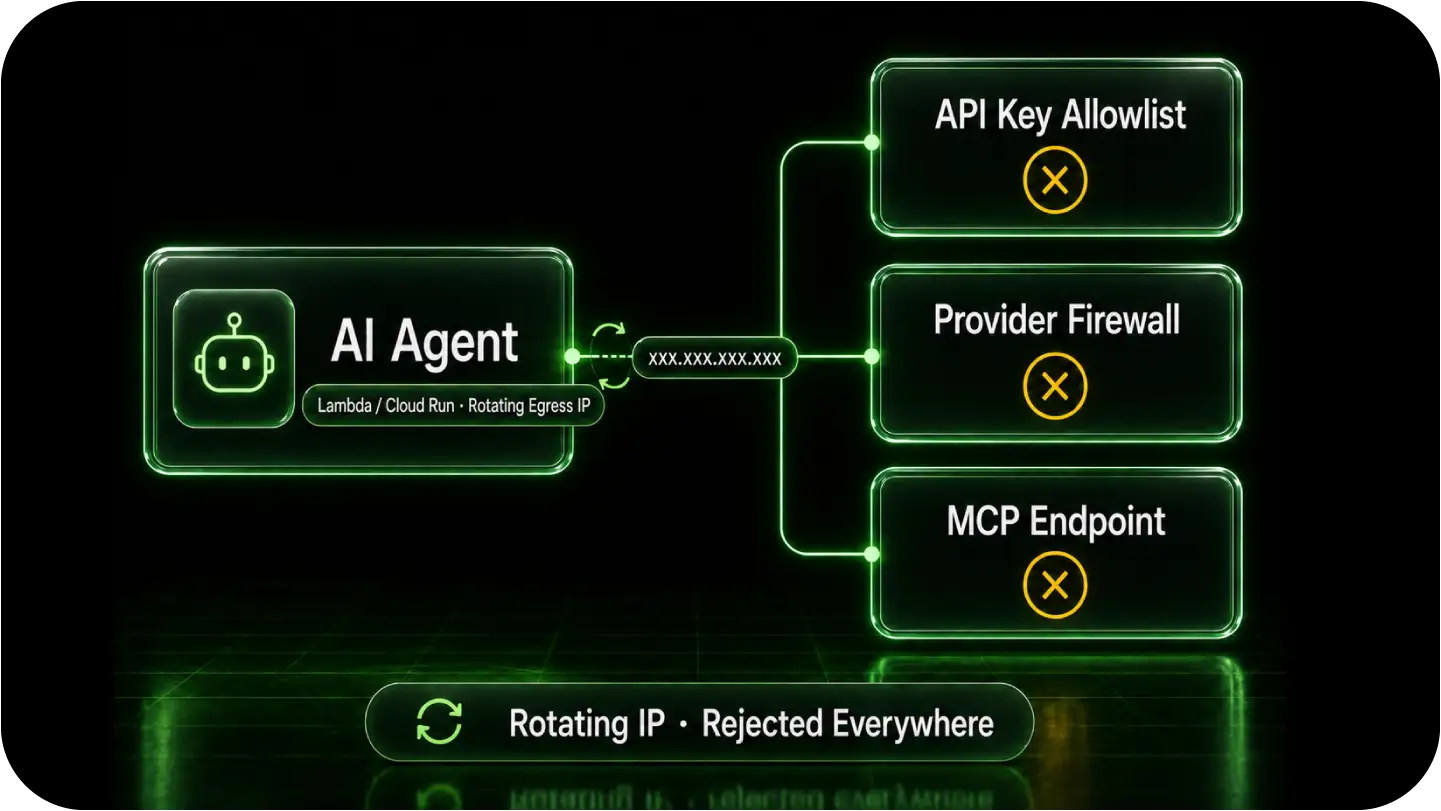
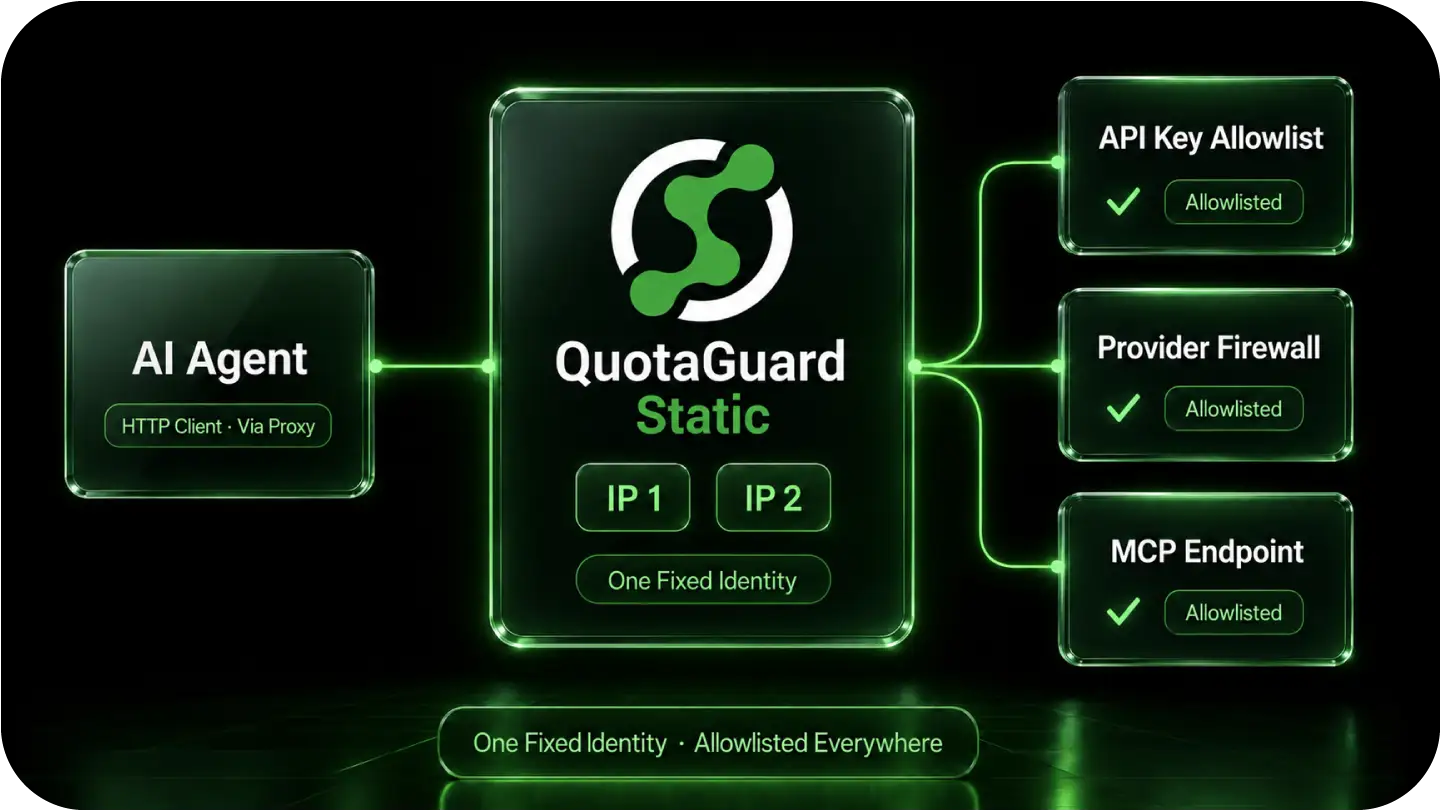
QuotaGuard sits in the connection path you configure: your application or tool client, then QuotaGuard, then the protected destination. Use an HTTP proxy for a compatible HTTP client, or supported SOCKS5/QGTunnel configuration for native TCP connections. A proxy setting in one client does not configure every browser, SDK, or agent tool.
Store the QuotaGuard connection URL as a server-side secret and connect it to the exact client's proxy settings. Reuse the managed egress identity across supported runtimes without tying the destination's allowlist to one hosting platform. Supplying a secret alone does not route the traffic.
Allowlist both assigned addresses so your application can use QuotaGuard's load-balanced pair and managed failover. We operate and monitor the proxy infrastructure; your team does not have to build and maintain a replacement egress server. A short IP check may show only one address, but both belong in the destination's rule.
Keep destination restrictions, least-privilege credentials, and application logging alongside the static-IP route. QuotaGuard provides the outbound identity; it does not by itself contain an agent or restrict the destinations untrusted code can reach. Dedicated addresses provide an exclusive source identity, not protection against stolen proxy credentials.
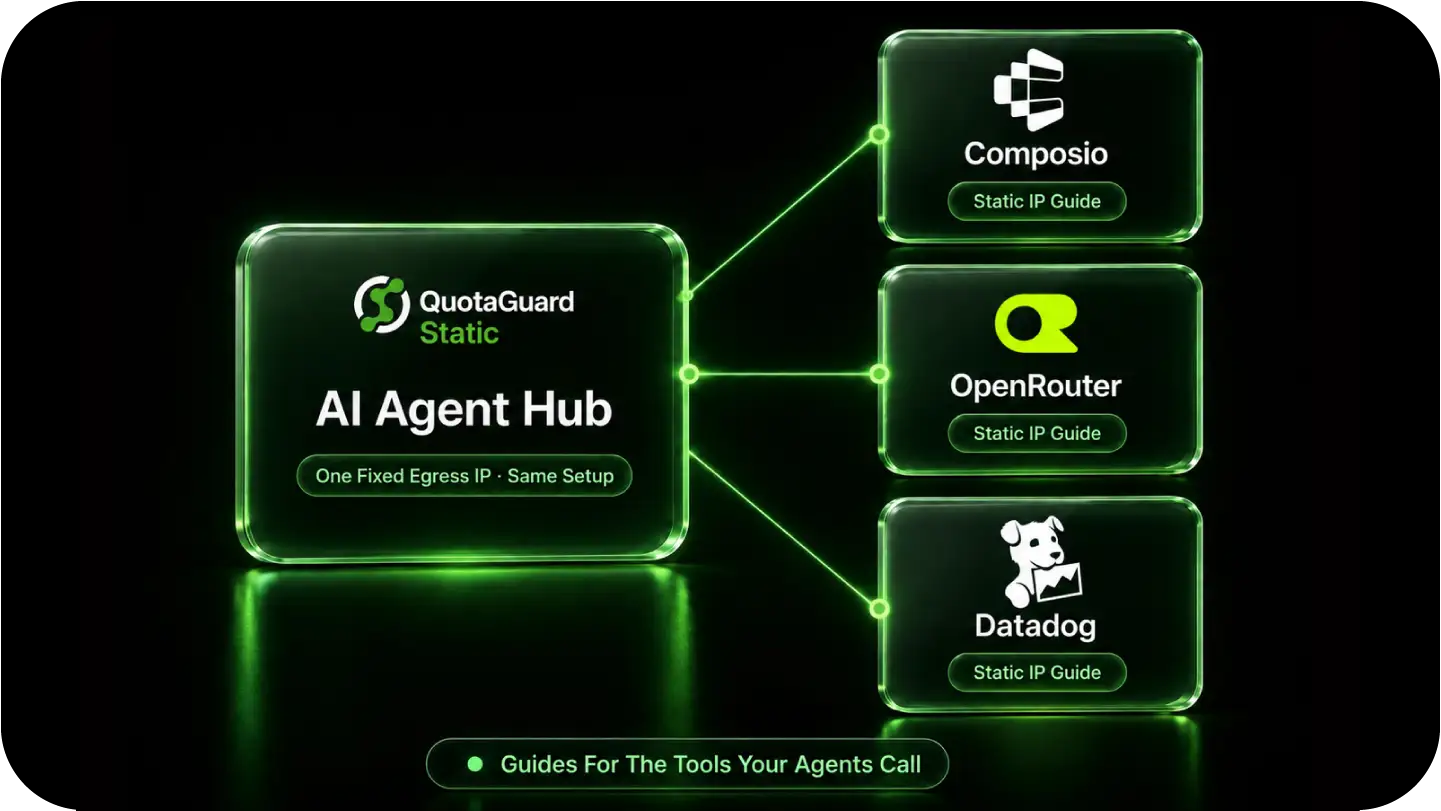
Start with the destination that is rejecting the connection. Match its source-IP policy to the client making the request, then use the guide for that integration.
Connecting your application to Composio or OpenRouter? Follow the Composio static IP guide or OpenRouter static IP guide for the destination-specific configuration. Keep credential protection and rotation in place alongside any source-IP restriction.
Use the Datadog static IP guide to distinguish API and MCP access from telemetry ingestion and identify the connection its policy evaluates. Configure the supported client that makes that request.
Route code and tool connections you control through QuotaGuard when their client supports the required proxy configuration. A setting inside your workspace does not change a request opened by a vendor's backend. Talk to QuotaGuard engineering to identify the right connection and configuration for your workload.
Common questions about AI agent static IPs and QuotaGuard.
Does my AI agent need a static IP?
Use QuotaGuard when a client API, database, or trading partner requires stable approved source addresses and your application's direct egress does not meet that requirement. It gives those connections a managed identity without another proxy server to operate. If no destination requires a source-IP restriction, a static IP is not required merely because the application uses AI.
How fast can I set this up?
For a proxy-aware HTTP client, setup is straightforward: store the QuotaGuard URL as a secret, configure that client, and have the destination owner allowlist both assigned addresses. The time depends on the client and firewall approval process. QuotaGuard engineering can help with the configuration; you do not need to deploy a proxy server of your own.
Which agents and tools does this cover?
Customer-controlled application and tool clients that support authenticated HTTP proxying, SOCKS5, or a suitable QGTunnel configuration. This includes compatible code in development environments, hosted applications, and customer-operated MCP servers. Check the actual client and protocol rather than assuming a setting controls every tool in an agent platform. Private-only destinations still require an approved private network route.
Should I use QuotaGuard Static or Shield for my agent?
QuotaGuard Static starts at $19 per month and is the normal starting point for supported API allowlisting. HTTPS application payloads remain encrypted to the destination through a blind CONNECT tunnel; QuotaGuard does not decrypt them. Static uses plaintext HTTP proxy protocol on the customer-to-proxy hop. QuotaGuard Shield starts at $29 per month and adds TLS protection to that hop. Choose Shield when your security review or approved compliance architecture requires it, using a compatible client configuration.
Does this work with MCP servers?
Yes, when you control the client opening the protected connection and it supports the proxy configuration. An agent's connection to an MCP server and the server's connection to an enterprise API are separate network hops. Configure the hop the destination evaluates. A proxy in your workspace cannot change the source address of a later request made by a vendor-hosted server.
Can I get a dedicated IP for an agent fleet?
Yes. Enterprise plans include dedicated IPs and proxy infrastructure reserved for your account, starting at $219 per month for Static and $269 per month for Shield on direct billing. Choose dedicated infrastructure when clients require customer-exclusive source addresses or your team needs additional infrastructure isolation. Standard plans use shared static-IP pairs. Contact QuotaGuard engineering to arrange the dedicated setup, and retain credential protection and destination authentication in either case.
What about traffic coming back to my agent, like tool callbacks?
Those flow inbound to your endpoint, the opposite direction from the agent's outbound calls, and your inbound endpoint is unrelated to your egress IP. Inbound callbacks just need a reachable URL. If you want a fixed inbound endpoint for a callback receiver, QuotaGuard Static includes inbound proxy capability on direct plans starting at $19/month.
For over a decade, QuotaGuard has provided reliable, high-performance static IP and proxy solutions for cloud environments like Heroku, Kubernetes, and AWS.
Get the fixed identity and security your application needs today.