
Inbound & Outbound Static IPs for Scalingo Apps
Set one proxy environment variable and your Scalingo app's outbound calls exit from two fixed IPs a partner can allowlist, while inbound traffic arrives at one permanent address you can hand to a provider.
Scalingo's egress IPs are shared across every app in a region and can change on 30 days' notice.
QuotaGuard gives you two static IPs that belong to your account and don't change.
If you chose Scalingo for sovereignty, read this first
Scalingo is SecNumCloud-qualified and HDS-certified on sovereign French infrastructure. QuotaGuard runs on AWS. If your requirement is French sovereign-cloud egress, QuotaGuard is not the right tool, and routing through it would undercut the sovereignty you chose Scalingo for.
If you run a standard Scalingo app and need a stable egress IP for a partner or firewall allowlist, with EU data residency rather than sovereign-cloud certification, the rest of this page is for you.
Enterprise Connectivity & Allowlisting
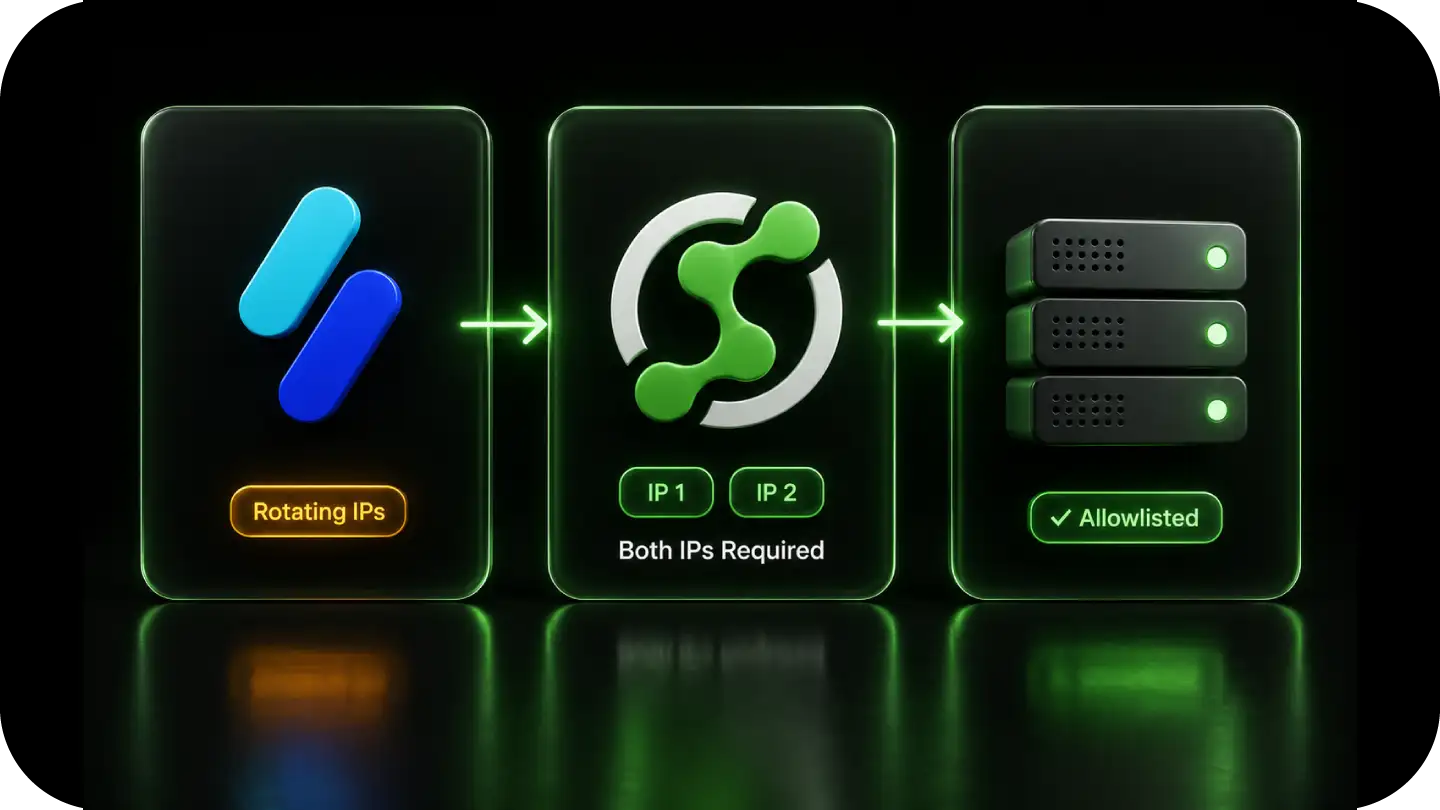
Scalingo egress IPs are a shared regional pool. Every app in a region leaves through the same set of addresses, resolved by a regional egress hostname, and Scalingo's documentation states the list can change with 30 days' notice.
Allowlisting those IPs means trusting every other Scalingo tenant on them, and re-checking the list whenever Scalingo updates it. Scalingo's IPSec and OpenVPN addons do not solve this: they tunnel your app into your own private infrastructure, they are not a public fixed egress IP for a third-party allowlist.
QuotaGuard is a standard HTTP proxy: one environment variable, two static IPs that are yours, and it covers inbound as well.
Note: QuotaGuard is designed for connecting Scalingo apps to IP-restricted B2B resources like partner APIs, SQL databases, internal services, and enterprise gateways. This solution is not intended for scraping consumer sites that block cloud infrastructure.
Native Configuration
QuotaGuard works through Scalingo's environment variables.
No tunnel addon, no custom runtime image. Set the proxy variables from the dashboard or the Scalingo CLI and restart.
Environment Variable Setup
Store your QuotaGuard connection string as an environment variable, then set the standard proxy variables so HTTP clients route through it. Most clients in Node.js, Python, Ruby, Go, along with curl and git over HTTPS, respect HTTP_PROXY and HTTPS_PROXY automatically.
Set NO_PROXY to exclude Scalingo's internal and addon hostnames, so your database and cache connections stay on the platform's private network and only external API calls route through the static IPs.
For clients that do not read the proxy variables, pass the proxy URL from QUOTAGUARDSTATIC_URL directly to your HTTP client.
QGTunnel for Database and Raw TCP Connections
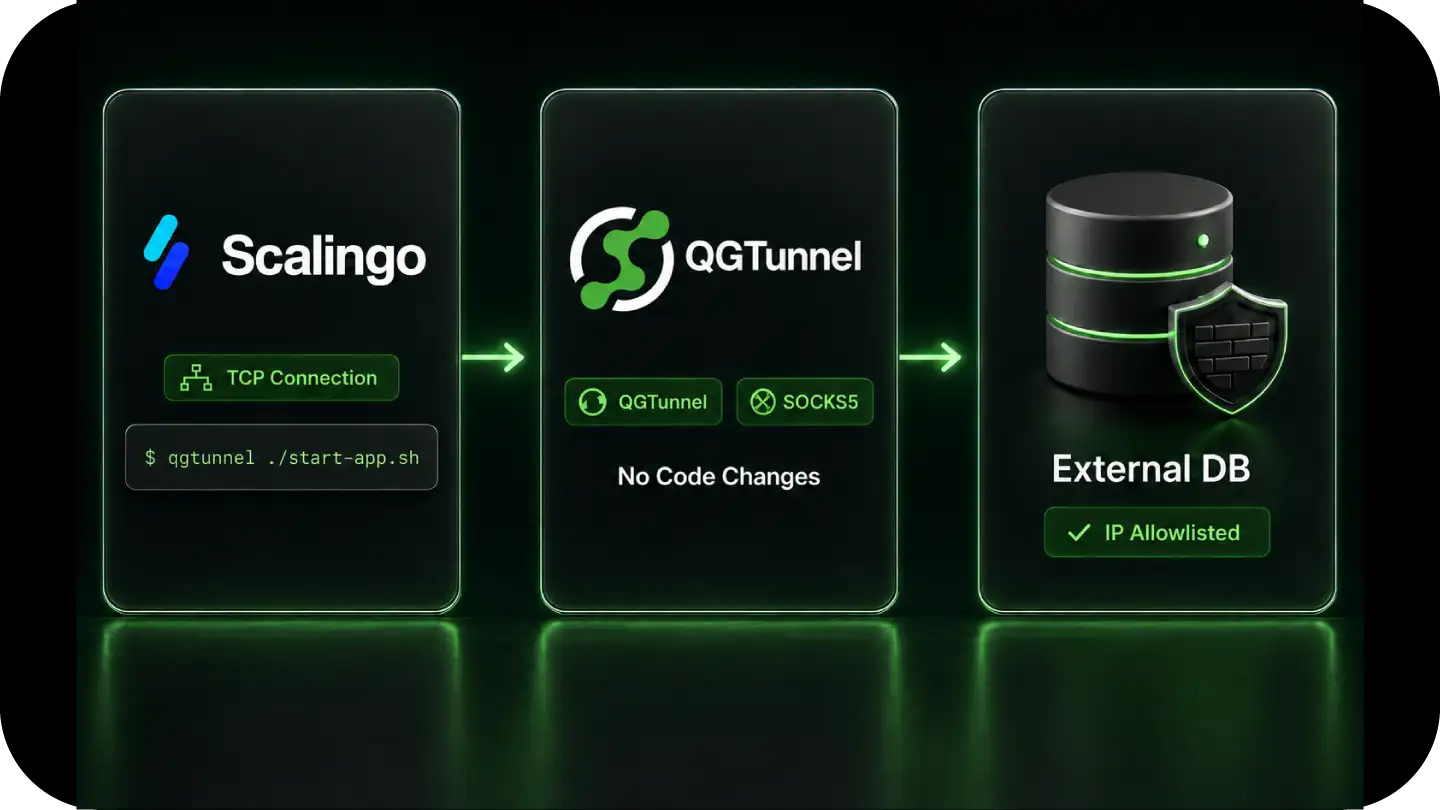
For connections to a firewalled database over a raw TCP protocol, such as PostgreSQL, MySQL, or a native MongoDB driver hosted outside Scalingo, an HTTP proxy is not enough.
QGTunnel provides transparent SOCKS5 proxying. Configure a tunnel for your database host and port in the QuotaGuard dashboard, wrap your start command with QGTunnel, and your driver connects to the original hostname while traffic exits from your two static IPs. No application code changes.
Works Across Scalingo Regions and Runtimes
The setup is the same whatever runtime you deploy. The proxy variables are read at the application layer, so there is nothing platform-specific to configure and nothing that breaks when Scalingo updates its shared egress pool.
Reliability for Production Apps
Traffic comes in bursts and apps scale fast.
QuotaGuard's proxy layer handles that without becoming the bottleneck, and gives you a fixed network identity your partners can trust on every request.
FAQs
Technical Configuration and Setup for Scalingo
Not a fixed one assigned to your app.
Scalingo apps egress from a shared regional pool of IPs, shared across every app in the region, and Scalingo's documentation states the list can change with 30 days' notice.
Scalingo's IPSec and OpenVPN addons tunnel your app into your own private infrastructure, they are not a public fixed egress IP for third-party allowlisting.
QuotaGuard gives you two static IPs assigned to your account, plus a fixed inbound IP.
Probably not. QuotaGuard runs on AWS, so routing your egress through it would undercut the sovereign-cloud posture you chose Scalingo for.
QuotaGuard provides EU data residency, not French sovereign-cloud certification. If sovereignty is your driver, this is not the right tool.
If you run a standard Scalingo app and need a stable egress IP for an allowlist, it is.
Set your QuotaGuard proxy URL as an environment variable using scalingo env-set or the dashboard, set HTTP_PROXY and HTTPS_PROXY to the same value, exclude internal hosts with NO_PROXY, then restart the app.
Outbound HTTP and HTTPS calls then exit from your two static IPs.
From inside the app, after configuring the proxy, make a request to https://ip.quotaguard.com.
The response returns the IP your request came from.
It should match one of the two static IPs in your QuotaGuard dashboard. Check a few times and you will see both IPs in rotation.
Yes, via QGTunnel.
The HTTP proxy handles HTTP and HTTPS. For raw TCP connections to PostgreSQL, MySQL, or a native MongoDB driver hosted outside Scalingo, QGTunnel routes those connections through your static IPs.
Configure a tunnel in the QuotaGuard dashboard for the database host and port, then wrap your start command with QGTunnel.
Yes.
The static IPs are assigned to your QuotaGuard account, not to Scalingo's shared pool.
Your app reads the proxy URL from its environment and connects through the same two IPs regardless of how Scalingo updates its egress addresses.
Your partners never need to update their allowlist after the initial setup.
Yes, for GDPR data residency.
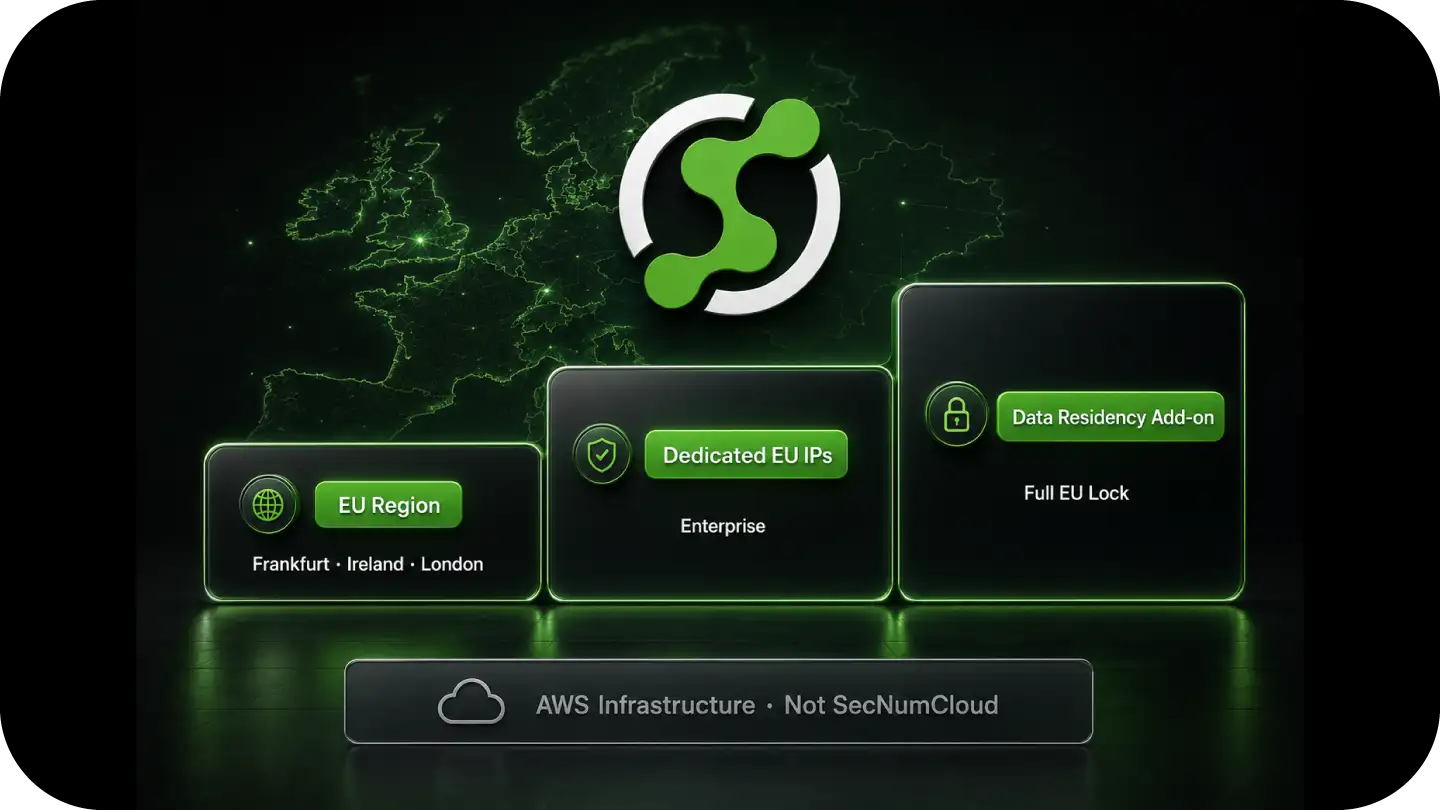
Select an EU region and your two static IPs are EU-based, in Frankfurt, Ireland, or London, with traffic routed within EU infrastructure.
Enterprise adds dedicated EU IPs, and the Data Residency add-on locks traffic, static IPs, and connection logs to the EU from $899 per month.
This is EU residency on AWS, not SecNumCloud sovereign-cloud certification.
Use QuotaGuard Shield for those cases.
Shield uses SSL passthrough and never decrypts your traffic at the proxy, and your TLS keys never leave your servers.
That is the model for HIPAA, PCI-DSS, and SOC 2 workloads.
QuotaGuard Static carries outbound HTTPS through a blind CONNECT tunnel. It never terminates or decrypts your payload. The difference between Static and Shield is the hop between your app and the proxy: Static's hop uses the plain HTTP proxy protocol, while Shield encrypts it with TLS.
We have a write up for Clever Cloud, as well.
Hopefully this helps with doing comparisons between the two platforms.
Still have questions?
We don’t outsource Support to non-Engineers.
Reach out directly to the Engineers who built Shield to discuss your specific architecture, integration challenges, or compliance constraints here 👇
🚀 Ready to Get Started? Choose Your QuotaGuard Path
QuotaGuard STATIC
QuotaGuard SHIELD
Trusted by Engineering Teams Everywhere
Reliability Engineered for the Modern Cloud
For over a decade, QuotaGuard has provided reliable, high-performance static IP and proxy solutions for cloud environments like Heroku, Kubernetes, and AWS.
Get the fixed identity and security your application needs today.