Connect Supabase Edge Functions to an IP-Restricted Brails API

QuotaGuard Engineering
November 3, 2026
•
5 min read
Pattern

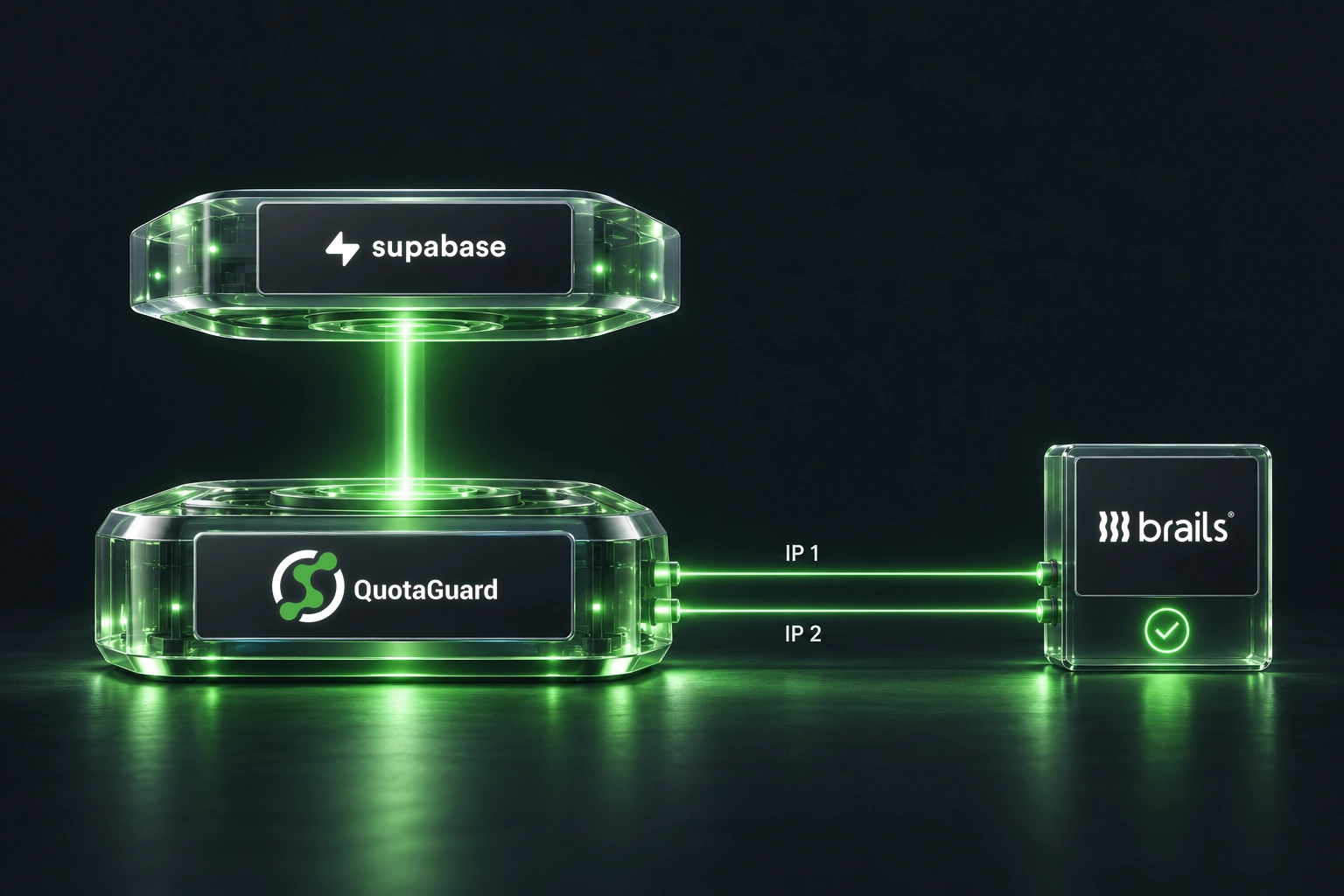
Keep your Brails integration on Supabase Edge Functions while giving its API requests a stable outbound address. When IP allowlisting is enabled for your Brails account, route those backend calls through QuotaGuard and register both assigned IPv4 addresses.

Brails documents a server-IP allowlist that restricts access once addresses are added. This applies to your API servers, not customers’ phones or browsers. Meanwhile, hosted Supabase Edge Functions do not have stable egress IPs. A proxy bridges that gap without moving your frontend or database.

1. Check the account and connection

Confirm that your Brails account accepts your selected proxy region and shared or dedicated addresses. QuotaGuard provides IPv4 egress, so the API must be reachable over IPv4. A shared address is not exclusive to your account; an IP allowlist does not replace Brails authentication.

Copy your subscription’s connection URL and both static IP addresses from QuotaGuard. Register both with the appropriate Brails environment. Adding an address activates restrictions, so preserve access for any other authorized backend callers.

2. Store configuration on the server

Use Supabase Edge Function secrets for these values. Set them in the project and environment running this integration:

  • QUOTAGUARD_PROXY_URL: your complete dashboard HTTP or HTTPS proxy URL.
  • QUOTAGUARD_EXPECTED_IPS: both assigned IPv4 addresses, comma-separated.
  • BRAILS_SANDBOX_API_KEY: an existing, authorized sandbox key, needed only for the wallet check.

Keep credentials out of browser bundles, source control and logs. The helper below accepts standard *.quotaguard.com proxy hosts. If you use a custom proxy domain, review that hostname check explicitly.

Choose the correct transport: Static’s HTTP proxy tunnels destination HTTPS, but does not encrypt the initial proxy authentication and destination metadata. Shield’s HTTPS proxy adds TLS on the application-to-proxy hop. Keep the dashboard scheme and port; do not simply change HTTP to HTTPS.

3. Create a narrowly scoped client

Deno supports a custom proxy client, passed explicitly to fetch. QuotaGuard’s Supabase guide documents HTTP and HTTPS proxy configurations. Verify your chosen protocol on the deployed runtime with the echo check before calling Brails.

Save this as supabase/functions/_shared/brails-check.mjs. It is an internal helper, not a public endpoint. Call it only from an authorized, operator-only diagnostic path:

// Internal helper, not a public HTTP handler.
const ECHO = "https://ip.quotaguard.com";
const WALLETS = "https://sandboxapi.onbrails.com/api/v2/wallets";

function required(name) {
  const value = Deno.env.get(name)?.trim();
  if (!value) throw new Error("Missing server configuration");
  return value;
}

export async function checkBrailsSandbox(mode = "echo") {
  let client;
  let stage = "configuration";
  try {
    if (!["echo", "wallets"].includes(mode)) throw new Error();
    const proxy = new URL(required("QUOTAGUARD_PROXY_URL"));
    const expected = required("QUOTAGUARD_EXPECTED_IPS")
      .split(",").map((ip) => ip.trim());
    const ipv4 = /^(?:\d{1,3}\.){3}\d{1,3}$/;
    if (new Set(expected).size !== 2 || expected.length !== 2 ||
        expected.some((ip) => !ipv4.test(ip) ||
          ip.split(".").some((n) => Number(n) > 255))) throw new Error();
    if (!["http:", "https:"].includes(proxy.protocol) ||
        !proxy.hostname.endsWith(".quotaguard.com") ||
        !proxy.username || !proxy.password ||
        proxy.pathname !== "/" || proxy.search || proxy.hash) throw new Error();
    const token = mode === "wallets"
      ? required("BRAILS_SANDBOX_API_KEY") : null;
    client = Deno.createHttpClient({
      proxy: {
        url: proxy.origin,
        basicAuth: {
          username: decodeURIComponent(proxy.username),
          password: decodeURIComponent(proxy.password),
        },
      },
    });
    stage = "IP echo";
    const echo = await fetch(ECHO, {
      client, redirect: "error", signal: AbortSignal.timeout(10000),
    });
    if (!echo.ok) {
      await echo.body?.cancel();
      throw new Error();
    }
    const { ip } = await echo.json();
    if (!expected.includes(ip)) throw new Error();
    if (mode === "echo") return { echoEgressIp: ip };

    stage = "Brails sandbox";
    const response = await fetch(WALLETS, {
      client, method: "GET", redirect: "error",
      signal: AbortSignal.timeout(10000),
      headers: { Authorization: `Bearer ${token}`, Accept: "application/json" },
    });
    await response.body?.cancel();
    return { echoEgressIp: ip, brailsStatus: response.status,
      brailsHttpOk: response.ok };
  } catch {
    throw new Error(`${stage} check failed; review configuration privately.`);
  } finally {
    client?.close();
  }
}

The helper rejects missing configuration, uses fixed HTTPS destinations, disables redirects, sets ten-second request timeouts and preserves TLS certificate validation. It never retries through a direct connection. Response bodies are consumed or canceled before the client closes.

4. Verify routing before checking Brails

Import the helper into your existing operator-only function:

import { checkBrailsSandbox } from "../_shared/brails-check.mjs";

First call await checkBrailsSandbox("echo") from the deployed function. It sends no Brails credentials and requires the returned IP to match your configured pair. One result verifies one observed route, not both failover addresses. The Brails call uses a separate connection; only Brails-side logs can confirm the source seen there.

Then, with permission to read that sandbox account, call await checkBrailsSandbox("wallets"). This repeats the echo check and sends the documented GET /api/v2/wallets request. It returns only the HTTP status and routing result, discarding wallet data. Keep even these diagnostics operator-only. HTTP success does not validate payout processing.

5. Keep the production path consistent

Apply the same client configuration to every Brails-bound backend request, including separate SDK clients or jobs. Merely setting a proxy environment variable does not configure every client. Leave browser redirects, incoming webhooks and unrelated Supabase traffic alone.

If the check fails, distinguish proxy authentication, timeout, TLS and Brails authorization problems before changing an allowlist. Never print credential-bearing URLs or raw wallet responses. Review production credentials, hostname and allowlist separately; this helper intentionally remains sandbox-only and contains no payment-creating calls.

If your organization already manages fixed-egress infrastructure, Supabase also describes self-hosting its runtime. Otherwise, a selectively configured proxy lets you retain hosted Edge Functions and keep Brails’ source-IP restriction in place.

QuotaGuard Static IP Blog

Practical notes on routing cloud and AI traffic through Static IPs.

Reliability Engineered for the Modern Cloud

For over a decade, QuotaGuard has provided reliable, high-performance static IP and proxy solutions for cloud environments like Heroku, Kubernetes, and AWS.

Get the fixed identity and security your application needs today.