Give Your Alpaca Trading Bot a Static Outbound IP on Any Cloud Platform

June 22, 2026
5 min read
Pattern

Route your Alpaca bot's outbound calls through a proxy with a fixed IP so your own firewall, security audit, and IP reputation stay stable across cloud deploys.

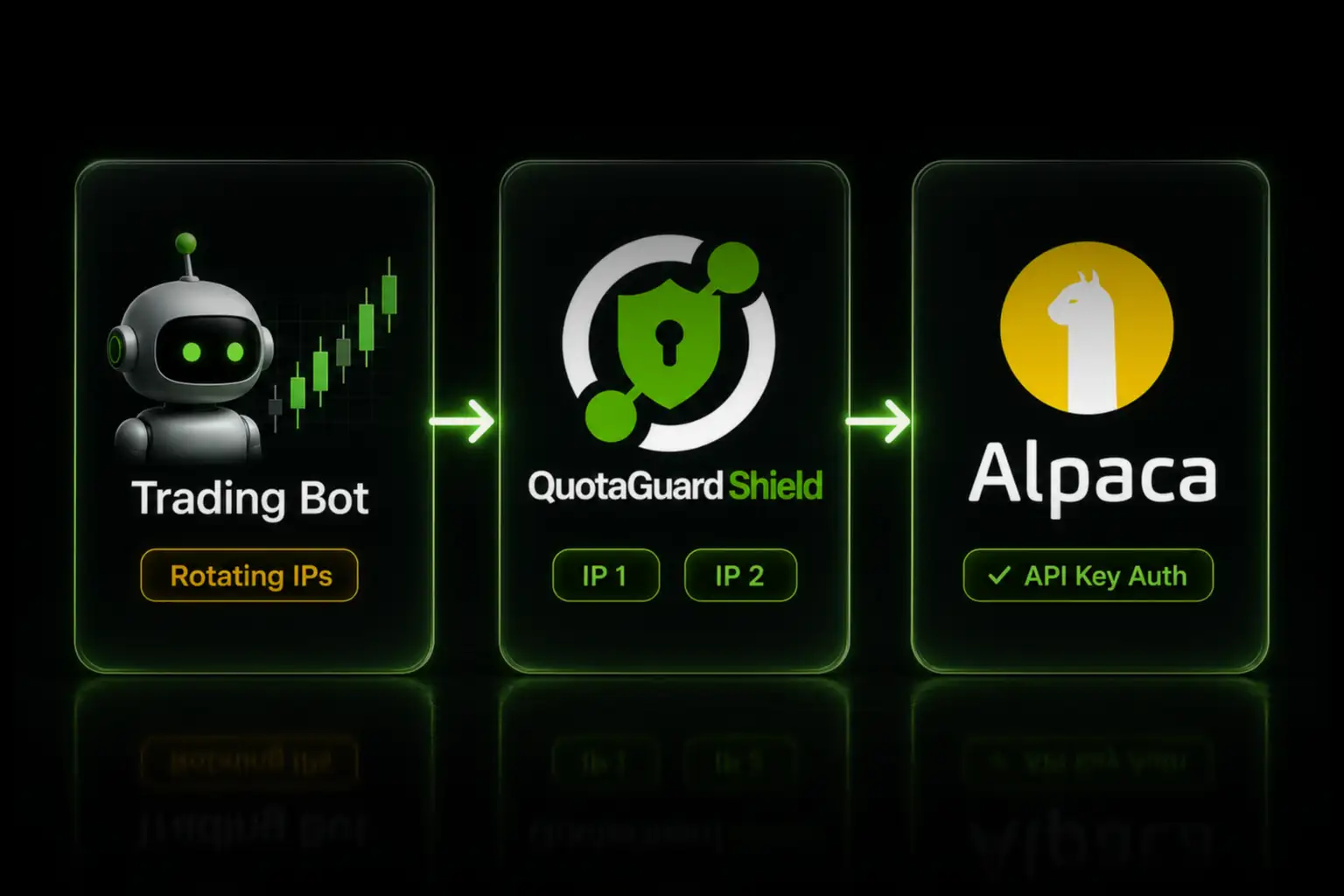
Alpaca authenticates your trading bot by API key, not by source IP, so Alpaca itself doesn't force you to register an IP. The reason to pin a static outbound IP is on your side of the connection: your own corporate firewall, your security and audit posture, and the IP reputation problem that comes with shared cloud ranges. If any of those apply to you, here's how to give your Alpaca bot one fixed egress IP across every deploy.

This post is for developers running an Alpaca Trading API bot on a cloud platform like Heroku, Render, Railway, or AWS, where the outbound IP rotates. If you're running on your own VPS with a fixed IP already, you don't need this.

Alpaca Authenticates by API Key, So the Static IP Is for You, Not Alpaca

Alpaca's Trading API uses key-based authentication. Every request carries the APCA-API-KEY-ID and APCA-API-SECRET-KEY headers, and that pair is what authorizes the call. Alpaca does not document a customer-facing requirement to register or allowlist the IP your requests come from. A 403 from Alpaca is an account permission or subscription restriction, not an IP block.

So unlike exchanges that enforce IP allowlisting on the API key, Alpaca won't reject your bot for having a rotating IP. The case for a static outbound IP is different and it comes from your own environment:

Your firewall needs to allowlist the traffic. If your bot runs inside a corporate network or behind an egress firewall that only permits approved outbound destinations and source IPs, a fixed egress IP is what lets your security team write a clean rule for Alpaca traffic.

Your security and audit posture wants a fixed identity. Routing all Alpaca traffic, across multiple bots or accounts, through one known outbound IP gives you a single auditable egress point. That matters for internal security reviews and for any compliance process that asks where your financial-API traffic originates.

Shared cloud IPs carry reputation problems. Bots on Heroku, Render, and similar platforms share outbound IP ranges with thousands of other tenants. Those ranges accumulate abuse history that has nothing to do with you, which can lead to intermittent throttling or blocks from intermediary security layers. A clean static IP that's used only for legitimate proxy traffic sidesteps that.

A Static IP Proxy Gives Your Bot One Fixed Egress Address

The cleanest fix without migrating your infrastructure is an outbound HTTP proxy with a static IP. You route your Alpaca API calls through it, and every request leaves from the same fixed address regardless of how your cloud platform reassigns IPs on deploy or scale.

QuotaGuard gives you two static IPs in a load-balanced pair with automated failover. Your bot's traffic exits from those two addresses. If your firewall or security policy needs to know where Alpaca traffic comes from, those two IPs are the answer, and they don't change.

Set the Proxy With Environment Variables

The official alpaca-py SDK does not expose a proxy argument on its client constructors. The TradingClient takes api_key, secret_key, oauth_token, paper, raw_data, and url_override, and none of those is a proxy setting. The way to route the SDK through a proxy is the standard environment-variable path, which the HTTP layer underneath the SDK respects.

Set your QuotaGuard proxy URL as HTTP_PROXY and HTTPS_PROXY in your bot's environment:

export HTTP_PROXY="http://username:password@proxy.quotaguard.com:9293"
export HTTPS_PROXY="http://username:password@proxy.quotaguard.com:9293"

You get the proxy URL from your QuotaGuard dashboard after signing up. With those set, the SDK's outbound calls route through the proxy and exit from your static IP:

from alpaca.trading.client import TradingClient
 
# HTTP_PROXY / HTTPS_PROXY are read from the environment by the
# underlying HTTP layer. No proxy argument is passed to the client.
trading_client = TradingClient("api-key", "secret-key", paper=False)
 
account = trading_client.get_account()
print(account.buying_power)

Direct REST Calls Take a Proxy Dictionary

If you call Alpaca's REST endpoints directly with requests instead of the SDK, pass the proxy explicitly:

import os
import requests
 
proxy_url = os.environ["HTTPS_PROXY"]
proxies = {"http": proxy_url, "https": proxy_url}
 
headers = {
    "APCA-API-KEY-ID": os.environ["ALPACA_KEY"],
    "APCA-API-SECRET-KEY": os.environ["ALPACA_SECRET"],
}
 
response = requests.get(
    "https://api.alpaca.markets/v2/account",
    headers=headers,
    proxies=proxies,
    timeout=30,
)
 
print(response.json())

QuotaGuard tip: route only your Alpaca API calls through the proxy, not all of your bot's outbound traffic. Scoping the proxy to the calls that actually need the fixed IP keeps latency down and makes debugging easier when something breaks.

Confirm Your Egress IP Before You Write Any Firewall Rule

Verify what IP your bot actually exits from before you hand anything to your security team or write an allowlist rule. Run a check through the proxy:

curl -x "$HTTPS_PROXY" http://ip.quotaguard.com

That returns your QuotaGuard static IP, not your cloud platform's rotating range. Both of your two static IPs are shown in your dashboard. Use the pair in any firewall rule, because QuotaGuard load-balances across both and an allowlist with only one causes intermittent failures.

Use QuotaGuard Shield for Financial Data

The setup above uses QuotaGuard Static. For a trading bot moving account data, balances, and order information, QuotaGuard Shield is the better fit. Shield uses SSL passthrough, so the TLS connection runs end-to-end between your bot and Alpaca and QuotaGuard never decrypts the traffic. For financial data that matters, and it's the right model when your security review asks whether any third party can see data in transit.

The configuration is the same pattern, with QUOTAGUARDSHIELD_URL in place of the Static proxy URL. Shield starts at $29 per month on a direct plan. See QuotaGuard Shield for the SSL passthrough details.

What This Doesn't Change

A static outbound IP fixes your firewall, audit, and reputation needs. It does not change how Alpaca authenticates you. Your API keys still authorize every request, and a 403 from Alpaca is still an account or permission issue, not an IP problem. If your bot is hitting authorization errors, the static IP won't address that. Check your account status, enabled features, and whether you're using live keys against the live domain and paper keys against the paper domain.

Get a Static Outbound IP for Your Alpaca Bot

Alpaca doesn't require a static IP. Your firewall, your security review, and the shared-IP reputation problem on cloud platforms are the reasons to use one. Routing your bot's Alpaca calls through a proxy gives you one fixed egress address that survives every deploy and scale event.

QuotaGuard Static starts at $19 per month on a direct plan, with bandwidth bundled and no per-GB fees. Production is $49 per month and Business is $89 per month for higher volume. Dedicated IPs are available on the Enterprise plan at $219 per month, which is the right tier when you need an egress IP that no other customer shares for your security or audit requirements.

See plans and start a trial at quotaguard.com/products/pricing. To talk through a specific trading-bot architecture, contact us and an engineer will respond directly.

QuotaGuard Static IP Blog

Practical notes on routing cloud and AI traffic through Static IPs.

Reliability Engineered for the Modern Cloud

For over a decade, QuotaGuard has provided reliable, high-performance static IP and proxy solutions for cloud environments like Heroku, Kubernetes, and AWS.

Get the fixed identity and security your application needs today.