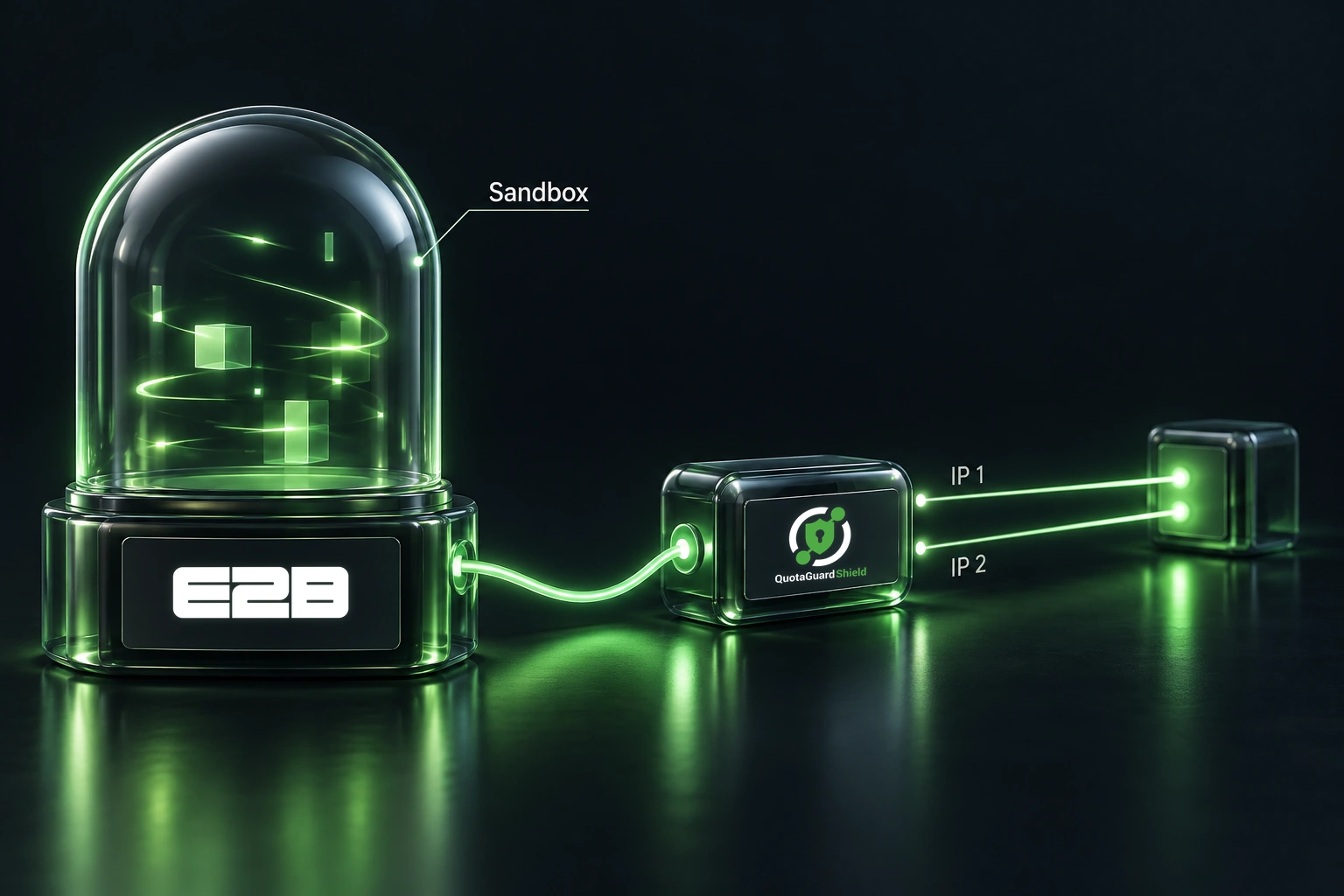
E2B provides cloud sandboxes where AI agents can run code. If that code needs to call a partner API or database protected by an IP allowlist, the destination needs a predictable source IP. The sandbox's ordinary outbound address is not a reliable address to register.

E2B's egress IP documentation explains that its public outbound IPs rotate and that dedicated static egress IPs are not available on its plans. Its documented alternative is an external proxy. This guide explains that approach, the Python configuration, and the requirements to check when considering QuotaGuard Shield.

Start with E2B's bring-your-own-proxy feature

Bring your own proxy (BYOP) routes permitted outbound TCP connections through a SOCKS5 proxy. E2B applies this routing outside the sandbox, so the approach is different from asking each library inside the sandbox to honor an HTTP proxy environment variable.

Before configuring it, confirm that BYOP is enabled for your E2B team. Having an SDK that accepts the configuration does not establish account eligibility. Also confirm the destination accepts IPv4 connections and supports the protocol your application uses.

The goal is straightforward: the destination sees the proxy's outbound address rather than the sandbox's changing address. Register the proxy service's assigned outbound IPs with the destination provider. Keep the destination's normal API authentication and HTTPS or database TLS settings in place.

Get the correct proxy connection details

QuotaGuard Shield provides TLS-wrapped SOCKS5 connectivity. Before selecting it for this setup, confirm the endpoint requirements with QuotaGuard, including the hostname, port, credentials, and certificate hostname expected by the service. An HTTP proxy URL or a guessed SOCKS port is not a substitute for those details.

The Shield setup documentation explains Shield's connection model. Match the supplied endpoint to E2B's documented TLS-enabled SOCKS5 interface rather than copying unrelated platform settings.

Store proxy credentials in the application that manages sandbox creation, using protected environment variables or your secret manager. Do not place them in code committed to a repository, paste them into support screenshots, or log the complete network configuration.

Build the Python network configuration

The example below targets Python SDK e2b==2.57.0, which includes the proxy TLS support fix. Pin the version when using this example, and review the SDK's migration notes before changing versions.

Replace the destination placeholder with your API's hostname. Set QG_SHIELD_HOSTPORT to the exact confirmed hostname and port, without a URL scheme. The code builds configuration only; pass it as the network argument when your controller creates the sandbox.

import os

network = {
    "allow_out": ["api.example.com"],
    "deny_out": ["0.0.0.0/0"],
    "rules": {},
    "egress_proxy": {
        "address": os.environ["QG_SHIELD_HOSTPORT"],
        "username": os.environ["QG_SHIELD_USERNAME"],
        "password": os.environ["QG_SHIELD_PASSWORD"],
        "tls": True,
    },
}

In this SDK, tls=True uses the system trust store and the proxy address hostname. If your confirmed endpoint requires a different certificate hostname, use the SDK's server_name TLS option. Do not disable certificate verification to work around a mismatch. The Python TLS option is not the same object shape as the REST API's TLS configuration.

Preserve the proxy when changing network rules

Network updates replace the egress configuration. Sending only a new destination list can remove the proxy settings; sending the proxy without its TLS option can remove encryption on that connection.

Keep one authoritative network configuration in your controller. When changing allowed destinations, submit the complete intended policy, including the proxy and TLS settings. Preserve any existing request transforms or identity configuration your application depends on. The empty rules object above is for a new configuration without those transforms, not a template for overwriting an existing policy.

Understand the boundaries

BYOP tunnels TCP, not UDP traffic such as QUIC or ordinary DNS queries. Domain-based destination handling can involve proxy-side name resolution, but that does not mean every DNS packet travels through the proxy. Treat DNS behavior separately from the source IP observed by your API.

Before relying on an IP allowlist, check the address observed by the actual destination from your deployed sandbox. Repeat that check after changes to routing or sandbox lifecycle behavior. A static outbound IP identifies the network path; it does not replace application authentication or prove that every protocol follows that path.

If your E2B application needs access to an IPv4-allowlisted service, contact QuotaGuard with the destination protocol and your E2B BYOP requirements. Those details help establish whether Shield is the right fit without exposing credentials or assuming that every sandbox integration has identical networking requirements.

QuotaGuard Static IP Blog

Practical notes on routing cloud and AI traffic through Static IPs.

Reliability Engineered for the Modern Cloud

For over a decade, QuotaGuard has provided reliable, high-performance static IP and proxy solutions for cloud environments like Heroku, Kubernetes, and AWS.

Get the fixed identity and security your application needs today.