
Give your MCP server’s enterprise API calls a stable outbound identity without operating your own proxy infrastructure. QuotaGuard manages the proxy service, availability, failover, maintenance, and engineering support while your team builds the integration.
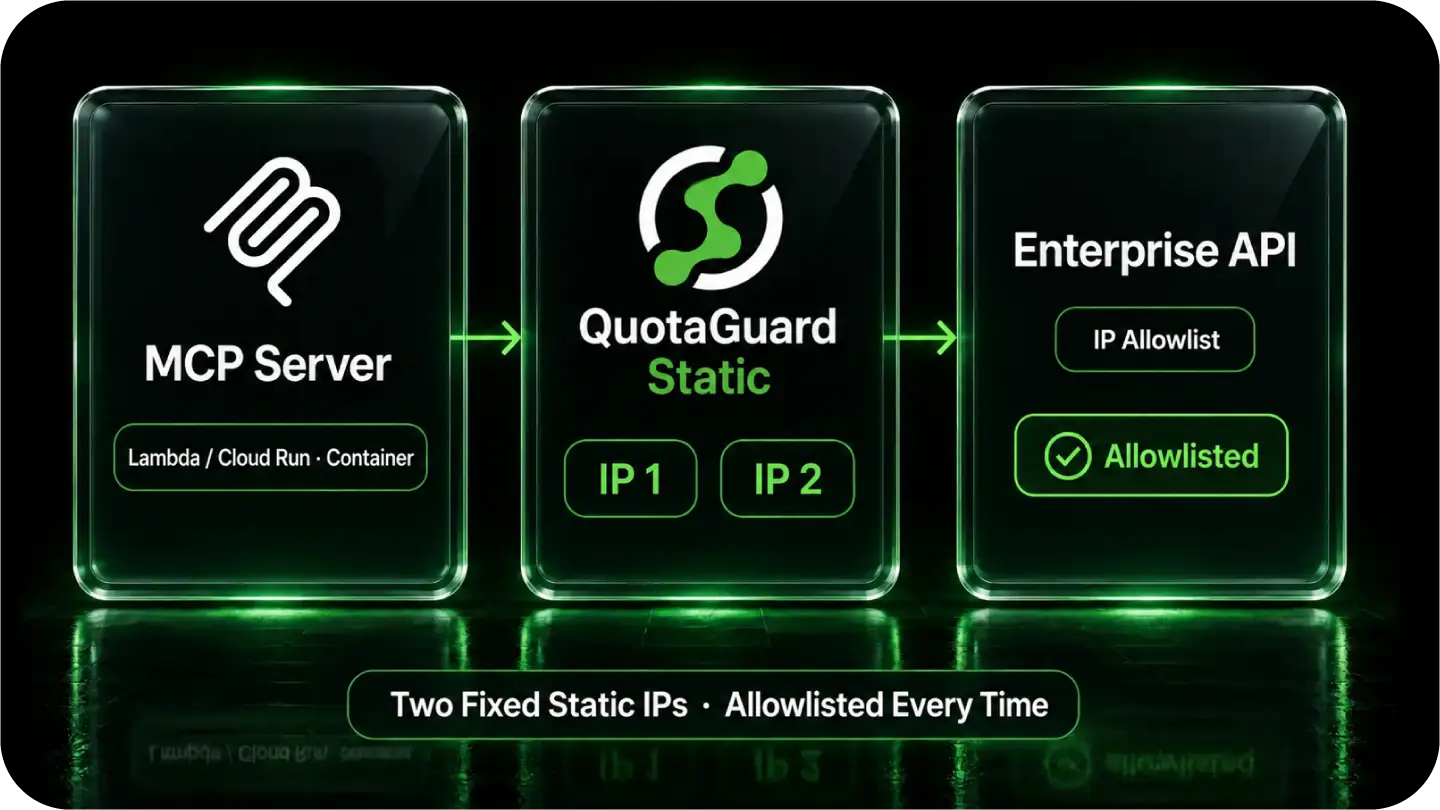
Configure the outbound HTTP client making the protected request, then have the destination administrator allowlist both assigned IPs.
Route selected enterprise connections through QuotaGuard while unrelated traffic keeps its normal route.
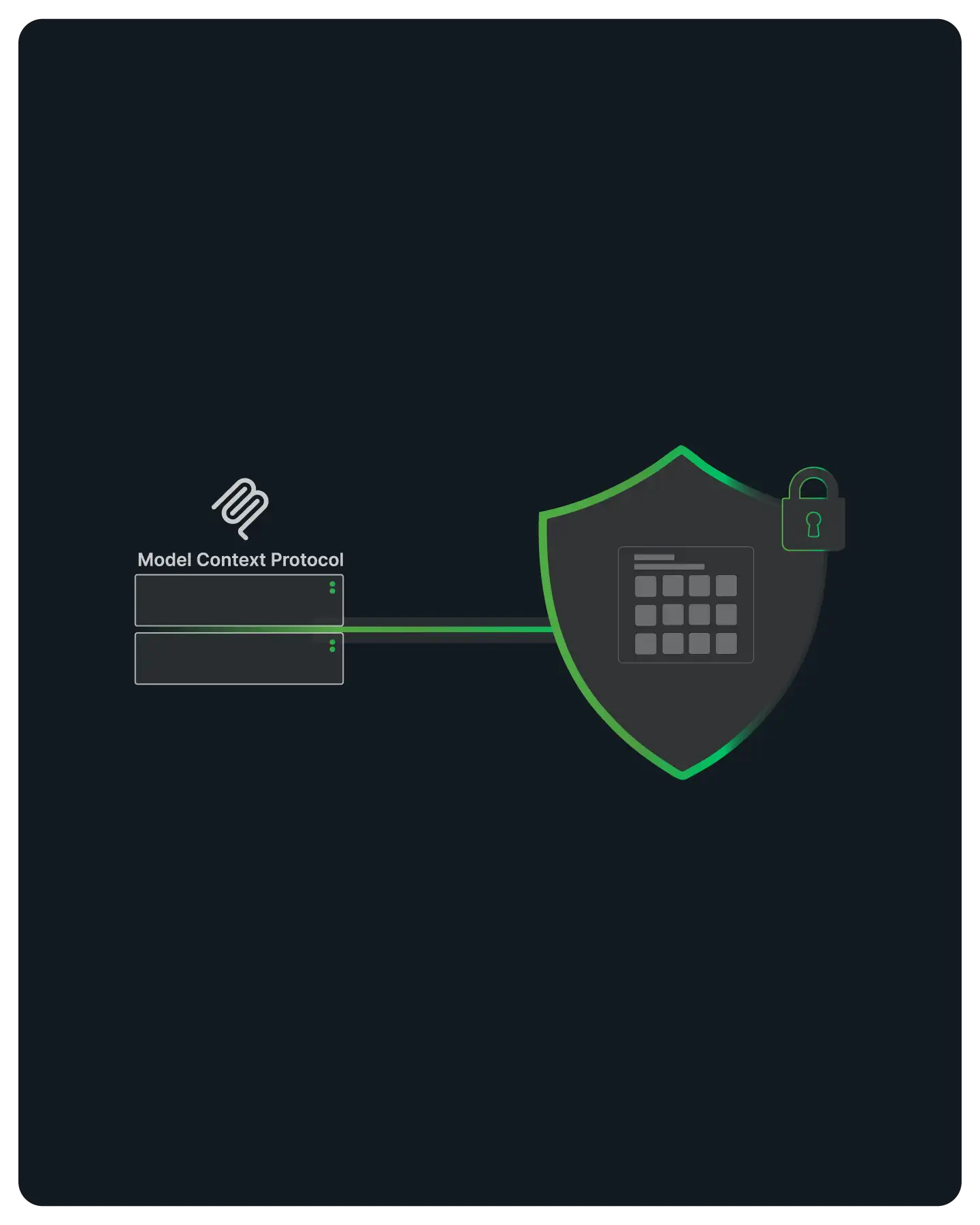
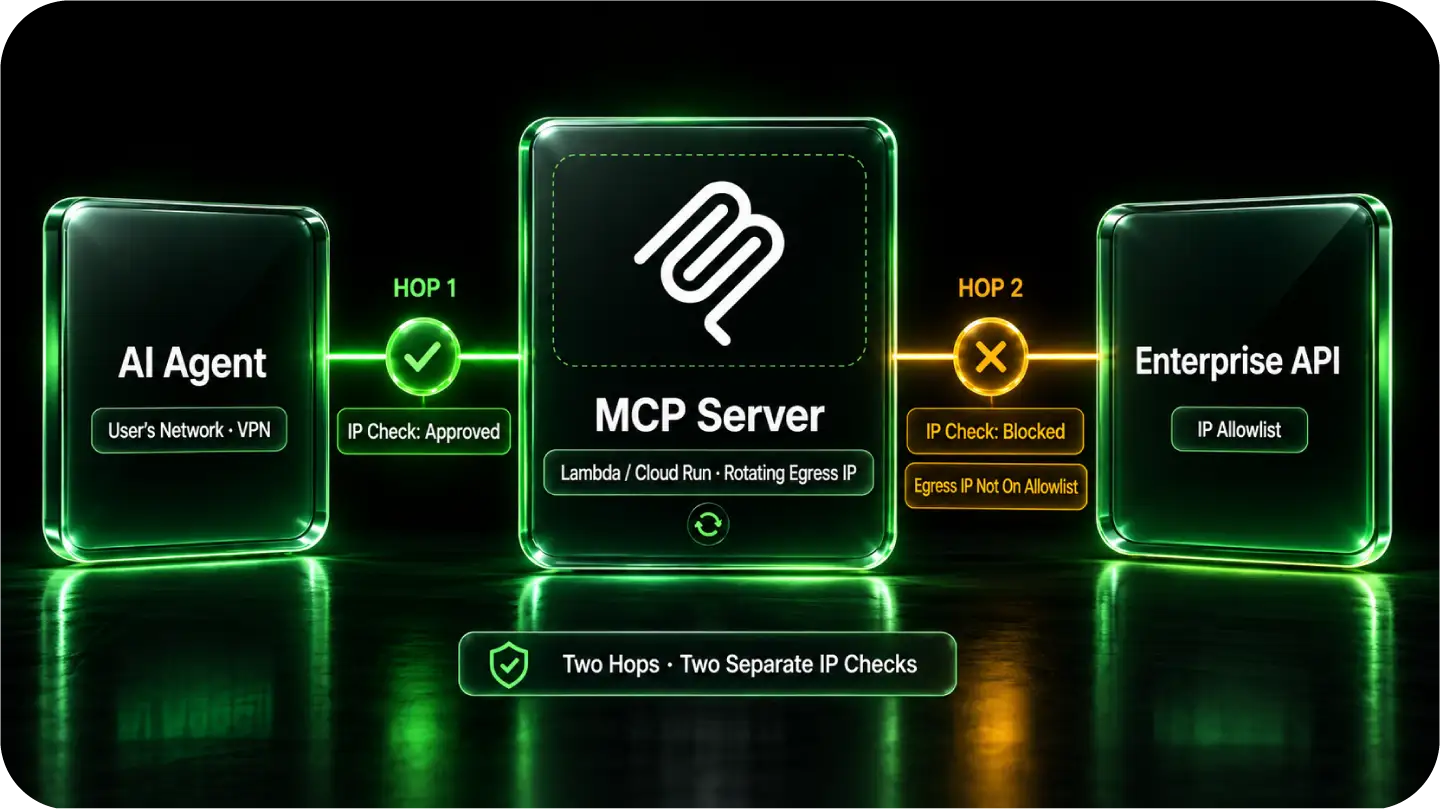
For an MCP server you operate, distinguish the agent-to-server connection from the server-to-enterprise-API connection. Configure QuotaGuard on the connection whose source address the destination evaluates.
Atlassian documents that MCP access remains subject to configured IP policies and that an AI tool’s source address can differ from the user’s corporate-network address. Identify which connection is being checked before configuring the route.
Cloud egress can change unless you configure a stable route. Some platforms provide native static-egress or VPC/NAT options; QuotaGuard gives your configured application clients a portable, managed identity without requiring your team to run the proxy infrastructure.
A 403 can indicate source-IP policy, but it can also indicate missing permissions or another access control. Confirm the rejected connection using the destination’s error details and access policy before changing credentials or firewall rules.
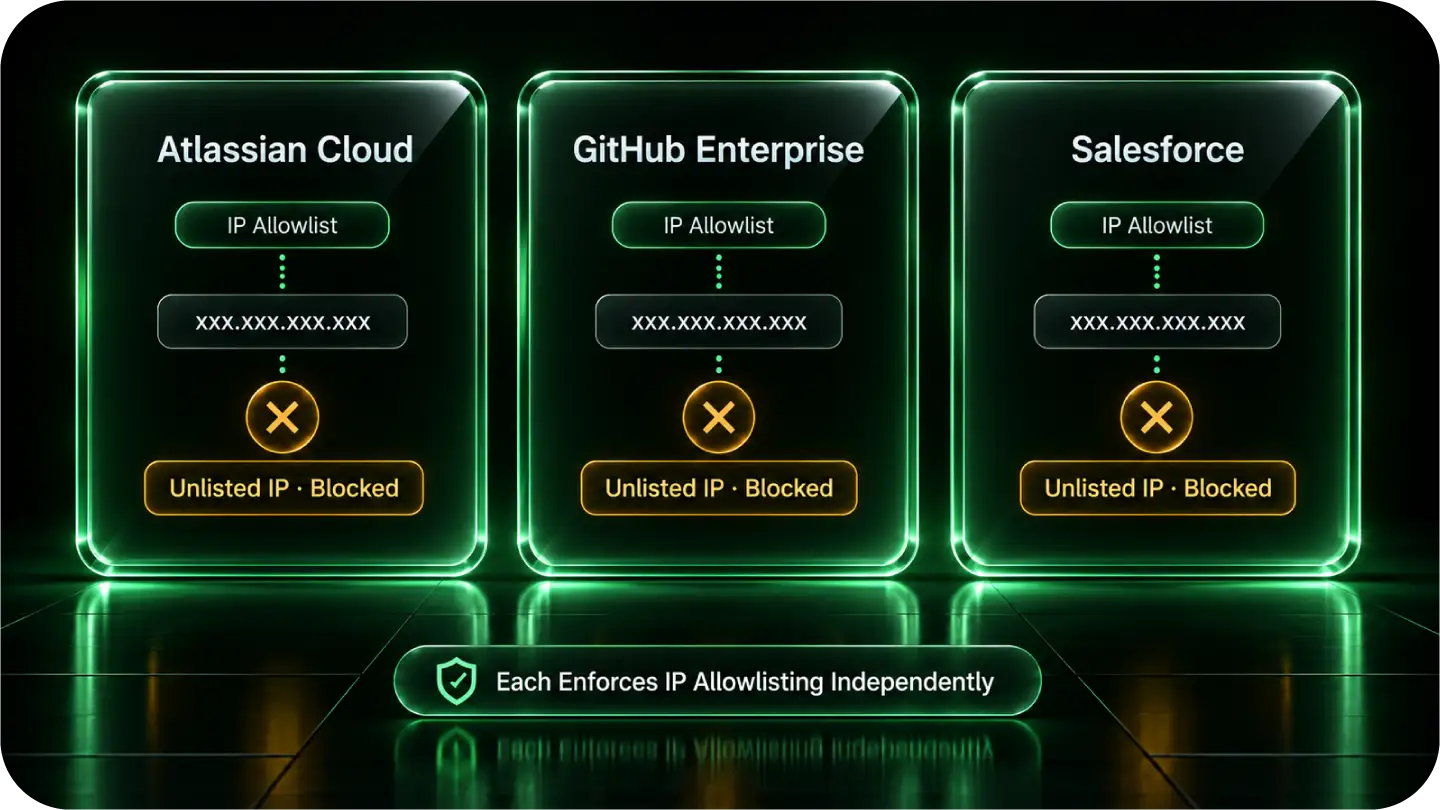
Enterprise systems apply different source-IP controls. Match your integration to the destination’s actual policy rather than assuming every product enforces the same network restriction.
Atlassian documents that MCP access remains subject to configured IP policies and that an AI tool’s source address can differ from the user’s corporate-network address. Identify which connection is being checked before configuring the route. See Atlassian’s current MCP policy documentation.
GitHub Enterprise Cloud can restrict access by source address. QuotaGuard supplies a stable identity for a customer-controlled MCP client configured to use the proxy; it does not reroute a vendor-hosted service’s separate connection. See the GitHub Enterprise MCP setup guide.
Salesforce distinguishes trusted Network Access ranges from profile-level Login IP restrictions. Trusted ranges can reduce verification requirements; they are not, by themselves, a blanket deny rule. When your integration is subject to source-IP restrictions, give its configured outbound client a stable QuotaGuard identity and register the addresses in the applicable policy. See Salesforce’s explanation of the two controls.
Keep your QuotaGuard connection URL in server-side runtime secrets. Configure the HTTP client inside your MCP server to use it.
QuotaGuard Static starts at $19 per month. Standard plans provide stable addresses on shared managed infrastructure. Enterprise provides dedicated IPs and proxy resources for organizations requiring customer-only infrastructure. See current plans and dedicated infrastructure.
Some clients honor HTTP_PROXY and HTTPS_PROXY; others require an explicit proxy agent, dispatcher, or session setting. Storing a connection URL does not automatically configure every SDK or tool.
Verify the configured route with https://ip.quotaguard.com, then test the actual enterprise API request. Allowlist both assigned addresses; a short verification test may show only one. Configure only the clients that need this route.
QuotaGuard Shield starts at $29 per month. For outbound HTTPS, neither product decrypts the destination payload. Static’s CONNECT request and proxy authentication use plaintext HTTP proxy protocol on the customer-to-proxy hop; Shield adds TLS protection to that hop. Choose Shield when your security requirements call for it, using a compatible client. Keep application authentication and authorization with either product. Dedicated addresses provide infrastructure isolation, not a replacement for those controls. See the outbound data flow.
Common questions about MCP server static IPs and QuotaGuard.
Does every MCP integration need a static IP?
A stable source identity is useful when the destination requires IP allowlisting. QuotaGuard is the managed choice when you want a small, portable allowlist without operating the egress infrastructure. It does not replace destination authentication or provide access to an otherwise unreachable private network.
If my user connects from an approved VPN, why does my MCP server still get blocked?
An approved user connection does not automatically cover a separate connection from your MCP server or AI tool. Identify the source address the destination actually evaluates. A vendor-hosted MCP service can have a different networking model; setting a proxy in your application does not change a separate connection opened by that vendor.
How long does setup take?
Setup is straightforward when your MCP server’s HTTP client exposes proxy configuration: store the connection URL securely, configure the client, allowlist both addresses, and verify the protected request. Some clients require a code change rather than environment variables alone.
Should I use QuotaGuard Static or Shield for my MCP server?
QuotaGuard Shield starts at $29 per month. For outbound HTTPS, neither product decrypts the destination payload. Static’s CONNECT request and proxy authentication use plaintext HTTP proxy protocol on the customer-to-proxy hop; Shield adds TLS protection to that hop. Choose Shield when your security requirements call for it, using a compatible client. Keep application authentication and authorization with either product. Dedicated addresses provide infrastructure isolation, not a replacement for those controls.
Does this cover inbound calls to my MCP server too, like webhooks?
This guide covers outbound connections from your MCP server. Giving incoming connections a fixed destination address is a separate inbound-proxy configuration; it does not follow automatically from the outbound setup.
Will my static IPs change if I add more enterprise systems later or change plans?
Your existing QuotaGuard pair remains stable when your application redeploys or scales and through normal plan upgrades and downgrades. Configure each additional protected client and allowlist both addresses at its destination. Coordinate product or region changes with support before changing established allowlists.
Can I get a dedicated IP instead of a shared pair for my MCP server?
Choose Enterprise dedicated infrastructure when the organization requires addresses and proxy resources reserved for its use rather than standard shared infrastructure. Keep destination authentication and least-privilege access with either option.
Does routing through QuotaGuard add noticeable latency to MCP tool calls?
QuotaGuard runs proxies across 12 AWS regions. Choose a region at signup that suits your application and destination, and measure latency for your workload. Changing regions after signup requires contacting support rather than editing your connection string.
For over a decade, QuotaGuard has provided reliable, high-performance static IP and proxy solutions for cloud environments like Heroku, Kubernetes, and AWS.
Get the fixed identity and security your application needs today.