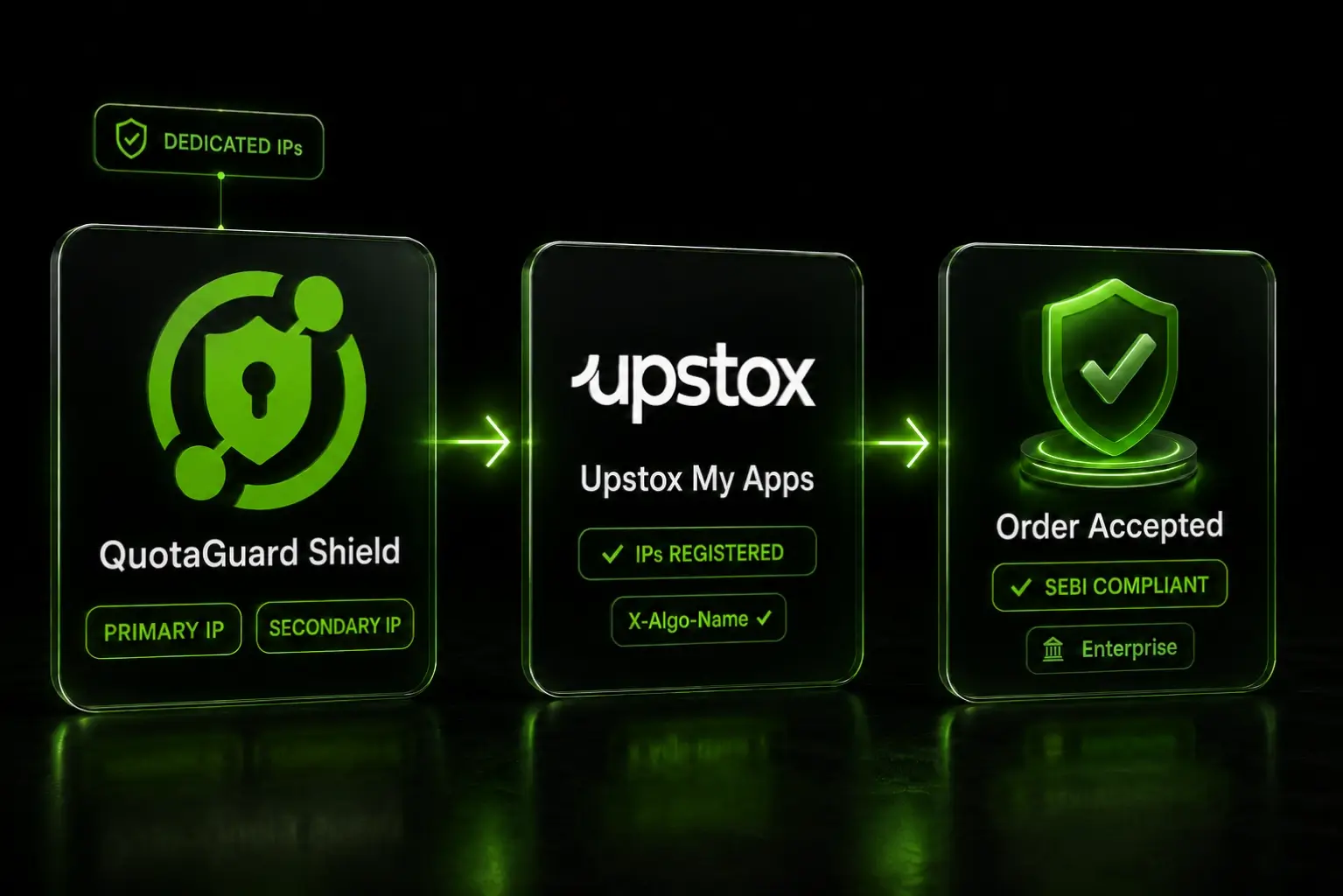
Configure Upstox My Apps for Algo Trading: Primary IPs and X-Algo-Name in 2 Minutes

QuotaGuard Engineering
May 14, 2026
5 min read
Pattern

Upstox shipped a May 2026 update to the algo trading circular that adds three new requirements on top of the original SEBI static IP mandate. If you already have static IPs working with your bot, you've solved the SEBI compliance piece. We covered that setup in our Upstox static IP fix post. This post covers what the May circular added, and how to wire your Upstox algo app correctly the first time.

The May 2026 Upstox Circular Adds Three New Algo App Requirements

Per the Upstox circular, every algo trading app on the My Apps platform now has three configured fields that gate order acceptance:

  • Primary and Secondary IP. Two registered IPs per algo app. Orders from any other address get rejected. IPs can only be updated once per week, and updates invalidate the existing access token.
  • Algo Name and optional Algo ID. An app can have multiple Algo Name to Algo ID mappings. The Algo ID is the exchange-approved identifier. The Algo Name is the label you use in code.
  • X-Algo-Name request header. Every order placement must include the Algo Name (not the Algo ID) in the X-Algo-Name header. A missing or mismatched header gets the order rejected.

The first rule was already enforced post-SEBI. The second and third are new in the May circular. All three are checked server-side on every order.

Shield Enterprise Dedicated IPs Are the Safest Bet for Upstox Registration

QuotaGuard Shield is the right product for Indian broker integrations. Shield uses SSL passthrough, which keeps your Upstox credentials and order data encrypted end-to-end. The proxy never decrypts the traffic. That matters for SEBI compliance and for keeping broker credentials out of any third-party infrastructure.

For Upstox specifically, Shield Enterprise is the recommended tier. Here's why.

QuotaGuard tip: since SEBI enforcement began on April 1, 2026, we've seen Indian brokers occasionally reject shared static IPs because another QuotaGuard customer registered that same IP with the same broker first. SEBI's circular requires per-trader IP traceability, so brokers enforce one-IP-per-trader on their side. Shield Enterprise gives you dedicated IPs that are exclusively yours. Lower-tier Shield plans (Production, Business) work for many traders, but if your assigned shared IP has already been claimed at Upstox, you'll need a fresh one. Enterprise removes that variable.

Register Your QuotaGuard IPs as Primary and Secondary in My Apps

QuotaGuard accounts come with two static IPs by default, load-balanced with automatic failover. That maps directly onto Upstox's two-slot IP registration. More on how QuotaGuard's two-IP failover works.

The setup is one environment variable in your app:

QUOTAGUARDSHIELD_URL=https://username:password@us-east-shield-01.quotaguard.com:9294

Replace us-east with the region closest to your trading app's infrastructure. The full region list is in the QuotaGuard docs.

Pull the IPs you'll register with Upstox by running a test through the proxy. QuotaGuard load-balances across both IPs, so run the test twice to capture each one:

curl -x $QUOTAGUARDSHIELD_URL https://api.ipify.org

Then in Upstox:

  1. Open My Apps, find your algo trading app, click Static IPs.
  2. Enter your first QuotaGuard IP as Primary IP.
  3. Enter your second QuotaGuard IP as Secondary IP.
  4. Save.

Both IPs are now registered. Upstox will accept orders from either.

The once-per-week IP update rule is why this needs to be right the first time. If you typo an IP, you're locked into that mistake for seven days. The current access token also gets invalidated on any IP update, so you'll need to re-authenticate after the change goes through.

Add the X-Algo-Name Header to Every Order Request

In My Apps, configure your Algo Names. Click New App or Edit App, find the Algo ID section, and click the plus button to add a key-value pair: Algo Name and the exchange-approved Algo ID. You can configure multiple Algo Name to Algo ID mappings on a single app if you run multiple strategies.

Once configured, every order request must include the Algo Name in the X-Algo-Name header. Not the Algo ID. The Algo ID stays in your My Apps configuration. The Algo Name is what travels in the header.

Python with the requests library:

import os
import requests
 
proxy_url = os.environ["QUOTAGUARDSHIELD_URL"]
proxies = {
    "http": proxy_url,
    "https": proxy_url,
}
 
headers = {
    "Authorization": f"Bearer {os.environ['UPSTOX_ACCESS_TOKEN']}",
    "X-Algo-Name": "momentum-breakout-v2",
    "Content-Type": "application/json",
}
 
response = requests.post(
    "https://api.upstox.com/v2/order/place",
    proxies=proxies,
    headers=headers,
    json=order_payload,
)

Replace "momentum-breakout-v2" with the exact Algo Name you configured in My Apps. Case-sensitive string match.

Node.js with axios:

const axios = require('axios');
const { HttpsProxyAgent } = require('https-proxy-agent');
 
const agent = new HttpsProxyAgent(process.env.QUOTAGUARDSHIELD_URL);
 
const response = await axios.post(
  'https://api.upstox.com/v2/order/place',
  orderPayload,
  {
    httpsAgent: agent,
    headers: {
      Authorization: `Bearer ${process.env.UPSTOX_ACCESS_TOKEN}`,
      'X-Algo-Name': 'momentum-breakout-v2',
      'Content-Type': 'application/json',
    },
  }
);

If you're running multiple algo strategies under one app, set the header per request based on which strategy is placing the order.

Algo ID Status Determines Whether You Can Generate an Access Token

If you've added an Algo ID to an app, the status flow is:

  1. In Review. Default state after you submit a new Algo ID. Upstox reviews it manually. You cannot generate an access token while the Algo ID is In Review.
  2. Approved. After verification, the status flips to Approved. Access token generation is now available.
  3. Rejected. Upstox rejected the Algo ID. The access token gets revoked. You'll need to fix the Algo ID configuration and resubmit.

Two operational consequences worth planning around:

If you change an Algo ID after approval, the status reverts to In Review and your current access token is revoked. Plan code changes that touch the Algo ID configuration outside of trading hours, and ideally only after you've tested the new configuration in a sandbox or paper trading environment.

If you have multiple Algo Name to Algo ID mappings on a single app, changing one of them flips that one's status. The others stay in their current state.

The Algo ID review process is currently manual according to Upstox. Reach out to the Upstox Developer Community if your Algo ID has been In Review for an extended period.

QuotaGuard Shield Pricing Starts at $29/Month

QuotaGuard Shield direct plans:

  • Starter: $29/month, 10 GB bandwidth
  • Production: $59/month, 50 GB bandwidth
  • Business: $109/month, 200 GB bandwidth
  • Enterprise: $269/month, 1 TB bandwidth, dedicated IPs

For Upstox algo trading specifically, Shield Enterprise is the safest tier because dedicated IPs avoid the shared-IP-already-claimed problem. Production and Business plans use shared IPs that work in many cases but carry the risk of IP rejection if another QuotaGuard customer registered that same IP with Upstox first.

All plans include a 3-day trial. Enterprise trials run 7 days. Credit card required.

See the full breakdown at quotaguard.com/products/pricing.

Get Configured Now to Avoid Trading Halts

The May 2026 circular requirements are server-enforced. Orders missing the X-Algo-Name header or coming from an unregistered IP get rejected immediately. The cost of getting the configuration wrong is a halt in your live trading until the My Apps fields are correct, which is bounded by Upstox's once-per-week IP update rule.

Provision QuotaGuard Shield, set the proxy URL, run the curl test to capture both IPs, register them as Primary and Secondary in Upstox My Apps, configure your Algo Names, add the X-Algo-Name header to your order code, and place a test order to confirm the full chain works.

For the SEBI background and the original April 1, 2026 mandate, see our Upstox static IP fix post. For the broader Indian broker landscape including Zerodha, Dhan, and Kotak Neo, see our SEBI mandate post.

QuotaGuard Static IP Blog

Practical notes on routing cloud and AI traffic through Static IPs.

Reliability Engineered for the Modern Cloud

For over a decade, QuotaGuard has provided reliable, high-performance static IP and proxy solutions for cloud environments like Heroku, Kubernetes, and AWS.

Get the fixed identity and security your application needs today.