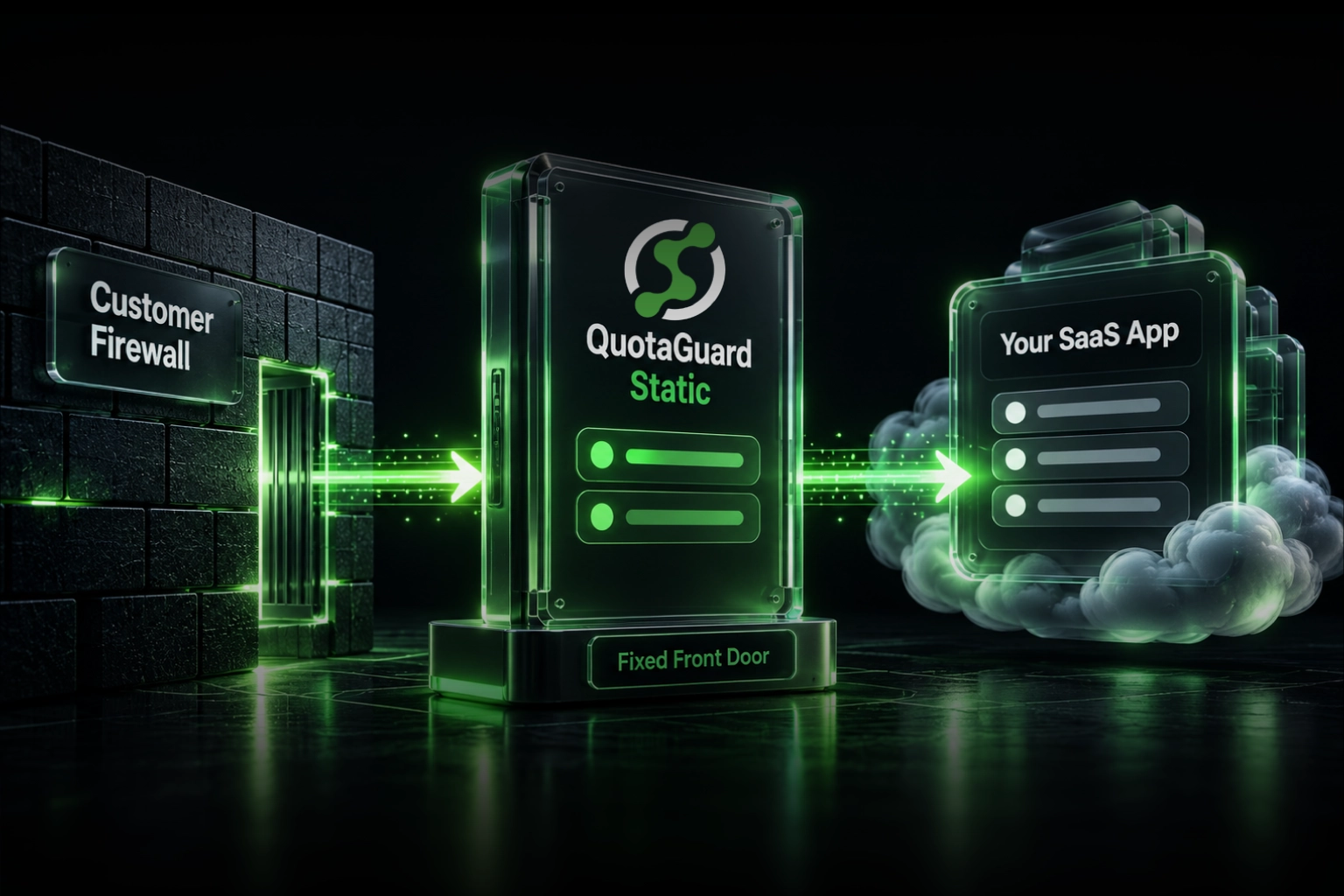
Some customers run networks that can connect only to approved destination IP addresses. If your SaaS runs behind a cloud platform, CDN, serverless endpoint, or shared load balancer, you may not have stable inbound IPs to give them. QuotaGuard solves that problem by putting a managed static front door in front of the application you already operate.
Your customer connects through a stable hostname backed by the QuotaGuard subscription's two static IPs. QuotaGuard forwards the request to your existing HTTPS application. You keep your hosting platform, application code, authentication, and deployment process.
QuotaGuard Gives Your SaaS a Fixed Destination Customers Can Approve
The customer connects to the QuotaGuard-facing hostname. Its firewall permits the two static IPs assigned to your subscription. QuotaGuard receives the request and forwards it to the application URL you configured as the origin.
The customer must use the hostname. It shouldn't connect directly to a raw QuotaGuard IP address. QuotaGuard uses the hostname to identify the correct inbound route and send the request to your application.
Your origin can remain on Heroku, Render, Railway, Vercel, AWS Lambda, Azure, Google Cloud, Kubernetes, or another reachable hosting platform. The customer-facing addresses no longer depend on the addresses currently assigned to that origin.
Fixed Destination IPs Let Restricted Networks Reach Your SaaS
The requirement is simple. A customer's firewall blocks outbound connections unless the destination appears on an approved list. The customer asks you for one or two public IP addresses before its application, device, or internal system can connect to your service.
Company size doesn't determine whether the customer needs this. A small financial company may have strict destination rules. A large company may permit connections by hostname. The relevant question is the customer's network policy.
This setup commonly helps customers operating:
- Corporate networks with tightly controlled outbound internet access.
- Factories, warehouses, retail locations, and long-lived installed systems.
- Healthcare, financial, legal, or government environments with formal firewall rules.
- Devices or applications whose destination configuration changes slowly.
- Networks that reject broad cloud-provider address ranges.
A DNS lookup isn't a durable answer. It shows where your application resolves now. It doesn't promise that the same addresses will remain attached to the application after a deployment, maintenance event, scaling change, or infrastructure migration.
Separate Inbound and Outbound Controls Put Static IPs on the Right Side
“We need a static IP” can describe two opposite connection paths. Identifying the direction prevents the wrong product configuration.
Your application calls another system
The vendor, database, or customer system allows only approved source IPs.
Use a QuotaGuard outbound proxy. The protected destination sees the QuotaGuard subscription's stable source IP pair.
A customer calls your application
The customer's firewall allows connections only to approved destination IPs.
Use a QuotaGuard inbound proxy. The customer connects through the QuotaGuard subscription's stable destination IP pair.
This article covers the second path. From your application's perspective, the traffic is inbound. From the customer's firewall, it's an outbound connection to an approved destination.
Adding an outbound proxy to your SaaS won't change the address customers use to reach it. The fixed destination must sit in front of the application.
A Stable Front Door Keeps Customer Firewall Rules Unchanged
QuotaGuard separates the customer-facing network identity from the application origin. Your SaaS can deploy, scale, change regions, or move to another supported hosting platform without forcing each customer to approve another destination.
If the application moves, update the forwarding destination in QuotaGuard. The hostname and static IP pair presented to customers can remain unchanged.
This separation is valuable when firewall changes require tickets, approvals, maintenance windows, or coordination with a customer's networking team. Your infrastructure can change without turning every hosting decision into a customer project.
Keygen Uses This Architecture for Customers Who Need Static IPs
Keygen documents that it uses QuotaGuard to provide dedicated static IP addresses to Keygen Cloud customers whose environments require them.
The customer uses a Keygen hostname backed by the QuotaGuard route and adds the supplied addresses to its firewall. Keygen continues operating the licensing API. QuotaGuard provides the fixed customer-facing network layer underneath it.
The customer doesn't need a separate QuotaGuard account. Keygen operates the subscription and presents the static endpoint as part of its own product.
Your SaaS can follow the same model. Most customers continue using the normal application endpoint. Customers with fixed-destination requirements receive a QuotaGuard-backed hostname and a small address pair for their firewall.
QuotaGuard Lets Your Team Avoid Running a Proxy Service
You can build a static front door yourself. A production design usually needs at least two proxy nodes, public addresses, health checks, load balancing, TLS management, monitoring, patching, capacity planning, and incident response.
The address itself is only one component. Someone still owns the proxy software, operating system, certificate lifecycle, failover behavior, logs, alerts, regional placement, and after-hours support.
QuotaGuard operates that infrastructure as a managed service. Your team keeps the application and its business logic. QuotaGuard manages the static address pair, proxy service, availability, maintenance, and support.
The buying decision isn't an IP address versus an IP address. It's a managed service versus another production network system your team must operate.
Six Steps Give Customers a Stable SaaS Destination
- Confirm the network rule. Ask whether the customer's firewall controls destination IP, hostname, port, protocol, or all four. Confirm that it can approve two addresses for availability.
- Confirm the infrastructure requirement. Ask whether stable shared addresses are acceptable or whether the contract requires customer-only IPs and proxy resources.
- Prepare the application origin. Confirm that the public HTTPS application URL responds correctly before placing the proxy in front of it.
- Create the inbound proxy. Enter the application URL as the forwarding destination in the QuotaGuard dashboard.
- Give the customer the complete connection sheet. Include the hostname, both assigned IPs, port, protocol, expected path, authentication method, and support contact.
- Test from a restricted network. Verify the firewall rule, hostname, TLS behavior, authentication, application logs, and both allowlisted addresses.
The dashboard configuration takes about 2 minutes. New inbound configuration changes can take up to 10 minutes to propagate. Test the customer's actual connection path before treating the route as production-ready.
The QuotaGuard Static inbound proxy guide documents the current dashboard, DNS, custom-domain, and certificate steps.
QuotaGuard Static Pricing Starts at $19/Month
QuotaGuard Static includes inbound and outbound proxy capability. Bandwidth is bundled. There aren't per-GB overage fees. The Starter plan includes 10 GB of monthly bandwidth. Dedicated IPs are available only on Enterprise. On lower tiers, the subscription's two assigned IPs remain static but are shared with other customers.
Static is the normal choice for a SaaS application that needs a stable HTTPS destination. For inbound HTTPS, Static terminates TLS at the QuotaGuard proxy and forwards the request to the configured application origin.
QuotaGuard Shield Pricing Starts at $29/Month
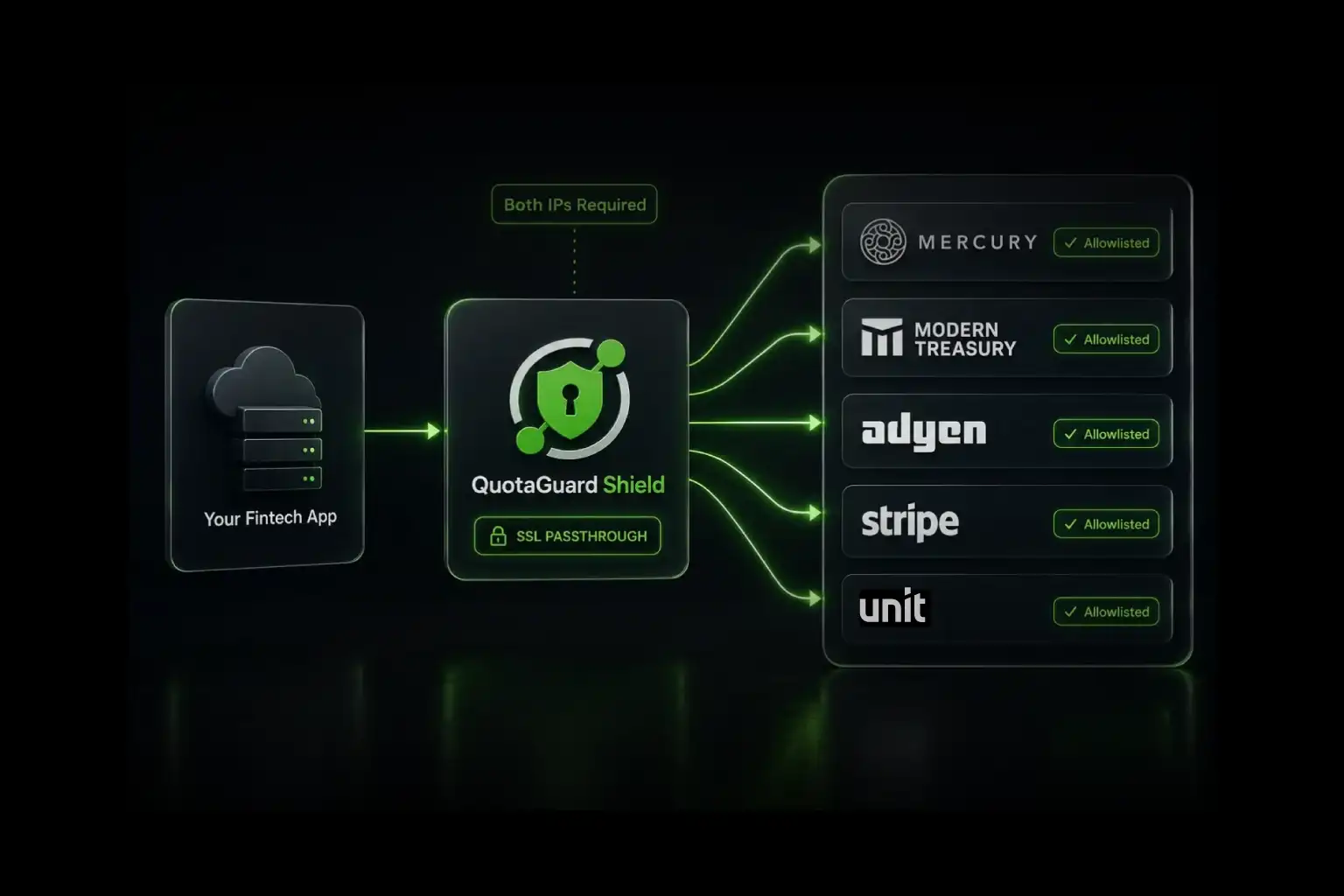
QuotaGuard Shield costs slightly more because SSL passthrough adds routing overhead. Shield is built for compliance-sensitive architectures where proxy-level TLS termination isn't acceptable. The TLS connection remains end-to-end, and QuotaGuard doesn't decrypt customer payload contents in ordinary operation.
Use Shield when the application handles healthcare records, payment information, PII, or another workload whose approved security design requires SSL passthrough. Customers remain responsible for determining whether the complete architecture satisfies HIPAA, PCI-DSS, SOC 2, or another compliance obligation.
All standard plans include a 3-day trial. Enterprise plans include a 7-day trial. A credit card is required. See the complete QuotaGuard Static and Shield pricing table.
Regional Placement Keeps the Additional Network Hop Predictable
An inbound proxy adds a network hop. Traffic travels from the customer to QuotaGuard and then from QuotaGuard to your application. That additional route adds latency, so regional placement matters.
QuotaGuard runs in 12 AWS regions. Choose the region at signup based on customer location, application location, and any applicable residency requirement. Changing an existing subscription's region requires help from QuotaGuard support. Editing the hostname won't move the infrastructure.
Measure representative production requests before launch. Include typical traffic, peak traffic, response sizes, health checks, retries, and expected growth. A modest request count can still use significant bandwidth when the application returns large files or data exports.
Application Security Still Protects the SaaS Origin
A static destination satisfies a network rule. It doesn't authenticate the caller or authorize an application action.
Keep the controls already protecting the application:
- HTTPS across the approved external path.
- API keys, OAuth, mTLS, signed requests, or another suitable authentication method.
- Least-privilege authorization and tenant isolation.
- Rate limits, request validation, application logs, and anomaly alerts.
- Origin controls when bypassing the QuotaGuard route would violate the security model.
A difficult-to-guess origin URL isn't an access control. QuotaGuard forwards traffic to a reachable origin. Your application still decides who may use the service and what each caller may do.
Enterprise Plans Provide Customer-Only IPs and Proxy Resources
QuotaGuard Starter, Production, and Business subscriptions use stable IP pairs on shared managed infrastructure. The addresses remain fixed for the subscription, but they aren't reserved exclusively for one customer.
QuotaGuard Enterprise includes dedicated IPs and dedicated proxy resources. Use Enterprise when a contract, security review, or compliance architecture requires customer-only infrastructure. Static Enterprise starts at $219 per month. Shield Enterprise starts at $269 per month.
Here, “Enterprise” is the name of a QuotaGuard plan. It describes dedicated infrastructure. It isn't a label for every customer that needs a static destination IP.
A Static Destination Removes a Customer Network Blocker
A customer that requires fixed destination IPs shouldn't force you to move the application or build a new network service. Put QuotaGuard in front of the SaaS endpoint and give the customer a small, stable address pair to approve.
Your application stays on its existing platform. The customer keeps a predictable firewall rule. The address pair remains portable. QuotaGuard operates the proxy infrastructure between them.
Give customers a fixed destination for reaching your SaaS.
Start a QuotaGuard trial or talk to QuotaGuard engineering about the application origin, expected traffic, regional placement, TLS requirements, and shared or dedicated infrastructure.
Static Destination IP Questions Answered
What is a static destination IP for SaaS?
It's a stable public address placed in front of the SaaS application. A customer's network connects to that address, and an inbound proxy forwards the request to the application's actual cloud endpoint.
Who needs a static destination IP?
Any customer whose firewall permits connections only to approved destination addresses may need one. The requirement comes from network policy, not company size.
Is this only for large companies?
No. Small regulated businesses, government agencies, manufacturers, retailers, healthcare organizations, and other customers may enforce destination-IP rules. A large company may not require them at all.
Is an inbound proxy the same as a static outbound IP?
No. An inbound proxy gives customers a stable destination for reaching your application. An outbound proxy gives your application a stable source identity when it connects to another system.
Why must customers allowlist two addresses?
The pair supports load balancing and failover. If the customer approves only one address, valid traffic using the other route may be blocked.
Can customers connect directly to a QuotaGuard IP address?
No. Customers connect to the configured hostname and allowlist both associated IPs. The hostname lets QuotaGuard route each request to the correct application.
Does the customer need a QuotaGuard account?
No. The SaaS provider operates the QuotaGuard subscription and presents the static endpoint as part of its own service.
Are standard QuotaGuard IPs dedicated?
No. Starter, Production, and Business subscriptions use shared managed infrastructure. Enterprise subscriptions include dedicated IPs and proxy resources.
Will the inbound proxy add latency?
Yes. The proxy adds another network hop. Choose the region carefully and test representative production traffic before launch.
Does a static destination replace application authentication?
No. Keep TLS, credentials, authorization, rate limits, request validation, logs, and other application security controls.

.webp)