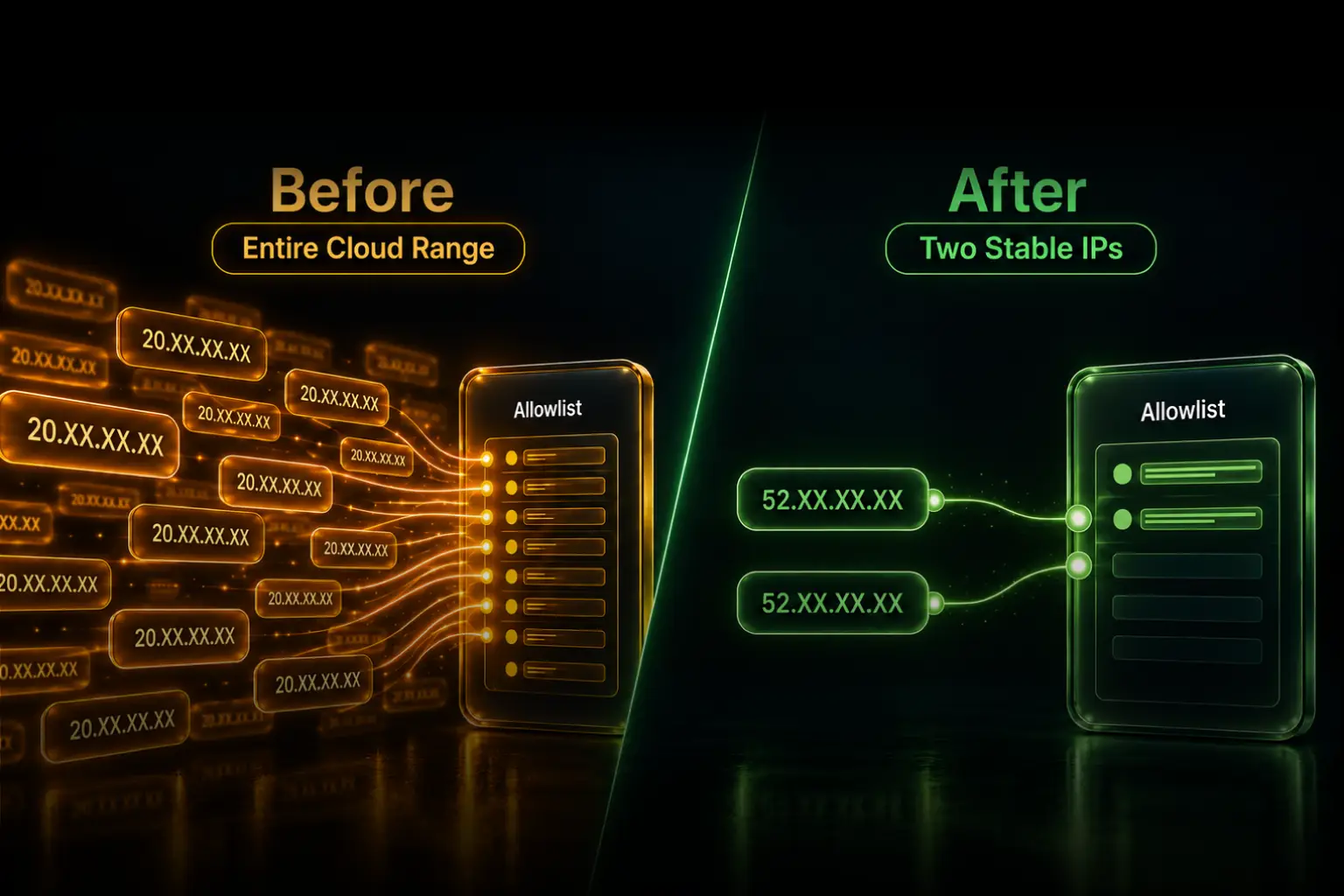
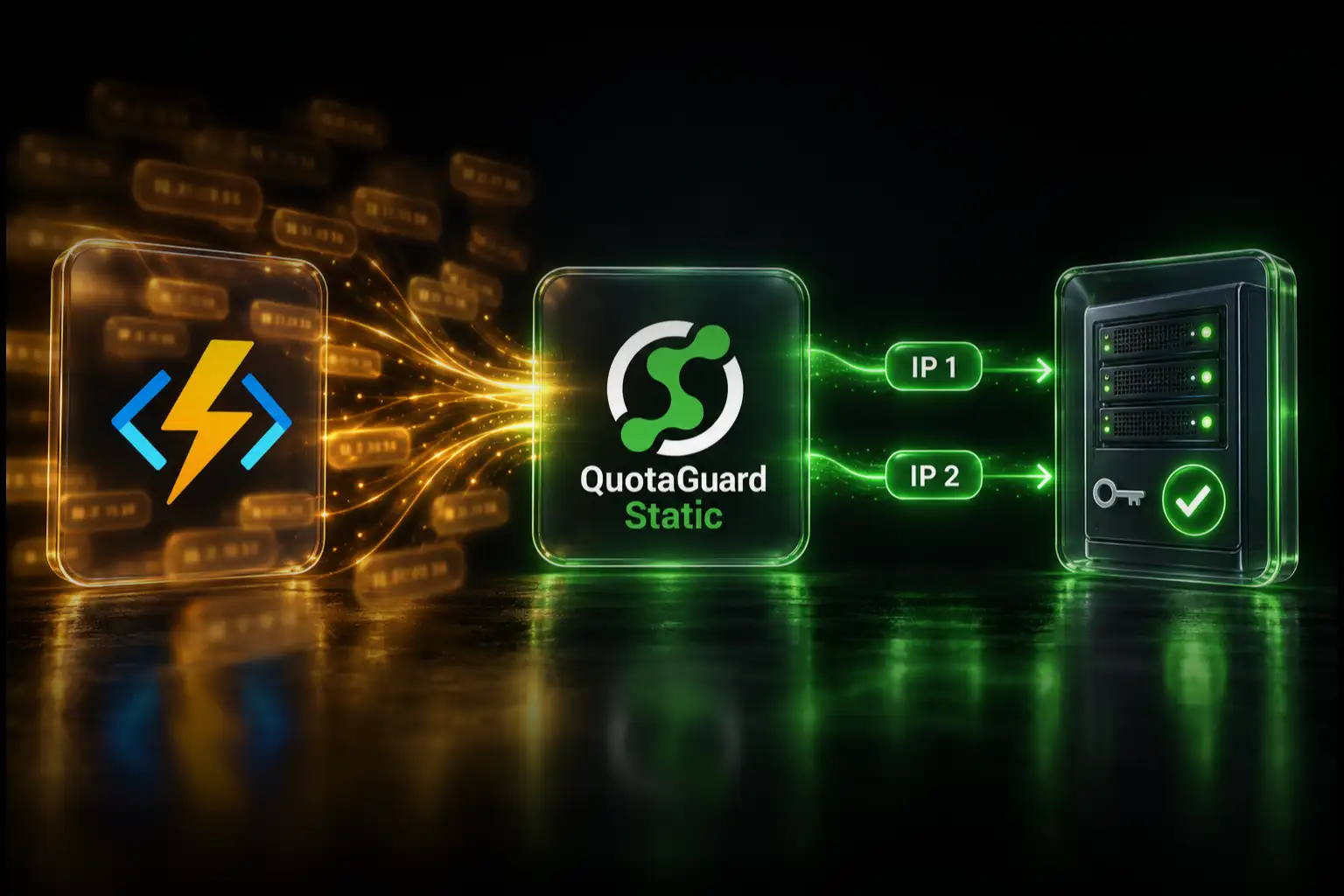
Keep your enterprise allowlists narrow without adding another proxy server to your team’s operating responsibilities. QuotaGuard gives selected outbound calls from your MCP server a stable source identity, backed by managed infrastructure, failover, and engineering support.
Configure the client making the enterprise API request and allowlist both assigned addresses. If a request still fails, inspect the destination’s rejection message: a 403 can indicate source-IP policy, but it can also indicate missing permissions or another access control.
Put the Stable IP on the Connection You Control
For an MCP server you operate, distinguish the agent-to-server connection from the server-to-enterprise-API connection. Configure QuotaGuard on the connection whose source address the destination evaluates.
Reports of hosted MCP services hitting IP restrictions establish the access problem, but they do not establish that a customer can insert a proxy into the vendor’s connection. The QuotaGuard setup here applies to outbound clients you control and can configure.
Cloud egress can change unless a stable route is configured. Some platforms provide native static-egress or VPC/NAT options. QuotaGuard is the managed application-level choice when you want selective routing, a portable identity, and engineering support without operating the proxy infrastructure.
Match the Route to the Enterprise Access Policy
Atlassian: Atlassian documents that MCP access remains subject to configured IP policies and that an AI tool’s source address can differ from the user’s corporate-network address. Identify which connection is being checked before configuring the route. Read Atlassian’s current MCP policy documentation before deciding which connection to configure.
GitHub Enterprise: GitHub IP allowlists cover several authentication methods, but GitHub documents exceptions and separate GitHub App and identity-provider behavior. Check the policy governing your integration instead of assuming all token types are treated identically. Preserve least-privilege permissions alongside the network restriction. See GitHub’s IP-allowlist documentation and our customer-operated GitHub MCP integration guide.
Salesforce: Salesforce distinguishes trusted Network Access ranges from profile-level Login IP restrictions. Trusted ranges can reduce verification requirements; they are not, by themselves, a blanket deny rule. When your integration is subject to source-IP restrictions, give its configured outbound client a stable QuotaGuard identity and register the addresses in the applicable policy. Salesforce documents the distinction between these controls.
Client APIs and databases: A destination may require a small approved source-IP set. Keep that control alongside application authentication. A static public egress address does not itself create a route into an otherwise unreachable private network.
Give Your MCP Server’s Enterprise Requests a Managed Static Route
- Copy your connection URL and both assigned IPs from the QuotaGuard dashboard.
- Store the URL in your deployment platform’s server-side secrets.
- Configure the actual HTTP client making the enterprise request. Use environment variables only where that client supports them.
- Add both addresses to the destination’s applicable allowlist.
- Verify the proxy route, then verify the real API request without removing its authentication or weakening the destination’s access rules.
Some clients honor HTTP_PROXY and HTTPS_PROXY; others require an explicit proxy agent, dispatcher, or session setting. Storing a connection URL does not automatically configure every SDK or tool. Keep credentials out of source code, deployment command examples, logs, and screenshots.
For Node.js, use our corrected Node HTTPS proxy example. Node’s native fetch uses an Undici-compatible dispatcher, not the Node HTTP agent option used by node:https or the separately imported node-fetch package. Configure the client your MCP implementation actually calls.
Make a separate request to https://ip.quotaguard.com through the configured proxy client and compare its returned address with your assigned pair. Do not send enterprise API credentials to the IP-check service. A short test may show only one address; allowlist both. Then verify the protected API request itself.
Native TCP Connections Need Their Own Configuration
Native database, SFTP, and other TCP connections require a compatible SOCKS5 client or QGTunnel on a runtime you control. Setting ALL_PROXY affects only software that supports that variable and proxy protocol; it does not reroute every connection from the process.
Choose Static, Shield, and Dedicated Infrastructure for Your Requirements
QuotaGuard Static starts at $19 per month. Standard plans provide stable addresses on shared managed infrastructure. Enterprise provides dedicated IPs and proxy resources for organizations requiring customer-only infrastructure.
QuotaGuard Shield starts at $29 per month. For outbound HTTPS, neither product decrypts the destination payload. Static’s CONNECT request and proxy authentication use plaintext HTTP proxy protocol on the customer-to-proxy hop; Shield adds TLS protection to that hop. Choose Shield when your security requirements call for it, using a compatible client.
Keep application authentication and authorization with either product. Dedicated addresses provide infrastructure isolation, not a replacement for those controls.
Use the product-specific connection configuration from your dashboard. Do not assume a client supporting an HTTP proxy also supports a TLS-protected proxy hop or TLS-wrapped SOCKS. Plan product or region changes with support before changing an established allowlist.
See current plans, Enterprise dedicated infrastructure, and the outbound data-flow explanation.
Keep the Allowlist. Let QuotaGuard Run the Proxy.
Choose from 12 AWS regions at signup and contact support for a region change. Your team retains the MCP server’s tool permissions, destination credentials, and application logic; QuotaGuard operates the managed egress service.
Start with one protected client, verify its route, and give the destination administrator a small stable pair to approve. See the MCP integration overview or talk to engineering about your runtime and destination.
QuotaGuard Static IP Blog
Practical notes on routing cloud and AI traffic through Static IPs.