If Azure Blob SFTP returns IpAuthorizationError after you allowlist a NAT Gateway address, inspect the CallerIpAddress in Azure Storage logs before changing the firewall again. Azure Storage cannot use public IP rules to restrict clients in the same Azure region because same-region Azure services communicate with Storage using private Azure addresses. A service endpoint or Private Endpoint can also bypass the public NAT path.
The important question is not which public IP your client owns. It is which source identity Azure Storage receives on this exact SFTP connection.
A June 2026 Microsoft Q&A report illustrates the problem. GoAnywhere MFT ran in one Azure tenant and connected to Azure Blob SFTP in another. The Storage owner allowlisted the sender's public NAT addresses, but the transfer still returned IpAuthorizationError. Temporarily allowing all public networks made it work. Storage logs then showed a private client address instead of the expected NAT address, including in a cross-region test.
The thread ended with a Microsoft support case and no public, confirmed root cause. Replies also disagreed about the exact path. This guide therefore provides a diagnostic decision tree, not a claim that one network change or QuotaGuard automatically fixes that incident.
Why the NAT Gateway address can be irrelevant
Azure NAT Gateway provides source network address translation for traffic from an associated subnet to the internet. Azure Storage traffic does not always take that internet path.
Microsoft documents three rules that matter here:
- Azure Storage IP network rules accept public internet IP addresses.
- IP network rules cannot restrict clients in the same Azure region as the storage account. Microsoft says same-region Azure services use private Azure IP addresses for Storage communication.
- When a subnet uses an Azure Storage service endpoint, its Storage traffic uses a private source address, so public IP rules for that subnet no longer apply.
A Private Endpoint creates another private route. DNS for the normal storage hostname can resolve to an address in the private endpoint's VNet, and the connection travels through Private Link rather than the public endpoint.
That means this test is insufficient:
GoAnywhere VM → public IP-check service → expected NAT address
It proves the client uses that address for the IP-check service. It does not prove this route:
GoAnywhere VM → Azure Blob SFTP → same NAT address
The destination's Storage logs are the authoritative observation for the SFTP request.
Step 1: Capture the address Azure Storage actually received
Enable Azure Storage resource logs for the Blob service and send them to a Log Analytics workspace. Include the relevant StorageRead, StorageWrite, and StorageDelete categories so the diagnostic setup covers the SFTP operations you need to investigate.
Reproduce one failed connection at a known UTC time. If you use the resource-specific StorageBlobLogs table, start with a query like this:
StorageBlobLogs
| where TimeGenerated >= ago(30m)
| where StatusText =~ "IpAuthorizationError"
| project TimeGenerated, CallerIpAddress, OperationName,
          StatusCode, StatusText, Protocol, Uri
| order by TimeGenerated desc
Microsoft defines CallerIpAddress as the requester's IP address, including its source port. Remove the port before comparing the value with an IP rule. If your diagnostic setting sends logs to the legacy AzureDiagnostics table instead, the field names differ; use the schema generated by that destination.
Record four things from the same attempt:
- The UTC timestamp and Storage error
- The complete
CallerIpAddress - The hostname the SFTP client resolved and used
- The client host, NIC, subnet, and runtime node that opened the connection
Do not combine an IP-check result from one VM with a Storage error generated by another GoAnywhere node, container, or failover host.
Step 2: Classify the observed source identity
The log contains a private address
A private CallerIpAddress means the public NAT address is not the identity Azure Storage evaluated for that connection. Adding the NAT address again will not change the observed route.
Check these conditions in order:
- Are the client and storage account in the same Azure region? Public IP network rules are not the right control for same-region Azure-to-Storage access. Use a virtual network rule with the appropriate service endpoint, or use a Private Endpoint.
- Is a Microsoft.Storage service endpoint enabled on the client subnet? When it is, Storage traffic uses the service-endpoint path and a private source identity. Verify that the exact subnet is present in the storage account's virtual network rules.
- Does the storage hostname resolve through Private DNS? From the actual transfer host, resolve
<account>.blob.core.windows.net. If it resolves to the private endpoint, confirm VNet peering or other cross-network connectivity, the private endpoint approval, private DNS links, and network security rules. - Is the observed behavior cross-region without either private mechanism? Do not invent an explanation. Capture DNS results, effective routes, subnet service endpoints, NIC details, timestamps, and Storage logs, then escalate to Microsoft. The source Q&A reported a private address in a cross-region test but did not publish a confirmed cause.
Microsoft currently allows a Storage virtual network rule to reference subnets in other subscriptions, Microsoft Entra tenants, and Azure regions. Cross-tenant ownership still requires coordination and the permissions needed to configure both sides.
The log contains the expected public NAT address
The route is reaching the public endpoint through the intended NAT. Now inspect the destination configuration rather than replacing the egress architecture:
- Confirm the rule is on the exact storage account receiving the SFTP request.
- Confirm public network access is enabled for selected networks and addresses rather than disabled entirely.
- Compare the address without its source port and verify the IP-rule syntax.
- Confirm the client uses
<account>.blob.core.windows.net. Azure Blob SFTP does not use the DFS endpoint. - Allow time for a recent network-rule change to take effect, then reproduce once and inspect the new record.
If the Storage firewall accepts the connection and the next error concerns credentials, permissions, algorithms, or a host key, stop changing the IP rule. Network authorization and SFTP authentication are separate layers.
The log contains a different public address
The connection reached the public endpoint, but it did not use the egress address your team expected. Trace the exact client path:
- Verify the transfer host's subnet is actually associated with the intended NAT Gateway.
- Inspect effective routes and user-defined routes on the client's NIC and subnet.
- Check for Azure Firewall, a network virtual appliance, load-balancer outbound rules, instance-level public IPs, or another proxy.
- Check every GoAnywhere cluster or failover node. Different nodes can leave through different addresses.
- Confirm DNS did not send the transfer to a different endpoint than the one tested.
Allowlist the address only after you can explain why the workload uses it and whether that identity is stable. Adding an unexplained address can make the current test pass while leaving the next failover or deployment broken.
Step 3: Choose the correct access model
Use a virtual network rule and service endpoint
This is the direct Azure control when an Azure subnet must reach Storage and the organizations can coordinate network rules. Enable the correct Azure Storage service endpoint on the sender's subnet and authorize that exact subnet on the storage account.
This model identifies a subnet rather than a public egress IP. The public NAT Gateway address is not part of the Storage authorization decision for that service-endpoint path.
Use a Private Endpoint
Use Private Link when the organizations want the SFTP connection to stay on a private network path. Azure Blob SFTP connects to the Blob service, so configure the Blob private endpoint and the corresponding DNS path. Microsoft documents a private-endpoint SFTP connection format using <account>.privatelink.blob.core.windows.net.
The design also needs connectivity from the GoAnywhere network to the private endpoint, approval by the storage-account owner, correct Private DNS resolution, and rules permitting port 22. A Private Endpoint is a different access model from public IP allowlisting; do not expect a public NAT address to appear.
Use a public IP rule with native Azure egress
This remains valid when the SFTP connection actually reaches the public Storage endpoint from a public address the destination can evaluate. It is most straightforward for clients outside Azure, or Azure routes where the public endpoint receives the intended static egress address.
Verify it with CallerIpAddress. Do not assume that attaching a NAT Gateway to a subnet forces same-region Storage, service-endpoint, or Private Link traffic through it.
Use QuotaGuard only when the SFTP client can force a public proxy route
QuotaGuard is a conditional option in this scenario. The customer-controlled SFTP client must support authenticated SOCKS5, or the client runtime must be able to run and supervise QGTunnel.
The intended path is:
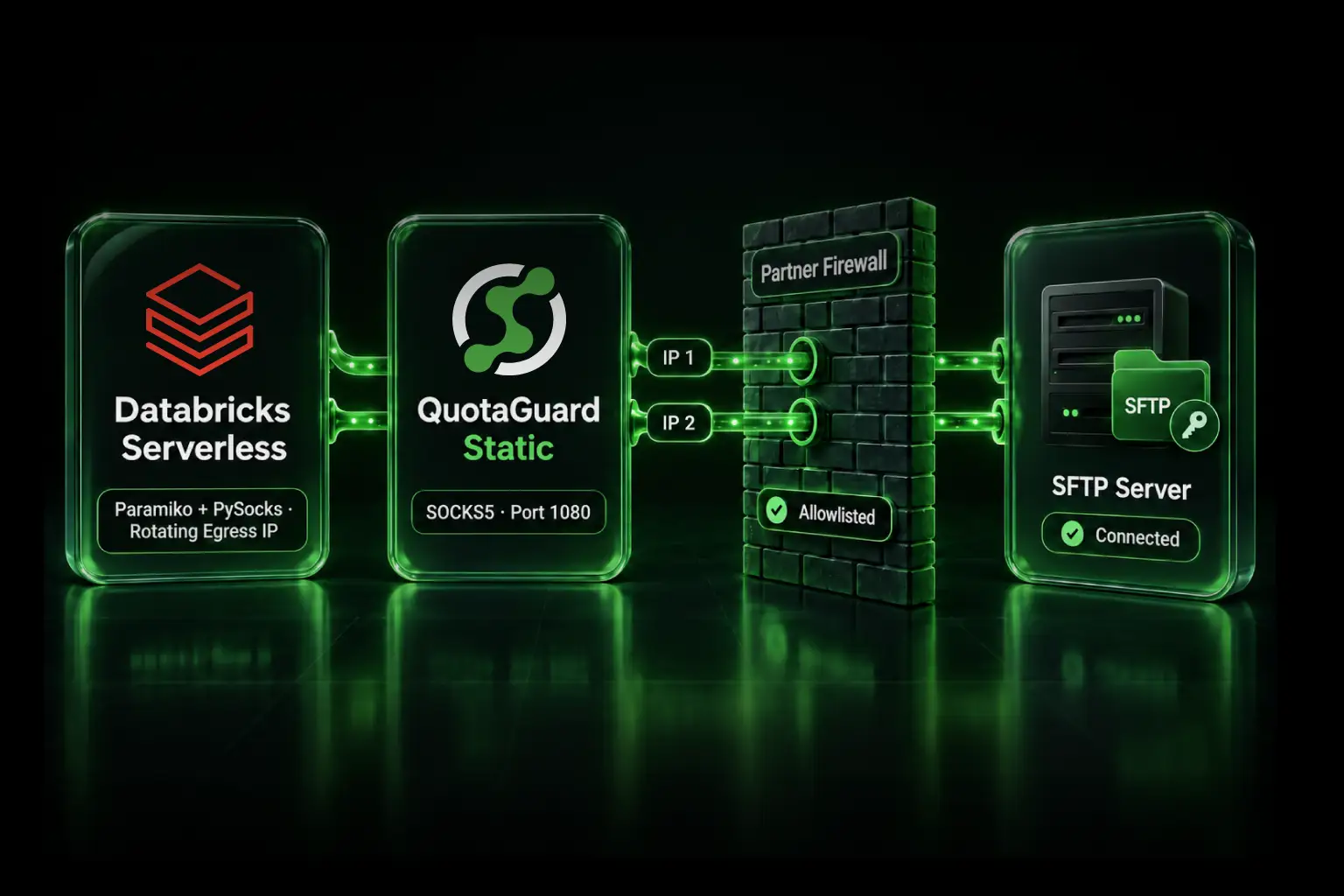
GoAnywhere or another SFTP client → QuotaGuard SOCKS5 or QGTunnel → public Azure Blob SFTP endpoint
The storage-account owner allowlists both static addresses assigned to the QuotaGuard subscription. The client then performs one real SFTP connection, and the owner confirms that CallerIpAddress is one of those two addresses.
This path is not appropriate when the storage account disables the public endpoint, requires Private Link, or the client cannot route its SFTP connection through SOCKS5 or a TCP tunnel. An ordinary HTTP_PROXY or HTTPS_PROXY setting does not route SSH-based SFTP.
Do not assume GoAnywhere supports the required proxy mode merely because the workload uses GoAnywhere. Check the installed version and the exact SFTP resource configuration. If it cannot force this route, use an Azure-native private or public network design instead of placing QuotaGuard beside a connection that bypasses it.
Verify the fix at both ends
A reliable verification record includes evidence from the sender and Azure Storage:
- Record the sender host, subnet, resolved destination, and route configuration.
- Initiate one SFTP login and a harmless test transfer at a known UTC time.
- Find that attempt in
StorageBlobLogs. - Confirm the observed
CallerIpAddressmatches the chosen access model. - Confirm the Storage error changed or the operation succeeded.
- Repeat from every production and disaster-recovery node.
A public IP-check service can support this record for an internet route, but it cannot replace the destination log. The destination decides which identity reaches its firewall.
QuotaGuard Static or Shield?
A compatible SFTP client can use QuotaGuard Static through authenticated SOCKS5 or QGTunnel. SFTP encrypts the SSH session to Azure Blob Storage, and QuotaGuard's blind tunnel does not decrypt that payload. Static's client-to-proxy SOCKS connection is not separately wrapped in TLS.
QuotaGuard Shield adds TLS protection to the client-to-proxy hop through its supported secure connection methods. It is not a drop-in replacement for every direct SOCKS5 configuration. Choose Shield when your security review or approved data architecture requires that protected first hop; SFTP alone does not automatically require it.
Plans, regions, and operating responsibility
QuotaGuard Static starts at $19 per month, and QuotaGuard Shield starts at $29 per month. Both provide the stable pair used for destination allowlisting. QuotaGuard operates in 12 AWS regions; choose the closest region at signup, and contact support if an existing subscription needs to move.
QuotaGuard operates the proxy infrastructure, availability, monitoring, and proxy incident response. Your team still owns the SFTP client, proxy or tunnel configuration, Azure Storage network rules, credentials, host-key verification, transfer logic, and validation in Storage logs.
Official Microsoft references and the source incident
Microsoft: Azure Storage networking limitations
Microsoft: Configure Azure Storage firewalls and virtual networks
Microsoft: Use private endpoints for Azure Storage
Microsoft: Connect to Azure Blob Storage with an SFTP client
Microsoft: Azure Blob SFTP limitations and known issues
Microsoft: Azure Blob Storage monitoring reference
Microsoft: StorageBlobLogs table schema
Microsoft: Azure NAT Gateway resource behavior
Developer report: GoAnywhere MFT receives IpAuthorizationError from Azure Blob SFTP
Related QuotaGuard guides
How to give an Azure Function a static IP for SFTP
Azure Logic Apps SFTP static IP: built-in versus managed connectors
Static IPs for serverless SFTP allowlisting
Use QGTunnel for TCP protocols including SFTP
QuotaGuard Azure SFTP tunnel setup
Get started with the evidence, not the expected IP
Reproduce one failure and retrieve its CallerIpAddress. If it is private, identify the same-region, service-endpoint, or Private Link path and authorize the correct network identity. If it is public but unexpected, trace the exact client and route. If you intentionally choose a QuotaGuard public path, verify that the SFTP client can force the proxy connection and that Azure Storage records one of the two assigned addresses.
The static address that matters is the one the destination actually sees.