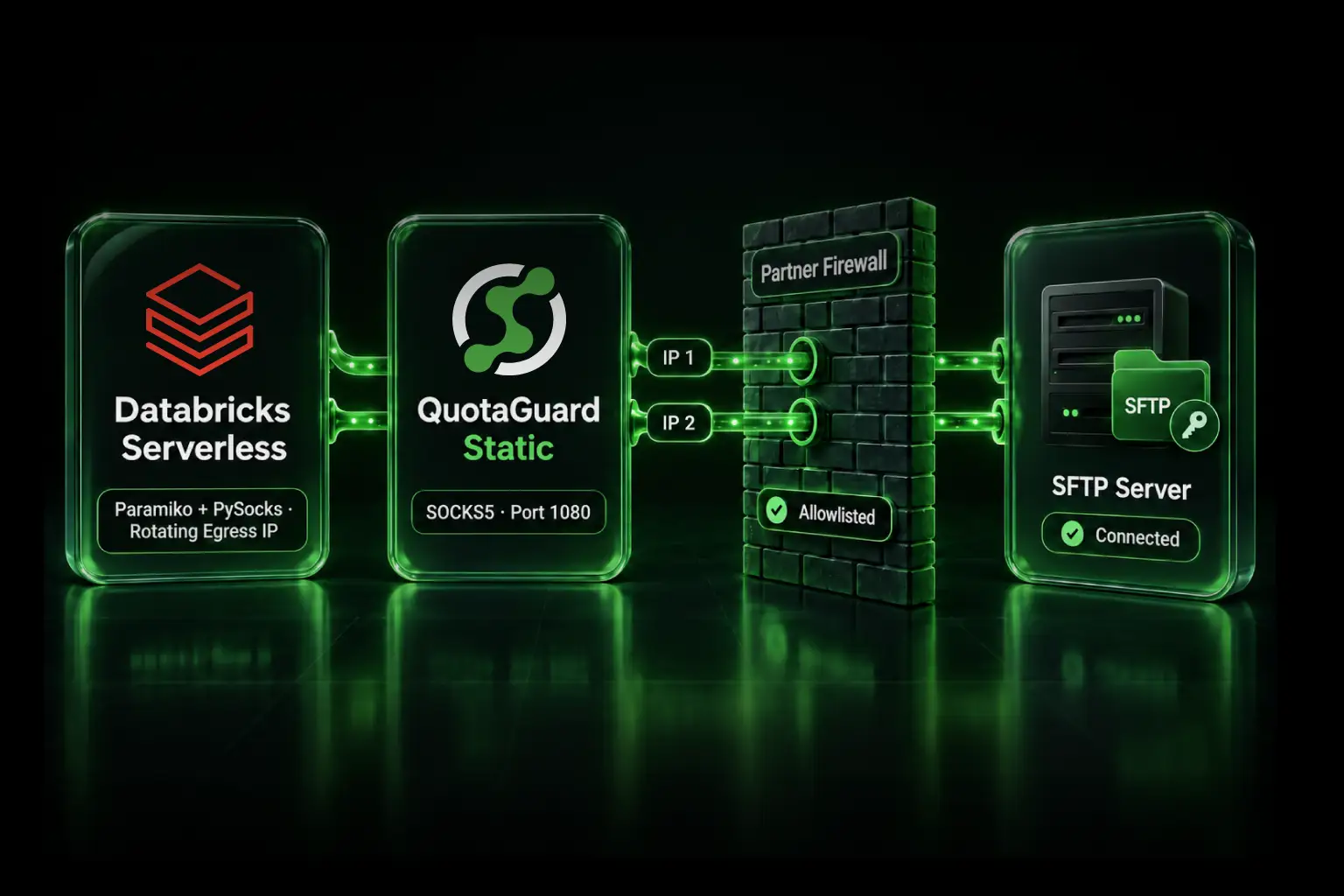
Use Databricks' managed SFTP connector and published outbound ranges when your SFTP partner accepts them. When the partner requires one or two durable IP addresses, use classic compute behind your own NAT Gateway or route a custom Databricks Serverless SFTP client through QuotaGuard. The managed Lakeflow SFTP connector does not document a field for an arbitrary external proxy.
This is the reverse of the usual Databricks firewall problem. You are not allowing an application into a Databricks workspace. A Databricks workload is opening an outbound connection to a trading partner, healthcare provider, bank, or other SFTP server that accepts connections only from approved source IPs.
The distinction matters because an egress allowlist and a static source IP solve different problems. A Databricks network policy can control where Serverless compute may connect. The SFTP provider's firewall decides who may connect based on the source address it sees. Allowing the SFTP hostname in Databricks does not create a stable address for the provider to allowlist.
Choose the connection path first
Use the managed Lakeflow SFTP connector plus Databricks' published outbound ranges when the provider accepts the complete regional range and your team can automate firewall updates.
Use classic compute with a NAT Gateway or equivalent when you want a cloud-native address in infrastructure your team controls and you are prepared to own the networking, availability, monitoring, upgrades, and incident response.
Use a custom Serverless SFTP client through QuotaGuard SOCKS5 when the provider will approve only a small stable set and you want the proxy infrastructure operated for you. This route applies to code you control, such as Python using Paramiko. It is not a proxy setting for the managed Lakeflow connector.
Use private connectivity only when the provider can present a compatible private endpoint. Most third-party SFTP services expose a public hostname and an IP allowlist instead.
What changed for Databricks Serverless in 2026
Older advice may tell AWS customers to copy stable IP addresses from a Databricks Network Connectivity Configuration. Databricks deprecated that legacy list on May 25, 2026 and removed it from the NCC interface and API.
The current AWS Serverless firewall method uses Databricks' public ip-ranges.json file. Databricks tells customers to filter it by service, outbound type, region, and AWS platform, then allowlist the matching IPv4 CIDR blocks. It also says those ranges can be updated as often as every 30 days and that new addresses can become active 60 days after publication. Firewall updates must be automated.
That method is appropriate when the SFTP administrator accepts the whole published set. It is not the same as giving one Databricks workload its own small, durable source identity. It can also create operational work for the organization receiving the files: somebody must approve every range, monitor Databricks' feed, and change the partner firewall before the new addresses become active.
Azure Databricks also provides managed Serverless networking and egress controls, but do not transfer the AWS retirement date or AWS range procedure onto Azure. Use the current Azure Databricks networking documentation for your workspace's cloud and region.
Option 1: Use the managed SFTP connector and Databricks ranges
Lakeflow Connect supports SFTP ingestion on Serverless and classic compute with Databricks Runtime 17.3 and later. Databricks documents password and PEM private-key authentication, recommends least-privilege SFTP credentials, and supports host-key fingerprint verification.
This is the simplest route when the provider accepts Databricks' outbound IP ranges. Give the provider the exact current ranges for your platform and region, automate checks against Databricks' published file, and agree on a process for adding new ranges before they are used.
The connector is for ingestion. Databricks documents that writing files back to the SFTP server is not supported. If your workflow must upload or delete remote files, use a custom SFTP client or another transfer service.
Do not advertise the managed connector as a QuotaGuard integration. Its documented connection settings do not include an arbitrary HTTP or SOCKS proxy field.
Option 2: Use classic compute and your own NAT
Databricks' SFTP documentation recommends a load balancer, NAT Gateway, internet gateway, or equivalent stable egress path for classic compute. The SFTP provider allowlists that public address, and the cluster reaches the provider through networking in your cloud account.
This gives your team control, but the monthly cloud charge is only one part of the decision. Your team also owns route tables, subnets, address allocation, high availability, monitoring, capacity, security updates, change management, and the pager when transfers stop overnight.
A NAT Gateway can be the right answer for a team that already operates this network. It is rarely a small configuration change for a team that chose Serverless specifically to avoid managing compute and network infrastructure.
Option 3: Route a custom Serverless SFTP client through QuotaGuard
Paramiko accepts an already-connected socket. PySocks can create that socket through an authenticated SOCKS5 proxy. Together, they provide a plausible application-level path:
Databricks Serverless notebook or job → QuotaGuard SOCKS5 → partner firewall → SFTP server
The SFTP provider allowlists both static IP addresses assigned to your QuotaGuard subscription. Your Python code connects to the QuotaGuard proxy, while QuotaGuard opens the connection to the SFTP server.
This route has not been tested by QuotaGuard in every Databricks Serverless environment. It relies on the documented Databricks dependency mechanism and the documented ability of Paramiko to use a supplied socket. Runtime policies, network policies, authentication methods, and package restrictions can still affect a deployment.
1. Add the Python dependencies
Databricks Serverless does not support init scripts. Add paramiko and PySocks through the notebook or job Environment configuration. For Git Folder Serverless, declare the dependencies in the project environment instead.
2. Store credentials in a secret scope
Store the QuotaGuard proxy hostname, username, and password in Databricks secrets. Store the SFTP username and password or private key separately. Give the SFTP identity only the directory and operations it needs.
Use the proxy hostname shown in your QuotaGuard dashboard. Do not substitute a generic hostname from an example. QuotaGuard Static SOCKS5 uses port 1080.
3. Connect Paramiko through the SOCKS5 socket
This password-authentication example shows the network path. It deliberately rejects unknown SSH host keys. Put the partner's verified host key in a known-hosts file stored in a location your workload can read.
import paramiko
import socks

qg_host = dbutils.secrets.get("sftp-egress", "qg-host")
qg_user = dbutils.secrets.get("sftp-egress", "qg-user")
qg_password = dbutils.secrets.get("sftp-egress", "qg-password")

sftp_host = "sftp.partner.example"
sftp_port = 22
sftp_user = dbutils.secrets.get("sftp-partner", "username")
sftp_password = dbutils.secrets.get("sftp-partner", "password")

proxy_socket = socks.socksocket()
proxy_socket.set_proxy(
    proxy_type=socks.SOCKS5,
    addr=qg_host,
    port=1080,
    username=qg_user,
    password=qg_password,
    rdns=True,
)
proxy_socket.settimeout(30)
proxy_socket.connect((sftp_host, sftp_port))

ssh = paramiko.SSHClient()
ssh.load_host_keys(
    "/Volumes/<catalog>/<schema>/<volume>/known_hosts"
)
ssh.set_missing_host_key_policy(paramiko.RejectPolicy())

try:
    ssh.connect(
        hostname=sftp_host,
        port=sftp_port,
        username=sftp_user,
        password=sftp_password,
        sock=proxy_socket,
        look_for_keys=False,
        allow_agent=False,
        timeout=30,
        banner_timeout=30,
        auth_timeout=30,
    )

    with ssh.open_sftp() as sftp:
        print(sftp.listdir("/inbound"))
finally:
    ssh.close()
    proxy_socket.close()
If the provider requires an SSH private key, load that key with the appropriate Paramiko key class and pass it with pkey instead of putting the key directly in notebook source. Confirm the expected host-key fingerprint with the provider before connecting.
4. Account for restricted Serverless egress
If your workspace uses a restrictive Databricks Serverless network policy, permit the QuotaGuard proxy hostname and port. The notebook connects to QuotaGuard, so allowing only the partner's SFTP hostname is not sufficient for this path. Package installation may also require the approved package-repository destinations used by your environment.
Keep these two controls separate during troubleshooting: the Databricks policy must allow the workload to reach QuotaGuard, and the partner firewall must allow the two QuotaGuard source IPs.
Verify the source identity
Ask the SFTP administrator to allowlist both addresses shown in your QuotaGuard dashboard. Both are part of the service path and both must remain approved for failover.
You can make a separate HTTPS request through the same SOCKS5 subscription to https://ip.quotaguard.com as a quick proxy check. That confirms the SOCKS route and the public address it used; it does not prove the SFTP connection used the socket in your code.
The final verification belongs in the SFTP server's connection logs. Confirm that a successful login arrived from one of the two assigned addresses, then test the actual scheduled job and its retry behavior.
Should Databricks pull directly or should you land files in S3 or ADLS first?
A direct Serverless transfer keeps the workflow in one place. It is attractive when the transfer is simple, the custom client works in your environment, and the data should move straight into Databricks.
A separate SFTP-to-S3 or SFTP-to-ADLS service separates file transfer from processing. That can simplify retries, retention, replay, and auditing. It does not eliminate the source-IP requirement: the transfer service still needs an address the SFTP provider will accept.
Classic compute with NAT is a third option when the transfer belongs inside Databricks but your organization already operates the VPC or VNet path. Compare the operating model, not just the invoice. Decide who will maintain the network, watch it, respond to failures, and coordinate partner firewall changes.
QuotaGuard Static or Shield?
The direct PySocks example above is for QuotaGuard Static. SFTP encrypts the file-transfer session between Paramiko and the SFTP server, and QuotaGuard's blind tunnel does not decrypt that SFTP payload. The SOCKS authentication and client-to-proxy hop on Static are not themselves wrapped in TLS.
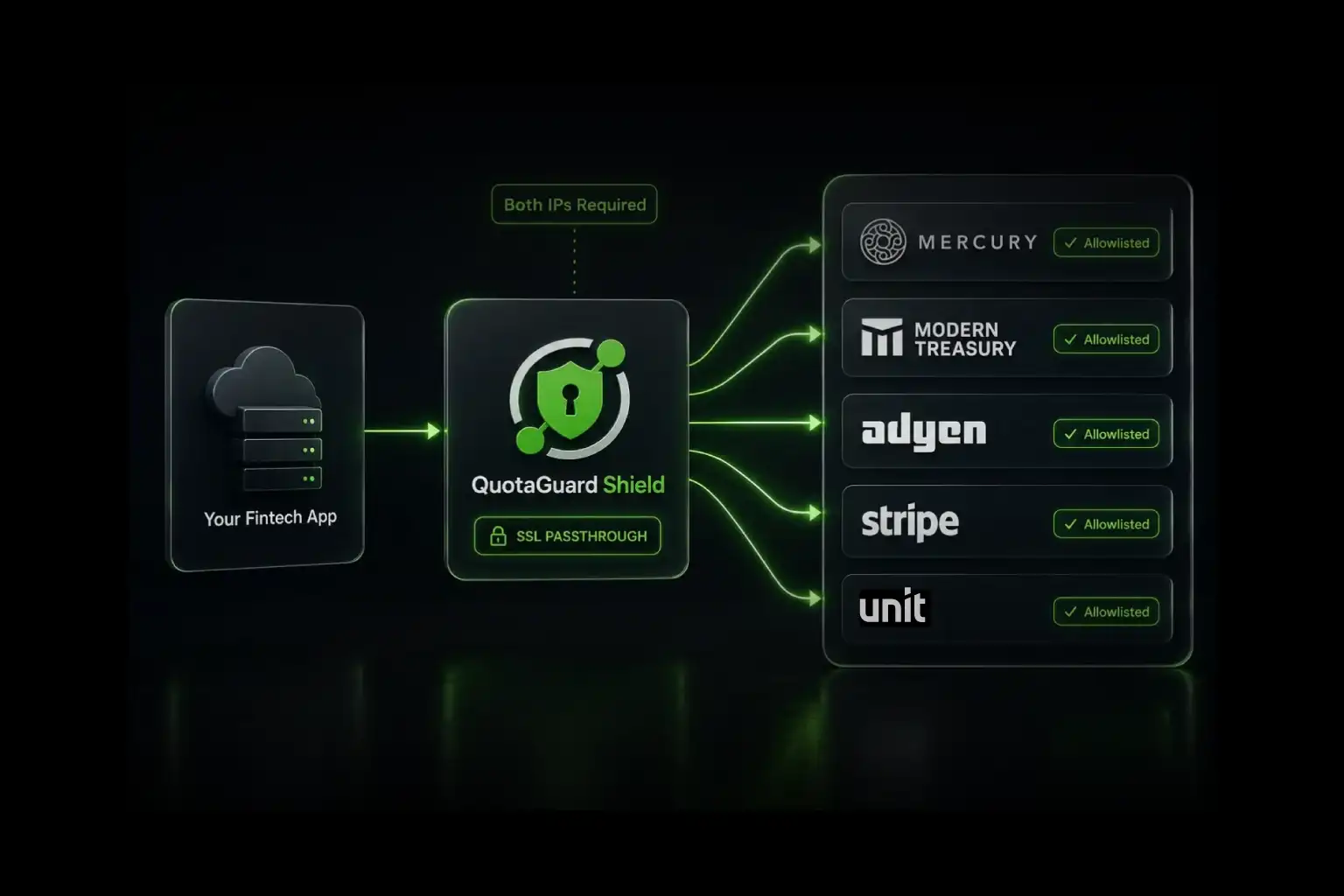
QuotaGuard Shield adds TLS protection to the client-to-proxy hop. Shield uses its secure connection methods rather than a direct substitution in the PySocks snippet above. Choose Shield when your security review or approved regulated-data architecture requires that protected first hop. Do not assume that healthcare, financial, or other regulated data automatically makes Shield mandatory; the applicable security and compliance review should decide.
Plans, regions, and operations
QuotaGuard Static starts at $19 per month. QuotaGuard Shield starts at $29 per month. QuotaGuard operates in 12 AWS regions; choose the closest region when you sign up, and contact support if an existing subscription needs to move.
The managed-service value is not only the difference between a proxy subscription and a cloud NAT bill. QuotaGuard operates the proxy infrastructure, availability, monitoring, and incident response. Your team still owns the Databricks job, SFTP credentials, host-key verification, transfer logic, and the partner relationship.
Troubleshooting checklist
The connection times out before SSH begins. Confirm that the Databricks Serverless egress policy permits the QuotaGuard proxy hostname and port, and that the notebook can resolve the proxy hostname.
The proxy accepts the connection but the SFTP server rejects it. Confirm that the partner allowlisted both QuotaGuard addresses, verify the SFTP hostname and port, and ask the partner which source address appears in its logs.
Host-key verification fails. Do not disable verification as a permanent fix. Obtain the current fingerprint from the SFTP administrator and update the trusted known-hosts file through your normal change process.
The managed Lakeflow connector still uses Databricks addresses. That is expected. The custom socket affects only the Paramiko client in your code; it does not change the network path of Databricks' managed connector.
An old NCC address stopped working. On AWS, check the current Serverless firewall documentation. The legacy NCC stable-IP list was deprecated on May 25, 2026.
Official references and real developer demand
Databricks: Ingest files from SFTP servers
Databricks: Serverless compute firewall configuration
Databricks: Serverless compute plane networking
Databricks: Configure the Serverless environment
Paramiko: SSHClient documentation
Databricks Community: Azure Databricks Serverless SFTP connectivity to an external provider
Developer report: Databricks Serverless connecting to a healthcare provider's SFTP server
Related QuotaGuard guides
Python SFTP with Paramiko through SOCKS5
Python SFTP with Paramiko and QGTunnel
Static IPs for serverless SFTP allowlisting
Get started
If your SFTP provider will not accept Databricks' published ranges, start with QuotaGuard Static, add both assigned addresses to the provider's allowlist, and route one Paramiko connection through SOCKS5. If your environment requires a protected client-to-proxy hop, review QuotaGuard Shield with your security team or contact QuotaGuard support to map the correct route.
.webp)