Modal Static IP: Route One API Without Tunneling Every Connection


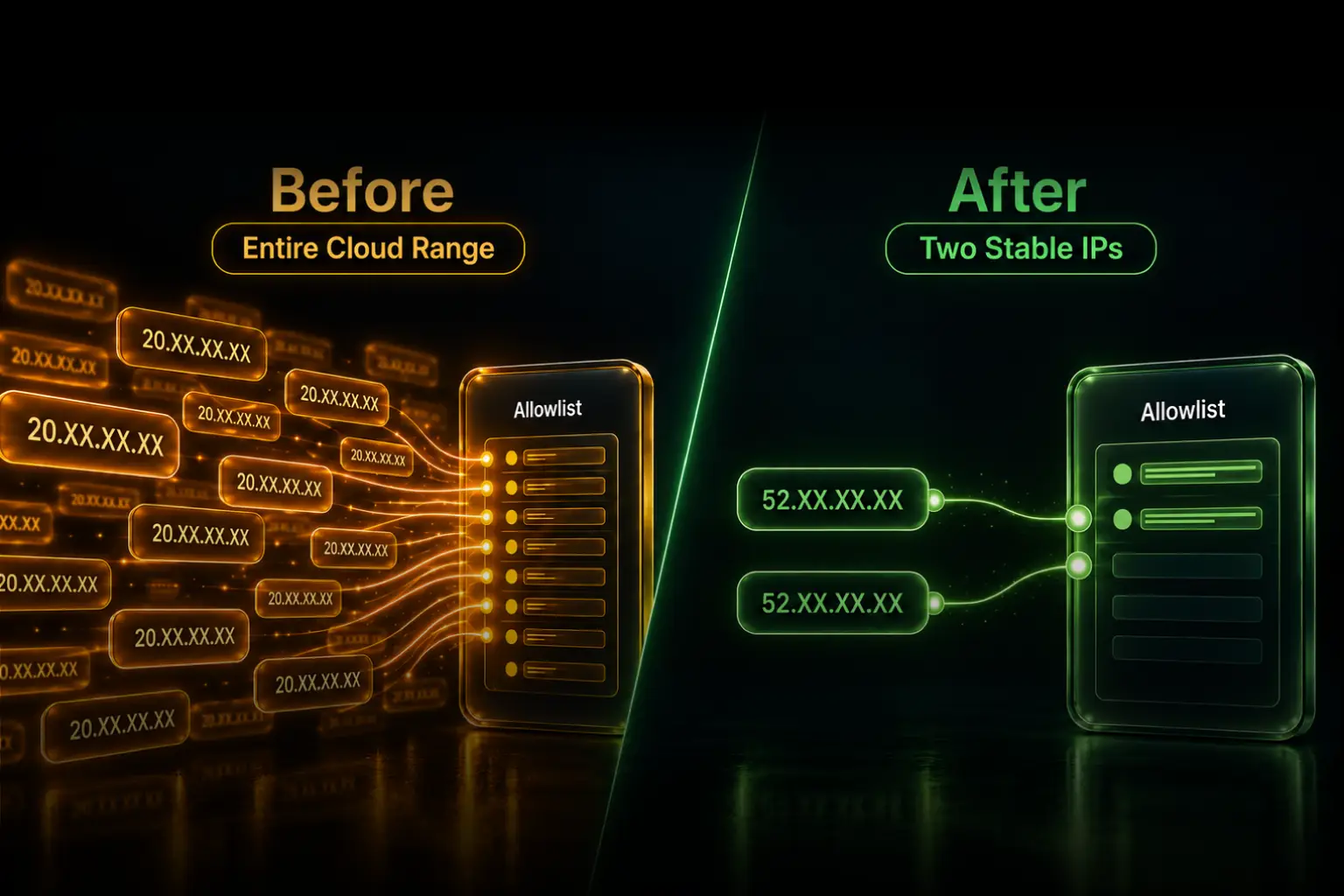
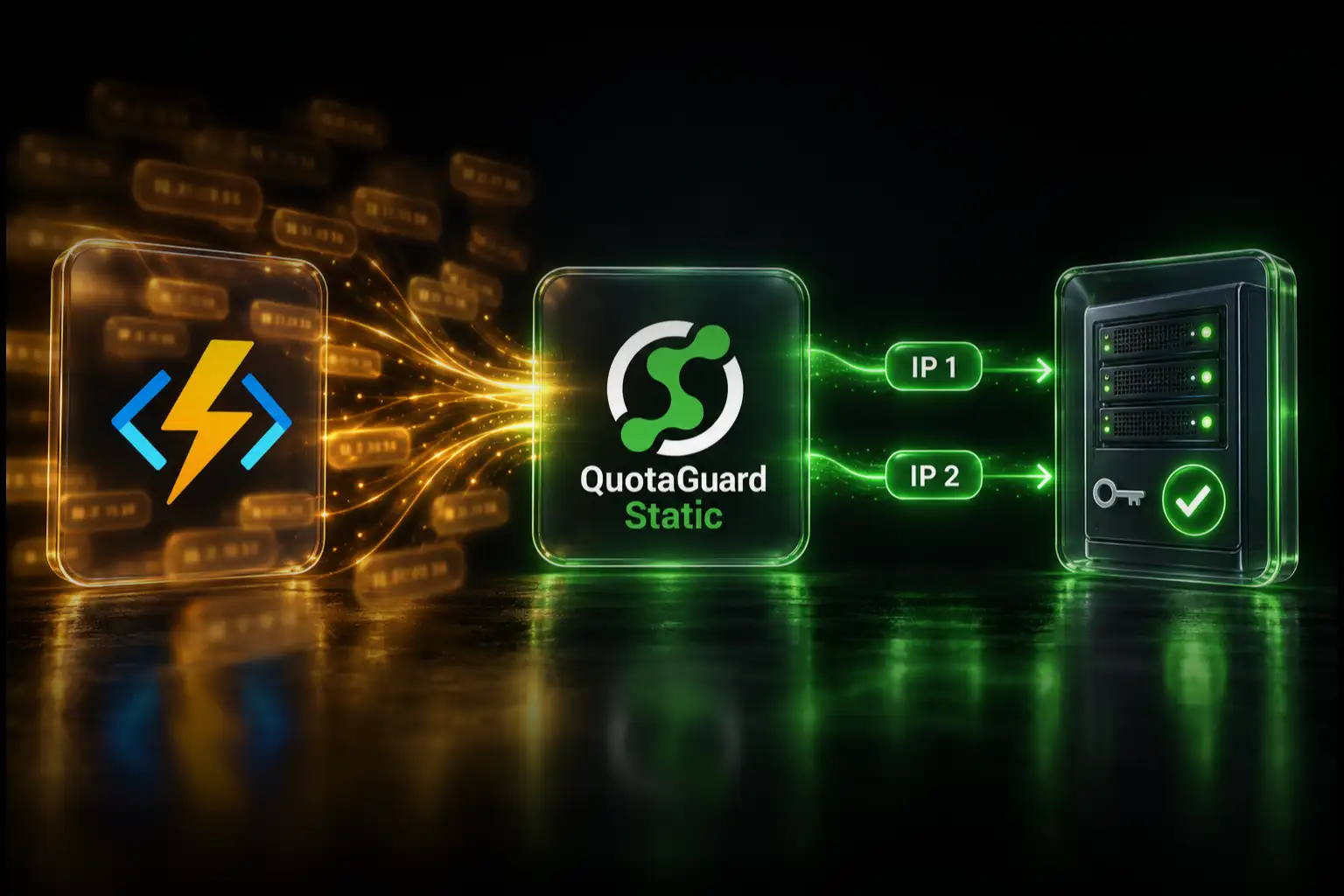
If one Modal Function needs a static source IP for an allowlisted API, HTTPS database gateway, or customer firewall, you do not have to send every connection from that Function through an all-traffic tunnel. Configure that Function's HTTP client to use QuotaGuard for the protected destination. The destination sees the two stable IP addresses assigned to your QuotaGuard subscription, while unrelated model calls, package downloads, webhooks, and third-party APIs keep their normal Modal route.
This is the practical difference between giving selected requests a stable identity and changing the network path for the whole Function. QuotaGuard manages the egress infrastructure, availability, failover, monitoring, and support, so your team can satisfy a client's allowlist without operating a proxy VM or upgrading a Modal workspace solely to obtain static egress.
The Fast Answer
For an HTTP or HTTPS destination, the route is:
Modal Function
  -> authenticated QuotaGuard proxy
  -> protected API or HTTPS endpoint
  -> destination sees one of your two QuotaGuard IPs
Store the QuotaGuard connection URL in a Modal Secret, pass it only to the Function that needs it, and configure the exact HTTP client that opens the protected connection. Add both assigned QuotaGuard IP addresses to the destination's allowlist.
The setup below uses Python Requests because Requests supports an authenticated proxy on an individual call. That gives you selective routing without setting process-wide proxy environment variables.
Why Modal Applications Need a Stable Outbound Identity
Modal Functions run across dynamic infrastructure. Modal's own explanation of its static-IP feature uses a MongoDB access list as the example: a serverless container may run on different hosts and in different regions, so its ordinary outbound source address is not a durable identity for a firewall rule.
That matters whenever the destination says something like:
- "Send us the production IPs before we activate your account."
- "Only approved addresses may call this API."
- "Your database connection is blocked by the network access list."
- "We cannot allowlist a cloud provider's shared or changing range."
Opening the destination broadly is not the answer. A stable outbound identity lets the destination retain a narrow network rule while your Modal workload continues to scale and move.
Why Use QuotaGuard Instead of Operating Your Own Egress Layer?
A static IP is easy to describe and surprisingly expensive to own well. A home-built route usually means a proxy server, VPN, NAT infrastructure, health checks, failover, patching, capacity planning, monitoring, and someone responding when the connection fails outside business hours.
QuotaGuard turns that infrastructure into a connection URL and a stable pair of addresses. The value is not merely the monthly difference between two products. It is that QuotaGuard operates the network path, provides engineering support, and gives your application an outbound identity that is not tied to one hosting platform.
That portability matters. If a scheduled job later moves from Modal to Render, AWS Lambda, Heroku, or another supported runtime, the destination can keep the same QuotaGuard allowlist while you change the application-side configuration.
Step 1: Create the QuotaGuard Subscription
Create a QuotaGuard subscription in the region nearest the protected destination. QuotaGuard offers 12 AWS regions. In the dashboard, copy:
- The authenticated proxy connection URL.
- Both static outbound IP addresses assigned to the subscription.
Standard QuotaGuard plans use a stable pair on managed shared proxy infrastructure. If the destination's policy requires source addresses reserved exclusively for your organization, use QuotaGuard Enterprise dedicated infrastructure.
Ask the destination administrator to allowlist both addresses. The pair supports availability and failover; adding only the first address returned by a test can create intermittent failures later.
Step 2: Store the Proxy URL in a Modal Secret
Modal Secrets are encrypted objects that become environment variables inside the Functions where you attach them. Create a Secret named quotaguard with the connection URL from your QuotaGuard dashboard:
modal secret create quotaguard \
  QUOTAGUARDSTATIC_URL='http://username:password@<your-quotaguard-proxy-host>:9293'
Do not commit this URL to source control or print it in logs. It contains proxy credentials. Attaching the Secret makes the value available to the Function; it does not route traffic automatically.
Step 3: Route Only the Protected Request
Install Requests in the Modal image, attach the Secret to the Function, and pass the proxy explicitly to the request that needs a stable address:
import os
import modal

app = modal.App("partner-api-static-egress")
image = modal.Image.debian_slim().pip_install("requests")


@app.function(
    image=image,
    secrets=[modal.Secret.from_name("quotaguard")],
)
def call_partner_api():
    import requests

    proxy_url = os.environ["QUOTAGUARDSTATIC_URL"]
    proxies = {
        "http": proxy_url,
        "https": proxy_url,
    }

    response = requests.get(
        "https://api.partner.example/v1/status",
        headers={"Authorization": "Bearer YOUR_API_TOKEN"},
        proxies=proxies,
        timeout=30,
    )
    response.raise_for_status()
    return response.json()
Replace the example URL and authentication header with the protected service's real values, stored as Modal Secrets. Python Requests documents this per-request proxies argument and authenticated proxy URLs in http://user:password@host:port form.
Because the proxy is passed to this call instead of configured globally, another request can remain direct:
# Uses QuotaGuard and presents a stable source IP.
protected = requests.get(
    "https://api.partner.example/v1/status",
    proxies=proxies,
    timeout=30,
)

# Uses Modal's ordinary route because no proxy is supplied.
unrelated = requests.get(
    "https://another-service.example/health",
    timeout=30,
)
This is the central advantage for a Function that talks to many services: only the destination that requires a stable identity takes the additional network hop.
Step 4: Verify the Route Before Changing the Firewall
Temporarily send a request through the same proxy configuration to:
https://ip.quotaguard.comThe response should match one of the two IP addresses in your QuotaGuard dashboard:
ip_check = requests.get(
    "https://ip.quotaguard.com",
    proxies=proxies,
    timeout=30,
)
ip_check.raise_for_status()
print(ip_check.text)
One successful result proves that request used an assigned address. Do not wait for repeated checks to show both IPs; connection reuse and load balancing do not guarantee that both will appear during a short test. Both still belong on the destination's allowlist.
After the addresses are approved, make a safe request to the real destination and confirm the rule denies the same request from an unapproved source. Remove the temporary log statement when verification is complete.
Modal's Native Static IP Proxy
Modal also provides a capable native option. Its Proxy feature creates a high-availability WireGuard tunnel with addresses unique to the Modal workspace. Modal documents it as a Beta feature available on Team and Enterprise plans. The current Team plan is $250 per month plus compute and includes one Proxy; each Proxy may have up to five IP addresses.
The important architectural difference is scope. Modal states that all network traffic from the Function uses its Proxy. Modal also notes that WireGuard adds networking latency and that, when multiple addresses are assigned, a Function randomly uses one of them.
Modal's native Proxy is a good fit when you already need the Team plan, want workspace-exclusive addresses, and need every protocol from the Function to use the same tunnel. It may also be the simpler option for a native database driver or another raw TCP protocol.
QuotaGuard is the normal managed choice when one or several HTTP clients need a small stable allowlist, unrelated connections should remain direct, you want an identity portable beyond Modal, or you do not otherwise need to move the workspace to Team. QuotaGuard Static starts at $19 per month. If exclusive source addresses are mandatory, compare Modal's native Proxy with QuotaGuard Enterprise dedicated infrastructure rather than with a standard shared plan.
Modal's Team plan includes many features beyond its Proxy. The $250 figure is the minimum workspace-plan price, not a claim that Modal charges $250 solely for one static IP.
HTTP and HTTPS Versus Database and Other TCP Connections
The code above is intentionally for HTTP and HTTPS. An authenticated HTTP proxy setting does not automatically route PostgreSQL, MongoDB, SFTP, SSH, or another native protocol.
For a database with an HTTPS data API, route that HTTP client selectively as shown above. For a native TCP driver, the client must support SOCKS5 or use a compatible tunnel architecture. Modal's native all-traffic Proxy may be the cleaner choice when every packet or an arbitrary protocol must use the fixed route.
Do not set HTTP_PROXY and assume every library in the container will follow it. Configure and verify the exact client that opens the protected connection.
A Security Note for Modal Sandboxes and AI-Generated Code
Modal Functions running application code your team controls are the straightforward use case for this guide. Modal Sandboxes are different: they are designed to run arbitrary or untrusted code, including code generated by an AI model.
A Secret injected into the Sandbox's main container is available to code in that container. Do not hand reusable shared-proxy credentials to untrusted code and treat the resulting IP as a security boundary. For untrusted workloads, use a reviewed architecture that keeps credentials outside the guest, restricts destinations, logs activity, and contains abuse. QuotaGuard Enterprise dedicated infrastructure may provide the appropriate customer-only network identity, but dedicated IPs do not by themselves solve credential exposure.
Troubleshooting
| Symptom | What to check |
|---|---|
| The destination still sees a changing Modal address | Confirm that the exact request includes proxies=proxies. Creating the Secret alone does not change the route. |
| The request works intermittently | Confirm that the destination allowlisted both QuotaGuard addresses, not only the one returned by the first test. |
| Requests returns a proxy authentication error | Copy the complete connection URL from the QuotaGuard dashboard. Preserve the scheme, username, password, hostname, and port, and check whether special characters were altered by a shell or secret-entry form. |
| Every request is using the proxy | Remove process-wide HTTP_PROXY and HTTPS_PROXY variables and pass the proxy only to the protected call. |
| A native database or SFTP client ignores the setting | The client is not making an HTTP request. Use a supported SOCKS5 or tunnel path, an HTTPS data API, or Modal's native all-traffic Proxy. |
| The destination requires an IP used only by your organization | Standard QuotaGuard plans use managed shared infrastructure. Use QuotaGuard Enterprise dedicated infrastructure or Modal's workspace-exclusive native Proxy. |
QuotaGuard Static or Shield?
QuotaGuard Static is the normal starting point for HTTP and HTTPS API allowlisting. HTTPS application payloads remain encrypted to the destination and are not decrypted by QuotaGuard. Static uses the standard HTTP proxy protocol on the Modal-to-proxy hop.
QuotaGuard Shield adds TLS protection to the Modal-to-proxy hop. Choose Shield when a security review or approved compliance architecture requires that additional protection. The presence of an HTTPS destination alone does not mean QuotaGuard can read the encrypted application payload.
Plans, Regions, and Operational Ownership
QuotaGuard Static starts at $19 per month and QuotaGuard Shield starts at $29 per month. Standard subscriptions include two static outbound addresses on managed shared infrastructure. Enterprise dedicated infrastructure starts at $219 per month for teams that require customer-only addresses and proxy resources.
Choose the nearest of 12 AWS regions during signup. QuotaGuard manages the proxy infrastructure, high availability, automated failover, monitoring, maintenance, and capacity behind the connection. Your team retains responsibility for application authentication, authorization, destination firewall policy, and safe handling of the proxy credential.
Start a QuotaGuard trial, add both assigned addresses to the destination's allowlist, and give the protected Modal request a stable identity without changing the route for the rest of the Function.
Frequently Asked Questions
Does Modal have native static outbound IPs?
Yes. Modal Proxies are a Beta feature on Team and Enterprise plans. They provide workspace-exclusive addresses through a WireGuard tunnel and route all network traffic from the configured Function. QuotaGuard is a selective, portable alternative for supported clients and destinations.
Can I use QuotaGuard on Modal's Starter plan?
A Modal Function that can make outbound HTTP or HTTPS requests and uses a client with authenticated-proxy support can route selected calls through QuotaGuard without Modal's native Proxy feature. Verify the route in your actual Function before changing a production allowlist.
Will QuotaGuard route every request from my Modal Function?
Only if you configure the process or every client to do so. The Requests example in this guide passes the proxy on individual calls, so requests without that argument keep their ordinary Modal route.
Are the two standard QuotaGuard IPs exclusive to my account?
No. Standard subscriptions use managed shared proxy infrastructure. Application credentials and authorization remain required. Use QuotaGuard Enterprise dedicated infrastructure when policy requires customer-only source addresses.
Can I use this setup for PostgreSQL, MongoDB, or SFTP?
Not through the HTTP-specific Requests example. Native database, SFTP, and SSH clients use other protocols. They require a compatible SOCKS5 or tunnel route, an HTTPS API, or a platform-level network path such as Modal's native Proxy.
QuotaGuard Static IP Blog
Practical notes on routing cloud and AI traffic through Static IPs.