Stripe IP Restrictions: Lock Secret and Restricted API Keys to Static IPs

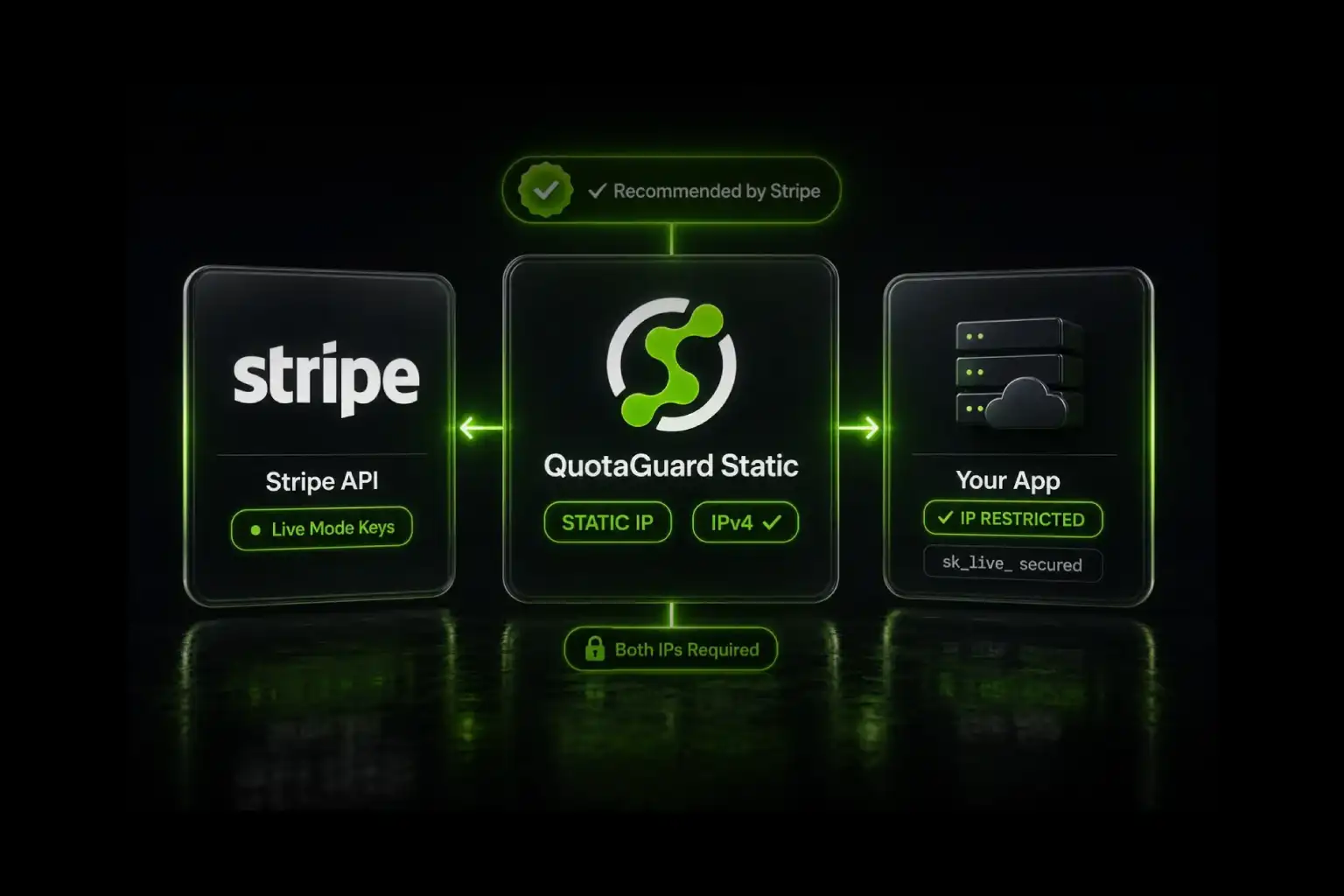
Stripe recommends IP restrictions on all live mode secret and restricted API keys. QuotaGuard provides two static IPs that satisfy Stripe's allowlist permanently.
Stripe is the only fintech vendor in this category that actively recommends IP restrictions on every live mode key, not just sensitive ones. They also operate a proactive detection system that scans for exposed Stripe keys in public repos and deactivates them. IP restrictions stack with both protections: even if Stripe misses an exposed key, the key can't be used from anywhere outside your registered IPs. QuotaGuard solves the underlying static IP problem in 2 minutes so the restriction stays enforceable across cloud deploys.
Stripe Recommends IP Restrictions on All Live Mode Keys
From Stripe's API keys documentation: "Stripe recommends enabling IP restrictions on all live mode keys to prevent use from unauthorized locations." That's a stronger position than most fintech vendors take. Mercury Bank requires allowlisting only on Read and Write tokens. Adyen treats it as optional. Stripe explicitly recommends it across the board.
Two key types support IP restrictions: live mode secret keys (starting with sk_live_) and live mode restricted API keys, or RAKs (starting with rk_live_). Publishable keys (pk_live_) don't need IP restrictions because they're designed to be exposed in client-side code. The feature also works in sandbox mode for testing, with sandbox keys (sk_test_, rk_test_) using the same restriction model.
The defense is meaningful because Stripe's secret keys carry production-impact privileges by default. From Stripe's own docs: "Anyone can use your live mode secret key to make any API call on behalf of your account, such as creating a charge or performing a refund." An attacker with your secret key and no IP restriction can immediately move money. An attacker with your secret key but no presence on your allowlist gets a 401.
Stripe's proactive detection helps but doesn't replace IP restrictions. Stripe scans public repositories for exposed sk_live_ and rk_live_ patterns and will notify you (and sometimes deactivate the key) if it spots one. But detection happens after the leak, and credential leaks don't only happen on GitHub. CI/CD logs, container images, browser dev tools, and compromised developer laptops all leak secrets through channels Stripe can't scan. IP restrictions are the layer that catches everything Stripe's scanning misses.
Configure IP Restrictions in the Stripe Dashboard
The setting lives on each individual key in the Stripe Dashboard. You configure it once per key, and the restriction applies to all future requests made with that key.
- Go to dashboard.stripe.com/apikeys for live mode or dashboard.stripe.com/test/apikeys for sandbox.
- In the Standard keys list or Restricted keys list, find the key you want to restrict.
- Click the overflow menu (⋯) for that key.
- Select Manage IP restrictions, then Limit use to a set of IP addresses.
- Enter your two QuotaGuard static IPs. You can enter individual IPv4 addresses or CIDR ranges.
- Click + Add to enter the second IP, then Save.
The restriction takes effect immediately. Any request to Stripe with that key from an IP not on the allowlist will fail with a 401 error. Test thoroughly before saving in live mode.
Stripe's allowlist accepts IPv4 only. The docs are explicit: "IP addresses must use the IPv4 protocol, and you can specify any valid CIDR range. For example, you can specify the 100.10.38.0 - 100.10.38.255 range as 100.10.38.0/24." QuotaGuard's static IPs are IPv4, so this constraint doesn't affect QuotaGuard integrations. It does affect teams running on IPv6-only AWS workloads who try to skip the proxy and use direct egress IPs.
Route Outbound Calls Through QuotaGuard
Sign up at QuotaGuard, copy the QUOTAGUARDSTATIC_URL from your dashboard, and configure your Stripe client to route through it. The two official Stripe libraries make this clean.
Python with the stripe library uses the documented stripe.proxy setting:
import os
import stripe

stripe.api_key = os.environ["STRIPE_SECRET_KEY"]
stripe.proxy = os.environ["QUOTAGUARDSTATIC_URL"]

# All subsequent API calls route through QuotaGuard
charge = stripe.Charge.create(
    amount=2000,
    currency="usd",
    source="tok_visa",
    description="Order #12345"
)
Node.js with the stripe library uses the httpAgent config option, exactly as shown in Stripe's official README:
const Stripe = require('stripe');
const ProxyAgent = require('https-proxy-agent');

const stripe = Stripe(process.env.STRIPE_SECRET_KEY, {
  httpAgent: new ProxyAgent(process.env.QUOTAGUARDSTATIC_URL),
});

const charge = await stripe.charges.create({
  amount: 2000,
  currency: 'usd',
  source: 'tok_visa',
  description: 'Order #12345'
});
Other Stripe SDKs (Ruby, PHP, Java, Go, .NET) all support proxy configuration via their underlying HTTP client. QuotaGuard's documentation has framework-specific setup examples for each.
QuotaGuard Tip: Verify Your Egress IP Before Saving the Restriction
Before you save the IP restriction in Stripe's Dashboard, confirm your application is actually exiting through QuotaGuard. Make a request to httpbin.org/ip routed through the same proxy configuration. The response should show one of your two QuotaGuard static IPs. If it shows your cloud provider's IP, the proxy isn't active in your code path yet and saving the Stripe restriction will lock out your production traffic. Five minutes of verification saves an outage.
Stack Restricted API Keys with IP Restrictions for Layered Defense
Stripe's restricted API keys (RAKs) let you scope permissions to specific resources. For example, a RAK can have read-only access to disputes and nothing else. IP restrictions and RAKs are independent controls that stack cleanly: a RAK with IP restrictions means an attacker needs the key, your allowed IPs, AND can only call the resources the RAK was scoped to.
Stripe explicitly recommends RAKs over secret keys for most use cases: "We recommend creating restricted API keys (RAKs) for most use cases. Using a RAK, you can assign exactly the permissions your integration needs."
A reasonable production pattern: separate RAKs for separate services, each with the minimum permissions needed, each with IP restrictions pointing to QuotaGuard. Your invoicing service has a RAK with invoice read/write. Your dispute monitor has a RAK with dispute read-only. Your one-off ops scripts have a separate RAK locked to your bastion's IP. Three keys, three different permission scopes, all routing through the same QuotaGuard IPs.
Sandbox vs Live Mode: Separate Allowlists per Environment
Stripe's sandbox (test) and live modes use completely separate keys. Sandbox keys start with sk_test_ or rk_test_, live keys start with sk_live_ or rk_live_. Each key has its own IP restriction setting. Configuring restrictions on a sandbox key doesn't affect live mode and vice versa.
The common pattern: leave sandbox keys unrestricted so QA, staging, and development environments can hit Stripe from anywhere (office networks, developer laptops, CI runners on dynamic IPs). Lock live keys to QuotaGuard's two static IPs. This trades some convenience in sandbox for full enforcement in production.
If you also want sandbox keys IP-restricted (some compliance frameworks require parity between non-production and production controls), the QuotaGuard IPs work identically for sandbox calls. The Stripe restriction format is the same.
Common Pitfalls
Three failure modes show up regularly in Stripe + static IP setups.
Saving the restriction before verifying egress. Configure your QuotaGuard proxy in your application first. Verify that outbound calls actually flow through it. Only then save the Stripe IP restriction. Reversing the order locks your traffic out of Stripe before you confirm the new path works.
Allowlisting only one of the two QuotaGuard IPs. QuotaGuard provides two static IPs behind a load balancer for redundancy. Either IP can serve any given request. If you only register one, roughly half your traffic will fail with a 401 when the load balancer routes through the unregistered IP. Add both during initial setup.
Forgetting that key rotation preserves the restriction. When you rotate a Stripe key (via Rotate key in the Dashboard menu), the new key inherits the same IP restrictions as the old key by default in current Dashboard behavior. Verify this on your specific rotation. Some teams expect the restriction to carry over and skip the verification step, only to discover the new key has empty restrictions in some rotation flows.
Frequently Asked Questions
Does the Stripe IP restriction work for webhooks?
No. The IP restriction applies only to outbound requests using the restricted API key. Webhooks flow the opposite direction: Stripe sends events to a URL you've registered. Your webhook endpoint just needs to be publicly reachable and verify Stripe's HMAC signature using the per-endpoint signing secret. The static IP requirement doesn't apply to webhook receipt.
If you need to expose a static inbound endpoint for compliance reasons unrelated to Stripe, QuotaGuard Static includes inbound proxy capabilities on all direct plans starting at $19/month. Contact QuotaGuard support after signup to enable.
Can I use IPv6 addresses in Stripe's IP restriction?
No. Stripe's docs are explicit: IPv4 only. This affects teams running on IPv6-only AWS workloads or VPCs that have shifted to IPv6 egress. QuotaGuard's static IPs are IPv4, so routing through QuotaGuard solves this constraint automatically.
What's the difference between IP restrictions and restricted API keys?
Restricted API keys (RAKs) limit what the key can DO. IP restrictions limit where the key can be USED FROM. They're independent controls. A secret key with IP restrictions has full API access from your IPs only. A RAK without IP restrictions has limited API access from anywhere. A RAK with IP restrictions has limited API access from your IPs only, which is the strongest combination for most production integrations.
Do organization API keys support IP restrictions?
Organization API keys (with the sk_org_ prefix) are a separate Stripe feature for multi-account orgs. They behave differently from account-level keys in several ways, including requiring Stripe-Context and Stripe-Version headers on every request. The IP restriction behavior on organization keys isn't covered in Stripe's standard IP restrictions documentation. If you're on org keys, check with Stripe support before assuming the same allowlist mechanism applies.
How does this interact with Stripe Connect?
Stripe Connect uses platform-level API keys that can act on connected accounts via the Stripe-Account header or the on_behalf_of parameter. The IP restriction applies to the platform key making the request, not the connected account being acted upon. A connected account doesn't have a separate IP restriction relative to the platform's calls.
What happens to in-flight requests when I save an IP restriction?
The restriction takes effect immediately, so requests already in flight when you save complete normally if they were initiated before the save. Requests initiated after the save go through the new restriction logic. There's no grace period or rollout delay. This is why verifying egress before saving matters: a configuration mistake locks you out instantly.
Does this satisfy PCI-DSS or SOC 2 requirements directly?
IP restrictions don't satisfy PCI-DSS or SOC 2 by themselves. They're one control in a layered approach. Stripe handles most of the PCI-DSS scope for you when you use Stripe Elements, Checkout, or Drop-in (because card data flows directly between the customer and Stripe's servers, not through your application). For SOC 2, IP restrictions support the "logical access controls" criterion.
Shield uses SSL passthrough, and neither Static nor Shield ever decrypts your outbound payload. Shield's difference is the hop between your app and the proxy: Static's hop uses the plain HTTP proxy protocol, while Shield encrypts it with TLS. Use Shield for regulated data such as HIPAA or PCI workloads. That supports customers' HIPAA, PCI-DSS, and SOC 2 requirements. Shield Starter is $29/month versus Static Starter at $19/month.
Lock Stripe Keys to a Static IP in 2 Minutes
Stripe's IP restriction feature is the highest-impact security control on every live mode API key, and Stripe themselves recommend enabling it on all of them. The blocker for most teams is the static IP problem: cloud egress IPs change with deploys, autoscaling events, and infrastructure migrations, so the allowlist gets stale and the restriction gets removed.
QuotaGuard solves the static IP problem with two stable IPv4 addresses that don't change. Configure once, register both IPs in each Stripe key's restrictions, and the protection holds across every redeploy and every infrastructure change.
QuotaGuard Static starts at $19/month, Shield at $29/month (recommended if your Stripe integration touches cardholder data). 3-day trial, credit card required. See pricing or contact us with setup questions.
For the broader picture of which fintech APIs use the same pattern, see Static IPs for Fintech APIs: Mercury, Modern Treasury, Adyen, Stripe, and Unit.
QuotaGuard Static IP Blog
Practical notes on routing cloud and AI traffic through Static IPs.