Vercel Static Outbound IP: Fix GitHub and Prismic Allowlisting Without Paying $100/Month

QuotaGuard Engineering
April 2, 2026
5 min read
Pattern

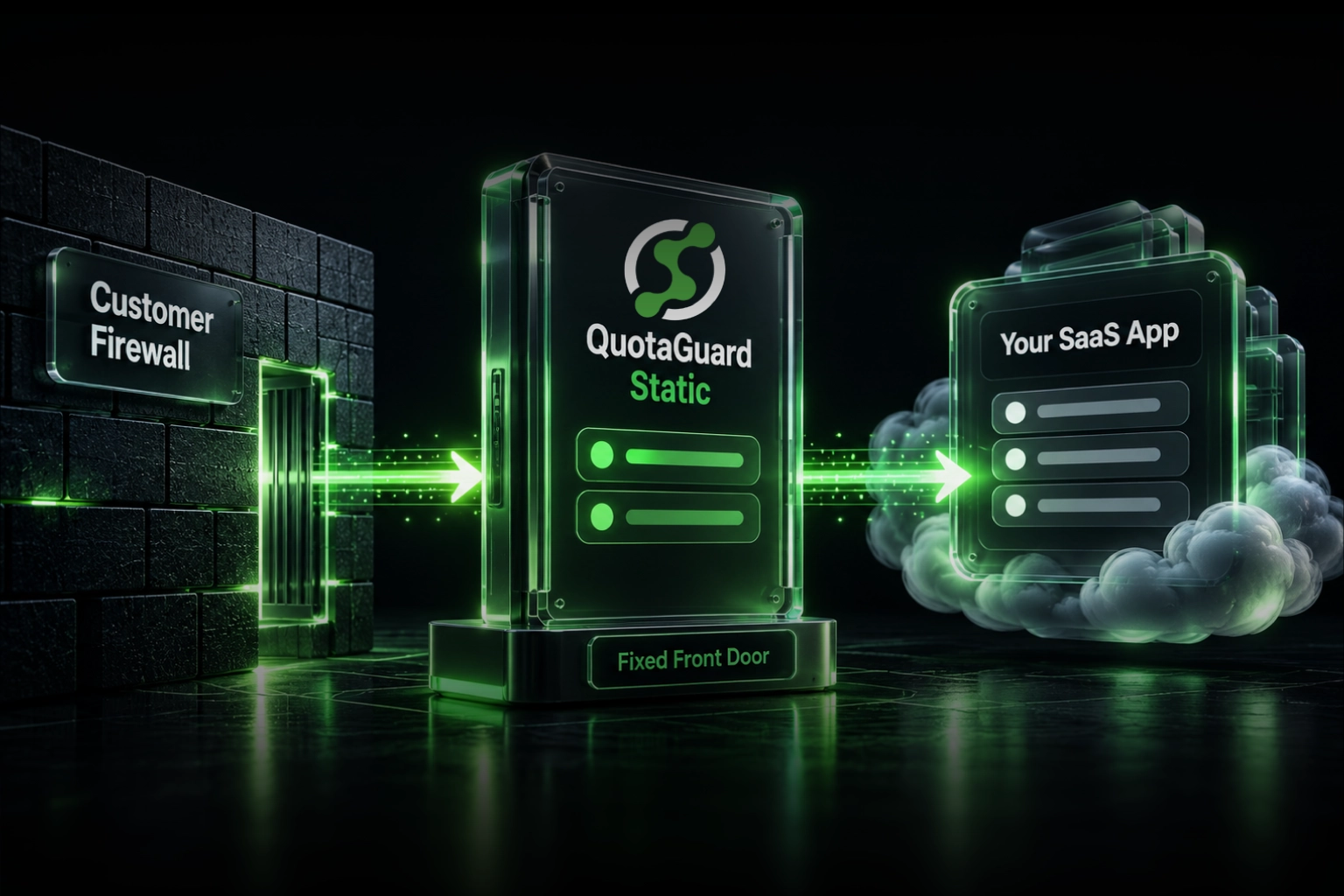
QuotaGuard gives your Vercel deployment a fixed outbound IP address. You add one environment variable, hand the IP to your client's IT team or drop it into a GitHub allowlist, and the build failures stop.

That's the short version. Here's the full picture.

What's Actually Happening When Your Vercel Build Fails

Vercel runs builds on shared, rotating infrastructure. Every time your build kicks off, it gets a different outbound IP. If your build process makes outbound HTTP requests — pulling content from Prismic, hitting a GitHub API, fetching from an internal service behind a firewall — the receiving server sees a different IP every time.

Services that enforce IP allowlisting will reject those requests. GitHub Enterprise is a common culprit. Prismic behind an IP restriction is another. Internal APIs with strict firewall rules are a third. The error looks like a timeout, a 403, or a connection refused. The build fails. You redeploy. It fails again.

This isn't a bug in your code. It's a fundamental property of how Vercel's shared build infrastructure works.

Vercel's Native Solution: Static IPs

Vercel launched a Static IPs feature that assigns fixed egress addresses to your project's build and serverless function traffic. It works. If your only problem is IP allowlisting on Vercel, it solves it.

The cost is $100/month per project, billed on top of your existing Vercel plan. That's the Pro plan add-on rate as of early 2026. For a single production project at a funded startup, that's probably justifiable. For three projects, you're at $300/month before you've paid for anything else. For an agency managing a dozen client sites, the math gets painful fast.

There's also a platform lock-in consideration. The static IP is tied to Vercel's infrastructure. If you're running any part of your stack on Railway, Render, Fly.io, or a plain EC2 instance, those services need their own solution. Vercel's Static IPs feature does nothing for them.

The Alternative: Route Outbound Requests Through a Proxy

A static IP proxy works differently. Instead of assigning a fixed IP to your entire deployment environment, you route specific outbound requests through a proxy that has a fixed IP. The IP that GitHub or Prismic sees belongs to the proxy, not to Vercel's infrastructure. The proxy IP never changes.

QuotaGuard provides this. Plans start at $19/month. The IP is shared across customers on lower tiers, dedicated on Enterprise. The same proxy URL works from Vercel, from a Lambda function, from a GitHub Action, from a cron job on a VPS. One account, one fixed IP, any platform.

Here's what the integration looks like in practice. In your Vercel project, set this environment variable:

QUOTAGUARDSTATIC_URL=http://username:password@proxy.quotaguard.com:9293

Then in the code that makes the outbound request — the one that's getting blocked — route it through the proxy. Here's a Node.js example using https-proxy-agent:

import { HttpsProxyAgent } from 'https-proxy-agent';

const proxyUrl = process.env.QUOTAGUARDSTATIC_URL;
const agent = new HttpsProxyAgent(proxyUrl);

const response = await fetch('https://your-restricted-api.example.com/endpoint', {
  agent,
});

const data = await response.json();

That's the entire integration for most use cases. The request goes out through QuotaGuard's proxy, the receiving server sees a fixed IP, the allowlist check passes, and the request succeeds.

If you're hitting a GitHub API specifically, the same pattern applies. Add the proxy IP to your GitHub Enterprise allowlist once. Every subsequent request from any environment routing through the proxy will clear the check.

When Vercel's Native Feature Makes More Sense

Be honest about the tradeoffs. Vercel's Static IPs feature is the right call if:

You need the fixed IP to apply to all outbound traffic from your project, not just specific requests. A proxy requires you to explicitly route requests through it. If you're using a third-party SDK that doesn't support proxy configuration, you either patch it or you can't use a proxy at all.

You also need inbound fixed IPs. Vercel's feature covers both egress and ingress. QuotaGuard's Static product is egress only. If you need a fixed IP for incoming webhooks or for clients to connect to your Vercel deployment by IP, that's a different requirement.

You're already on a Vercel Pro plan and you have one or two projects that need this. The $100/month per project is straightforward, the setup is zero-code, and you stay entirely within Vercel's ecosystem. That's a reasonable tradeoff.

When a Proxy Makes More Sense

The proxy approach wins when:

You're managing multiple projects or environments. One QuotaGuard account covers all of them at a flat rate. You don't pay per project.

You have services running outside of Vercel. A Railway deployment, a GitHub Action, a local staging environment that needs to hit the same restricted API. The proxy works identically in all of them. You hand the same IP to your client's IT team regardless of which platform you're running on that month.

Your blocked requests are specific and identifiable. You know exactly which outbound calls are failing. Routing those through a proxy is a surgical fix. You're not routing all traffic through a proxy, just the requests that need a fixed IP.

You want to avoid per-project Vercel add-on costs as you scale. $19/month for the Micro plan covers a lot of projects if the traffic volume is modest. Even the $49/month Medium plan covers far more ground than three Vercel Static IP add-ons.

One Setup, Any Platform

The real advantage here is portability. Build infrastructure changes. Teams move from Vercel to Cloudflare Workers or add a backend on Fly.io or run cron jobs on a cheap VPS. Every time you add a platform, the firewall question comes up again. With a proxy, the answer is always the same: set the environment variable, route the request, done. The IP your partners and clients have allowlisted stays the same.

That's worth something operationally. Every IP change triggers a ticket to someone's IT team, a waiting period, a confirmation, a retest. Avoiding that cycle is a real time saving across a year of infrastructure changes.

Fix the Build Failures

If your Vercel builds are failing because of IP allowlisting on GitHub, Prismic, or any other service, the fix is straightforward. Vercel's native Static IPs feature works if you're on Pro and the per-project cost fits your budget. A proxy through QuotaGuard works if you want lower cost, multi-platform coverage, or more surgical control over which requests get a fixed IP.

QuotaGuard plans start at $19/month with setup in under 10 minutes. Review the options at quotaguard.com/products/pricing and pick the tier that fits your traffic volume.

QuotaGuard Static IP Blog

Practical notes on routing cloud and AI traffic through Static IPs.

Reliability Engineered for the Modern Cloud

For over a decade, QuotaGuard has provided reliable, high-performance static IP and proxy solutions for cloud environments like Heroku, Kubernetes, and AWS.

Get the fixed identity and security your application needs today.