Static IP for Salesforce Connected Apps and External Client Apps

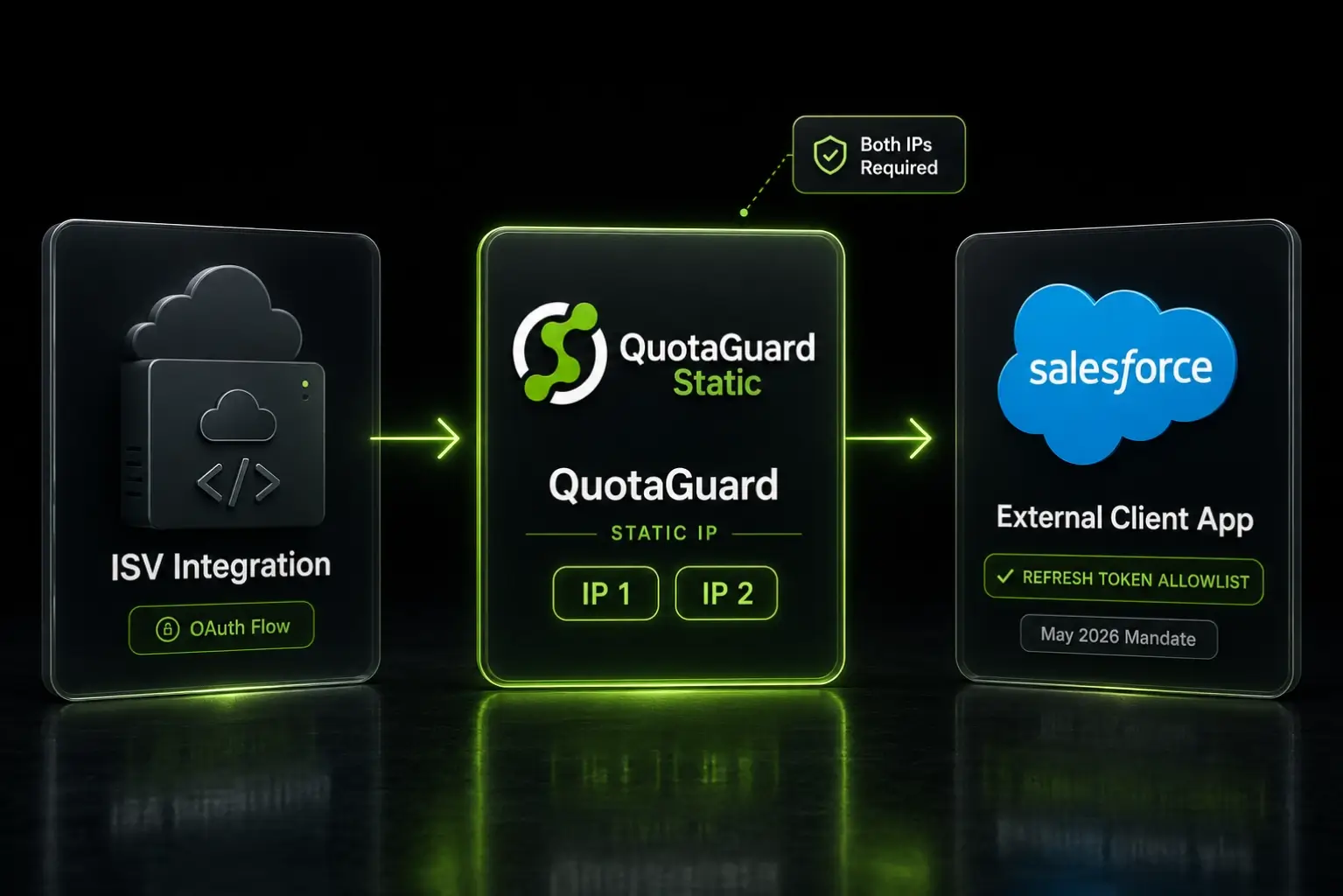
A static IP proxy gives your AppExchange ISV integration a fixed outbound identity for Salesforce's Refresh Token IP Allowlist on your External Client App.
Salesforce's May 11, 2026 OAuth security mandate added a new requirement for AppExchange ISVs: the Refresh Token IP Allowlist. Per Salesforce's current position, refresh tokens issued by your packaged app can only be redeemed from IP addresses you've registered in your External Client App configuration. This is a problem the moment you run your integration code on cloud infrastructure, because cloud platforms don't give you a stable outbound IP.
The fix is a static IP proxy. You route your refresh token redemptions through a fixed outbound identity, register that identity with Salesforce once, and your AppExchange listing keeps redeeming tokens reliably regardless of what your cloud platform does underneath.
Static IPs Are the Network-Layer Answer to Salesforce's IP Allowlist Requirement
Salesforce's mandate covers five OAuth security controls. Three are unambiguous: PKCE, Refresh Token Rotation, and a 30-day idle timeout. Those are application-layer changes. Two are network-layer: an IP allowlist for refresh token redemption, and IP-based monitoring. The IP allowlist is the one that breaks the moment you deploy on Heroku, Render, AWS Lambda, Fly.io, or any platform with rotating egress IPs.
The mechanic is straightforward. When your packaged app's integration code calls Salesforce's /services/oauth2/token endpoint to redeem a refresh token, Salesforce checks the source IP against the allowlist registered for your External Client App. If the source IP isn't on the allowlist, the redemption fails. Hard block. No retry, no fallback, no useful error.
Salesforce documents the enforcement model explicitly: requests from outside the allowed ranges are blocked entirely, not flagged for verification. That's different from the older Trusted IP Ranges feature, which adds verification rather than rejection.
A static IP proxy solves this at the network layer. Your application code keeps running on whatever cloud platform you're already paying for. The proxy intercepts your outbound HTTPS calls, routes them through a fixed IP, and Salesforce sees that fixed IP on every refresh token redemption. You allowlist the IP once and the configuration is durable.
Server-to-Server Authorization Code Flows Are the Audience for This Setup
Not every Salesforce integration needs this. The IP allowlist requirement only applies to OAuth flows that issue refresh tokens. That's the authorization code flow, also called the OAuth web server flow. If your integration uses a different flow, the allowlist may not apply to you at all.
JWT Bearer flow is the most common exemption. It doesn't issue refresh tokens. The integration signs a short-lived JWT and exchanges it for an access token on every call. There's no refresh token to allowlist. If your entire Salesforce integration is JWT Bearer, the May 11 IP allowlist requirement is structurally inapplicable.
Mobile apps are another exemption. Salesforce has indicated the IP allowlist requirement is not applicable to public-facing mobile applications, since mobile clients connect from arbitrary consumer IPs. A static IP proxy doesn't help here. If your AppExchange listing is exclusively mobile, you don't need this setup.
The audience that does need this: AppExchange ISVs running OAuth web server flows from server-side infrastructure in your Partner Business Org, packaging org, or namespace org. Your integration backend redeems refresh tokens from a known set of cloud servers. That's the cohort the static IP proxy was built for.
QuotaGuard Static Adds Both IPs to Your External Client App in External Client Apps Manager
The Salesforce UI for the IP allowlist lives in Setup, under External Client Apps Manager. Open your External Client App, choose Edit Settings, and turn on Enforce Refresh Token IP Allowlist. The same screen lets you add up to 128 IP ranges with a maximum of 256 total IP addresses. IPv4 and IPv6 are both supported. Single IPs work by entering the same address as both the start and end of a range.
You can find the official mechanics at Set IP Allowlist Ranges for Refresh Tokens. The screenshot of that page is what your engineering team will be looking at when they configure this.
QuotaGuard Static gives you a load-balanced pair of static IPs. You add both to the Refresh Token IP Allowlist field in External Client Apps Manager. The 128-range capacity Salesforce provides is generous enough that you can add both IPs and have room to spare for future regional expansion or proxy migrations.
QuotaGuard tip: Across our customer base running OAuth integrations on cloud platforms, the most common allowlisting mistake is registering only one of the two static IPs. QuotaGuard's load-balanced pair routes traffic through either IP based on health checks, so adding only one means refresh token redemptions fail intermittently in ways that look random to your application logs. Always add both IPs to your Salesforce External Client App's Refresh Token IP Allowlist.
Setup Takes 2 Minutes With One Environment Variable
The QuotaGuard side of the configuration is a single environment variable. Sign up, copy your Static connection URL from the QuotaGuard dashboard, and add it to your application's environment as QUOTAGUARDSTATIC_URL. Then point your HTTP client at it.
The connection URL format looks like this:
QUOTAGUARDSTATIC_URL=http://username:password@us-east-static-01.quotaguard.com:9293
The hostname reflects the AWS region you selected at sign-up. Region changes after sign-up go through QuotaGuard support at quotaguard.com/contact, not by editing the connection string.
Python: Refresh token redemption through the proxy
Most Salesforce ISV backends end up calling the /services/oauth2/token endpoint directly when they need to refresh an access token. The proxy configuration is a one-line addition to your requests call.
import os
import requests

proxy_url = os.environ.get("QUOTAGUARDSTATIC_URL")

proxies = {
    "http": proxy_url,
    "https": proxy_url,
}

response = requests.post(
    "https://login.salesforce.com/services/oauth2/token",
    data={
        "grant_type": "refresh_token",
        "client_id": os.environ.get("SF_CLIENT_ID"),
        "client_secret": os.environ.get("SF_CLIENT_SECRET"),
        "refresh_token": stored_refresh_token,
    },
    proxies=proxies,
)

new_tokens = response.json()
# new_tokens["access_token"] is the new access token.
# new_tokens["refresh_token"] is the rotated refresh token under RTR.
# Persist the new refresh token immediately. The old one is now invalid.
Salesforce's Refresh Token Rotation control means the response includes a new refresh token on every redemption. The old refresh token is invalidated the moment the new one is issued. Your token storage layer needs to be transactional. Persist the new refresh token before any other code runs.
Node.js: Refresh token redemption with https-proxy-agent
const fetch = require('node-fetch');
const { HttpsProxyAgent } = require('https-proxy-agent');

const proxyAgent = new HttpsProxyAgent(process.env.QUOTAGUARDSTATIC_URL);

async function refreshSalesforceToken(refreshToken) {
  const response = await fetch('https://login.salesforce.com/services/oauth2/token', {
    method: 'POST',
    agent: proxyAgent,
    headers: {
      'Content-Type': 'application/x-www-form-urlencoded',
    },
    body: new URLSearchParams({
      grant_type: 'refresh_token',
      client_id: process.env.SF_CLIENT_ID,
      client_secret: process.env.SF_CLIENT_SECRET,
      refresh_token: refreshToken,
    }),
  });

  const tokens = await response.json();
  // tokens.access_token, tokens.refresh_token (rotated under RTR)
  // Persist tokens.refresh_token transactionally before continuing.
  return tokens;
}
The same pattern works for sandbox endpoints. Replace login.salesforce.com with test.salesforce.com for sandbox testing, and the proxy routes the call through the same fixed IPs.
Legacy Connected Apps Need a Different Compliance Path
Salesforce's Refresh Token IP Allowlist UI is documented for External Client Apps Manager only. If your AppExchange package is still on a legacy 1GP-packaged Connected App, the IP allowlist UI is not available to you in the same form. The QuotaGuard side of the setup (a static IP pair) is identical, but the Salesforce-side path is different.
Three options exist for legacy CA ISVs, and you should confirm the right one with your Salesforce account team before configuring QuotaGuard:
- Full migration to ECA. The Connected App becomes an External Client App in a 2GP package. Customers re-authenticate. The IP allowlist UI becomes available.
- Sidecar 2GP. Ship a separate 2GP package containing only an External Client App, distributed alongside your existing 1GP managed package. Customers install both. The new ECA gets the IP allowlist UI.
- Support case. Open a Salesforce support case to register IP ranges manually. This path is referenced in partner communications but not formally documented.
If you're scoping this work and your packaged app is still on a 1GP Connected App, the Salesforce conversation comes first. Get the path nailed down with your account team, then come back and configure QuotaGuard once you know which side of the migration you're on.
QuotaGuard Solves the IP Layer, Not PKCE or Refresh Token Rotation
Be clear about scope. The May 11 OAuth mandate has five controls. QuotaGuard solves one of them: the Refresh Token IP Allowlist. The other four are application-layer changes you implement in your own code or via Salesforce Setup.
- PKCE is a code change in your OAuth client to generate a verifier and challenge during the authorization code exchange. QuotaGuard does not generate these.
- Refresh Token Rotation is a code change in your token storage layer to persist the new refresh token returned on every redemption. QuotaGuard does not manage your token storage.
- The 30-day idle timeout is a Salesforce-side setting plus an optional heartbeat in your application if your integration can sit idle for more than 25 days. QuotaGuard doesn't add a heartbeat for you.
- IP Monitoring is a Salesforce alerting feature on suspicious refresh token usage. It's recommended, not mandatory by May 11, and it's configured on the Salesforce side, not the QuotaGuard side.
If you sign up for QuotaGuard expecting it to solve all five controls, you'll be disappointed. We solve the network layer only, and we solve it cleanly. PKCE and RTR implementation belong in your code, alongside your OAuth client.
Get Started With QuotaGuard Static for Salesforce
QuotaGuard Static plans start at $19/month for the Starter tier with 10 GB of bandwidth. The Production tier at $49/month covers 50 GB, which is enough for most AppExchange listings during initial rollout. Bandwidth is bundled with no per-GB overage fees.
If your AppExchange listing handles regulated data, healthcare records, payment information, or needs to meet compliance standards like HIPAA or PCI-DSS, look at QuotaGuard Shield instead. Shield uses SSL passthrough, and neither Static nor Shield ever decrypts your outbound payload. Shield's difference is the hop between your app and the proxy: Static's hop uses the plain HTTP proxy protocol, while Shield encrypts it with TLS. Use Shield for regulated data such as HIPAA or PCI workloads. For most Salesforce ISVs, Static is the right call. The IP allowlist requirement is a network-layer fix, not a regulated-data scenario.
See the Salesforce integration overview or jump to the full Salesforce integration page for product comparison, FAQs, and setup details. Plans and pricing are at quotaguard.com/products/pricing. Setup takes 2 minutes once you've signed up. Add both QuotaGuard IPs to your External Client App's Refresh Token IP Allowlist in Salesforce Setup, and your AppExchange integration is ready for the May 11 posture update.
QuotaGuard Static IP Blog
Practical notes on routing cloud and AI traffic through Static IPs.