Build a Slack Alert for QuotaGuard Usage With GitHub Actions

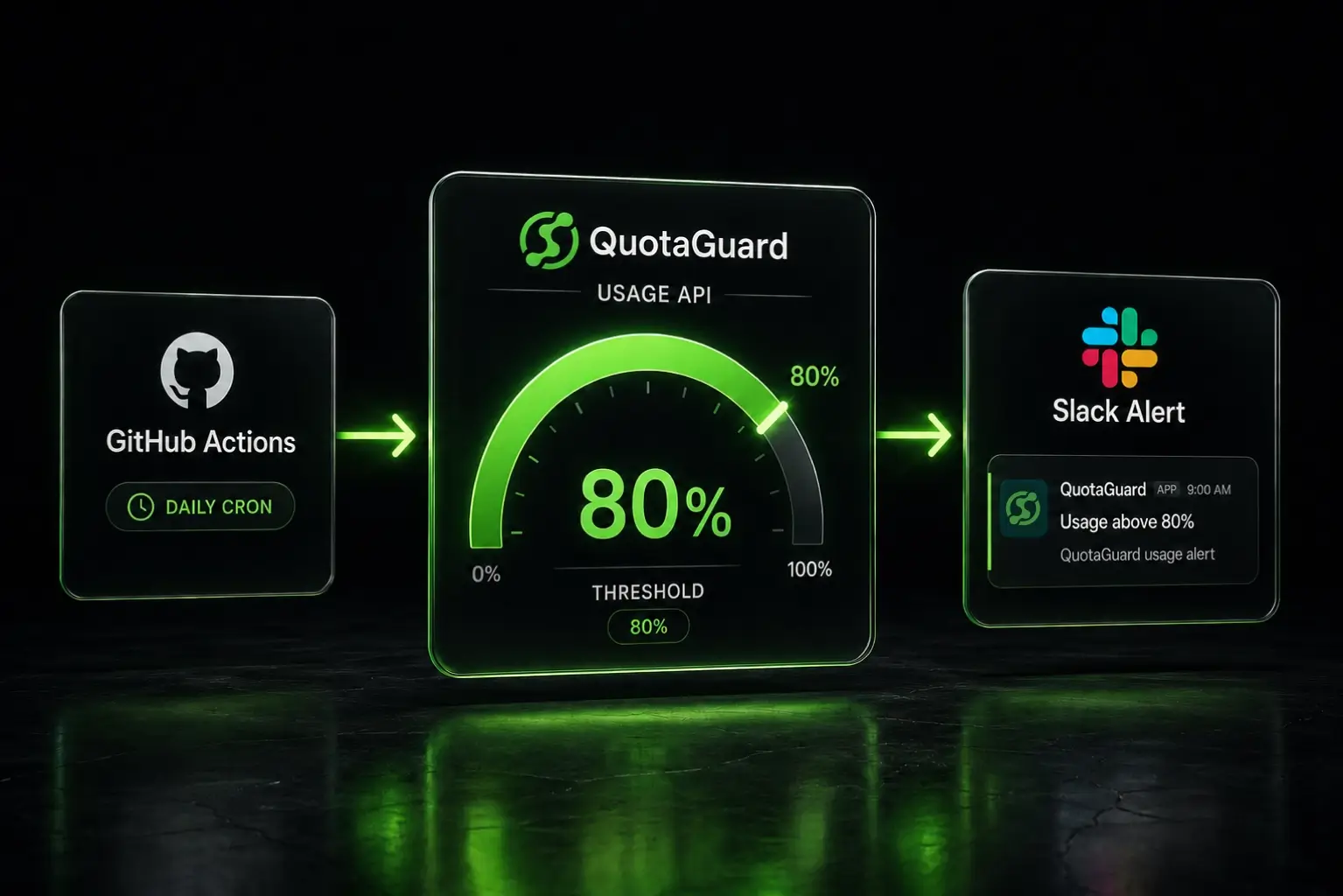
A daily GitHub Action calls the QuotaGuard Usage API, checks each subscription against an 80% threshold, and posts a Slack alert when one crosses it.
The Usage API exposes monthly request and bandwidth counts per subscription. Pair it with a Slack incoming webhook and a GitHub Actions cron and you have free usage monitoring that runs without infrastructure. No AWS Lambda. No always-on service. Just a Python script that fires once a day.
Note on Slack: Slack changes their app dashboard and webhook flow regularly. The screenshots and steps in this post are current as of May 2026. If a screen looks different, the underlying concepts are stable. Look for "Incoming Webhooks" inside your Slack app's settings.
The Pieces You're Wiring Together
Three components, all free:
- QuotaGuard Usage API key. Generated from your QuotaGuard dashboard. Read-only, scoped to your account.
- Slack incoming webhook. A URL Slack issues that posts messages to one specific channel. No OAuth, no bot permissions.
- GitHub Actions cron. Runs your script on a schedule. GitHub's free tier covers this easily, since one daily run takes seconds.
QuotaGuard tip: keep this monitoring script in a private GitHub repo. The script itself doesn't contain secrets, but the workflow file references your Usage API key and Slack webhook as Actions secrets. A private repo is the right default for any scheduled job tied to your billing.
Generate a QuotaGuard Usage API Key
Log in to https://dash.quotaguard.com/account/management and scroll to the API Access section.
- Set the key name to something descriptive, like
usage-alert-monitor. Names help you identify which system is using which key when you have several. - Pick an expiry. Default is one year. Anything shorter is fine if your security policy requires shorter rotation cycles.
- Click Create API Key. Copy the full key from the modal immediately. The dashboard only shows it once.
The key starts with qg_live_. Store it somewhere secure for the moment. You'll add it to GitHub Actions secrets shortly.
Create a Slack Incoming Webhook
Webhooks are the simplest way to post automated messages to a channel. No bot user, no OAuth handshake, no scopes to worry about.
- Create a Slack channel for the alerts. Name it something like
#quotaguard-usage. Set the topic so future-you knows what posts there. - Go to https://api.slack.com/apps and click "Create New App." Pick "From scratch."
- Name the app something like "QuotaGuard Usage Alerts" and select your workspace.
- In the left sidebar, click "Incoming Webhooks." Toggle the feature on.
- Click "Add New Webhook to Workspace." Pick the channel you created. Click Allow.
- Copy the webhook URL. It starts with
https://hooks.slack.com/services/.
Test the webhook from your terminal before going further. A failed webhook is the most common reason this kind of script silently does nothing in production:
curl -X POST -H 'Content-type: application/json' \
  --data '{"text":"Webhook test from QuotaGuard usage alert setup."}' \
  https://hooks.slack.com/services/YOUR/WEBHOOK/URL
If the message lands in your channel, the webhook works. Move on.
The Python Script Checks Each Subscription Against the Threshold
Create a new private GitHub repository. Inside it, create alert.py:
#!/usr/bin/env python3
"""
QuotaGuard usage alert. Posts to Slack when any active
subscription crosses an 80% threshold for the current month.

Required environment variables:
  QUOTAGUARD_API_KEY  - generated at dash.quotaguard.com/account/management
  SLACK_WEBHOOK_URL   - incoming webhook for your alert channel
  ALERT_THRESHOLD     - optional, defaults to 80
"""

import os
import sys
import requests

API_BASE = "https://api.quotaguard.com/v1"
THRESHOLD = int(os.environ.get("ALERT_THRESHOLD", "80"))


def get_subscriptions(api_key):
    headers = {"Authorization": f"Bearer {api_key}"}
    r = requests.get(f"{API_BASE}/subscriptions", headers=headers, timeout=15)
    r.raise_for_status()
    return r.json()["subscriptions"]


def get_current_usage(api_key, subscription_id):
    headers = {"Authorization": f"Bearer {api_key}"}
    r = requests.get(
        f"{API_BASE}/subscriptions/{subscription_id}/usage",
        headers=headers,
        timeout=15,
    )
    r.raise_for_status()
    data = r.json()
    # The usage array is ordered oldest to newest.
    # The last entry is the current month.
    current = data["usage"][-1]
    return data, current


def post_to_slack(webhook_url, text):
    r = requests.post(webhook_url, json={"text": text}, timeout=10)
    r.raise_for_status()


def main():
    api_key = os.environ["QUOTAGUARD_API_KEY"]
    webhook_url = os.environ["SLACK_WEBHOOK_URL"]

    subs = get_subscriptions(api_key)
    if not subs:
        print("No subscriptions found.")
        return

    alerts = []
    for sub in subs:
        if sub["status"] != "active":
            continue

        plan_data, current = get_current_usage(api_key, sub["id"])
        totals = current["totals"]
        pct = totals.get("percent_of_allowance", 0)

        if pct >= THRESHOLD:
            alerts.append({
                "app_name": sub["app_name"],
                "plan": sub["plan_display"],
                "pct": pct,
                "requests": totals.get("requests", 0),
                "month": current["month"],
            })

    if not alerts:
        print(f"All subscriptions below {THRESHOLD}%. No alerts sent.")
        return

    lines = [f":warning: *QuotaGuard usage alert* ({THRESHOLD}% threshold)\n"]
    for a in alerts:
        lines.append(
            f"- `{a['app_name']}` ({a['plan']}) "
            f"at {a['pct']}% of monthly allowance "
            f"({a['requests']:,} requests, {a['month']})"
        )
    lines.append("\nUpgrade or check usage: https://dash.quotaguard.com")

    post_to_slack(webhook_url, "\n".join(lines))
    print(f"Sent alert for {len(alerts)} subscription(s).")


if __name__ == "__main__":
    try:
        main()
    except requests.HTTPError as e:
        print(
            f"HTTP error: {e.response.status_code} {e.response.text}",
            file=sys.stderr,
        )
        sys.exit(1)
    except Exception as e:
        print(f"Error: {e}", file=sys.stderr)
        sys.exit(1)
The script does four things. It pulls your subscriptions. It calls the usage endpoint for each active one. It compares the current month's percent-of-allowance to your threshold. If anything crosses, it posts a single Slack message listing every subscription over the line.
Why one message instead of one per subscription? Slack throttles incoming webhooks at roughly one message per second, and a single message is easier to triage than a wall of separate alerts. If you have a lot of subscriptions, this matters.
GitHub Actions Runs the Script on a Daily Cron
In the same repo, create .github/workflows/usage-alert.yml:
name: QuotaGuard Usage Alert

on:
  schedule:
    # Run daily at 14:00 UTC (10am Eastern)
    - cron: "0 14 * * *"
  workflow_dispatch:

jobs:
  check-usage:
    runs-on: ubuntu-latest
    steps:
      - uses: actions/checkout@v4

      - name: Set up Python
        uses: actions/setup-python@v5
        with:
          python-version: "3.11"

      - name: Install dependencies
        run: pip install requests

      - name: Run usage alert
        env:
          QUOTAGUARD_API_KEY: ${{ secrets.QUOTAGUARD_API_KEY }}
          SLACK_WEBHOOK_URL: ${{ secrets.SLACK_WEBHOOK_URL }}
          ALERT_THRESHOLD: "80"
        run: python alert.py
The workflow_dispatch trigger lets you fire the workflow manually from the Actions tab in GitHub. Useful for testing.
Add the two secrets in your repo. Go to Settings, then Secrets and variables, then Actions:
QUOTAGUARD_API_KEYset to the key from your QuotaGuard dashboardSLACK_WEBHOOK_URLset to your Slack webhook URL
Commit and push. The workflow is now scheduled.
Test the Alert Before You Trust the Cron
Two tests, in order. Don't skip either.
Test 1: confirm the script runs at the real threshold. Go to the Actions tab in your repo, click "QuotaGuard Usage Alert," and click "Run workflow." If your usage is below 80%, the run should succeed and the log should print "All subscriptions below 80%. No alerts sent." That confirms auth, network, and parsing all work.
Test 2: force an alert. Edit the workflow file and change ALERT_THRESHOLD: "80" to ALERT_THRESHOLD: "1". Commit and run the workflow manually. Every active subscription should appear in a Slack message. Confirm the formatting reads cleanly. Then change the threshold back to 80 and commit.
If Test 2 fires nothing, the most likely cause is that the API response shape doesn't match what the script expects. Check the run log for the actual JSON structure and adjust the field names in the script.
Customize the Threshold or Channel for Your Setup
The default threshold of 80% is conservative. If you want earlier warnings, set ALERT_THRESHOLD: "60". If you want a tighter signal closer to overage, use "95". Your call.
To post to multiple channels at different thresholds, copy the workflow file and run two separate jobs with two separate webhook secrets. One for early warnings to #engineering, another for critical alerts to #oncall.
To run the check more than once a day, change the cron expression. "0 */6 * * *" runs every six hours. Keep in mind that Slack will dedupe nothing for you. If usage stays above the threshold all day, you'll get the same alert at every check. The script in this post intentionally has no state to make it simple, but if duplicate alerts get noisy, add a check that only posts when the percentage has moved past a new 5% increment.
QuotaGuard Static Pricing Starts at $19/Month
QuotaGuard Static direct plans:
- Starter: $19/month, 10 GB bandwidth
- Production: $49/month, 50 GB bandwidth
- Business: $89/month, 200 GB bandwidth
- Enterprise: $219/month, 1 TB bandwidth, dedicated IPs
QuotaGuard Shield direct plans start at $29/month. The Usage API works identically across QuotaGuard Static and QuotaGuard Shield, and across all paid plans. Shield uses SSL passthrough, and neither Static nor Shield ever decrypts your outbound payload. Shield's difference is the hop between your app and the proxy: Static's hop uses the plain HTTP proxy protocol, while Shield encrypts it with TLS. Use Shield for regulated data such as HIPAA or PCI workloads. That supports customers' HIPAA, PCI-DSS, and SOC 2 requirements. See QuotaGuard Shield for details.
See the full breakdown at quotaguard.com/products/pricing.
What This Setup Doesn't Cover
Two limitations worth naming.
The Usage API returns monthly aggregates, not real-time counts. If you need second-by-second monitoring, this isn't it. For most overage prevention, daily or six-hourly checks are more than enough.
The script alerts on percent-of-allowance, which is request count against your plan. Bandwidth allowance is also in the API response. Add a parallel check for bandwidth if your workload is bandwidth-heavy rather than request-heavy. The fields are in the same response payload.
If you don't have a QuotaGuard account yet, start a trial, generate a Usage API key from the dashboard, and run this build against your real subscriptions.
QuotaGuard Static IP Blog
Practical notes on routing cloud and AI traffic through Static IPs.