


At some point, a partner or vendor says "your application needs to come from a static IP." That's when the infrastructure decision starts. AWS NAT Gateway is the obvious answer, but it's not always the right one.
Here's what each option actually costs and when each makes sense.
Cost inputs checked October 24, 2026. USD, before tax, discounts and credits. AWS examples use US East (N. Virginia), 730 gateway-hours per month and one public IPv4 address per AZ unless stated. Traffic examples use a 30-day month. Compare the same destination, availability requirement and traffic on each route.
The AWS NAT Gateway Math
NAT Gateway pricing in US East (N. Virginia):
- $0.045 per hour for each zonal NAT gateway
- $0.045 per GB of data processed
- That's $32.85 per month per gateway (730 hours × $0.045)
- Add $3.65 per public IPv4 address (730 hours × $0.005)
A production setup spanning two AZs can use one zonal NAT gateway per AZ for resilience. That's $65.70 per month for gateways, or $73.00 with two public IPv4 addresses, before processing traffic. A single-AZ setup starts at $36.50 including one IPv4; two AZs are an availability design choice, not a universal billing minimum. See AWS's us-east-1 cost example and current VPC pricing.
Add data processing. A Lambda function making 10,000 API calls per day at 50 KB per call processes 15 GB of payload per 30-day month: 10,000 × 30 × 50,000 = 15,000,000,000 bytes. Here, 50 KB means the combined request and response; if it means the response alone, add the request bytes. Using 15 GB as the illustrative processing input adds $0.675, about $0.68, rather than $22.50.
For that byte conversion, KB = 1,000 bytes and GB = 1,000,000,000 bytes; 15 GB is about 13.97 GiB (1 GiB = 1,073,741,824 bytes). Payload size is a planning estimate: headers, connection overhead, retries and other traffic affect metered usage. Use each provider's reported billing units for the final comparison; do not assume every provider's “GB” meter is identical.
Processing is separate from internet transfer. Count traffic in both directions through NAT once, then price chargeable transfer out separately. A large API download and a large upload can have similar NAT processing but very different AWS internet-egress charges. With two AZs, split the workload's total GB between the gateways; do not charge both gateways for all the same bytes.
For the 15 GB example, the modeled gateway + IPv4 + processing subtotal is $37.18 for one AZ or $73.68 for two. At 5,000–10,000 billed GB monthly, the two-AZ subtotal becomes $298–523. These are not all-in bills: add internet/cross-AZ transfer, observability, application runtime and operations. The worked scenarios below show how those differences affect the decision.
The Alternatives
Option 1: Static IP Proxy Service (QuotaGuard Static)
Cost: $19–219 per month for published direct Static plans; custom capacity above those limits
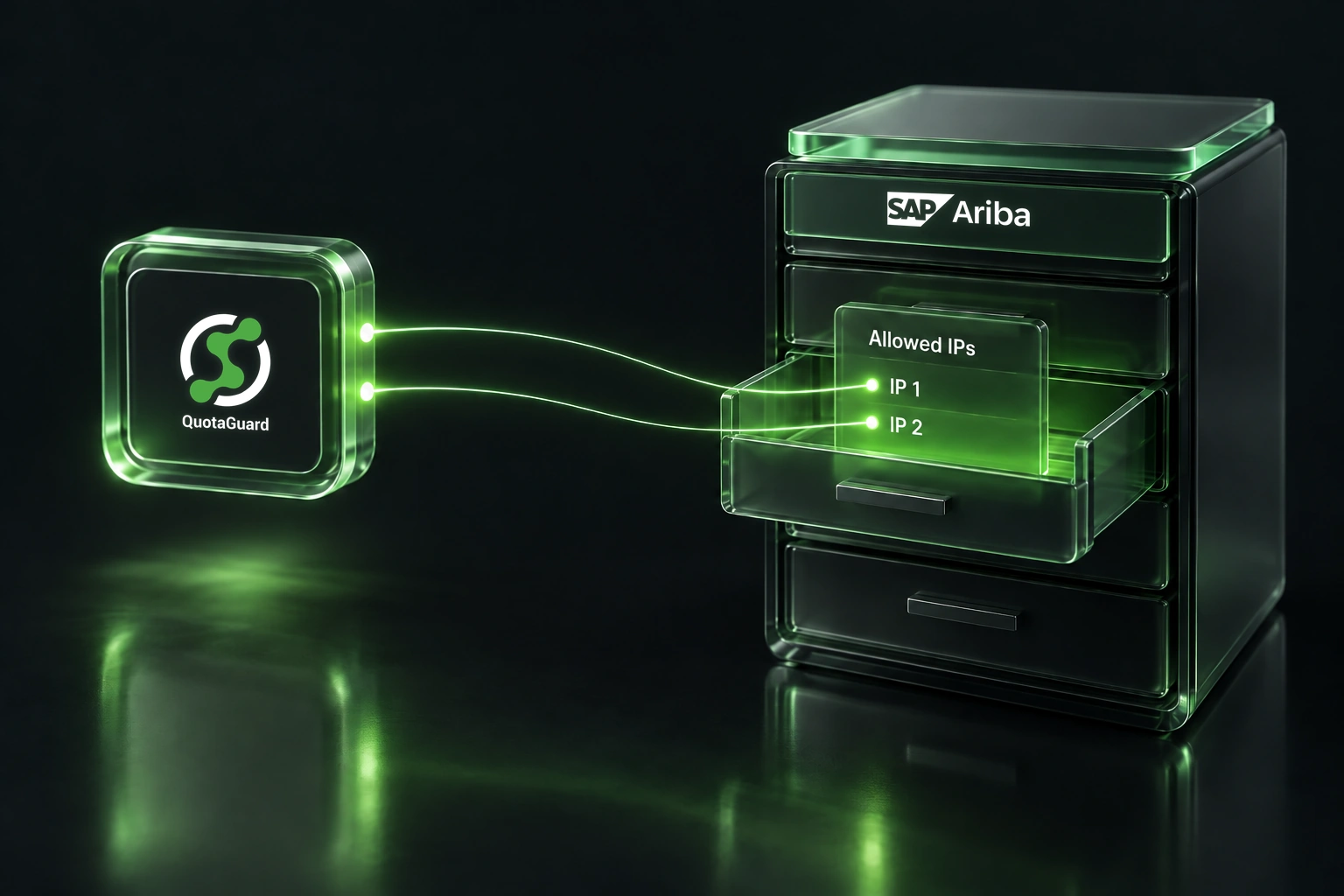
Two load-balanced static IPs start at $19/month. You route specific traffic through the proxy. No proxy servers to manage. Managed failover between the two IPs is included. The Starter plan includes 20,000 requests and 10 GB monthly bandwidth. Allowlist both assigned IPs and configure the application client to use the proxy, with appropriate timeouts and retries.
The trade-off: you're only routing traffic that specifically needs a static IP. Everything else goes directly out. For most teams, that's exactly what they need.
Choose a plan using both requests and bandwidth, then check whether the destination accepts shared addresses. Current direct Static plans are:
| Plan | USD/month | Requests/month | Bandwidth/month | IP/resources |
|---|---|---|---|---|
| Starter | $19 | 20,000 | 10 GB | Shared |
| Production | $49 | 100,000 | 50 GB | Shared |
| Business | $89 | 250,000 | 200 GB | Shared |
| Enterprise | $219 | 1,000,000 | 1 TB | Dedicated |
A fixed IP is not necessarily exclusive to your organization. Shared plans suit vendors that accept a stable shared pair; choose dedicated resources if the vendor or your policy requires exclusive egress identity. A dedicated pair still means allowing two addresses. QuotaGuard's soft limits cover unexpected spikes, not sustained use beyond a paid plan. Confirm request accounting for persistent tunnels, retries and your protocol with support rather than equating every application operation to one billable request. Check your purchase channel's plan if billing through a platform marketplace.
If you need SSL passthrough for regulated workloads, QuotaGuard Shield starts at $29/month. Static already tunnels outbound HTTPS without decrypting its payload; Shield also provides passthrough for inbound TLS. Use the Static vs. Shield comparison to choose the architecture. Compliance and any BAA require review of the actual configuration.
Option 2: Roll Your Own on EC2 or DigitalOcean
Cost: about $6/month for a small DigitalOcean example or $11.88/month for the EC2 example below, before transfer, redundancy and your time
You can run a Squid proxy or similar on a small EC2 instance or DigitalOcean Droplet. An on-demand Linux t3.micro in N. Virginia is $0.0104/hour: $7.592 at 730 hours. Add one public IPv4 ($3.65) and an illustrative 8 GiB gp3 volume ($0.64 at $0.08/GiB-month): $11.88/month, before transfer, snapshots and any surplus CPU credits. Sources: T3 pricing, gp3 storage pricing and VPC pricing above. These are sizing examples, not throughput benchmarks.
A $6/month Basic Droplet includes 1 GiB RAM, 25 GiB disk and 1,000 GiB transfer. Additional Droplet outbound transfer is $0.01/GiB, pooled at team level. Assign an AWS Elastic IP or a DigitalOcean Reserved IP as appropriate. DigitalOcean's assigned Reserved IP has no separate address fee; using it for outbound traffic requires outbound routing configuration, persisted across reboot. Technically, you have a static IP proxy.
This also means setting up the proxy software, configuring authentication, monitoring health, patching vulnerabilities, and replacing the instance when it dies. Give it a named owner, a patch schedule and a tested recovery procedure; a forgotten proxy is still a production dependency.
Works if you enjoy managing infrastructure. For a workload that fits Starter, the $19/month managed alternative is easier to operate. Compare dedicated or larger managed plans when that is what the vendor or traffic requires.
For two DIY servers, budget at least $12/month for the two $6 Droplets, or $23.76 for two EC2 examples, before transfer and failover tooling. The second machine alone does not create HA: you still own health checks, credential synchronization, routing/client failover and recovery tests. Restrict proxy access, enforce authentication and avoid running an open relay.
Option 3: NAT Gateway (When It Makes Sense)
Cost: $36.50/month for one AZ or $73/month for two AZs in this model, plus processing, transfer and operations
NAT Gateway is the right answer if you need all internet-bound IPv4 traffic routed through it from your VPC to appear from known IPs (not just one API call). Also makes sense if you're already deep in AWS VPC architecture, have very high throughput requirements, or need direct control over the network layer for compliance reasons. Routes and IP-family choices determine which traffic actually uses it; it is not a universal identity for every VPC connection.
For the specific use case of “I need one API call to come from a static IP,” building new NAT infrastructure can be overbuilt. If the gateway is already required for other workloads, compare the extra processing and transfer cost of that call against a proxy subscription. Its existing monthly base cost is not a saving unless you can actually retire that capacity.
Hidden Costs
Failover and redundancy. A zonal NAT gateway is redundant within its AZ, but sharing just one across AZs leaves an AZ dependency. AWS recommends same-AZ routing with one zonal gateway per AZ for resilience. The two-AZ base here is $73 including two IPv4s. QuotaGuard includes managed proxy failover in its plans, but neither option eliminates application retries, destination allowlisting or application availability work.
AWS also offers regional NAT gateways. Automatic mode expands across AZs with your workloads, simplifying the separate zonal-gateway design. Billing still follows active AZ-hours plus traffic and public IPs; do not price a multi-AZ deployment as one gateway-hour. Expansion can take up to 60 minutes, and automatically managed address/zone changes need consideration when a partner has a strict fixed allowlist. Review manual address management where you need explicit control. Regional NAT is for public connectivity, not private NAT.
Monitoring and alerting. NAT Gateway publishes CloudWatch metrics; dashboards and alarms and optional VPC Flow Logs need configuration and their own cost review. You need runbooks. With a managed proxy, use the service status page, usage dashboard and application-level checks; do not assume an external status page detects your client's configuration errors.
Operational debt. NAT Gateways deployed as quick fixes tend to get forgotten. A year later someone asks "Why are we spending $200/month on this?" A $19/month proxy bill is easy to justify and hard to forget.
DIY labor and maintenance. At an illustrative internal rate of $100/hour, four hours of setup amortized over 12 months is $33.33/month, and 30 minutes of ongoing work is another $50/month. A $6 server becomes $89.33/month in first-year infrastructure-plus-labor cost before transfer or incidents. Change those assumptions to match your team; staff time is not necessarily a cash saving. Ignoring setup, the $13 gap between $6 DIY and $19 Starter buys only 7.8 minutes/month at that rate.
Traffic path and runtime. A private-subnet Lambda still needs a reachable path to a public proxy; adding a proxy does not by itself remove NAT when private VPC dependencies remain. Both choices can retain host-platform bandwidth charges. Measure the extra hop from the actual region. Where duration is billed, estimate extra billed seconds × allocated memory in GB × your applicable runtime rate, plus any request/concurrency effects. Include changes for both alternatives rather than assuming compute costs cancel. AWS's Lambda networking guide explains the connectivity requirement.
Decision Framework
Use a proxy service if:
- You only need static IPs for specific outbound calls
- You run on a PaaS (Heroku, Render, Vercel, Railway) with a proxy-capable client and runtime
- You want managed failover
- You want to keep things simple
- You're cost-conscious and the appropriate request/bandwidth tier fits your budget
- The destination accepts the plan's shared IP pair, or you budget for dedicated resources
Roll your own if:
- You enjoy infrastructure work
- You have very specific proxy needs
- You're willing to monitor it
- You have measured throughput and connection capacity on the chosen instance size
- You budget for patches, recovery, redundancy and on-call ownership
Use NAT Gateway if:
- You already have a mature VPC architecture
- You need network-level egress translation for traffic that cannot conveniently use a proxy
- Your approved network design or compliance controls call for it
- You're processing terabytes monthly and the measured total cost/capacity favors NAT
- Your infrastructure team is already deep in AWS networking
The Numbers
For a typical scenario (Lambda + one partner API call), first compare the base infrastructure and operating responsibility. This table excludes traffic, application runtime and labor; the workload table below adds explicit traffic and request counts.
| Option | Setup | Monthly Cost | Failover | Managed |
|---|---|---|---|---|
| QuotaGuard Static | Subscription + client configuration + partner allowlist | From $19; Starter limits above | Managed pair; allowlist both | Proxy service; you own client/integration |
| DigitalOcean | Install/authenticate proxy; persist outbound Reserved IP route | $6 example; disk/1,000 GiB transfer included | One server has no second proxy; build redundancy | VM platform; you own proxy/OS |
| EC2 (t3.micro) | Instance, storage, Elastic IP, proxy/auth/firewall | $11.88 example including 8 GiB gp3 and IPv4 | One server has no second proxy; build redundancy | VM platform; you own proxy/OS |
| NAT Gateway (1 AZ) | VPC routes, zonal gateway and Elastic IP | $36.50 including one IPv4 | Redundant within AZ; AZ dependency remains | AWS NAT; you own network design |
| NAT Gateway (2 AZ HA) | One zonal gateway per AZ; same-AZ routes; allowlist both EIPs | $73.00 including two IPv4s | Independent zonal paths; app must run/recover across AZs | AWS NAT; you own routing and app HA |
| Regional NAT Gateway (2 active AZs) | Regional gateway, subnet routes and address/allowlist policy | $73.00 at these rates with one IPv4 per AZ | Automatic AZ expansion in automatic mode; see limits above | AWS NAT; you own address policy and app HA |
Factor in transfer fees on both routes before comparing the margin. QuotaGuard includes bandwidth up to its tier limits; it does not erase a host platform's own transfer bill. AWS pricing also includes an account-wide 100 GB/month internet transfer-out allowance across eligible services and regions, not a fresh allowance for each NAT gateway; use only the allowance actually remaining.
Buying scenarios: the workload changes the answer
The NAT figures below are two-AZ gateway + two IPv4s + processing only: $73 + $0.045 × stated billed GB. They assume same-AZ routing and exclude transfer, runtime and operations. QuotaGuard figures are the lowest listed direct Static tier fitting the stated request count, bandwidth and identity requirement. GB inputs are illustrative; replace them with measured billable usage.
| Scenario / monthly traffic | Static tier | Two-AZ NAT subtotal | Buying implication |
|---|---|---|---|
| Pilot: 20,000 requests, 8 GB; shared pair accepted | Starter: $19 | $73.36 | Strong managed-proxy fit when you would otherwise build NAT solely for allowlisting. |
| Original Lambda example: 300,000 requests, 15 GB | Enterprise: $219 | $73.68 | Requests exceed Business's 250,000 limit. $19 is not the matching quote; NAT can cost less before operations. |
| Vendor requires exclusive IPs: 10,000 requests, 5 GB | Enterprise: $219 | $73.23 | Shared Starter is not equivalent. Compare dedicated managed resources with your own IPs and operating work. |
| Bulk integration: 100,000 requests, 5,000–10,000 billed GB | Custom quote; exceeds published bandwidth | $298–523 | Measure transfer direction and capacity; do not compare a $19 plan with a multi-terabyte workload. |
Already using NAT? For the 15 GB case, the added processing is about $0.68 if no additional gateway/IP capacity is needed. Existing base charges stay on the bill. A proxy can still offer operational value, but a $73 base “saving” is unavailable if NAT must stay for other traffic.
Same processing, different transfer: suppose the 5,000 GB workload has 4,500 GB chargeable internet-bound traffic and 500 GB return traffic. With 100 GB allowance remaining and an illustrative $0.09/GB applicable transfer rate, add (4,500 − 100) × $0.09 = $396: the NAT subtotal becomes $694. Reverse the direction (500 GB out, 4,500 GB in) and transfer is $36, making $334. This holds other costs at zero to isolate direction; choose the actual region, destination, tiers and remaining allowance before budgeting.
Reduce unnecessary processing before switching. Review same-AZ routing and VPC endpoints. S3 and DynamoDB gateway endpoints have no hourly or data-processing charge; interface endpoints have their own prices. Avoid routing unrelated downloads and AWS service traffic through a paid proxy just to fix one partner's allowlist.
Reproduce the calculation offline
Save this as static_ip_cost.py and run python3 static_ip_cost.py with Python 3; it has no dependencies and makes no network calls. Edit the inputs for your region and workload. Enter separate measured AWS and QuotaGuard GB, outbound transfer and cost adjustments. The default deliberately leaves unknown costs at zero, so the result is a planning subtotal rather than an invoice.
from decimal import Decimal as D, ROUND_HALF_UP, getcontext

getcontext().rounding = ROUND_HALF_UP  # Round displayed cents consistently.

# Checked 2026-10-24; USD. Replace with your actual billing inputs.
hours, active_azs, public_ips = D("730"), 2, 2
nat_hour, ipv4_hour, nat_per_gb = D("0.045"), D("0.005"), D("0.045")
requests = 300_000  # Include retries; confirm provider request accounting.
aws_processed_gb, qg_bandwidth_gb = D("15"), D("15")
dedicated_required = False
internet_out_gb, free_out_remaining_gb = D("0"), D("100")
internet_per_gb = D("0.09")  # Simplified single tier; replace as needed.
# Includes cross-AZ, monitoring, runtime and operations, as applicable.
nat_other_usd, proxy_other_usd = D("0"), D("0")

plans = [
    ("Starter", D("19"), 20_000, D("10"), False),
    ("Production", D("49"), 100_000, D("50"), False),
    ("Business", D("89"), 250_000, D("200"), False),
    # Conservative planning threshold: 1 TB = 1,000 decimal GB here.
    # Reconcile the provider dashboard's metering before purchase.
    ("Enterprise", D("219"), 1_000_000, D("1000"), True),
]
eligible = [p for p in plans
            if requests <= p[2] and qg_bandwidth_gb <= p[3]
            and (not dedicated_required or p[4])]
base = hours * (active_azs * nat_hour + public_ips * ipv4_hour)
processing = aws_processed_gb * nat_per_gb
transfer = max(D("0"), internet_out_gb - free_out_remaining_gb) * internet_per_gb
print(f"NAT base: ${base:.2f}; processing: ${processing:.3f}; transfer: ${transfer:.2f}")
print(f"NAT modeled total: ${base + processing + transfer + nat_other_usd:.2f}")
print(f"Existing NAT, added usage only: ${processing + transfer + nat_other_usd:.2f}")
if eligible:
    name, price, *_ = min(eligible, key=lambda p: p[1])
    print(f"Static {name}, modeled total: ${price + proxy_other_usd:.2f}")
else:
    print("Static: custom quote required; no published tier fits these inputs")
Default output: NAT base $73.00, processing $0.675, transfer $0.00; modeled NAT total $73.68; existing-NAT added usage $0.68; Static Enterprise $219.00. For varying AZ uptime, replace the base calculation with the sum of actual AZ-hours and IP-hours. Use marginal adjustments in the existing-NAT line; do not include already-paid fixed costs there.
Common Questions
Can I use a NAT Instance instead of NAT Gateway?
Yes, and you may save on gateway charges. But you're back to managing infrastructure: size the NAT instance for sustained bandwidth, packets and connections, then add transfer, public IPv4, patches and failover. Performance and total savings depend on the instance and workload; they are not automatically worse or cheaper than a managed gateway.
What about CloudFront or other AWS services?
CloudFront gives you a CDN, not a static IP for outbound connections. Different problem.
Can I get a free static IP somehow?
There is generally a cost somewhere. AWS charges $0.005/hour for ordinary in-use and idle public IPv4 addresses under its standard policy. DigitalOcean includes an assigned Reserved IP without a separate address fee, but you still pay for its Droplet; unassigned Reserved IPv4 has its own charge. Check allowances, credits and your provider's actual plan rather than assuming an unused Elastic IP is free.
Is the proxy service blocked by firewalls?
The partner receives connections from the proxy's static IP, but a firewall can still block either leg. Your runtime must reach the proxy hostname/port, and the partner must allow both assigned egress IPs and the destination port. Confirm whether shared IPs are acceptable. IP allowlisting does not replace API authentication, TLS checks or vendor rate limits.
Verify the route before committing to a plan
- Measure monthly requests including retries and the combined bytes in both directions. Check peak connections, bursts, region/residency and whether the partner accepts a shared pair.
- Choose a fitting plan on the pricing page, then copy the actual proxy URL and both IPs from your dashboard. Store the URL as the secret
QUOTAGUARDSTATIC_URL; do not print it into logs. - From the same deployed runtime as the application, run the explicit-proxy check below with Bash and cURL. It overrides proxy-bypass lists for this one request.
# Prerequisite: QUOTAGUARDSTATIC_URL is set from your dashboard.
# Run in Bash from the deployed environment with curl installed.
: "${QUOTAGUARDSTATIC_URL:?Set the proxy URL as a secret first}"
curl --fail --silent --show-error --connect-timeout 10 --max-time 30 \
  --noproxy "" --proxy "$QUOTAGUARDSTATIC_URL" \
  https://ip.quotaguard.com
The response should contain an IP matching one of the dashboard's pair. Repeated checks may show only one; that does not prove the other address failed. This check proves only this cURL route. Configure the actual partner API client explicitly, make a harmless authenticated request, and ask the partner to confirm the source address in its logs. Measure latency/error rate and metered usage before choosing the final tier; arrange a controlled recovery test without modifying production allowlists. See the documented IP check and Lambda integration guide for client setup.
- 407 proxy authentication error: check the dashboard credentials and URL encoding. Keep credentials out of shared logs.
- Timeout / connection refused: check DNS, the actual proxy port, egress firewall and VPC internet path. A private-subnet function without public reachability cannot reach a public proxy.
- IP check works but partner returns 401/403: confirm both IPs are allowed, then inspect application credentials, permissions and vendor policy. Ensure the production client follows the same proxy route.
- Plan usage differs from your estimate: inspect retries, redirects, background jobs, response bytes, tunnel accounting and unrelated proxied traffic; reconcile the dashboard before extrapolating costs.
The Honest Take
NAT Gateway is well-engineered. If you need everything it does, it's worth the cost. A team that needs static IPs for one integration may get better value from selective proxying. Request volume, bandwidth, dedicated identity and existing infrastructure decide which bill is lower.
For a use case fitting Starter's 20,000 requests and 10 GB, $19/month solves the managed static-IP part. Start there if the partner accepts shared IPs. If you outgrow it, compare a larger plan, dedicated capacity or NAT Gateway; changing egress IPs requires a coordinated allowlist update and connection testing.
Use the integration docs to test one real connection, then select the plan from measured usage. If you decide to replace an existing gateway, the NAT-to-QuotaGuard migration guide covers the cutover. Keep infrastructure that still serves other workloads.
Try QuotaGuard. It costs less than lunch for a month.
QuotaGuard Static IP Blog
Practical notes on routing cloud and AI traffic through Static IPs.


.webp)

.webp)