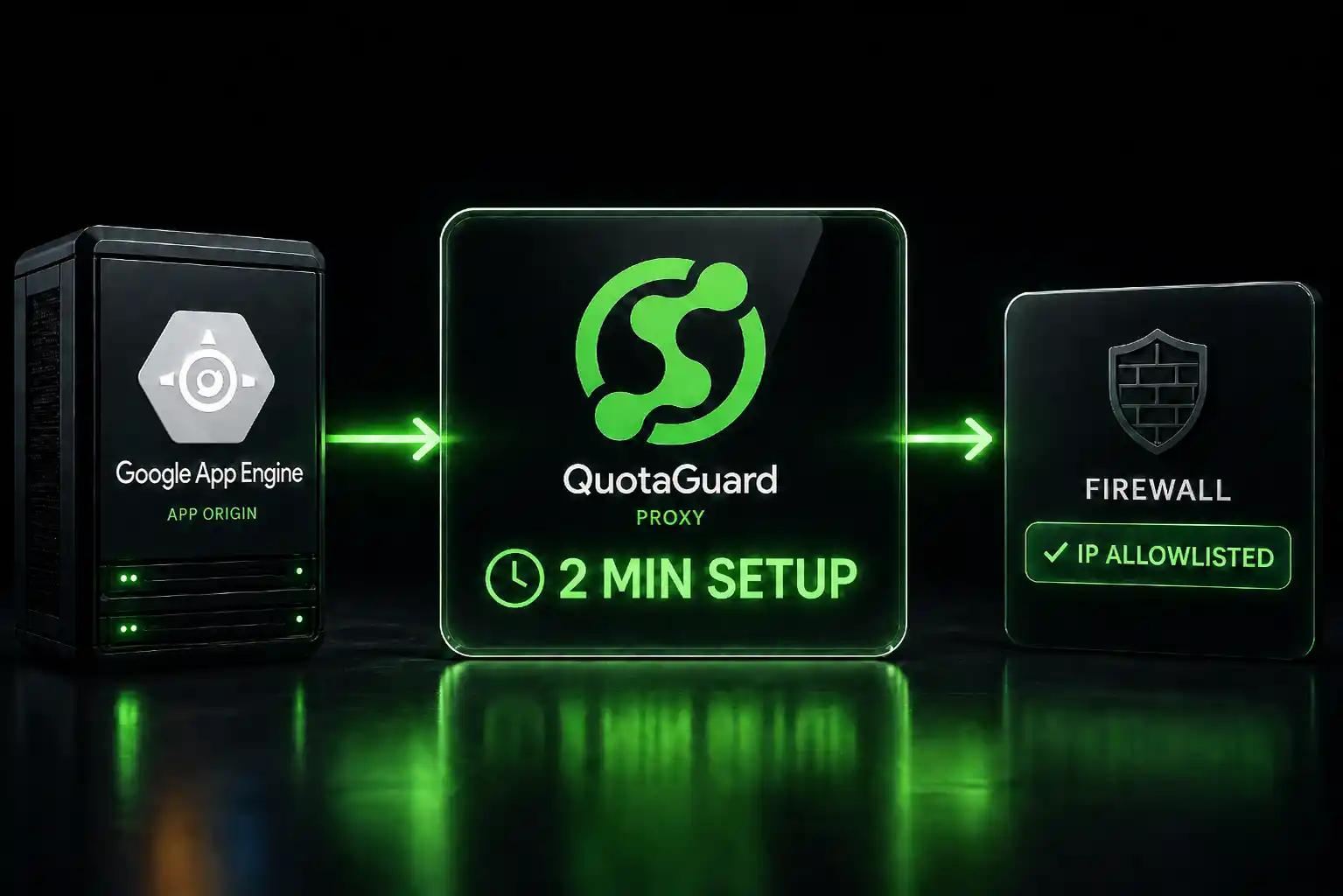
Give Google App Engine a Static Outbound IP for Firewall Allowlisting

April 27, 2026
5 min read
Pattern

Point App Engine at QuotaGuard Static, set QUOTAGUARDSTATIC_URL, and every outbound request leaves from the same fixed IP address.

App Engine assigns dynamic IP ranges to outbound requests. Those ranges shift without notice. If you're trying to allowlist your app on a firewall, a database, or a third-party API, "use our IP range" isn't a real answer. You need one IP that doesn't change.

App Engine Assigns Dynamic Outbound IPs From Shared Google Pools

When your App Engine standard or flexible environment app makes an outbound HTTP request, Google routes it through a shared pool of egress IPs. Google publishes these ranges but doesn't guarantee which one your traffic uses on any given request. They update the ranges regularly. Firewall rules built on these ranges break without warning.

This is a well-documented problem. The developer who filed this thread on the Google Developer forum ran into exactly this: they needed a static IP to satisfy a firewall allowlist requirement and found no native App Engine solution.

Google's own recommendation for static egress from App Engine involves Cloud NAT, VPC connectors, and Serverless VPC Access. It works, but it's a multi-step GCP infrastructure project. You're creating a VPC, attaching a connector, setting up a Cloud NAT gateway, reserving a static IP, and routing traffic through the whole chain. That's 45 minutes minimum, more if you haven't touched VPC networking before, and it adds GCP infrastructure costs on top.

QuotaGuard Static is one environment variable and 2 minutes.

An HTTP Proxy Gives App Engine a Fixed Egress IP in 2 Minutes

QuotaGuard Static is an HTTP/HTTPS/SOCKS5 proxy that runs on AWS infrastructure. Your App Engine app connects to it over the standard HTTP CONNECT tunnel. All outbound requests that go through the proxy exit from QuotaGuard's static IP. You give that IP to whoever runs the firewall, and you're done.

App Engine supports environment variables natively. You set QUOTAGUARDSTATIC_URL in your app.yaml and configure your HTTP client to use it. That's the full setup.

QuotaGuard tip: only route the traffic that needs a static IP through the proxy. If your app makes outbound calls to ten different services and only one requires allowlisting, proxy only that one. It keeps latency low and makes the proxy easy to remove if you ever switch approaches.

App Engine Static IP Setup Is One Config File Change

Here's how to set it up. The steps work for both App Engine Standard and App Engine Flexible.

Step 1: Sign up for QuotaGuard Static. Plans start at $19/month. The dashboard gives you your QUOTAGUARDSTATIC_URL immediately. It looks like this:

http://username:password@us-east-static-01.quotaguard.com:9293

Pick the region closest to the API or database you're allowlisting against. QuotaGuard runs in 10 AWS regions including US-East, US-West, EU-West, EU-Central, AP-Southeast, and more.

Step 2: Add the environment variable to your app.yaml.

runtime: python312

env_variables:
  QUOTAGUARDSTATIC_URL: "http://username:password@us-east-static-01.quotaguard.com:9293"

Step 3: Configure your HTTP client to use the proxy. How you do this depends on your language and library.

Python (requests):

import os
import requests

proxy_url = os.environ.get("QUOTAGUARDSTATIC_URL")
proxies = {
    "http": proxy_url,
    "https": proxy_url,
}

response = requests.get("https://api.example.com/endpoint", proxies=proxies)

Node.js (node-fetch with https-proxy-agent):

const fetch = require('node-fetch');
const { HttpsProxyAgent } = require('https-proxy-agent');

const proxyUrl = process.env.QUOTAGUARDSTATIC_URL;
const agent = new HttpsProxyAgent(proxyUrl);

const response = await fetch('https://api.example.com/endpoint', { agent });

Java (Apache HttpClient):

import org.apache.http.HttpHost;
import org.apache.http.impl.client.CloseableHttpClient;
import org.apache.http.impl.client.HttpClients;
import org.apache.http.client.methods.HttpGet;

String proxyUrl = System.getenv("QUOTAGUARDSTATIC_URL");
// Parse host and port from the URL
HttpHost proxy = new HttpHost("us-east-static-01.quotaguard.com", 9293, "http");

CloseableHttpClient client = HttpClients.custom()
    .setProxy(proxy)
    .build();

Step 4: Deploy and give your static IP to the firewall admin. Your static IP is shown in the QuotaGuard dashboard. It doesn't change. Add it to the allowlist, and you're done.

App Engine Flexible and Standard Both Work the Same Way

The proxy configuration is identical regardless of which App Engine environment you use. Standard and Flexible both support environment variables in app.yaml. Both support outbound HTTP connections through a proxy. Neither requires changes to the application's network topology.

If you're using the App Engine Admin API or deploying via gcloud, you can also set environment variables at deploy time:

gcloud app deploy --set-env-vars QUOTAGUARDSTATIC_URL="http://username:password@us-east-static-01.quotaguard.com:9293"

For apps already running, update the variable in your app.yaml and redeploy. No infrastructure changes required.

SOCKS5 Works When Your Client Needs a Lower-Level Proxy

Some clients, database drivers in particular, don't support HTTP CONNECT proxies. They need SOCKS5. QuotaGuard Static supports SOCKS5 on port 1080.

socks5://username:password@us-east-static-01.quotaguard.com:1080

The same static IP applies whether you connect via HTTP proxy or SOCKS5. You give the same IP to the firewall admin either way.

QuotaGuard Shield Handles Regulated Data on App Engine

If your App Engine app talks to healthcare APIs, processes payment data, or touches anything that falls under HIPAA or PCI-DSS, use QuotaGuard Shield instead of Static.

The setup is nearly identical. The difference is that Shield uses SSL passthrough. The TLS connection runs end-to-end between your app and the destination. QuotaGuard's infrastructure routes the packets but never decrypts them. That means QuotaGuard never sees your data in transit.

For HIPAA, that means QuotaGuard isn't a Business Associate in the traditional sense. For PCI-DSS, it means card data is never exposed to a third-party intermediary. For SOC 2, it satisfies controls around data protection in transit.

The environment variable is QUOTAGUARDSHIELD_URL and Shield connects on port 9294 using HTTPS:

https://username:password@us-east-shield-01.quotaguard.com:9294

Swap the environment variable in your code, redeploy, done. Learn more at quotaguard.com/products/quotaguard-shield.

QuotaGuard Static Pricing Starts at $19/Month

QuotaGuard Static direct plans:

  • Starter: $19/month
  • Production: $49/month
  • Business: $89/month
  • Enterprise: $219/month (dedicated IPs)

QuotaGuard Shield direct plans:

  • Starter: $29/month
  • Production: $59/month
  • Business: $109/month
  • Enterprise: $259/month (dedicated IPs)

All plans include a 3-day trial. Enterprise plans include a 7-day trial. Credit card required for all trials. Dedicated IPs are available on Enterprise plans only.

Compare that to the Cloud NAT route: a reserved static IP costs around $7/month on GCP, but you're also paying for a Cloud NAT gateway, a VPC connector (billed per hour), and the time to set it up and maintain it. For most teams, QuotaGuard Static is cheaper in total cost and much cheaper in time spent.

See full pricing at quotaguard.com/products/pricing.

QuotaGuard Static IP Blog

Practical notes on routing cloud and AI traffic through Static IPs.

Reliability Engineered for the Modern Cloud

For over a decade, QuotaGuard has provided reliable, high-performance static IP and proxy solutions for cloud environments like Heroku, Kubernetes, and AWS.

Get the fixed identity and security your application needs today.