Fixing the 404-QPG97-STATUS Error on QNB VPOS Through a Static IP Proxy

QuotaGuard Engineering
August 24, 2026
5 min read
Pattern

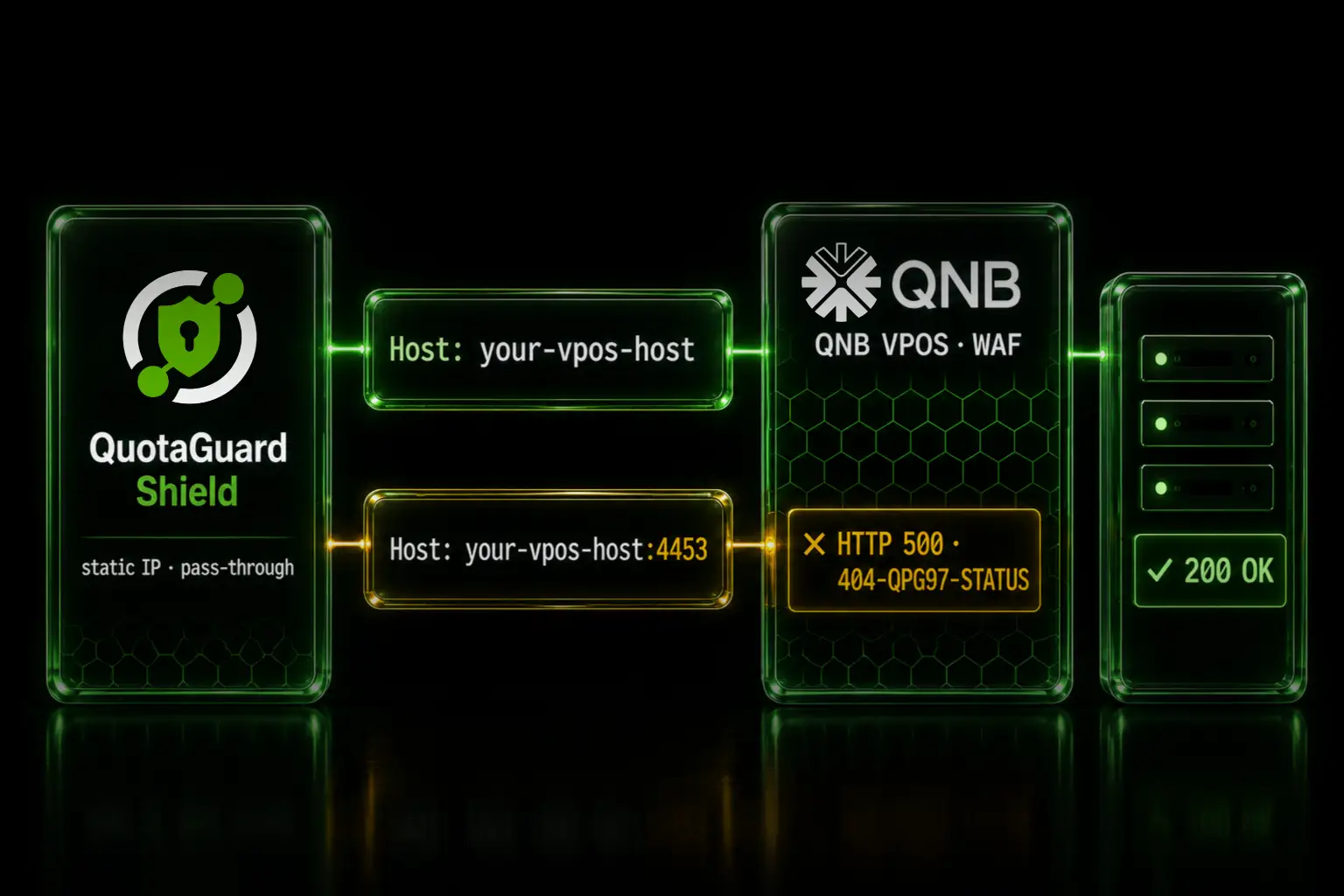
The 404-QPG97-STATUS page comes from QNB's WAF rejecting a Host header that contains a port. Send the Host header without the port to fix it.

You route your QNB VPOS payment POSTs through a static IP proxy so the bank can allowlist a fixed source address. The call returns HTTP 500 with a block page containing the string 404-QPG97-STATUS. Take the proxy out of the path and the same call appears to work, so the proxy looks guilty. It isn't. The block page is QNB's, and the trigger is a port sitting in your Host header.

The 404-QPG97-STATUS block page comes from QNB's WAF, not your proxy

QNB VPOS listens on a non-standard port. Your endpoint URL looks like https://your-vpos-host:4453/.... When an HTTP client connects to a non-default port, it writes that port into the Host header. The header goes out as Host: your-vpos-host:4453.

QNB's web application firewall rejects any Host header that carries a port. It answers with HTTP 500 and a body containing 404-QPG97-STATUS. The 404 in that string is part of QNB's block-page label. It is not an HTTP 404. The actual response status is 500.

QuotaGuard passes tunneled requests through unchanged. It does not rewrite the Host header and it does not inject block pages. So a block page you see through the proxy was generated at the destination, and whatever Host header your client set is exactly what QNB's WAF read.

Reproduce the request outside the proxy to isolate the Host header

Confirm the source before you change any code. Send the same POST from a machine that is not going through the proxy, and vary only the Host header. Set URL to your existing QNB VPOS endpoint, unchanged, including the :4453 port.

URL='https://your-vpos-host:4453/...'   # your existing QNB VPOS endpoint, unchanged
 
# Host WITHOUT the port -> returns 200
curl -sS -o /dev/null -w '%{http_code}\n' -X POST -H "Host: your-vpos-host" "$URL"
 
# Host WITH the port -> returns 500 and the 404-QPG97-STATUS block page
curl -sS -X POST -H "Host: your-vpos-host:4453" "$URL"

The first call returns 200. The second returns the 500 block page with 404-QPG97-STATUS. The only variable that changed is the port in the Host header. That proves the cause is the header value and the responder is QNB, independent of QuotaGuard.

Set the Host header without the port to fix it

Keep the URL exactly as it is, port included, because the connection still has to reach :4453. Override only the Host header so it goes out without the port. In axios that is one line.

const axios = require('axios');
 
// PAYMENT_URL is your existing QNB VPOS endpoint, e.g. https://your-vpos-host:4453/...
// Leave it exactly as-is. Do not strip the port from the URL.
await axios.post(PAYMENT_URL, payload, {
  headers: {
    Host: 'your-vpos-host'   // same host, :4453 removed from the header only
  }
});

Setting the Host header explicitly overrides the host:port value the client would otherwise derive from the URL. The request still connects to port 4453. QNB's WAF now sees a clean Host header and passes the POST to the gateway. The same principle applies in any HTTP client. Set the Host header yourself, without the port.

Confirm the fix in your QuotaGuard dashboard log viewer

Open the log viewer in your QuotaGuard dashboard and query the window around your test. You will see the request leaving from one of your subscription's static IPs with a 200 status. QuotaGuard gives your subscription two load-balanced static IPs, and those are the addresses a payment gateway allowlists. The log viewer supports query windows from 60 minutes up to 7 days, which is enough to confirm the before-and-after on a single change.

Route card traffic through QuotaGuard Shield for a TLS-encrypted proxy hop

QNB VPOS carries card data, so QuotaGuard Shield is the right product for this workload. On outbound, neither Static nor Shield decrypts your payload. The difference is the first hop. Shield's connection from your app to the proxy is TLS-encrypted where Static's is plaintext. For regulated payment traffic that first hop matters. The Host header fix above is identical on Shield. See QuotaGuard Shield for the product details.

Check the Host header first whenever a WAF blocks a proxied request

This QNB case is one instance of a general pattern. A proxied request fails at a destination WAF, the direct request looks fine, and the proxy takes the blame for a rule that lives at the destination. The full write-up of the pattern, how to spot it, and why the fix is always client-side is here: A port in the Host header blocks proxied requests at a WAF when direct requests work.

If you need a fixed source IP to register with QNB or any payment gateway, see quotaguard.com/products/pricing.

QuotaGuard Static IP Blog

Practical notes on routing cloud and AI traffic through Static IPs.

Reliability Engineered for the Modern Cloud

For over a decade, QuotaGuard has provided reliable, high-performance static IP and proxy solutions for cloud environments like Heroku, Kubernetes, and AWS.

Get the fixed identity and security your application needs today.