Use pg8000 Instead of psycopg2 for PostgreSQL Static IPs on Managed Python Platforms

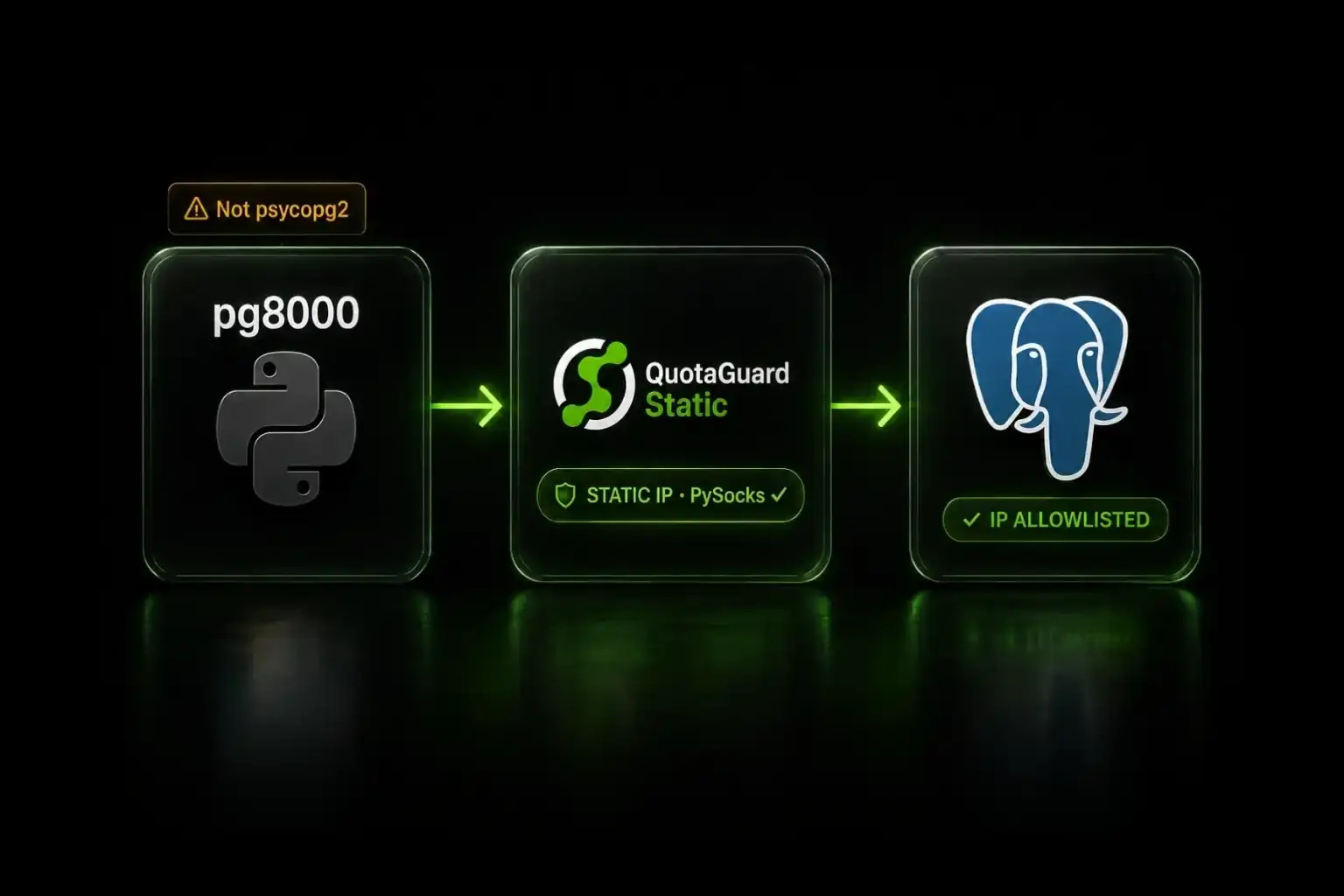
psycopg2 wraps libpq, a C library that bypasses Python's socket layer. SOCKS proxies never apply. Switch to pg8000, a pure-Python PostgreSQL driver, instead.
If you're trying to give a PostgreSQL connection a static IP on PythonAnywhere, Netlify Functions, or any other managed Python platform that restricts custom binaries, the PySocks pattern that works for MySQL and MongoDB silently fails for psycopg2. The connection succeeds. Your queries return data. The static IP never gets used. Your traffic still exits from the platform's dynamic IPs. The fix is to switch PostgreSQL drivers.
The Fix: Switch From psycopg2 to pg8000 on Managed Platforms
pg8000 is a pure-Python PostgreSQL driver that implements the PostgreSQL wire protocol in Python rather than wrapping libpq. Because pg8000 uses Python's standard socket module to create and manage its connections, PySocks's socket patches apply normally. Outbound traffic routes through QuotaGuard's static IPs as expected.
Install pg8000 alongside PySocks:
pip install pg8000 PySocksReplace your psycopg2 connection code with pg8000's equivalent, configure PySocks before importing pg8000, and the static IP routing works the same way it does for any other pure-Python database driver.
psycopg2 Bypasses Python-Level SOCKS Proxies Because It Wraps libpq
psycopg2 is the default PostgreSQL driver for most Python applications. It's a thin Python wrapper around libpq, PostgreSQL's official C client library. libpq is what handles the actual networking: it creates the socket, manages the TCP connection to PostgreSQL, sends the wire protocol messages, and reads the responses. All of that happens in C, outside Python's socket module.
PySocks works by replacing socket.socket with a SOCKS-aware wrapper at the Python level. Any code that creates connections through Python's socket module honors the patch. libpq doesn't use Python's socket module. It calls the operating system's socket APIs directly through C. PySocks has no way to intercept those calls because they never pass through Python.
The result is the silent failure pattern: your application connects to PostgreSQL successfully, queries run, results come back. From your code's perspective, everything works. But the outbound IP your database sees is whatever IP the managed platform assigned to your process, not your QuotaGuard static IP. If your destination database has IP allowlisting enabled, the connection will fail at the firewall before it ever reaches PostgreSQL.
Worse, if the destination accepts your connection (for example, during initial testing from a permissive setup), you'll think the proxy is working. The bug doesn't surface until your customer's firewall blocks the dynamic IP weeks later in production.
pg8000 Implements the PostgreSQL Wire Protocol in Pure Python
pg8000 takes a fundamentally different approach. Instead of wrapping libpq, it implements the PostgreSQL Frontend/Backend Protocol (FEBE) directly in Python. It handles message framing, type codecs, prepared statements, and the entire wire protocol in pure Python code. The only system call it makes for networking is socket.socket() from Python's standard library.
From the verified pg8000 documentation: "pg8000 is a pure-Python PostgreSQL driver that complies with DB-API 2.0. It is tested on Python versions 3.8+, on CPython and PyPy, and PostgreSQL versions 12+."
Because pg8000's socket creation goes through Python's socket module, PySocks's patch applies the same way it does for redis-py, cassandra-driver, pymongo, and other pure-Python clients. Configure PySocks once, import pg8000 after the patch is in place, and every database connection routes through your QuotaGuard static IPs.
The Migration From psycopg2 to pg8000 Is Mostly API Substitution
The two drivers are both DB-API 2.0 compliant, so the core surface is similar. A few real differences matter when migrating code.
Parameter substitution syntax. psycopg2 uses %s placeholders. pg8000's native API uses :name for named parameters. Its DB-API mode supports both styles depending on the paramstyle setting.
Connection arguments. psycopg2 accepts a single connection string or keyword arguments. pg8000 expects keyword arguments: host, port, database, user, password. If your code parses a DATABASE_URL environment variable for psycopg2, you'll need to extract the components and pass them to pg8000 individually, or use a URL parser like urllib.parse.urlparse.
Cursor behavior. Both drivers expose cursors via DB-API 2.0. Minor differences exist around server-side cursors and specific fetch behaviors that mostly don't matter for application code.
SSL handling. psycopg2 uses libpq's SSL configuration via connection parameters like sslmode. pg8000 handles SSL through a separate ssl_context parameter that takes a Python ssl.SSLContext object. If you're connecting to a PostgreSQL database that requires SSL (most managed PostgreSQL services do), you'll create the SSL context explicitly in pg8000.
Type adapters. If your application uses custom psycopg2 type adapters (for example, to handle PostGIS geometry or custom enums), pg8000 has its own type registration API that's similar but not identical. Most applications don't customize this layer and can ignore it.
For applications using SQLAlchemy, the migration is even smaller: change the engine URL from postgresql://... (which defaults to psycopg2) or postgresql+psycopg2://... to postgresql+pg8000://.... SQLAlchemy handles most driver-specific differences underneath your ORM code. One documented gap: SQLAlchemy's PostgreSQL dialect notes that ENUM types don't work with pg8000. If your schema uses PostgreSQL ENUMs, refactor those columns to use VARCHAR with check constraints, or pick a different path. SQLAlchemy also requires pg8000 1.29.8+ for range and multirange type support.
asyncpg Works With PySocks (Unlike psycopg2)
If you need async PostgreSQL access on a managed platform, asyncpg is compatible with PySocks even though it uses Cython for performance. asyncpg's Cython code handles protocol parsing and type codecs, but socket creation goes through Python's asyncio transports, which use the standard socket module that PySocks patches.
asyncpg's maintainer confirmed this directly in asyncpg issue #340: "Unlike psycopg2, asyncpg uses the regular Python socket, which, I presume, gets patched by PySocks. psycopg2 uses libpq under the hood, which uses libc sockets directly." A user on the same thread reported that socks.set_default_proxy() successfully routes asyncpg connections through the SOCKS proxy.
The practical implication: if your application is already async and uses asyncpg, you don't need to migrate to pg8000. Configure PySocks before importing asyncpg, and outbound connections route through QuotaGuard's static IPs the same way they would for any synchronous code.
One caveat: asyncpg requires pre-compiled wheels for the Cython extensions. On platforms where pip-installable wheels are available (PythonAnywhere, most managed platforms with standard Python distributions), this isn't an issue. On highly restricted runtimes, verify asyncpg installs cleanly before relying on this path.
QuotaGuard Tip: Verify Your Static IP Is Actually Being Used
The silent-failure pattern is the worst part of this problem. The fix is to verify outbound IPs explicitly during setup rather than assuming the configuration works because queries return data.
Add this check after configuring PySocks and before opening database connections:
import os
import requests

proxy_url = os.environ["QUOTAGUARDSTATIC_URL"]
proxies = {"http": proxy_url, "https": proxy_url}
response = requests.get("https://ip.quotaguard.com", proxies=proxies)
print(f"Outbound IP through proxy: {response.json()['ip']}")
The IP returned should match one of your two static IPs from the QuotaGuard dashboard. If it does, the proxy is working at the HTTP level. Then test the database connection with a query that returns the server's view of your IP:
import pg8000.dbapi

conn = pg8000.dbapi.connect(
    host="your-postgres-host",
    port=5432,
    database="your-db",
    user="your-user",
    password="your-password",
)
cur = conn.cursor()
cur.execute("SELECT inet_client_addr()")
print(f"PostgreSQL sees client IP: {cur.fetchone()[0]}")
The IP PostgreSQL reports should match one of your QuotaGuard static IPs. If it matches the HTTP test but not the PostgreSQL test, you're still on a C-extension driver somewhere in the stack. Re-check imports.
For Platforms That Allow Custom Binaries, QGTunnel Solves This at the TCP Layer
If your application runs on Heroku, Render, Fly.io, Kubernetes, or a VPS where you can execute custom binaries, you don't need to change PostgreSQL drivers. QGTunnel is QuotaGuard's standalone proxy process that tunnels raw TCP traffic through your static IPs. It operates below the application layer, so any PostgreSQL client (psycopg2, asyncpg, libpq directly) routes through QuotaGuard's IPs without modification.
QGTunnel intercepts the TCP connection before it reaches PostgreSQL's network code. The client library doesn't know or care that the traffic is being routed. This is what makes it work for psycopg2 and asyncpg where PySocks fails.
The trade-off is platform compatibility. QGTunnel requires the ability to run a binary alongside your application. Managed Python platforms like PythonAnywhere, Netlify Functions, Supabase Edge Functions, and Bubble.io don't support this. For those platforms, switching to pg8000 is the only path.
Frequently Asked Questions
Does pg8000 work with SQLAlchemy?
Yes. SQLAlchemy supports pg8000 as a PostgreSQL dialect. Change your engine URL from postgresql:// or postgresql+psycopg2:// to postgresql+pg8000://. Most ORM code stays the same. Some advanced features that depend on psycopg2-specific behavior may need adjustment.
Is pg8000 actively maintained?
Yes. pg8000 is maintained at github.com/tlocke/pg8000 and is regularly updated for new PostgreSQL versions. Current releases support Python 3.8+ on CPython and PyPy, and PostgreSQL 12+.
Is pg8000 slower than psycopg2?
Yes, by a measurable margin. psycopg2's libpq wrapper benefits from C-level performance for parsing and type conversion. pg8000 implements all of this in Python. For most application workloads (request-response queries from a web app or batch script), the difference is negligible. For high-throughput data pipelines, the gap matters and is a reason to keep psycopg2 on platforms that support QGTunnel.
Does this affect Django?
Django officially supports only psycopg2 and psycopg3 for PostgreSQL, both of which depend on libpq. A third-party django-pg8000 backend exists on PyPI, maintained by pg8000's author. The current version (0.0.5 as of January 2024) is alpha and the README explicitly states it doesn't pass all of Django's test suite. Not recommended for production. For Django deployments hitting this problem in production, the practical paths are to move to a platform that supports custom binaries (most Django deployments don't run on PythonAnywhere or Netlify Functions for unrelated reasons), or self-host PostgreSQL on a network where IP allowlisting isn't required.
What about psycopg3?
psycopg3 doesn't solve this problem. It ships in three flavors (binary, C, pure-Python), but all three depend on libpq for PostgreSQL networking. The "pure-Python" flavor is misleadingly named: the wrapper is Python (using ctypes to call into libpq), but the underlying socket creation still happens in libpq's C code. PySocks patches never reach it. For PostgreSQL through PySocks on managed platforms, use pg8000 (synchronous) or asyncpg (async), not psycopg3.
Why does this only affect SOCKS proxies and not HTTP proxies?
PostgreSQL doesn't use HTTP. The wire protocol is a custom TCP-based protocol. HTTP proxies only handle HTTP traffic, so they're irrelevant for PostgreSQL connections regardless of driver. SOCKS5 is a lower-level protocol that can tunnel arbitrary TCP traffic, including the PostgreSQL wire protocol, which is why it's the proxy type that QuotaGuard's PySocks-based pattern uses for non-HTTP traffic.
Can I use QuotaGuard for PostgreSQL on AWS Lambda?
Yes, but the approach depends on your packaging. AWS Lambda allows custom binaries via Lambda layers, so QGTunnel works there. Bundle QGTunnel in a layer, configure your function to start it during initialization, and psycopg2 or asyncpg connects through the tunnel transparently. The pg8000 + PySocks approach also works on Lambda if you prefer pure-Python.
Will switching to pg8000 break my PostgreSQL-specific features?
Most won't break. pg8000 supports prepared statements, transactions, server-side cursors, COPY operations, and standard PostgreSQL data types including JSON, JSONB, arrays, and composite types. It maps PostgreSQL interval to datetime.timedelta where possible, which matches what other drivers do. Features that depend on psycopg2-specific extension APIs (like libpq's notify/listen subscription pattern) need to be re-implemented using pg8000's equivalents, which exist but have different syntax.
The Bigger Pattern: Any C-Extension Library Bypasses PySocks
This isn't unique to PostgreSQL. Any database driver or networking library that wraps a C library has the same incompatibility with PySocks. Other examples include cx_Oracle (Oracle), pyodbc (ODBC), and the C-extension versions of various MQ clients. The pattern is consistent: if the library imports from a C extension (.so or .pyd file) and that extension handles networking internally, PySocks doesn't apply.
When evaluating a library for use on a managed Python platform that needs static IP routing, check whether it's pure-Python or wraps a C library. The PyPI page usually indicates this in the project description. Pure-Python alternatives exist for most major databases:
- PostgreSQL (sync): pg8000 (pure-Python) instead of psycopg2 or psycopg3
- PostgreSQL (async): asyncpg works directly with PySocks (Cython for parsing, but Python sockets for networking)
- MySQL: mysql-connector-python with
use_pure=Trueexplicitly set. The default isuse_pure=False(C extension) as of v8.0.11+, which won't work with PySocks. Or use PyMySQL, which is pure-Python by design - MongoDB: pymongo with the SOCK_CLOEXEC and mongodb+srv workarounds documented in the existing PyMongo SOCKS post
- MS SQL Server: pymssql (pure-Python, recommended by PythonAnywhere)
- Redis: redis-py (pure-Python)
- Cassandra: cassandra-driver (uses Python sockets; the optional libev C extension only optimizes event loop scheduling, not socket I/O)
For databases without a pure-Python driver option, move to a platform that supports QGTunnel.
Three Compatible Paths, One Binary Choice
If you're on a managed Python platform and need PostgreSQL behind an IP allowlist, three drivers honor PySocks-based SOCKS routing: pg8000 (synchronous, pure-Python), asyncpg (async, Cython parsing but Python sockets), and mysql-connector-python with use_pure=True (for the MySQL case, not PostgreSQL). psycopg2 and all psycopg3 flavors don't work because they route through libpq.
The real decision is whether your bigger constraint is the managed platform or the existing psycopg2 codebase. If you can change drivers, pick pg8000 (sync) or asyncpg (async) based on your application's IO model. If you can't change drivers, move to a platform that supports custom binaries and run QGTunnel, which works at the TCP layer below libpq.
QuotaGuard Static starts at $19/month and includes both PySocks proxy access (for pg8000 or asyncpg on managed platforms) and QGTunnel (for psycopg2 on platforms with binary support). 3-day trial, credit card required. See pricing or contact us with setup questions.
QuotaGuard Static IP Blog
Practical notes on routing cloud and AI traffic through Static IPs.