PythonAnywhere's Recommended Static IP Solution for Database and ODBC Allowlisting

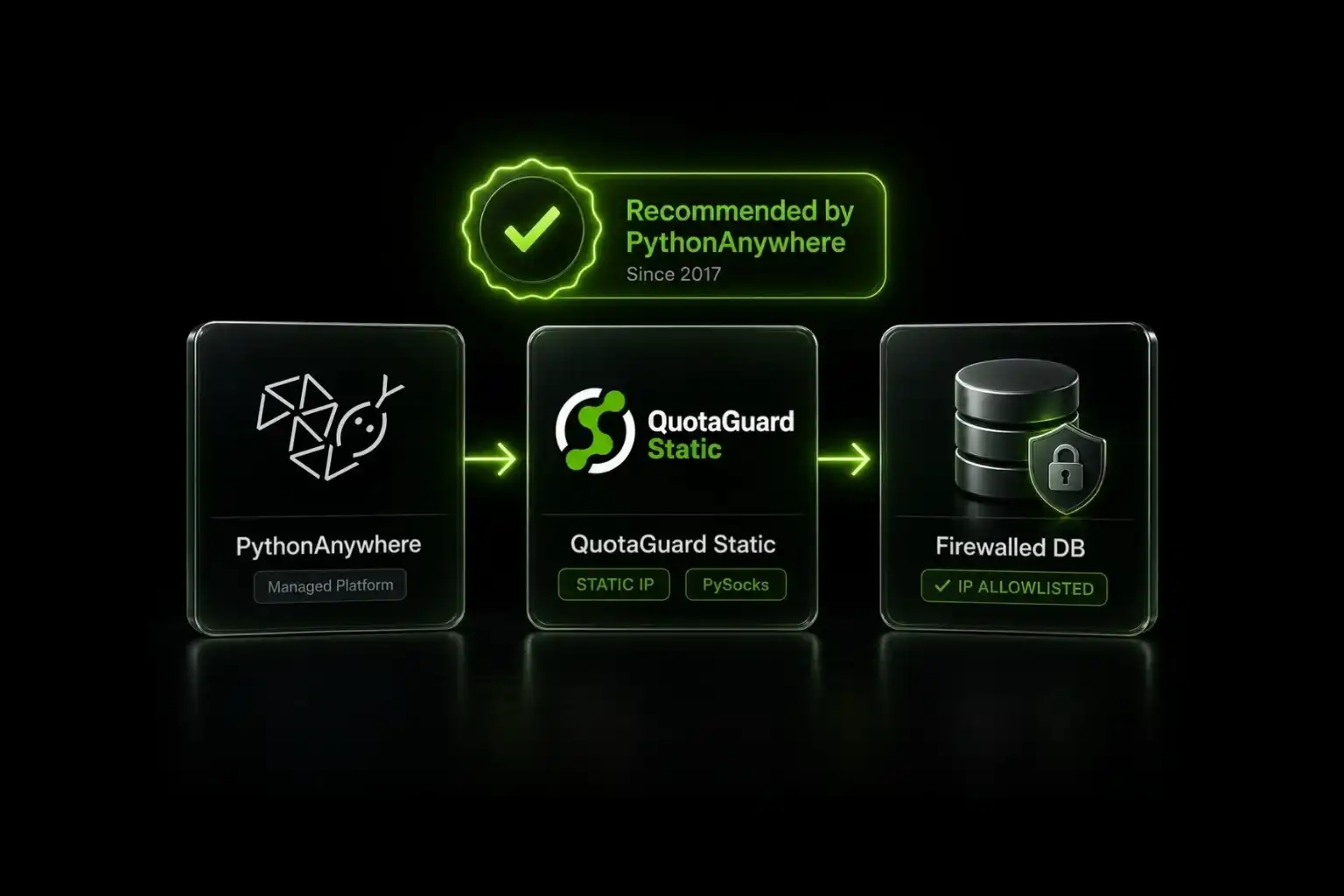
PythonAnywhere's official docs recommend QuotaGuard for non-HTTP traffic like MySQL and ODBC. Configure PySocks once and your database connections route through two static IPs.
If your PythonAnywhere code needs to reach a firewalled database or a service that requires IP allowlisting, PythonAnywhere's own documentation points you to QuotaGuard. The recommendation appears on their static IPs help page and has stood since 2017.
PythonAnywhere's Docs Already Point to QuotaGuard
PythonAnywhere's Static IPs for external allowlists page lists four options for getting a fixed outbound IP from PythonAnywhere code. The recommendation for database and ODBC traffic is QuotaGuard. Direct quote from their docs:
"If you need to do non-HTTP requests, like ODBC or MySQL, another product that several customers have used successfully [is] Statica from QuotaGuard. They provide a kind of static-IP-as-a-service."
"Statica" was the original product name. QuotaGuard rebranded the product line years ago, but PythonAnywhere's recommendation still uses the original name. The link in their docs resolves to the current QuotaGuard product page.
The Setup Is PySocks, Not QGTunnel
PythonAnywhere is a managed Python hosting platform. You don't get control over the underlying runtime, which means you can't run custom binaries. QGTunnel, QuotaGuard's standard wrapper process for non-HTTP traffic, requires running as a separate process and isn't compatible with managed platforms like PythonAnywhere.
The pattern that works on PythonAnywhere is pure-Python: install PySocks alongside your database client, set the QUOTAGUARDSTATIC_URL environment variable, and patch the socket layer at the start of your script. Every outbound connection from that point routes through QuotaGuard's static IPs.
QuotaGuard has published two implementation guides specifically for the PythonAnywhere pattern.
For MySQL on PythonAnywhere, See the Existing Walkthrough
QuotaGuard has a published walkthrough for MySQL on PythonAnywhere that demonstrates the PySocks pattern with mysql-connector-python. It covers installing PySocks, setting the QUOTAGUARDSTATIC_URL environment variable on PythonAnywhere, and running the test connection.
The full post lives at how to access a MySQL database using QuotaGuard Static IP and PythonAnywhere. If your goal is connecting to a MySQL database behind a firewall that allowlists IPs, start there.
For MongoDB on PythonAnywhere, Watch the Three Gotchas
The PySocks pattern works for PyMongo, with three details that will silently break it if you miss them.
First, mongodb+srv:// connection strings don't work. The SRV DNS lookup happens before PySocks gets involved, so the proxy is bypassed entirely. Convert to a standard mongodb:// URI with explicit hostnames before configuring the proxy.
Second, import order matters. The PySocks configure_socks_proxy() call must run before import pymongo. PySocks patches the socket layer globally at call time. If pymongo loads first, it captures the original socket and the proxy is never used.
Third, delete SOCK_CLOEXEC from the socket module after patching. PyMongo ORs SOCK_CLOEXEC into the socket type flag, producing a value that Python's SSL layer rejects with a cryptic "Socket type must be stream or datagram" error. The error doesn't mention SOCK_CLOEXEC, so it looks like an SSL problem.
The full PyMongo on restricted platforms post covers the script with all three fixes, including verification steps.
QuotaGuard Tip: PythonAnywhere's Recommendation Has Stood for 8 Years
PythonAnywhere's static IPs page was published in 2017 and still names QuotaGuard. That's not a recent integration or a quick partnership. The recommendation has been stable for nearly a decade, which is unusual in cloud infrastructure where vendor lists turn over constantly. The simplest interpretation is that the pattern works, the support has been there when PythonAnywhere customers needed it, and there hasn't been a reason for PythonAnywhere to update the page.
Setup takes 2 minutes once the environment variable is configured. The static IPs stay stable across PythonAnywhere account changes, application redeploys, and plan upgrades.
For ODBC and MS SQL Server, There's One Real Limitation
PythonAnywhere's docs flag a specific caveat about MS SQL Server. They write (typo and all): "it appears to work well with pymssql, but not with pbodbc." The intended library name is pyodbc. The caveat is real regardless of the typo: pyodbc relies on the system ODBC driver layer, which doesn't honor Python-level socket patches the way pure-Python database drivers do.
If you're on MS SQL Server and the pyodbc requirement is hard, the path is to switch to pymssql, which is a pure-Python driver and works with the PySocks pattern. If you absolutely need pyodbc, PythonAnywhere isn't the right hosting platform for that workload. Move the database-touching code to a platform that allows custom binaries (Heroku, Render, Fly.io, or a VPS) and run QGTunnel there.
For Redis, Cassandra, and Other Pure-Python Drivers, the Same PySocks Pattern Applies
Any database driver that handles networking in Python (rather than wrapping a C library) honors the PySocks socket patch. This includes redis-py for Redis, cassandra-driver for Cassandra, pymongo for MongoDB, mysql-connector-python for MySQL, and pg8000 for PostgreSQL. The pattern is identical to the MySQL and MongoDB cases:
- Install PySocks alongside your database client.
- Set the QUOTAGUARDSTATIC_URL environment variable.
- Call
configure_socks_proxy()before importing the database library. - Connect normally using your database client's standard API.
The MongoDB-specific gotchas (mongodb+srv, SOCK_CLOEXEC) don't apply to most other databases. If a library handles connection strings or socket creation in a non-standard way, you may need a similar workaround. The general pattern stays the same.
For PostgreSQL, Use pg8000 Instead of psycopg2
psycopg2 is the default PostgreSQL driver for most Python applications. It does not work with the PySocks pattern. psycopg2 wraps libpq, PostgreSQL's C client library, and libpq handles its own socket creation and network I/O at the C level. PySocks patches Python's socket module, which libpq never touches. Connections from psycopg2 bypass the proxy entirely and exit from PythonAnywhere's dynamic IPs.
The fix on PythonAnywhere is to switch to pg8000, a pure-Python PostgreSQL driver. pg8000 implements the PostgreSQL wire protocol in Python and uses Python's standard socket module, so the PySocks patch applies normally. Most psycopg2 application code translates to pg8000 with small API differences (parameter substitution syntax, connection string format). For read-heavy or analytic workloads where you control the schema and queries, the migration is straightforward.
If migrating off psycopg2 isn't an option, move the PostgreSQL-touching code to a platform that allows custom binaries (Heroku, Render, Fly.io, Kubernetes, or a VPS) and run QGTunnel there, which routes the raw TCP traffic at a lower layer than libpq sees.
Frequently Asked Questions
Do I need QuotaGuard Static or QuotaGuard Shield for PythonAnywhere?
For most database connections, QuotaGuard Static at $19/month is sufficient. Shield uses SSL passthrough, and neither Static nor Shield ever decrypts your outbound payload. Shield's difference is the hop between your app and the proxy: Static's hop uses the plain HTTP proxy protocol, while Shield encrypts it with TLS. Use Shield for regulated data such as HIPAA or PCI workloads. That supports customers' HIPAA, PCI-DSS, and SOC 2 requirements. Shield Starter is $29/month.
Does QGTunnel work on PythonAnywhere?
No. QGTunnel runs as a wrapper process and requires control over the runtime environment. PythonAnywhere is a managed platform that doesn't allow custom binaries to run. The PySocks pure-Python pattern is the supported alternative for non-HTTP traffic on PythonAnywhere.
Will the static IPs change if I upgrade my PythonAnywhere plan?
No. Your QuotaGuard static IPs are assigned to your QuotaGuard account, not to your PythonAnywhere instance. Plan changes, redeploys, and account changes on PythonAnywhere don't affect the outbound IPs. The IPs only change if you change QuotaGuard region or move to a dedicated IP plan.
Can I get a dedicated static IP for PythonAnywhere traffic?
Yes. Dedicated IPs are available on QuotaGuard Enterprise plans ($219/month for Static, $269/month for Shield). The dedicated IPs are not shared with other QuotaGuard customers, which can matter when your destination's allowlist needs to be isolated from any other organization's traffic.
Does the PySocks pattern work for HTTP traffic too?
It can, but it's not the recommended approach for HTTP. PythonAnywhere supports HTTP/HTTPS proxies natively via standard library configuration, which is simpler. The PySocks pattern is specifically for non-HTTP traffic like database connections, where the standard HTTP proxy approach doesn't apply.
What if my PythonAnywhere code calls both a database and an external HTTP API?
The PySocks set_default_proxy() call patches the socket layer for the entire Python process. Every outbound connection routes through the proxy after that call, including HTTP requests. For a single-purpose script that only talks to one database, that's fine. For a larger application, place the proxy configuration deliberately and verify which connections you want routed through QuotaGuard.
Why doesn't psycopg2 work with the PySocks pattern?
psycopg2 is a wrapper around libpq, PostgreSQL's C client library. libpq handles socket creation and network I/O internally at the C level. PySocks patches Python's standard socket module, which libpq never touches. The two layers don't interact, so connections from psycopg2 bypass the proxy and exit from PythonAnywhere's dynamic IPs.
The fix is to switch to a pure-Python PostgreSQL driver. pg8000 implements the PostgreSQL wire protocol in Python and uses Python's socket module, so PySocks patches apply normally. The application-level API differences from psycopg2 are small for most workloads.
How do I verify the static IP is actually being used?
After calling configure_socks_proxy(), make a request to https://ip.quotaguard.com through the proxy. The response returns the outbound IP your traffic is using. Compare against the two static IPs shown in your QuotaGuard dashboard. If they match, your database traffic is routing through the same path. The verification snippet appears in the PyMongo on restricted platforms post.
What about Netlify, Vercel, and other managed platforms?
The same PySocks pattern works on any platform that restricts custom binaries but allows installing pip packages. Netlify Functions, Supabase Edge Functions, n8n Cloud, Make (Integromat), Zapier, Bubble.io, and Pantheon all fall into this category. The implementation steps are identical to PythonAnywhere.
Stable Pattern, Stable Recommendation
PythonAnywhere's recommendation of QuotaGuard for non-HTTP traffic predates most of the cloud platforms developers use today. The PySocks pattern has stayed stable, the static IPs have stayed stable, and the integration has worked through eight years of platform changes on both sides.
If your PythonAnywhere code needs to reach a database or service behind an IP allowlist, the path is short: install PySocks alongside your database client, set one environment variable, patch the socket layer before importing the database library. From $19/month with a 3-day trial. See pricing or contact us with setup questions.
QuotaGuard Static IP Blog
Practical notes on routing cloud and AI traffic through Static IPs.