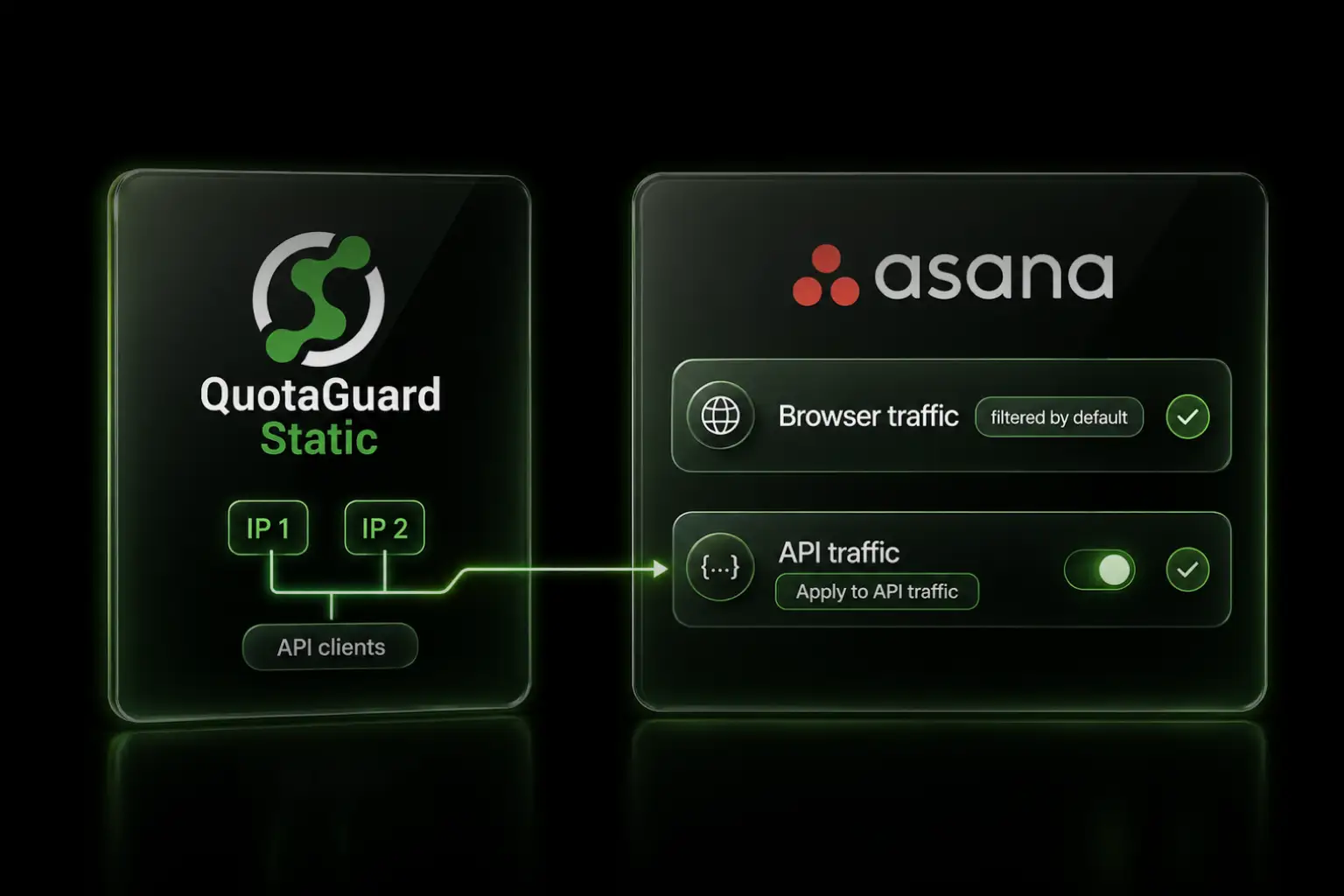
Asana API Traffic Filtering works with cloud integrations when their requests route through QuotaGuard and arrive from the two static IPs on the allowlist.

Asana Enterprise+ can extend IP allowlisting to API traffic. The setting is useful for internally managed integrations, but it creates a problem for cloud applications whose native outbound address changes. Asana's own guidance says the feature works best when integrations run through a controlled network or proxy with stable, predictable addresses.

Enterprise+ Separates Browser and API Traffic Filtering

Asana's main IP allowlist applies to browser access by default. A super admin must separately enable Apply to API traffic to restrict programmatic requests. The API option is off by default and independent of the main allowlist toggle.

That distinction matters during a rollout. Browser access can already be restricted while API integrations continue to work from their existing sources. API enforcement begins only after the separate option is enabled.

Asana's July 2026 release notes describe API Traffic Filtering as an Enterprise+ feature that extends the same network policy across browser and programmatic access.

One Stable Pair Covers the Programmatic Access Asana Lists

Asana says API Traffic Filtering applies to all programmatic access to the domain. Its current documentation specifically names personal access tokens, OAuth apps, service accounts, SCIM, and other identity-provider provisioning endpoints.

The network rule does not replace authentication. A personal access token remains a bearer credential. OAuth remains the right model for an app acting on behalf of users. Service-account and provisioning permissions remain unchanged. The source address becomes an additional condition that each request must satisfy.

This is the architectural fact QuotaGuard adds: each subscription has two load-balanced static IPv4 addresses. Add both to Asana, then route every customer-controlled API client through that pair.

QuotaGuard Gives Custom Asana Calls a Stable Source in 2 Minutes

QuotaGuard setup is one connection URL and one proxy option on the HTTP client. The example below uses Asana's documented /users/me request because it performs a narrow authenticated identity check without changing workspace data.

Store the connection URL and Asana credential as environment variables:

QUOTAGUARDSTATIC_URL="http://username:password@us-east-static-01.quotaguard.com:9293"
ASANA_ACCESS_TOKEN="replace-with-your-token"

First, confirm the request leaves through one of the two IPs shown in the QuotaGuard dashboard:

curl -x "$QUOTAGUARDSTATIC_URL" \
  "https://ip.quotaguard.com"

Then send the same proxied path to Asana:

curl -x "$QUOTAGUARDSTATIC_URL" \
  -H "Authorization: Bearer $ASANA_ACCESS_TOKEN" \
  "https://app.asana.com/api/1.0/users/me"

The example proxy host is region-specific. Choose the QuotaGuard region closest to Asana when signing up. Changing regions later requires contacting QuotaGuard support.

A Controlled Cutover Keeps Managed Integrations Reachable

Only an Asana super admin can configure IP allowlisting. Asana requires the super admin's current address to be present before the settings can be saved or enabled. Asana accepts individual IPv4 or IPv6 addresses and CIDR-formatted ranges.

Use this cutover order for customer-controlled integrations:

  1. Add both QuotaGuard dashboard IPs to the Asana allowlist.
  2. Route each custom API, service-account, SCIM, and provisioning client through QuotaGuard.
  3. Verify each client exits through one of the approved IPs and can complete a harmless authenticated request.
  4. Keep the previous approved network path available while checking every managed integration.
  5. Enable Apply to API traffic only after those paths pass.

Do not add the QuotaGuard proxy hostname to Asana. The allowlist evaluates the request's source address, so register the two IPv4 values assigned to the subscription.

App Management Fits Integrations You Cannot Proxy

QuotaGuard can stabilize traffic only when the customer controls the application or HTTP client. It cannot change the source address of a public third-party integration that exposes no proxy or network configuration.

Asana warns that public integrations and cloud-hosted apps with uncontrolled dynamic addresses are likely to stop working when API filtering is enabled. For those paths, Asana recommends App Management and Integrations controls to approve, block, and monitor connected apps without depending on source IP.

Asana webhooks are a separate direction. They send HTTP POST events from Asana to a customer-controlled target URL. API Traffic Filtering and the QuotaGuard path in this article cover outbound calls from the customer's application to Asana, not inbound webhook delivery.

QuotaGuard Static Pricing Starts at $19/Month

QuotaGuard Static is sufficient for most Asana API integrations. Bandwidth is bundled, with no per-GB overage fees. Direct Starter includes 20,000 requests per month and 10 GB of bandwidth. Starter, Production, and Business use shared static IP pairs. Enterprise includes dedicated IPs and proxy resources at $219 per month.

QuotaGuard Shield Pricing Starts at $29/Month

Shield additionally encrypts the customer-to-proxy hop while preserving the application's HTTPS session to Asana. Use Shield when the workflow carries regulated data covered by QuotaGuard's HIPAA or PCI-DSS product position, or when an internal control requires TLS on every hop. Direct Shield Enterprise includes dedicated IPs and proxy resources at $269 per month. Neither product makes an Asana environment compliant by itself.

Standard plans include a 3-day trial. Enterprise plans include a 7-day trial. A credit card is required.

See the full plan table at quotaguard.com/products/pricing. For the conversion overview and long-form FAQ, see the Asana static IP integration page.

QuotaGuard Static IP Blog

Practical notes on routing cloud and AI traffic through Static IPs.

Reliability Engineered for the Modern Cloud

For over a decade, QuotaGuard has provided reliable, high-performance static IP and proxy solutions for cloud environments like Heroku, Kubernetes, and AWS.

Get the fixed identity and security your application needs today.