
Braintree API IP Restrictions: Give Cloud Applications a Static Outbound IP

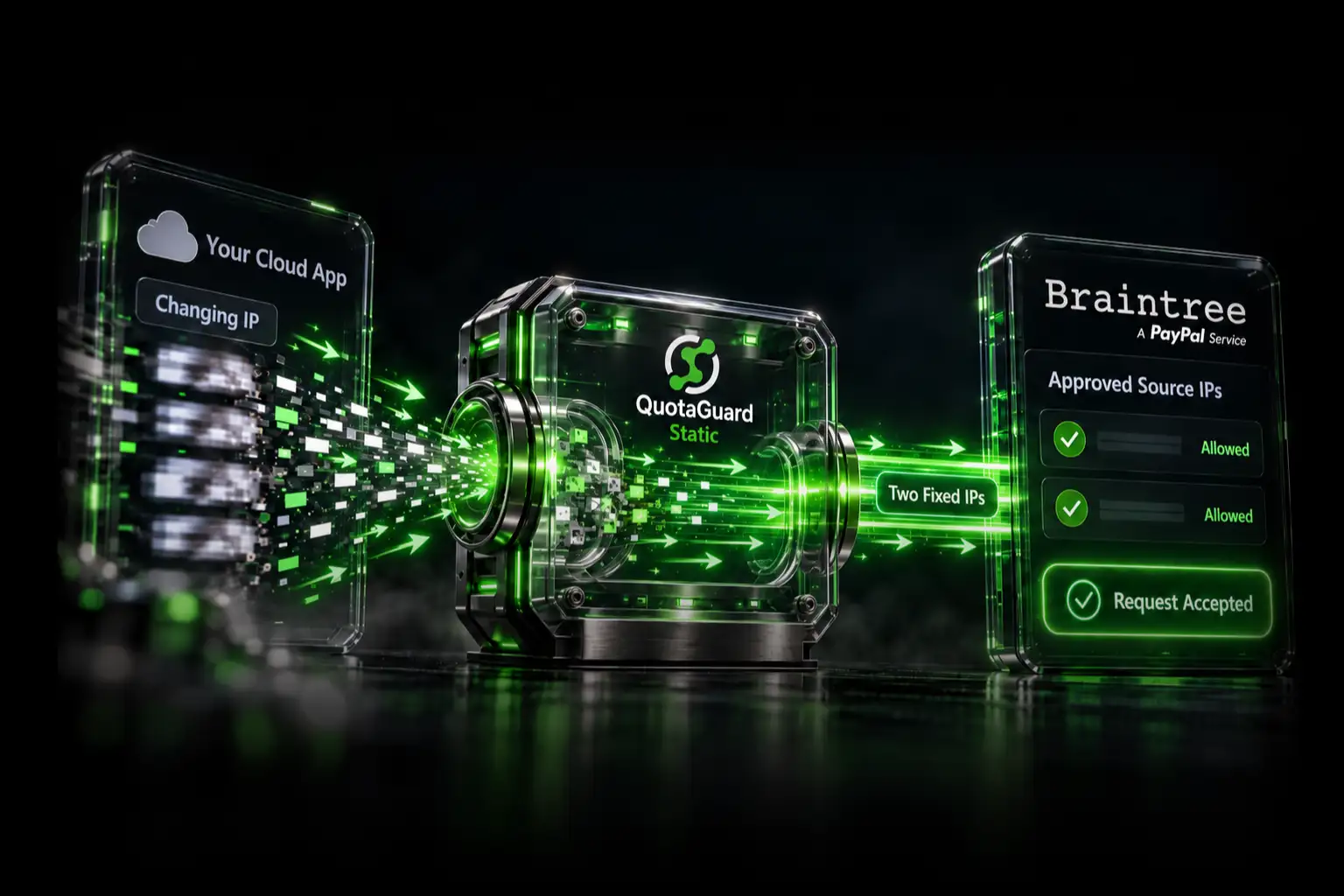
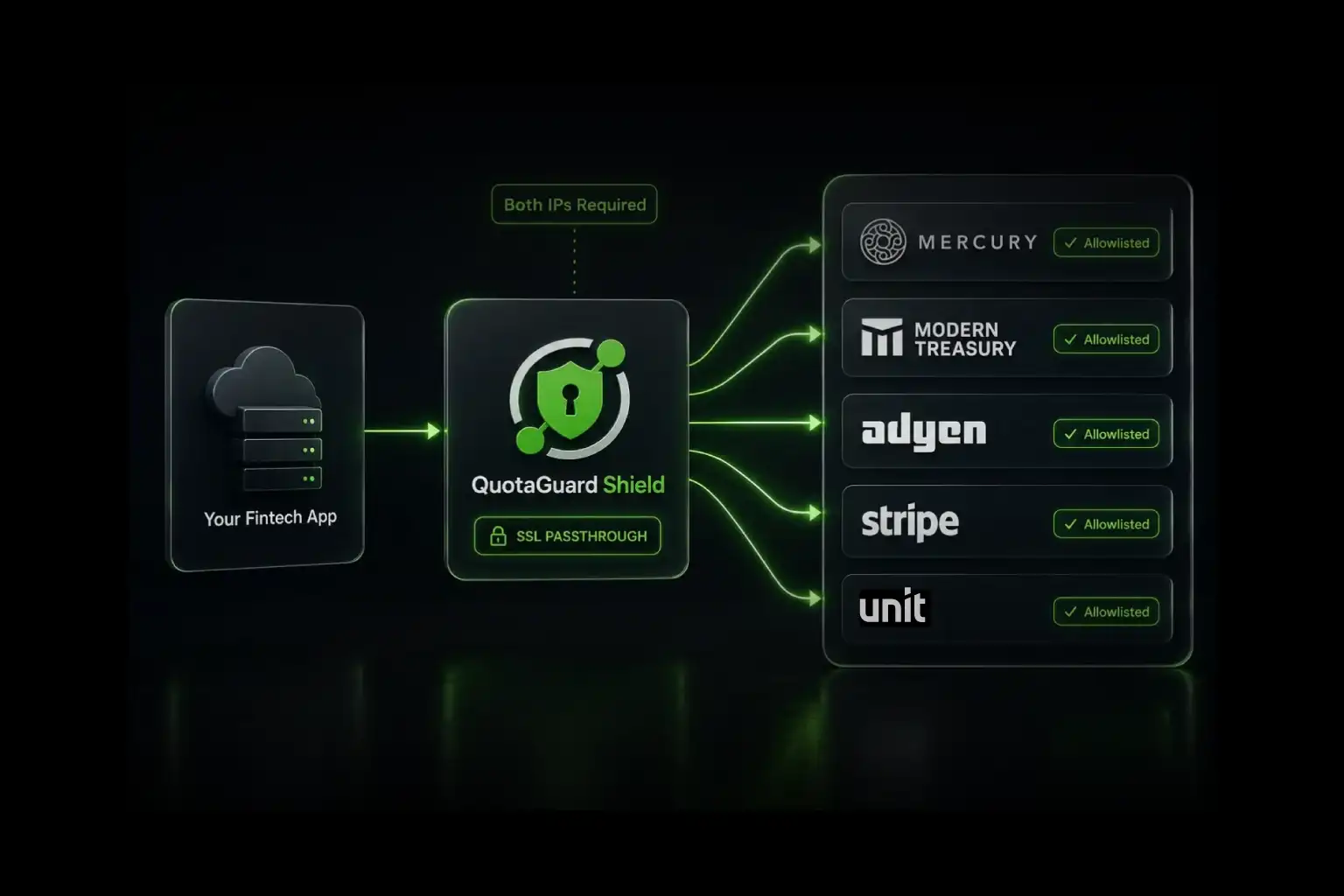
Braintree can restrict server-to-server API actions to approved source IP addresses, but that protection becomes difficult to use when your cloud application leaves through a changing address. Route the Braintree server SDK through QuotaGuard, add both static IP addresses assigned to your subscription in the Braintree Control Panel, and keep the API restriction enabled without trusting an entire hosting-platform range.
This applies to calls made by your server to the Braintree Gateway. It does not change browser-side tokenization traffic, and it is not the same as adding Braintree's own destination ranges to your outbound firewall.
What Braintree's IP Restriction Protects
Braintree lets authorized administrators add IP addresses or hostnames that may access the Control Panel, perform certain server-to-server API actions, or both. Once restrictions are enabled, requests outside the approved list are denied.
Braintree explicitly excludes encrypted calls made directly from a customer's browser through its client SDKs, such as requests that generate payment-method nonces. The protected connection in this guide is:
your server-side application
  -> QuotaGuard authenticated proxy
  -> Braintree server API
  -> Braintree evaluates the QuotaGuard source IP
That is a customer-controlled, insertable route. The server SDK holds the Braintree credentials and opens the outbound connection, so it can use a proxy when the SDK and runtime expose that capability.
Do Not Confuse Two Opposite Allowlists
Braintree documents two different network controls:
- Your source IPs in Braintree: this controls which addresses may make server-to-server API calls to your Braintree Gateway. QuotaGuard solves the dynamic-source problem described in this guide.
- Braintree destination IPs in your firewall: this lets your infrastructure reach Braintree's changing service endpoints. QuotaGuard does not replace Braintree's published destination list, and Braintree recommends watching that list for changes.
The direction matters. QuotaGuard gives your application a stable source identity. It does not make Braintree's own service infrastructure static.
Check Your Braintree Server SDK Before Configuring Anything
Proxy support is not uniform across Braintree's official SDKs. Braintree currently documents the following:
| Server SDK | Documented proxy path | Authenticated proxy |
|---|---|---|
| Java | setProxy() on the gateway configuration |
Yes, using a Java Authenticator |
| .NET | WebProxy assigned to the Braintree configuration |
Yes |
| PHP 5.2+ | proxyHost, proxyPort, and optional proxy type |
Yes |
| Python | HTTP_PROXY and HTTPS_PROXY environment variables |
Yes |
| Ruby | proxy_address and proxy_port in the gateway |
Yes |
| Node.js | Braintree says proxy configuration is not available in its Node SDK | No direct SDK route documented |
Do not assume that storing a proxy URL or setting a generic environment variable will affect every SDK. Configure the exact client that opens the Braintree server connection.
If your application uses Braintree's Node SDK, do not paste QUOTAGUARDSTATIC_URL into an environment variable and assume the SDK will honor it. Braintree's current documentation expressly says the Node SDK does not provide proxy configuration. Contact QuotaGuard to review a customer-controlled relay or another validated route before enabling a production restriction.
Step 1: Get the QuotaGuard Connection Details
Create a QuotaGuard subscription and copy:
- The authenticated proxy connection URL from the dashboard.
- Both static outbound IP addresses assigned to the subscription.
Store the connection URL as a server-side secret such as QUOTAGUARDSTATIC_URL. It contains credentials and must never appear in client-side JavaScript, source control, application logs, or public error output.
Standard plans provide a stable pair on managed shared proxy infrastructure. If your security policy requires customer-only source addresses, use QuotaGuard Enterprise dedicated infrastructure. The Braintree API credentials and application authorization remain necessary in either case; an approved IP is an additional layer, not an authentication substitute.
Step 2: Configure the Supported Server SDK
PHP
Braintree documents authenticated proxy configuration in PHP SDK 5.2.0 and later. Parse the QuotaGuard URL into the fields expected by the Braintree configuration:
<?php

$proxyUrl = getenv('QUOTAGUARDSTATIC_URL');
$proxy = parse_url($proxyUrl);

if ($proxy === false || !isset($proxy['host'], $proxy['port'])) {
    throw new RuntimeException('Invalid QUOTAGUARDSTATIC_URL');
}

$config = new Braintree\Configuration([
    'environment' => 'sandbox',
    'merchantId' => getenv('BRAINTREE_MERCHANT_ID'),
    'publicKey' => getenv('BRAINTREE_PUBLIC_KEY'),
    'privateKey' => getenv('BRAINTREE_PRIVATE_KEY'),
    'proxyHost' => ($proxy['scheme'] ?? 'http') . '://' . $proxy['host'],
    'proxyPort' => (string) $proxy['port'],
    'proxyUser' => urldecode($proxy['user'] ?? ''),
    'proxyPassword' => urldecode($proxy['pass'] ?? ''),
]);

$gateway = new Braintree\Gateway($config);
Start with the Braintree sandbox. Do not switch this example to production until the route and restriction work together.
Python
Braintree's Python SDK honors the standard proxy environment variables. Set both to the authenticated QuotaGuard URL before starting the process:
export HTTP_PROXY="$QUOTAGUARDSTATIC_URL"
export HTTPS_PROXY="$QUOTAGUARDSTATIC_URL"
This is process-wide routing for software that honors those variables, not selective per-client routing. Review NO_PROXY requirements for internal destinations and verify the behavior of every library that shares the process.
Java, .NET, and Ruby
Use the authenticated-proxy fields documented for the applicable Braintree SDK. Prefer an instance-specific Braintree gateway configuration where possible so unrelated application traffic does not inherit the payment route.
Step 3: Verify the Source Address Before Enabling Restrictions
Before changing the Braintree Control Panel, verify that the same proxy configuration reaches:
https://ip.quotaguard.comThe response should match one of the two addresses in your QuotaGuard dashboard. Then make a safe, non-mutating Braintree sandbox API call through the configured server SDK.
Do not wait for repeated IP checks to display both assigned addresses. Connection reuse and load balancing do not guarantee that both will appear during a short test. Both must still be added to Braintree.
Step 4: Enable Braintree API Restrictions
Braintree's current Control Panel instructions are:
- Open the Braintree Control Panel.
- Select the gear icon and choose API.
- Open the Security tab.
- Find IP and Hostname Restrictions and choose Edit.
- Add each QuotaGuard IP address.
- Select API access for both entries.
- Enable the restrictions.
Braintree recommends testing restrictions in its sandbox before production. Follow that advice. An incorrect production allowlist can interrupt payment operations immediately.
Enter both QuotaGuard addresses as explicit IPs. Braintree supports wildcards and CIDR notation, but a broad range weakens the purpose of the control. A small stable pair is easier to review, attribute, and maintain.
Step 5: Confirm the Restriction Actually Works
Test both sides of the control in the Braintree sandbox:
- A safe server-side API call through QuotaGuard should succeed.
- The same call from an unapproved source should be denied.
- Normal browser-side tokenization should continue to behave according to Braintree's client SDK design because those encrypted client calls are not subject to the server API allowlist.
Keep rollback instructions and an authorized Control Panel administrator available during the production change.
Troubleshooting
| Symptom | Likely cause |
|---|---|
| Braintree still sees the hosting platform's address | The SDK is not using the configured proxy. Confirm the language-specific configuration and the exact gateway instance used by the request. |
| Python routes unrelated services through QuotaGuard | HTTP_PROXY and HTTPS_PROXY are process-wide for compatible libraries. Add carefully scoped NO_PROXY entries or use a runtime that supports client-specific configuration. |
| Node ignores the proxy URL | This matches Braintree's documented limitation. Its Node SDK does not expose proxy configuration. Do not enable the production allowlist until a different route has been validated. |
| Requests work intermittently | Confirm that both assigned QuotaGuard IPs have API access in Braintree, not just the one observed in the first test. |
| Control Panel access breaks after enabling restrictions | Braintree allows API and Control Panel access to be selected separately. Verify which boxes were enabled for each entry. |
| Your firewall cannot reach Braintree | This is the opposite allowlist. Review Braintree's published service domains and destination IP ranges in addition to your source restriction. |
Security Beyond the Source IP
An IP restriction narrows where valid Braintree API requests may originate, but it is not sufficient authentication. Keep the following controls:
- Server-side storage and rotation of Braintree and QuotaGuard credentials.
- Least-privilege Braintree roles and tightly controlled Control Panel access.
- TLS, application authentication, authorization, rate limits, and request logging.
- Alerts for unexpected payment behavior and repeated restriction failures.
- Braintree's client-side tokenization or hosted fields so raw payment details do not pass through an unnecessary application layer.
QuotaGuard Static does not decrypt HTTPS application payloads. It uses the standard HTTP proxy protocol on the application-to-proxy hop while the Braintree HTTPS session remains encrypted to the destination. QuotaGuard Shield adds TLS protection to the application-to-proxy hop. Choose Shield when your security review or approved compliance architecture requires it.
For organizations that require an exclusive network identity, QuotaGuard Enterprise dedicated infrastructure provides customer-only source addresses instead of the shared managed pair used by standard subscriptions.
Why Managed Egress Matters on a Payment Path
You can build a fixed-egress layer with a virtual machine, NAT gateway, VPN, or self-operated proxy. That also makes your team responsible for patching, scaling, monitoring, availability, failover, and incidents on the payment route.
QuotaGuard manages that infrastructure and gives the application a portable identity that can remain consistent when you change application hosts. It also allows supported SDKs to route the Braintree client selectively instead of forcing every application connection through a platform-wide network path.
The value is not merely the cost of two IP addresses. It is removing a piece of payment-path infrastructure from your team's operational burden.
Plans and Regions
QuotaGuard Static starts at $19 per month. QuotaGuard Shield starts at $29 per month. Choose the nearest of 12 AWS regions during signup to reduce latency. Contact QuotaGuard for Enterprise dedicated infrastructure when customer-only source addresses or dedicated proxy capacity are required.
View QuotaGuard plans or contact support to confirm the route for your Braintree server SDK before enabling a production restriction.
Frequently Asked Questions
Does the Braintree allowlist apply to browser payments?
No. Braintree says the restriction applies to Control Panel access and server-to-server API actions. Encrypted calls made directly from a customer's browser through Braintree client SDKs are not subject to this allowlist.
Can I use QuotaGuard with the Braintree Node SDK?
Not through a documented SDK proxy setting. Braintree currently says proxy configuration is unavailable in its Node SDK. A separate customer-controlled route may be possible, but it should be validated before publication or production use.
Why should I add both QuotaGuard addresses?
The pair supports availability and failover. Adding only the address returned by one test can cause intermittent denials when a request leaves through the other assigned address.
Are standard QuotaGuard IP addresses exclusive to my company?
No. Standard plans use managed shared proxy infrastructure. Braintree credentials and application controls still protect the account. If your policy requires customer-only source addresses, use QuotaGuard Enterprise dedicated infrastructure.
Does using a static IP make the integration PCI compliant?
No. A source restriction is one security layer. PCI scope and compliance depend on the complete payment architecture, how payment data is collected and handled, access controls, operations, and the other applicable requirements.
Official References
QuotaGuard Static IP Blog
Practical notes on routing cloud and AI traffic through Static IPs.

.webp)