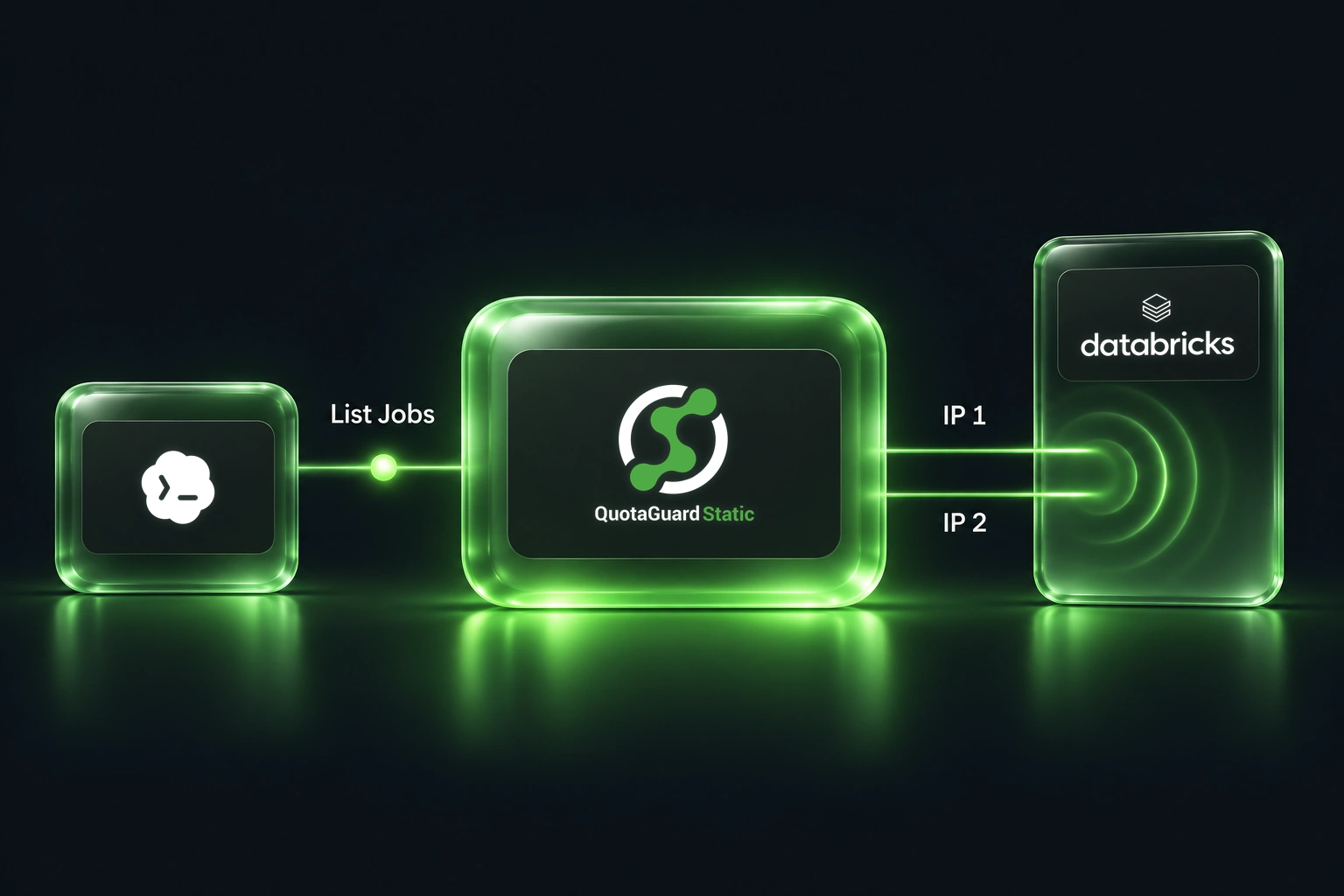
A useful job for a coding agent is checking whether the application it is changing can still reach its data platform. For a Databricks integration, start with a read-only request to list jobs before asking the agent to change a pipeline or trigger a run.

That request can fail before the application code gets a chance to work. Databricks documents workspace IP access lists that restrict access to workspace-level APIs. If the machine running your Codex command has an unapproved outgoing address, a valid API credential alone is not enough.

The example here adapts Databricks' documented list-jobs API to a customer-controlled Codex CLI workflow.

Put the stable IP on the command making the request

The relevant path is the HTTP client launched by Codex, through QuotaGuard, to your public Databricks workspace API. The model does not open that connection itself.

Configure an existing QuotaGuard Static subscription on the execution host and have the workspace administrator approve both assigned dashboard IPv4 addresses. Either can carry a connection. Keep existing approved callers on the allowlist and retain Databricks authentication and job permissions. Private-only workspaces need their supported private connectivity instead of a public forward proxy.

For Databricks, confirm that your workspace's network controls and plan support the proposed route. Its documentation distinguishes workspace API controls from account-console controls and recommends context-based ingress for migration from existing workspace IP lists. Follow your administrator's current policy rather than creating a second, conflicting rule set.

Check the public route before the protected API

Use the complete qg_get.py helper and command-environment setup from the Codex integration guide. The helper sends its credential-bearing curl configuration over standard input, keeps TLS verification on, does not follow redirects, and suppresses protected response bodies.

Supply these values through your trusted secret launcher, not a prompt or checked-in file:

  • QUOTAGUARDSTATIC_URL: the complete Static HTTP proxy connection from your subscription.
  • QG_AUTH_HOST: the exact Databricks workspace hostname, without a scheme or path.
  • QG_DESTINATION_BEARER: an authorized, least-privilege Databricks bearer token for the read.

Use the following command only on a customer-controlled path whose effective network policy explicitly permits direct access to QuotaGuard. qg_get.py supplies its own curl proxy and does not preserve an injected sandbox proxy route. If a managed sandbox proxy is active, do not use this helper to bypass it; follow the guide's sandbox-injected route and supported upstream-proxy setup instead.

On that permitted direct-to-QuotaGuard path, first complete the guide's explicit-client public IP check using the same helper, with destination bearer authentication unset. Compare the result with both dashboard addresses. Only after it matches either address, make the protected read:

# Only where policy explicitly permits direct access to QuotaGuard.
# qg_get.py comes from the full guide. Python 3 and curl are required.
set +x
: "${QG_AUTH_HOST:?Supply the approved workspace hostname}"
: "${QG_DESTINATION_BEARER:?Supply the authorized token securely}"
QG_TARGET_URL="https://${QG_AUTH_HOST}/api/2.2/jobs/list?limit=1" \
  python3 qg_get.py

The helper suppresses job records, but its generic success message does not assert HTTP 200 or prove API access; confirm HTTP 200 and the expected list-jobs response in a separately reviewed API client before claiming access. This read does not submit a job, prove permission to run one, or provide the job data to the model.

Once connectivity is confirmed, use your separately reviewed application client for the records your task actually needs. Keep that client's proxy configuration and data-handling rules explicit.

Preserve Codex network controls

OpenAI's shell environment policy controls which variables reach spawned commands. A value present in your terminal can still be absent from the command process. The full guide includes the matching filters and a presence-only diagnostic that does not print secrets.

Environment configuration does not grant network permission. Preserve the sandbox's injected proxy settings and follow the guide's supported upstream-route setup when a command sandbox proxy is active. Do not disable a network restriction just to make the example pass.

This local CLI pattern does not configure Codex Cloud, hosted connectors, browsers, or a remote MCP server's onward requests. Each execution surface needs its own supported route.

Choose the right proxy transport

This helper is intentionally Static-only. It uses an HTTP proxy to tunnel destination HTTPS; the destination TLS connection remains intact, but the initial proxy hop and proxy authentication are not encrypted. Shield adds TLS to the client-to-proxy hop and needs a compatible client or documented adapter. Changing the scheme on a Static URL does not convert this helper to Shield.

Follow the full Codex setup guide for configuration and troubleshooting, or see QuotaGuard for Codex for product and deployment fit.

QuotaGuard Static IP Blog

Practical notes on routing cloud and AI traffic through Static IPs.

Reliability Engineered for the Modern Cloud

For over a decade, QuotaGuard has provided reliable, high-performance static IP and proxy solutions for cloud environments like Heroku, Kubernetes, and AWS.

Get the fixed identity and security your application needs today.