Static IP via VPN vs Static IP Proxy: Which One Your Use Case Actually Needs

QuotaGuard Engineering
June 19, 2026
5 min read
Pattern

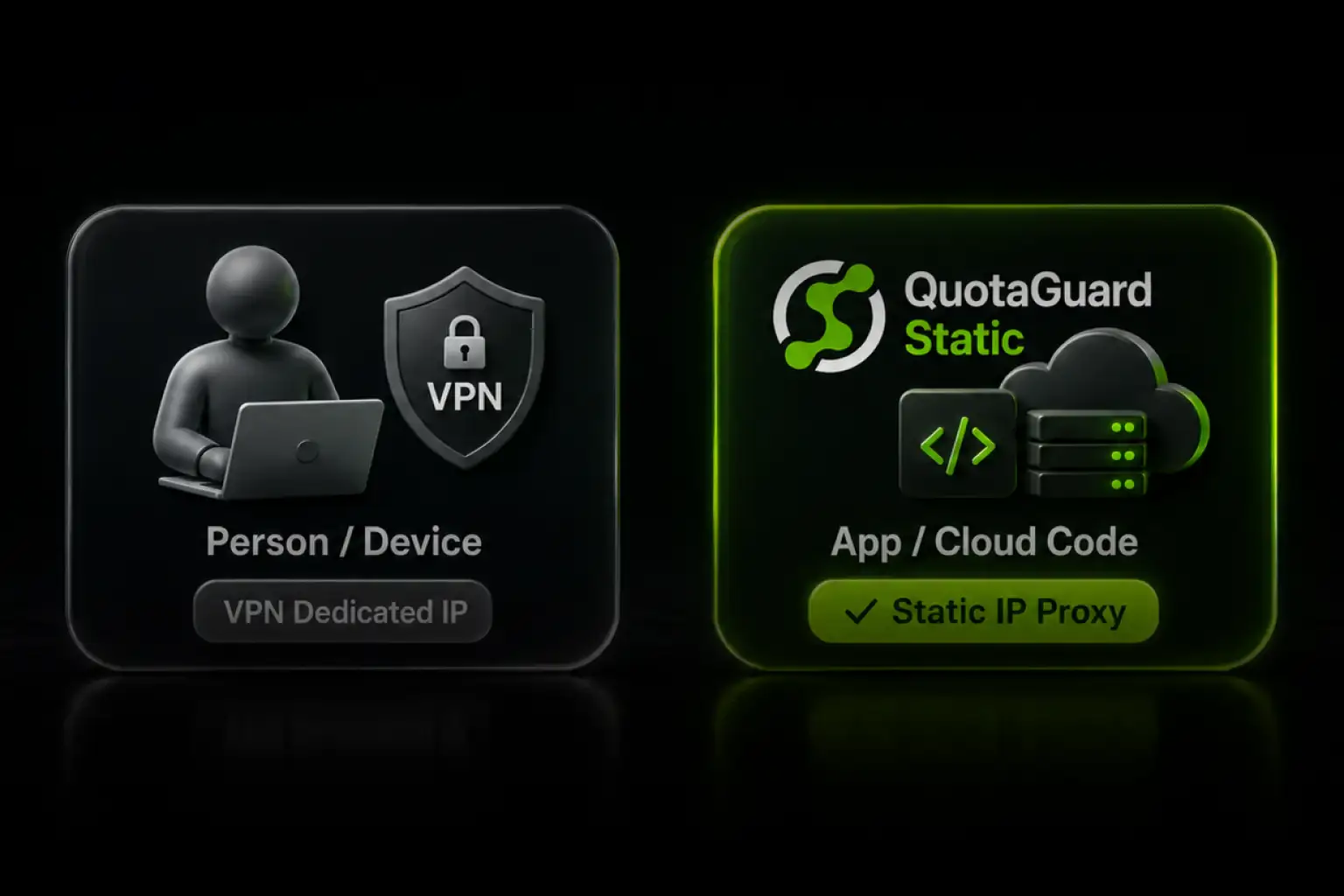
A VPN static IP is for a person at a device. A static IP proxy is for application code on cloud infrastructure. Pick by what needs the fixed IP, not by which tool you've heard of.

Both a VPN with a dedicated IP and a static IP proxy give you a fixed outbound address you can allowlist. They are not interchangeable. The deciding question is what needs the IP. If it's a human on a laptop or phone, a VPN dedicated IP is usually the right, cheaper tool. If it's application code running on a cloud platform, a VPN client often can't run there at all, and a proxy is the fit. This post draws that line clearly so you don't buy the wrong one.

The Fork: A Device Needs a VPN, An App Needs a Proxy

A VPN dedicated IP works by routing a device's traffic through a VPN server. You install a client, WireGuard, OpenVPN, or IKEv2, on a laptop, phone, or router, and that device's outbound traffic exits from the VPN's fixed address. This is a good model when the thing that needs a stable IP is a person operating a device: logging into an admin panel, a bank, an ad account, or reaching a home camera.

A static IP proxy works at the application layer. Your code sends its outbound requests through the proxy, and they exit from a fixed IP. No VPN client, no device tunnel. This is the model when the thing that needs a stable IP is software running on infrastructure you don't fully control.

The reason this fork matters: on most cloud platforms, you cannot install a VPN client. A serverless function, a managed PaaS dyno, an automation workflow, these don't give you host-level network control or a persistent OS to run a tunnel on. The VPN approach assumes a device you administer. Cloud application egress usually isn't that.

When the VPN Dedicated IP Is the Right Tool

Be honest about where a VPN wins, because it genuinely does for a whole class of cases:

A freelancer or employee logging into SaaS dashboards, banking portals, or ad platforms from their own machine. The VPN gives that person a steady IP so the service stops flagging logins as suspicious. A proxy doesn't fit here, because there's no application code to route, just a human in a browser.

Reaching home infrastructure behind carrier-grade NAT, cameras, a NAS, a smart-home hub. A VPN with port forwarding or a reverse tunnel is built for that, and a static IP proxy isn't the tool for exposing a device on your home network.

Any case where the unit needing the fixed identity is a person at a keyboard or a device you physically own and administer. If you can install software on it and it stays running, a VPN client is viable.

When the Static IP Proxy Is the Right Tool

The proxy wins the moment the thing needing the fixed IP is application code on managed or serverless infrastructure:

A cloud app on Heroku, Render, Railway, Fly.io, or AWS that calls an API or database requiring a whitelisted source IP. These platforms rotate your outbound IP and don't let you run a VPN client. You set a proxy URL in your environment and the app's requests exit from a fixed IP. See the platform-specific setup in the QuotaGuard integrations directory.

A serverless function, AWS Lambda, Google Cloud Functions, Supabase Edge Functions, where there's no host to install anything on and the function cold-starts and dies. A proxy configured in the function's environment is the only practical path to a fixed egress IP without standing up a NAT Gateway.

An automation or no-code workflow, n8n, Make, Zapier, that needs to call an IP-restricted endpoint. There's no device to put a VPN on. The platform's HTTP layer routes through the proxy instead.

A trading bot, AI agent, or MCP server on cloud infrastructure that an exchange, partner, or enterprise firewall needs to allowlist. The workload is code, not a person, and it runs where you can't install a tunnel.

Inbound Is Where the VPN Workaround Gets Hardest, and the Proxy Gets Simpler

VPN guides spend a lot of words on carrier-grade NAT and inbound connections, getting reached from the outside when you're behind a provider's NAT. Their answer is port forwarding or a reverse tunnel from the device side. That's real engineering effort, and it's device-centric.

The same inbound problem exists for cloud apps. An external partner needs to send webhooks or callbacks into your app, but your app runs on dynamic infrastructure with no fixed address for them to target. A static IP proxy with inbound support solves this differently: it gives your app a fixed pair of inbound IPs, so the partner allowlists two addresses that never change, and you never touch a reverse tunnel. For any two-way integration where something external calls into your app, the inbound case is often the more valuable half. See sending webhooks to firewalled endpoints for how the inbound side works.

IP Reputation: Both Models Hit It, Here's the Honest Version

VPN providers talk about "warm" dedicated IPs with managed reputation. The underlying issue is real and it applies to both VPNs and proxies: a datacenter IP can be flagged by anti-fraud and anti-bot systems regardless of how clean its abuse history is.

The honest version, which holds for any provider running on cloud infrastructure: a fixed IP fixes abuse-history problems, an IP that's been used for spam or scraping carries that baggage, and a clean dedicated IP doesn't. What a fixed IP does not do is hide that it's a datacenter IP. If a service blocks all datacenter ASNs outright, no proxy and no VPN running on cloud infrastructure changes that. We wrote the full diagnostic version of this, including the free tools to check your own IP's reputation, in why your legitimate cloud app gets blocked as a bot.

Compliance and Audit: Controlled Egress for SaaS

VPN comparisons mention that a dedicated IP helps with SOC 2 and ISO 27001 by giving auditors a controlled egress point. True for a team's device traffic. For a SaaS application, the auditor's question is about where the application's outbound traffic originates, and a static IP proxy answers it for the app layer specifically. We covered how static IPs map to the network-security control auditors actually test in how static IPs help you pass the SOC 2 network security question.

A Note on the Container Exception

One boundary worth stating precisely. On infrastructure where you do control the host network, your own Kubernetes cluster, a VM, certain container setups, you could run a VPN client or a WireGuard sidecar. The "you can't run a VPN on cloud apps" rule isn't absolute. It's accurate for managed and serverless platforms, which is where most cloud applications actually run, and that's the majority of cases. If you control the host and want to run a tunnel, that's a valid path. For everything serverless or managed, the proxy is the practical answer because there's no host to put a client on.

Use QuotaGuard Shield for Regulated or Sensitive Data

If your application handles healthcare records, payment data, or anything under HIPAA or PCI-DSS, use QuotaGuard Shield rather than Static. Shield uses SSL passthrough, so the TLS connection runs end-to-end between your app and the destination and QuotaGuard never decrypts your data. That's the right model for regulated traffic, and it's a distinction a consumer VPN dedicated IP doesn't make. Shield starts at $29 per month on a direct plan. See QuotaGuard Shield for the passthrough details.

Pick by What Needs the IP

If a person at a device needs a stable IP, a VPN dedicated IP is the right tool, and often the cheaper one. If application code on managed or serverless infrastructure needs a stable IP, a VPN client usually can't run there and a static IP proxy is the fit. The question isn't which tool is better in the abstract. It's what, exactly, needs the fixed address.

QuotaGuard Static starts at $19 per month on a direct plan, with two static IPs in a load-balanced pair, bandwidth bundled, and no per-GB fees. Production is $49 per month and Business is $89 per month. Dedicated IPs are available on the Enterprise plan at $219 per month.

See plans and start a trial at quotaguard.com/products/pricing. If you're not sure which side of the fork your use case is on, contact us and an engineer will tell you straight.

QuotaGuard Static IP Blog

Practical notes on routing cloud and AI traffic through Static IPs.

Reliability Engineered for the Modern Cloud

For over a decade, QuotaGuard has provided reliable, high-performance static IP and proxy solutions for cloud environments like Heroku, Kubernetes, and AWS.

Get the fixed identity and security your application needs today.