QuotaGuard and Render Integration Guide
Table of contents
QuotaGuard Static IP Static IPs allow your services on Render to send outbound traffic through a load balanced pair of static IP addresses. Once set up, you can use QuotaGuard’s IPs to connect to IP-restricted environments outside your Render network.
You do not need QuotaGuard to connect to your databases or private services on Render.
Choose Render Dedicated IPs or QuotaGuard
Render now offers native dedicated outbound IPs for Pro and higher workspaces. Each $100-per-month IP set contains three IPv4 addresses in one Render region and can apply to an entire workspace or selected environments. This is the direct Render option when you want exclusive addresses and are comfortable routing the scoped services through Render’s regional IP set.
QuotaGuard remains useful when you want to route only selected HTTP, HTTPS, or supported TCP connections through a stable egress path, need an option that does not require Render’s Pro-only dedicated-IP add-on, or want the same managed egress identity across more than one hosting platform. Render maintains its own QuotaGuard setup documentation.
QuotaGuard’s standard plans provide a stable load-balanced pair on shared proxy infrastructure. If a destination requires addresses exclusive to your organization, compare Render’s native dedicated set with a QuotaGuard Enterprise dedicated deployment.
Getting Started
After creating a QuotaGuard account, you will be redirected to your dashboard, where you can find all the information needed to proxy your traffic through QuotaGuard’s static IPs.
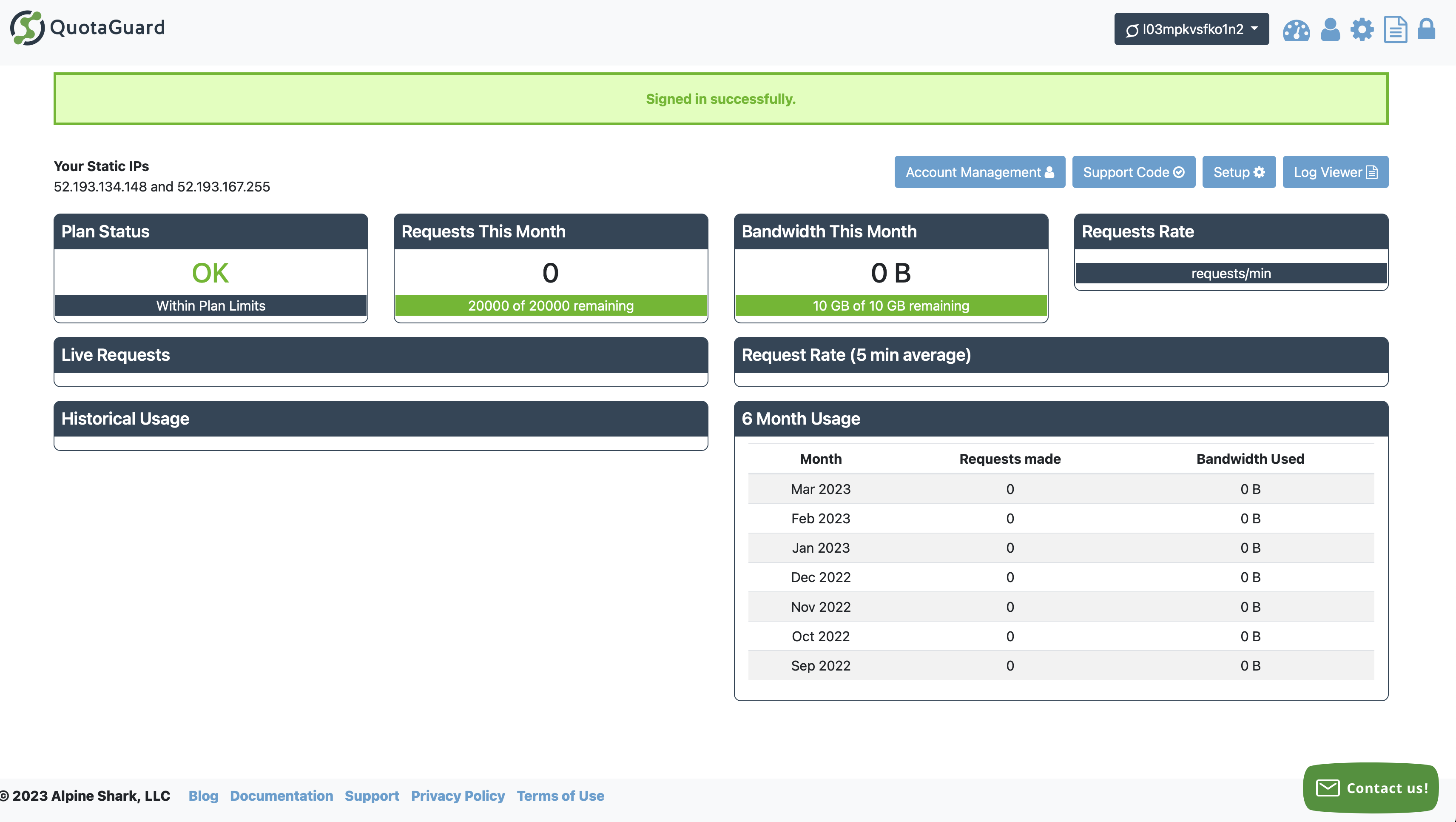
For more information on navigating the QuotaGuard Dashboard, including how to manage your Account Information, Subscription Configuration, Proxy Connection Strings, and Static IP Addresses, please visit our QuotaGuard Account Administration Dashboard documentation
Configuring Your Application
You can configure QuotaGuard the same way you would configure your app to use any HTTP proxy. QuotaGuard provides examples for common languages:
Most of these examples involve adding the QUOTAGUARDSTATIC_URL environment variable to your service in the Render Dashboard. Set the value to the HTTP/HTTPS URL from your QuotaGuard Outbound Proxy Setup page. Any requests your application makes using QuotaGuard’s proxy URL will be routed through one of the IPs displayed in your QuotaGuard configuration.
Store the full connection URL in the service’s environment variables, or place it in a Render environment group when multiple services need the same value. Do not commit the proxy username and password to render.yaml or application source. An environment variable does not redirect traffic by itself; configure the HTTP client that opens the protected connection to use it. This lets you route one destination through QuotaGuard while unrelated traffic keeps its normal Render path.
Example: Monnify live disbursements
Monnify requires merchants using its live disbursement APIs to register static server IP addresses. Requests from another source are rejected with a D06 error. A Render application can route its Monnify authentication and disbursement requests through QuotaGuard, then give Monnify both addresses shown in the QuotaGuard dashboard.
This requirement applies to the application’s outbound API calls. Monnify webhooks travel in the opposite direction and use Monnify’s separate webhook security controls. See Give a Render App a Static IP for Monnify Disbursements for the complete setup and the native-Render comparison.
Using QuotaGuard Static IPs will add an additional hop to your network requests and can affect response times for your application. Make sure to test application response times before and after enabling QuotaGuard.
Testing Your Implementation
Requests to https://ip.quotaguard.com return the request client’s public IP address. Requests made to this address with your QuotaGuard proxy configuration will return one of the static IPs listed in your configuration.
$ curl -x "$QUOTAGUARDSTATIC_URL" https://ip.quotaguard.com
  => {"ip":"52.34.188.175"}
Allowlist both assigned addresses. A short test might display only one because load balancing and connection reuse do not guarantee that both appear during repeated checks.